AIOctober 5, 202612 min read
AI spending limits, which providers actually stop the bill
Simon Willison wants hard budget caps on by default. Each vendor's own billing page, read on 5 October 2026, says 4 of these 5 AI services already stop at a monthly ceiling you never set.

Every big AI API already carries a monthly ceiling that stops your requests, and the ceiling you set yourself is the one that might not be switched on. Checked on 5 October 2026 against each vendor's own billing documentation, the Claude API stops at a spend cap attached to your usage tier, the Gemini API pauses every project on a billing account that reaches its tier limit, the OpenAI API refuses calls at an approved monthly usage limit it assigns you, OpenRouter refuses the call once prepaid credit runs out, and AWS alone starts with no ceiling until you create one.
The question comes from Simon Willison, who argued on 3 October that any service billed by usage should ship with a hard budget cap turned on by default, and that switching it off should take a deliberate click. His piece points at AWS and Google Cloud, and it leaves open the thing that matters to anyone running an agent overnight, which is whether the AI services you actually call have anything equivalent. They mostly do, and the 3 clauses that decide whether your cap holds are written in the documentation where almost nobody quotes them.
What is a hard spending limit, and how is it different from a billing alert?
A hard spending limit makes the service refuse work once your spend reaches a dollar ceiling, while a billing alert only sends a message and lets the meter keep running. OpenAI writes the difference into its own spend limits guide as 2 rows, where a spend alert sends a notification and API traffic continues, and a hard spend limit makes affected requests return an error instead.
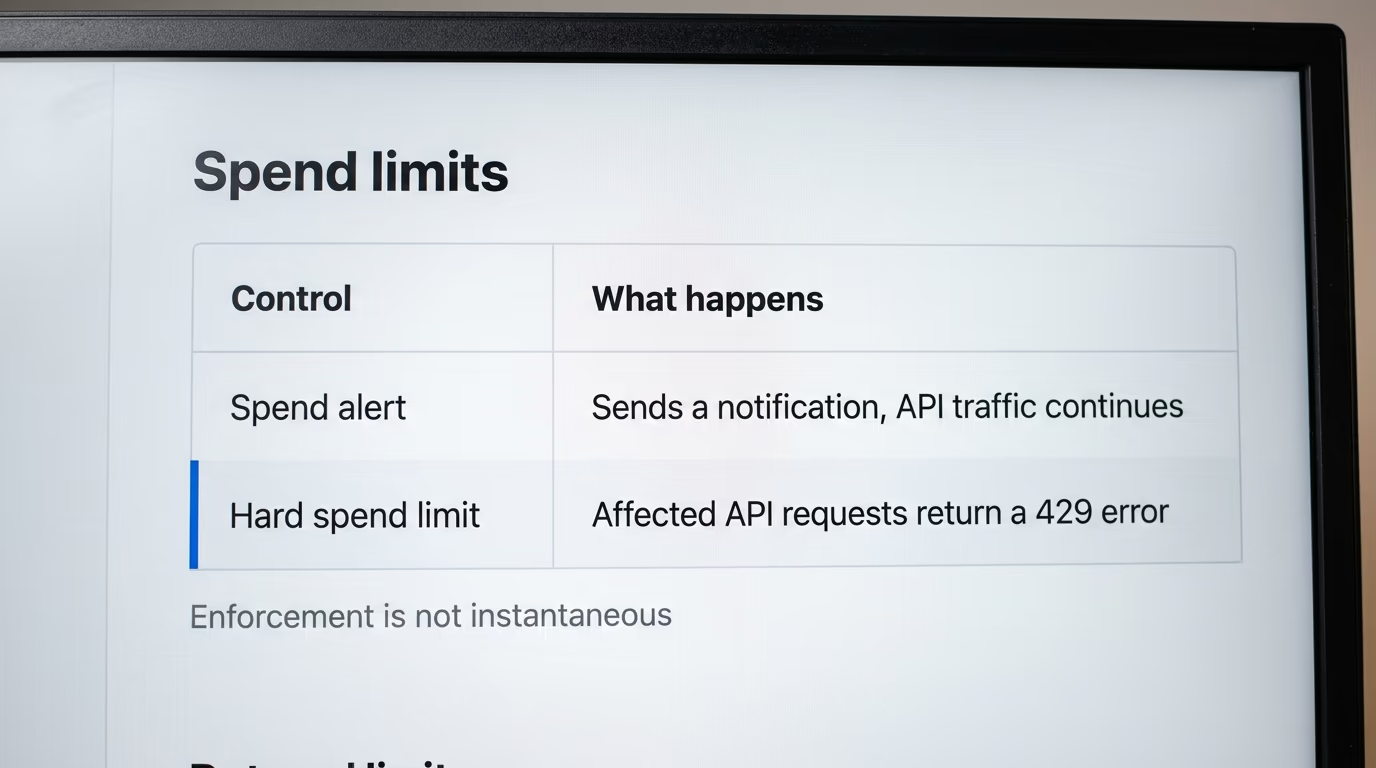
The gap between those 2 rows costs real money in the hours when nobody is watching. A coding agent retrying a failing step, or a scheduled run that suddenly reads a much larger file, will keep buying tokens at the same rate whether or not a warning landed in your inbox at midnight. Willison's argument is that the alert is the wrong default, because it arrives at the moment you can do the least with it.
A refusal has a cost of its own, and that is the honest objection to the whole idea. A request blocked on money grounds looks like an outage to whatever you built, so a chatbot in front of customers goes quiet and the failure lands on whoever is on call in the morning. Anthropic, Google and OpenAI each document the refusal as a specific error with its own code, which at least lets an application tell a money stop from a capacity stop and show the user something sensible.
The shape of the control is similar everywhere once you read past the branding. There is a ceiling the vendor sets for you from your account history, a lower ceiling you can set yourself, and a window of time between the moment you cross a line and the moment the service notices. Almost everything useful in this story sits inside that window, and in whether the lower ceiling is enforced or merely recorded. That question got loud as soon as coding agents started running for hours unattended.
Which AI providers can actually stop your bill right now?
4 of the 5 services below already enforce a monthly ceiling you never asked for, and only AWS begins with none. Every row was read this morning off the vendor's own billing or rate limit page, and the column that matters most is the last one, because it tells you what your own software will see at the moment the money stops.
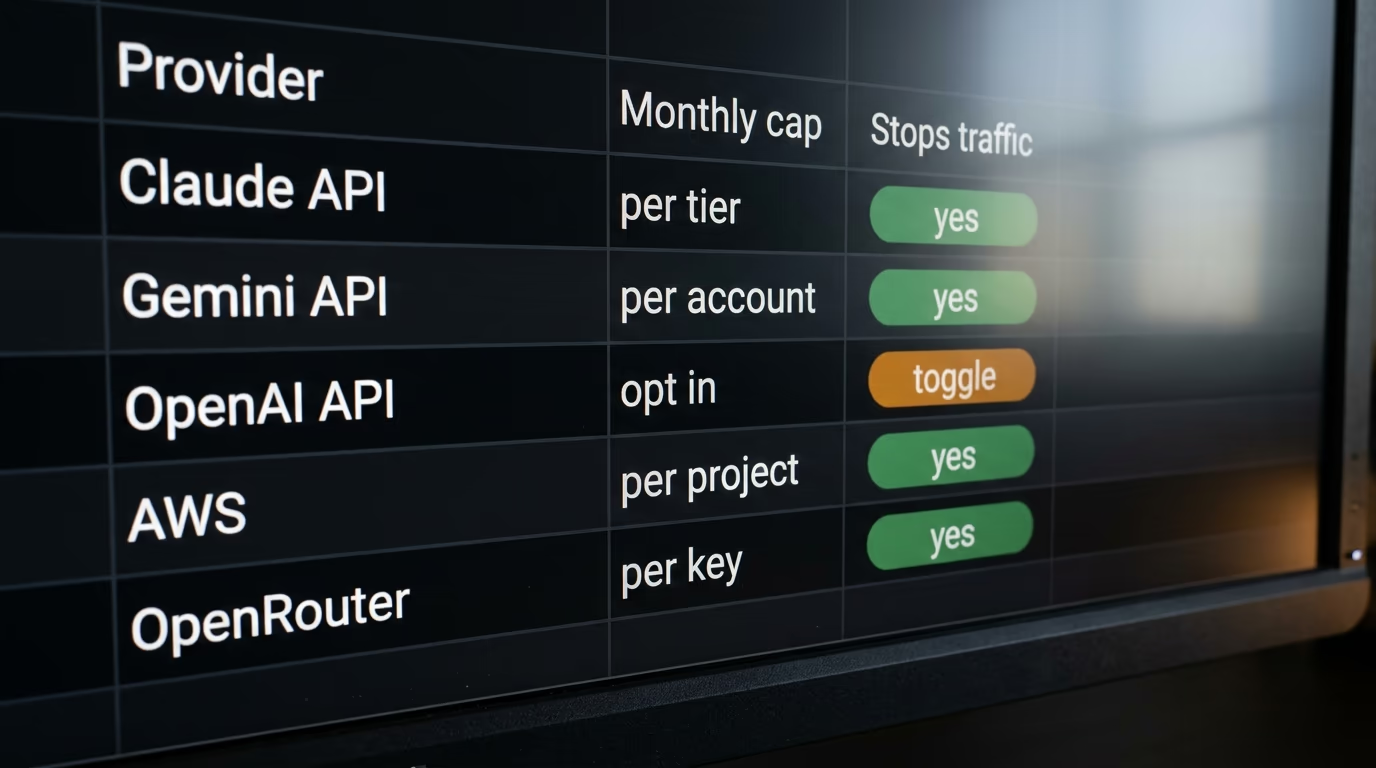
| Provider | The ceiling you did not set | The ceiling you can set | What a blocked request returns |
|---|---|---|---|
| Claude API | A monthly spend cap per usage tier, $500 on Start, $1,000 on Build, $200,000 on Scale, none on Custom | A lower limit on the Billing page, per organization or per workspace | HTTP 429 with the code enforced_spend_limit_reached, or HTTP 400 for a limit you set |
| Gemini API | A billing account tier cap, $250 on Tier 1, $2,000 on Tier 2, $20,000 to $100,000 on Tier 3 | A project spend cap in AI Studio, marked experimental | Service paused until the next billing cycle, or HTTP 402 when prepaid credit reaches zero |
| OpenAI API | An approved monthly usage limit assigned by OpenAI per tier | A spend limit per organization or project, enforced only with the hard limit switch on | HTTP 429 with organization_spend_limit_exceeded or project_spend_limit_exceeded |
| AWS, including Bedrock | None | A project spend limit from $20 a month, on a Paid Plan, still rolling out | The project is paused and its resources stop, data preserved for 90 days |
| OpenRouter | Your prepaid credit balance | A credit limit on each individual API key | HTTP 402, refused before the request reaches a model provider |
The AWS row is the one that moved, and the comparisons ranking for this question today still say the company has no hard cap of its own. That stopped being true on 16 September, when AWS published a project level spend limit inside its new account experience, written up on the AWS blog by Micah Walter. The behaviour is documented in detail, and it is the heaviest action on this list, because AWS stops resources rather than refusing calls.
The Claude row is the other one worth checking at the source. Published comparisons describe Anthropic's top tier as uncapped, while the company's rate limits page puts a figure on Scale and reserves the open ended arrangement for the Custom tier, where limits are agreed with an account team instead. That difference matters if you are choosing a provider on the strength of its brakes rather than its model.
How does the monthly spend cap on Anthropic's Claude API work?
Anthropic puts spend limits ahead of rate limits on its own documentation page and says every usage tier below Custom carries a monthly spend cap, the most an organization can spend on the API in a calendar month. The Start tier sits at $500, and the tiers above it climb from there as an account builds history.
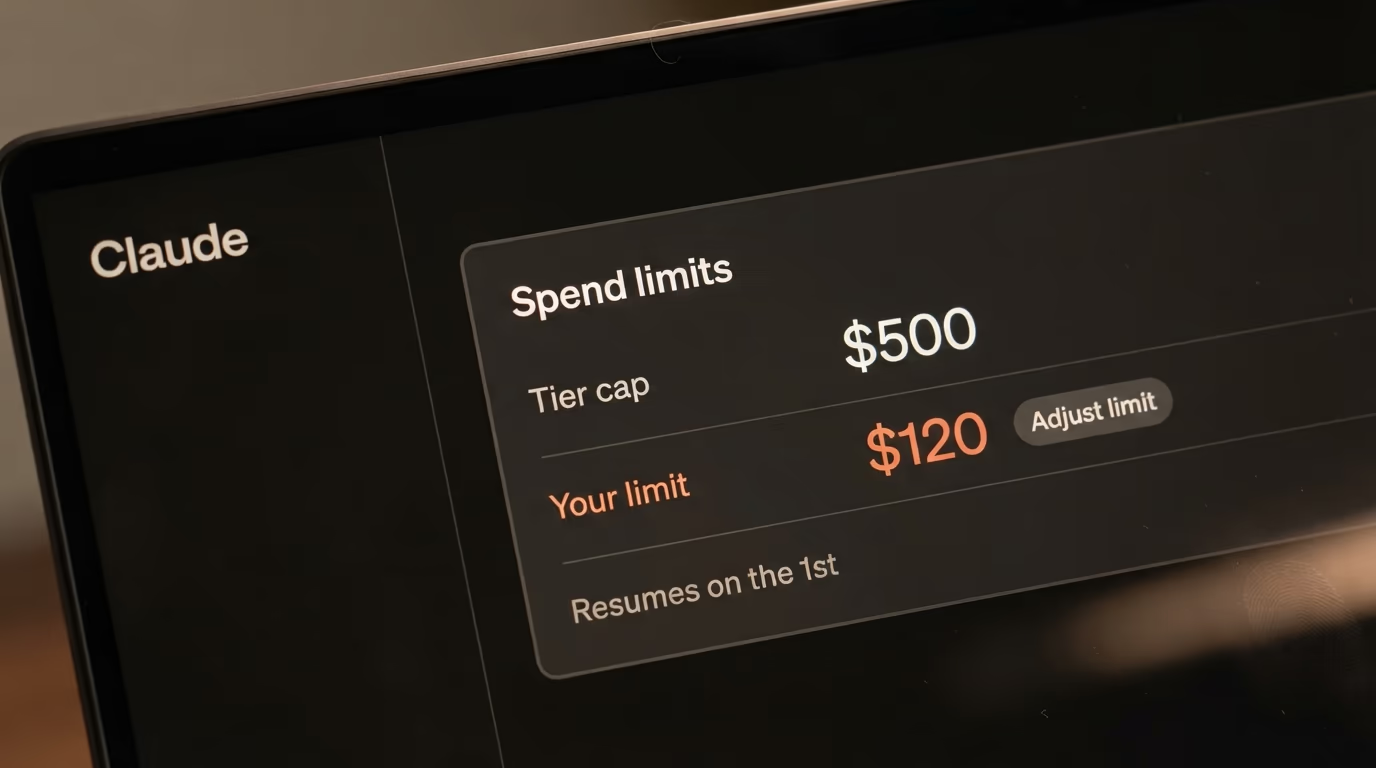
Reaching that cap pauses API usage until midnight UTC on the 1st of the next month, unless you ask for a higher limit sooner. Requests come back as an HTTP 429, the same status a rate limit uses, with one difference that saves hours of debugging. The response carries no retry header, so the automatic retries inside the SDK keep failing, and Anthropic puts a named error code in the body so your software can tell the 2 situations apart.
You can also set your own limit under the tier cap, on the Billing page in the Claude Console, and that one answers differently on purpose. Requests then return an HTTP 400 as an invalid request, with a message that opens by saying you have reached your specified API usage limits and states when access resumes. Raising or removing the limit restores traffic at once, so the lever you pull in a panic is the same one you set in a calm moment.
Workspaces get limits of their own, which is the setting worth knowing for anyone running several projects from one account. A workspace can be capped below the organization, so an experiment cannot drain the budget of the product paying for it, and Anthropic notes that the Claude Code workspace is checked separately from the rest. Underneath all of it sits the prepaid balance, since the API bills from credit you bought in advance and you can no longer call it once that balance runs out.
What does Google's spend cap do to the Gemini API?
Google caps the Gemini API in 2 places, and the one that stops a bill without being asked is attached to the billing account rather than to your project. The billing page lists a monthly cap for each tier, starting at $250 on the lowest paid tier, and says that after the cumulative account total reaches the tier limit, service is paused for all projects linked to that billing account until the start of the next billing cycle.
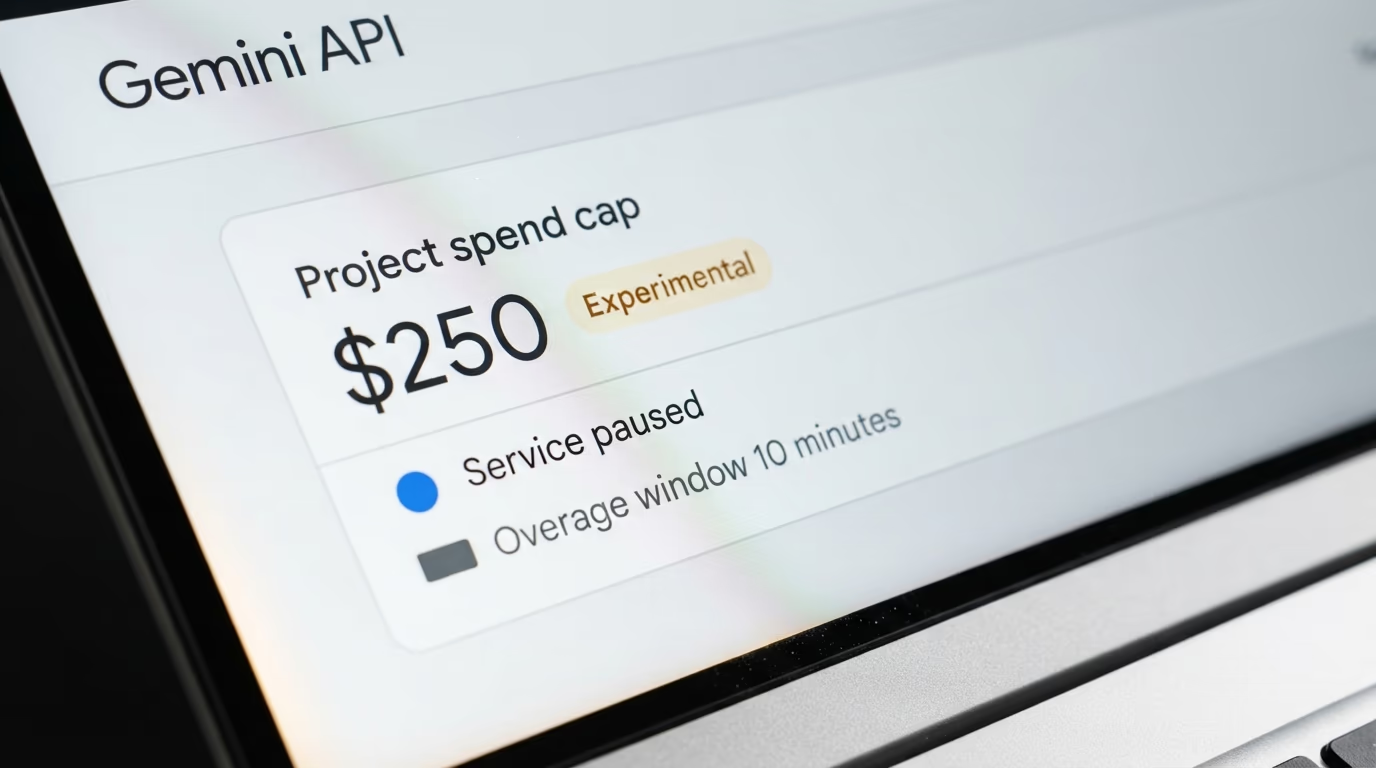
The cap you set yourself is newer and Google labels it experimental. A project spend cap can be set in AI Studio, with a warning printed next to it that you are subject to overages for around a 10 minute latency period, and that long running work such as batch completions and agent sessions can run past the cap before enforcement catches up. That is an unusually frank sentence for a billing page, and it is the one to read twice before trusting a cap to guard an overnight job.
Prepaid credit is the blunt instrument on this platform. When the credit balance on a billing account hits zero, Google says all the API keys in every project linked to that account stop working at the same moment, and the requests fail with a payment required error. A prepaid balance with no card behind it is the closest thing to a true stop available here, and the amount you can prepay at once is itself capped.
Google Cloud shipped a separate control in July for the wider platform, a spend cap budget that pauses eligible services once spend passes the amount you set. The release note calls it a preview, Google's announcement lists the Gemini API among the eligible services, and the same note says enforcement is not instant and any cost overages are billed as normal. Lifting the cap afterwards is a manual click in the Budgets screen, so nothing resumes on its own while you sleep.
Does OpenAI block API requests when you reach a spend limit?
OpenAI blocks them only when the hard limit is switched on. Its spend limits guide describes a spend limit you configure for an organization or a project, with a separate switch labelled Enforce a hard limit, and the documented behaviour splits on that switch. Left alone, the limit sends an alert and traffic carries on, and once it is flipped, affected requests are refused.

The refusal arrives as the same HTTP status a rate limit uses, carrying one of 2 codes, one for an organization limit and one for a project limit, so the error tells you which ceiling you hit. The limit resets with the next monthly cycle, and raising or removing it brings traffic back immediately. An organization limit covers API traffic across every project, while a project limit only covers what is billed to that project, which is the useful split when one client's work has its own budget.
OpenAI also assigns an approved monthly usage limit of its own, based on your usage tier, and that one exists whether or not you configure anything. Reaching it returns the same status with a different code, and the fix is to request a higher approved limit rather than to edit a setting of yours. Any account calling the API therefore has a ceiling already, and the open question is only whether the lower one you chose is doing anything.
The caveat is printed twice in the same guide and it is the sentence to remember. Enforcement is not instantaneous, so recorded spend can slightly exceed the configured amount, which makes the number you type a target rather than a wall. If a cap is there to survive a runaway loop, set it well under the figure that would actually hurt, and read it next to what a million tokens costs on each model so the amount means something concrete.
What happens when an AWS spend limit pauses a project running Bedrock?
AWS pauses the project and stops all of its resources, and the pause comes with a deadline attached. The documentation for spend limits says that if your usage in a project reaches its limit, AWS pauses that project, that your data is preserved, and that if you take no action within 90 days of the project being paused, AWS permanently deletes your project data.
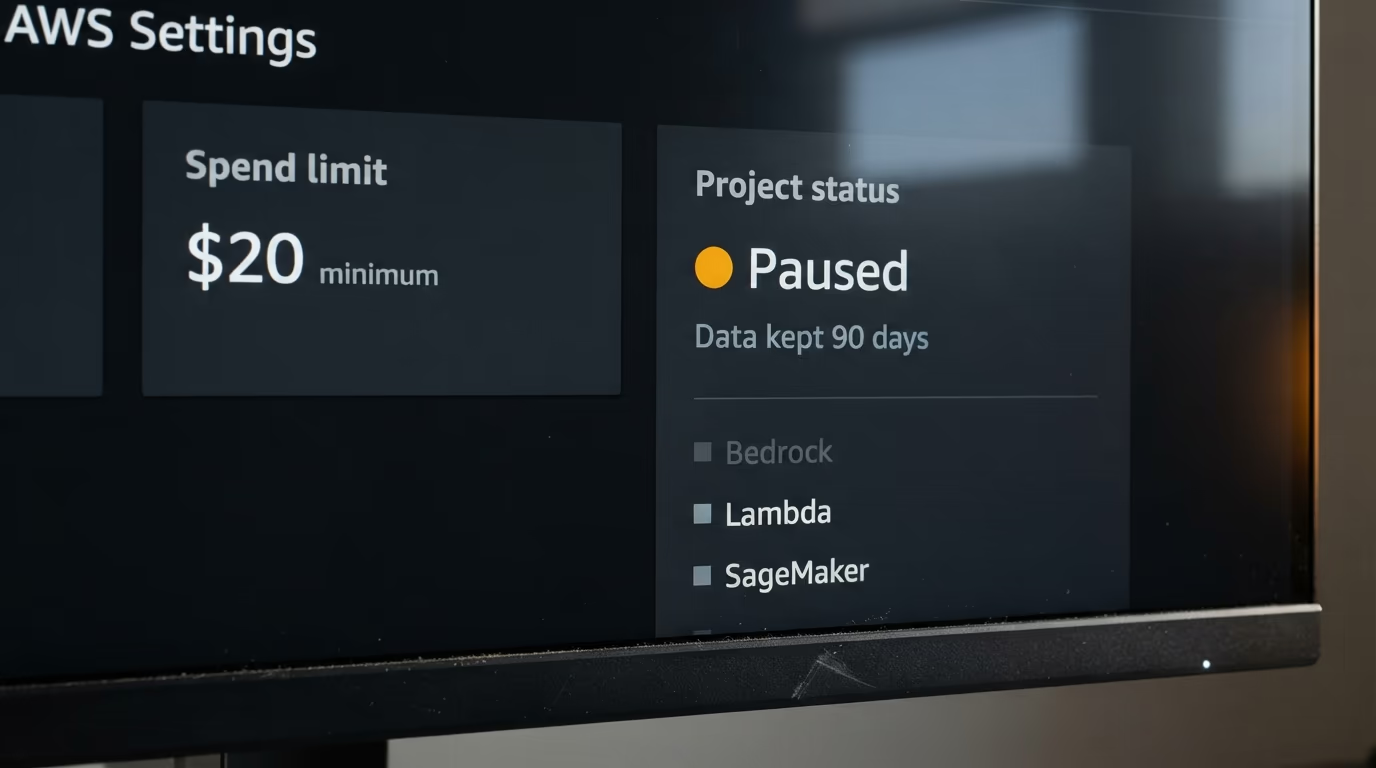
The limit is set per project in AWS Settings, and the minimum allowed value is the greater of $20 or a conservative estimate of your likely spend, calculated from what you have already spent this month and what you currently have running. AWS gives its reason on the same page, that hitting a spend limit is a disruptive experience, so the floor exists to keep a normal busy week from tripping it. A Paid Plan is required, and the account experience carrying the feature is still being released to a limited number of customers.
Before anything stops, AWS sends warnings on the way up and offers 3 optional controls that act earlier and more gently. New resources stop launching about a week before you would reach the limit, idle resources are paused a few days after that, and closer still your highest cost active resources are paused, chosen from a list of 5 services that includes Bedrock and SageMaker. AWS describes that last control as a way to avoid a runaway Lambda or an unexpected Bedrock spike, and all 3 are opt in rather than on by default.
Coming back is easy and leaving it alone is not. You raise the spend limit in AWS Settings and the project returns, though some resources need a manual restart, and you can't even close a paused project until you turn its spend limit off first. For an experiment you abandoned in a browser tab, the protection that saved you a bill is also what starts a deletion countdown on your data, so a paused project is not where you leave anything you want to keep.
What should you set before you leave an agent running tonight?
Set the lower ceiling on every account you call from, then prefer a prepaid balance over a card on file wherever the provider offers one. On Anthropic the path is Settings, then Billing, then Spend limits and Adjust limit, and the value has to sit under your tier cap. On OpenAI it is the organization or project limits screen, where typing a number is not enough, because the switch marked Enforce a hard limit is what turns an alert into a stop.
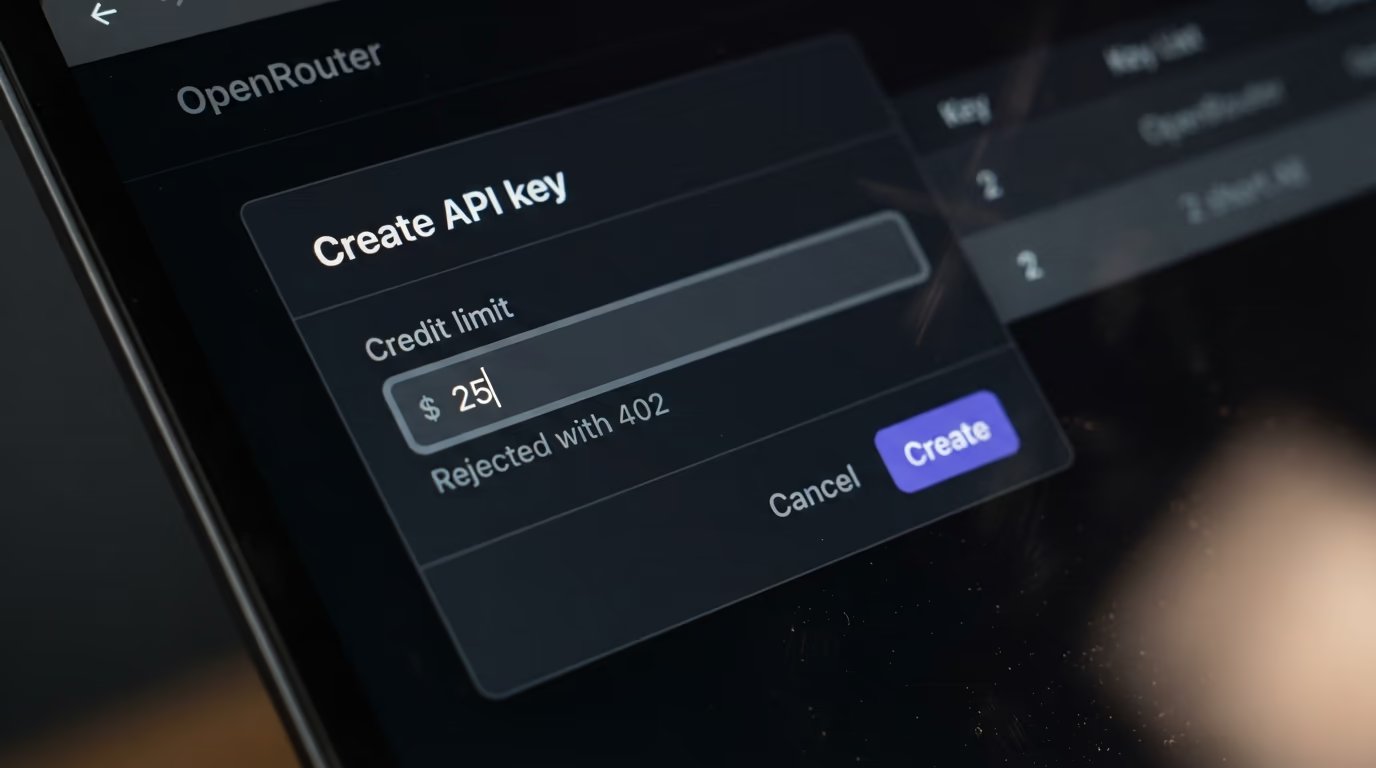
On Google the honest answer is that a prepaid balance still does more than the project cap, because the cap is experimental and comes with its own overage warning while an empty balance stops all the keys on that billing account at once. On OpenRouter the tidiest control of the 5 is a credit limit set on each of your API keys, since the service refuses the call before it reaches any model provider, so the keys you paste into an agent can't spend past the number attached to them. Our walkthrough of how to use OpenRouter covers where those keys live.
Match the ceiling to the job instead of to your budget. An agent that summarises your inbox each morning has a knowable monthly cost, so give its keys a limit close to that cost rather than to what you could afford to lose, and give every agent its own keys so one runaway loop cannot eat the budget of the rest. The same logic applies to a workspace on Anthropic and to a project on OpenAI, both of which can sit far below the organization ceiling.
Then handle the error, because a cap you set is a failure mode you chose on purpose. Catch the money errors by their codes and have the application say the subscription has reached its limit rather than printing a generic failure, which matters more as agent runtimes add meters of their own, the way the sandbox behind OpenAI's Agents API bills per session. If you are running several coding agents at once, a cap per project is what keeps one of them from quietly outspending all the others.
What we do not know yet about AI spending caps
None of the 5 providers publishes how much money can slip through while enforcement catches up. OpenAI says recorded spend can slightly exceed the configured amount without putting a number or a duration on slightly, Google is the only one to publish a window at all, and AWS gives no figure for the gap between crossing a limit and a project stopping. The one number that would tell you what a cap is worth is missing from all of their pages.
Nor does any of them state what happens by default. OpenAI's guide doesn't say whether a configured limit arrives with enforcement on or off, Google's billing page doesn't say whether a new project carries a cap, and that silence is exactly what Willison is asking the industry to fix. The defaults that do exist are the vendors' own tier ceilings, and Anthropic says the lower limits new organizations start with are there to prevent fraud and abuse, which is a different purpose from protecting a customer's budget.
AWS is the least testable of the 5 today, because the account experience carrying spend limits is still rolling out and its own documentation opens with a warning that you might not be able to access it yet. Google's wider Cloud spend caps are in preview with no general release date published, and Google has not said which other services join the eligible list. Neither company has given a date when either control stops being new.
Nobody has published a test either. There is no independent run that deliberately blows through a cap on each platform with the overshoot measured in dollars, and that experiment is the one that would settle how much any of this is worth. Until somebody runs it, set your own limit well under the figure that would hurt, and keep the prepaid balance small enough that the worst case is an annoyance.
Questions people ask
Does the Claude API have a monthly spending limit?
Yes. Anthropic's rate limits page says every usage tier below Custom carries a monthly spend cap, and reaching it pauses API usage until midnight UTC on the 1st of the next month. You can also set a lower limit of your own on the Billing page, which is enforced separately and answers with a different error.
Can I set a spending limit on the Gemini API?
Yes, in 2 ways. Google's Gemini API billing page documents a project spend cap you can set in AI Studio, marked experimental, and a cap attached to your billing account tier that pauses service for every project on that account until the next billing cycle begins.
Does OpenAI stop API requests when I reach my spend limit?
Only when the hard limit is switched on. OpenAI's spend limits guide describes a spend alert that sends a notification while API traffic continues, and a hard spend limit you enable with a switch, after which affected requests are refused. Its own warning is that enforcement is not instantaneous.
What is the difference between a budget alert and a hard spending limit?
A budget alert tells you about the spending and changes nothing, so an unattended job keeps buying tokens after the message arrives. A hard spending limit makes the service refuse the work, which protects the bill and looks like an outage to your application, so the error needs handling in your code.
Can an AI spending limit stop a bill completely?
No vendor promises that. OpenAI writes that recorded spend can slightly exceed the configured amount, Google warns of an overage window of around 10 minutes on its project spend cap and says batch and agent sessions can run past it, and Google Cloud's release note says cost overages are billed as normal.
Does AWS pause Bedrock when a project reaches its spend limit?
AWS documentation says reaching the limit pauses the project and stops all its resources, with your data preserved. Bedrock also appears in the list of services AWS can pause earlier, a few days before the limit, if you turn on the optional control for your highest cost resources.
What is the fastest way to cap AI spending tonight?
Set the limit the provider already offers, then keep a prepaid balance instead of a card on file where you can. On OpenRouter a credit limit set on your API keys refuses the call before it reaches a model provider, and on Google an empty prepaid balance stops all the keys on that billing account at the same moment.