AgentsAugust 8, 202611 min read
Best AI agents for coding in 2026, ranked by what you pay
7 coding agents ranked on price, read off each vendor's own pricing page. 2 are free with no card, the cheapest paid one is $10 a month, and one popular pick has shipped nothing since February.

The best AI agents for coding in 2026 are Claude Code and the Codex CLI when you want to hand over a whole task, Cursor when you want the agent living inside an editor, and the Gemini CLI when you want to spend nothing at all. Every price in this article was read off the vendor's own pricing page during the research for it, and the spread between the cheapest working option and the most expensive one is $100 a month for tools that do broadly the same job.
A coding agent is a different animal from the autocomplete you already have. Autocomplete finishes the line you're typing, while an agent reads your files, writes itself a short plan, edits several of them, runs your tests and hands back a diff you either approve or throw away. That jump in scope is why the pricing looks so strange, because you're no longer buying suggestions, you're buying minutes of work that happen while you are not watching.
What follows is 7 agents worth installing, ranked by who each one suits rather than by a benchmark score nobody can reproduce. 2 of them cost nothing and need no card, one hasn't shipped a release since February, and one is excluded from the free plan of the company that makes it, which is the small trap that catches most beginners on their first evening.
Which AI agents for coding are worth installing in 2026?
7 AI agents for coding are worth installing in 2026, and they divide by where they run rather than by how clever they are. Claude Code, the Codex CLI, the Gemini CLI and Aider live in a terminal window, Cursor is a whole editor with the agent built into it, and Cline and GitHub Copilot are extensions you add to the editor you already use.
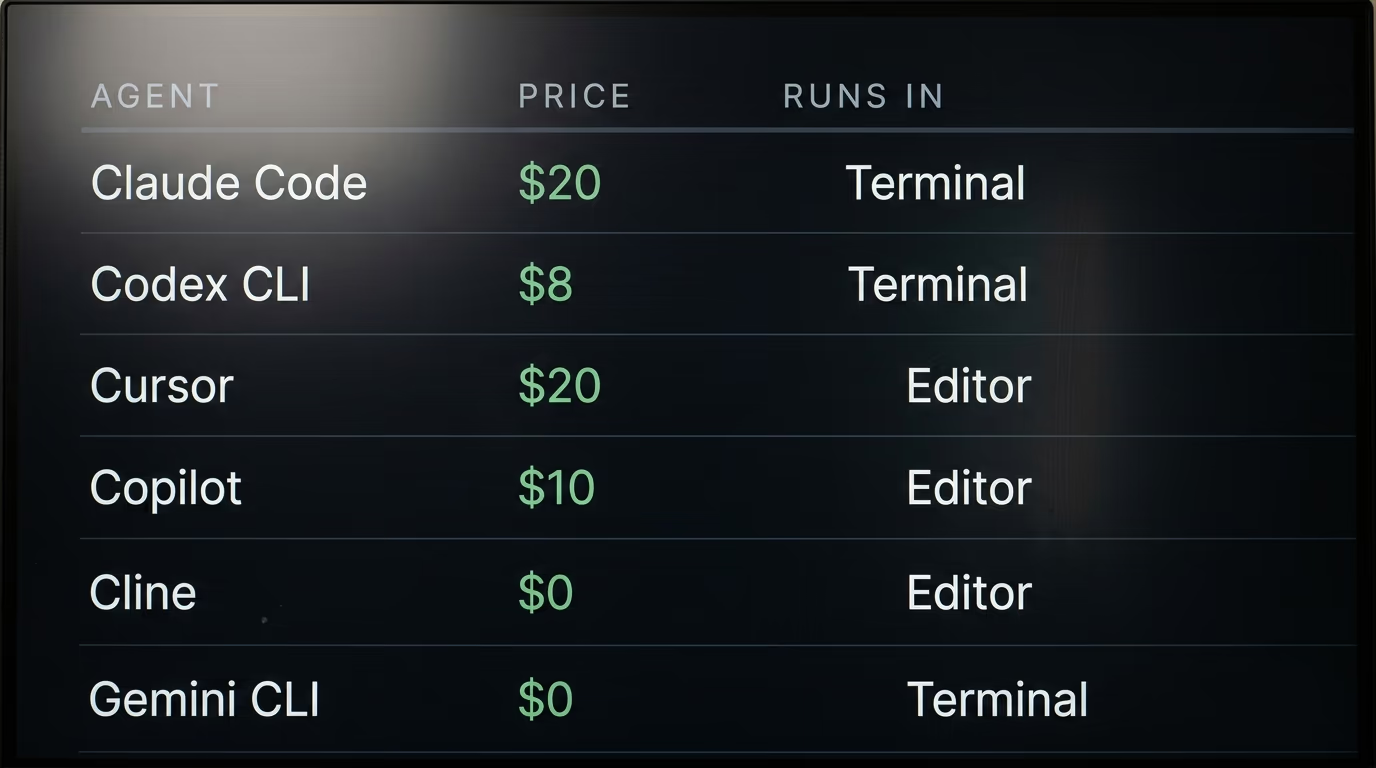
The order here puts Claude Code first for work you want finished without supervision, the Codex CLI first for anyone already paying OpenAI, Cursor first for people who never want to leave their editor, GitHub Copilot first on price at $10 a month, and the Gemini CLI first for anyone with no budget. Cline is the pick when you want to choose the model yourself, and Aider is the one that deserves a second look before you commit to it.
| Agent | Where it runs | Cheapest paid plan | Free option | Who pays for the tokens |
|---|---|---|---|---|
| Claude Code | Terminal, VS Code, JetBrains, desktop app | Claude Pro, $20 a month | None, the free Claude plan is excluded | Anthropic, inside the plan |
| Codex CLI | Terminal | ChatGPT Go, $8 a month | Yes, the free ChatGPT tier | OpenAI, inside the plan |
| Cursor | Its own editor | Pro, $20 a month | Hobby, limited agent requests | Cursor, inside the plan |
| GitHub Copilot | VS Code, Visual Studio, JetBrains, Eclipse, Xcode | Pro, $10 a month | Yes, limited chat and agent usage | GitHub, inside the plan |
| Cline | VS Code extension | Nothing to buy | Yes, the extension is always free | You, per request |
| Gemini CLI | Terminal | Nothing to buy | Yes, 1,000 requests a day | Google, inside the free tier |
| Aider | Terminal | Nothing to buy | Yes, the tool is always free | You, per request |
The column that decides your month is the last one. When the vendor pays for the tokens your bill is flat and your usage is capped, and when you pay per request your bill has no ceiling and your usage has no throttle, which is freedom or a nasty surprise depending on how closely you watch the meter.
A fair objection is that most of these tools call the same handful of models, so the wrapper around them shouldn't matter much. It does matter, and the reason is boring rather than technical. What separates them is how many steps the agent will take before it stops to ask you something, whether it can run a command in your shell without permission, and how it behaves when it turns out to be wrong about a file it has already edited.
Which AI coding agent handles a whole task on its own?
Claude Code and the Codex CLI are the 2 agents designed to take a whole task and finish it unattended, and both of them live in a terminal rather than inside an editor. You give either one a sentence of English, and it reads the repository, writes a plan, edits several files, runs the tests, then stops when the work is done or when it gets properly stuck.
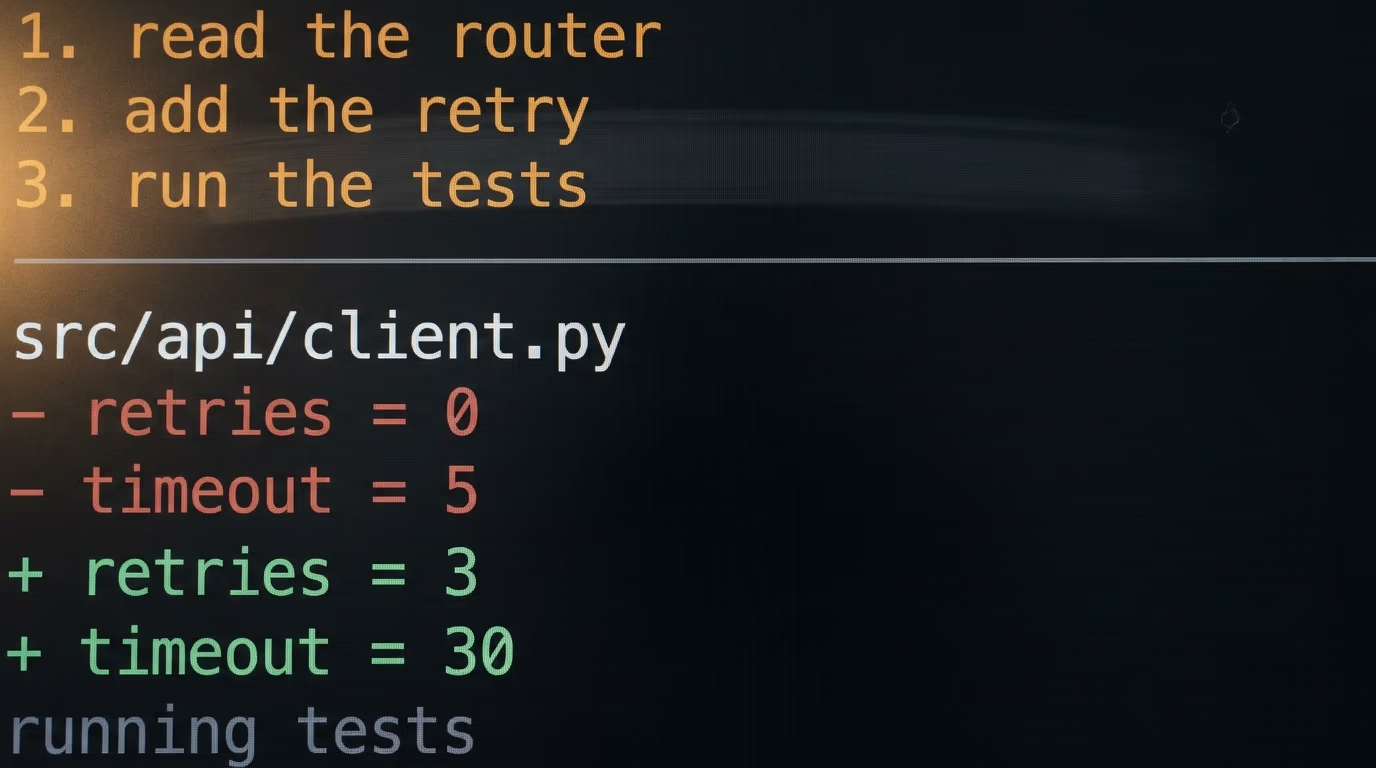
Claude Code is Anthropic's terminal agent and it needs a paid Claude plan behind it. Anthropic's pricing page lists Pro at $20 a month billed monthly, or $17 a month on an annual subscription, with Max starting at $100 a month for 5x or 20x the usage of Pro. The trap sits in the documentation rather than on the pricing page, because the Claude Code setup guide says the free Claude.ai plan does not include Claude Code access, so there is no way to try it without paying first.
Installing it on macOS, Linux or Windows Subsystem for Linux takes a single line in a terminal.
curl -fsSL https://claude.ai/install.sh | bashWhen that finishes, typing claude followed by the version flag prints a version number such as 2.1.211, and typing claude on its own opens a session inside whichever folder your terminal is sitting in. Anthropic's own documentation uses that same check, so it is the quickest way to know whether the install actually worked.
The Codex CLI is OpenAI's equivalent and it comes with every ChatGPT plan, including the free one. OpenAI's Codex pricing page lists Free at $0 a month, Go at $8, Plus at $20, and Pro from $100, where $100 buys 5x the rate limits of Plus and $200 buys 20x. That page also publishes something the other vendors leave out, an estimate of how many local messages you get in each 5 hour window, running from 10 to 100 on Plus with its heaviest model up to 250 to 2,000 on Plus with the lightest one.
Installing the Codex CLI needs Node.js and one npm command.
npm install -g @openai/codexTyping codex in a project folder starts it, and the first run asks you to sign in with ChatGPT before it will do anything else. If you already pay for ChatGPT then that sign in is the entire setup, and there is no second bill waiting at the end of the month.
Choosing between the 2 is mostly a question of which subscription you already have, and we put them through the same checks in Claude Code vs Codex, 5 checks and one verdict. If you pay for neither, Codex has a working free tier and Claude Code has none, which settles the argument for a lot of people before the quality question is even asked.
Which AI coding agent is best inside an editor?
Cursor is the best AI coding agent for people who want one window instead of 2, because it is a complete editor with the agent built into it rather than a panel bolted onto VS Code. Cursor's pricing page lists a free Hobby plan with limited agent requests and no card required, Pro at $20 a month, and 2 heavier tiers named Pro+ and Ultra that it describes as 3x and 20x the agent limits of Pro.
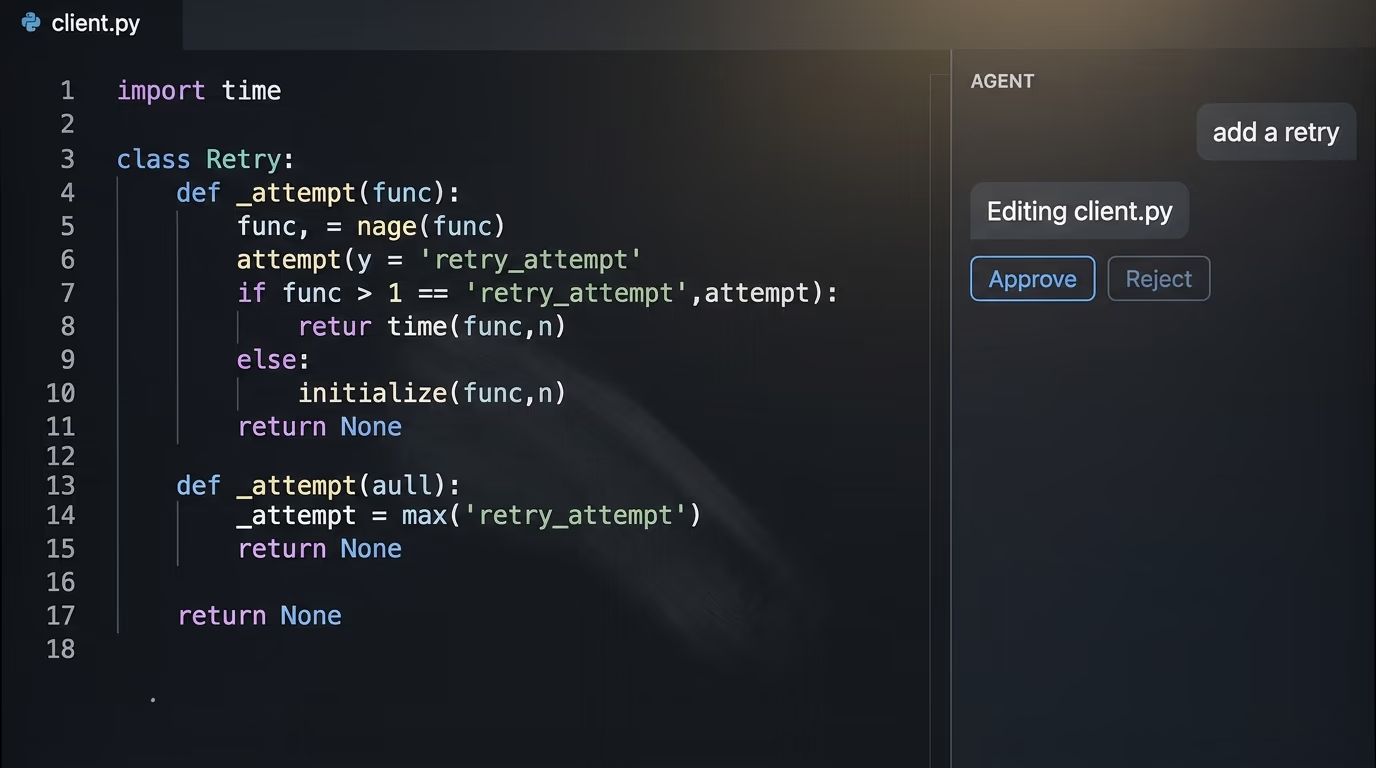
GitHub Copilot is the cheapest paid route to an agent and it works inside the editor you already have. The Copilot plans page lists Free at $0, Pro at $10 a month, Pro+ at $39 and Max at $100, and every tier including the free one gets agent mode in VS Code, Visual Studio, JetBrains, Eclipse and Xcode. The feature that earns the $10 by itself is that you can assign a GitHub issue to Copilot and it opens a pull request with the work already in it, which no terminal agent will do for you.
Cline is the option for people who want to pick the model themselves. It is a free VS Code extension with more than 67,000 stars on GitHub under the Apache-2.0 license, and its pricing page says it is free for individual developers who pay only for inference on a usage basis. You supply your own API credentials from OpenAI, Anthropic or Google, so the extension costs nothing and the models cost exactly what you burn through them.
The trade between these 3 is short. Cursor gives you the smoothest single window for $20 a month, and Copilot costs half that while reaching into GitHub itself. Cline hands you the model choice and hands you the meter along with it, which suits some people and ruins the month for others. Anyone who would rather keep both the model and the money on their own machine should start with our ranking of local models by how much RAM you have instead.
Which AI agents for coding are free?
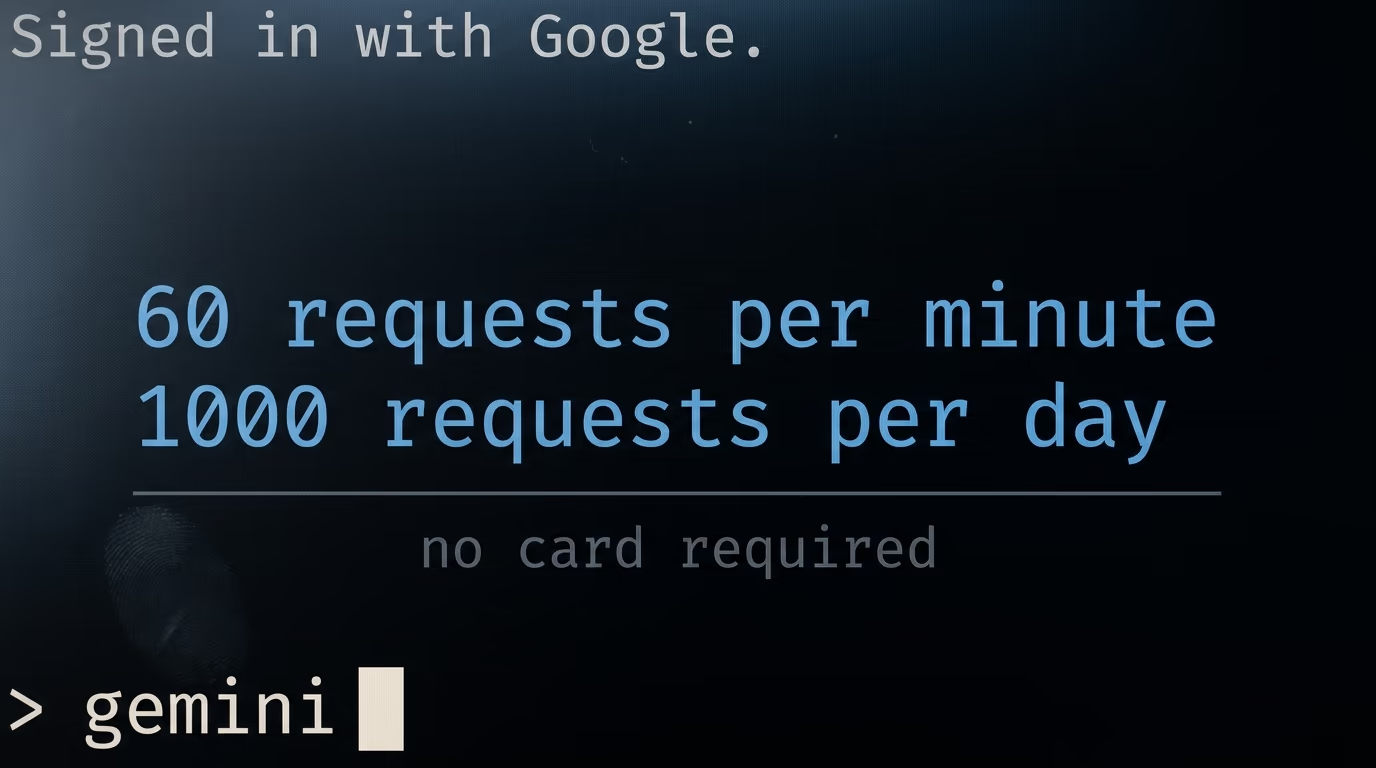
4 AI agents for coding are usable for $0, and Google's Gemini CLI is the most generous of them by a wide margin. The Gemini CLI repository says that signing in with a personal Google account gives you 60 requests a minute and 1,000 requests a day against Gemini 3 models with a 1M token context window, with no card to enter and no API credentials to manage.
It installs the same way as the Codex CLI, through npm.
npm install -g @google/gemini-cliRunning gemini in a project folder opens a browser tab where you sign in with your Google account, and after that the quota above is simply yours. Nothing asks for payment details at any point in that flow, which is rare enough in 2026 to be worth saying out loud.
The other 3 free routes are narrower than they look from the outside. ChatGPT's free tier includes Codex for what OpenAI describes as quick coding tasks, Cursor's Hobby plan gives you limited agent requests with no card required, and GitHub Copilot Free gives limited chat and agent usage. All 3 are real and all 3 run out quickly, because they exist to move you onto a paid plan, which is an honest enough bargain.
Cline is free in a different sense, since the extension never charges you and the models always do. That makes it the cheapest option for somebody who already has API credit sitting unused, and the most expensive for somebody who forgets to watch a meter for an afternoon.
Aider is the one to look at carefully before installing it. It is a well liked open source terminal agent with more than 48,000 stars under the Apache-2.0 license, and its install page still walks you through a working setup with pip. But the newest release on PyPI is version 0.86.2, uploaded on 12 February 2026, so nothing has shipped for months while the rest of this list keeps moving. That does not make it a bad program, and plenty of people still work in it every day. It does mean you are installing something that has stopped changing, which matters when the models it talks to change every few weeks.
Every free tier here is enough to learn on and not enough to work on. You will hit the wall inside an hour on any real repository, and the wall is there on purpose, because inference costs the vendor money on every single request you send. That is worth knowing before you build an evening around one and lose the thread halfway through.
How much do AI coding agents really cost each month?
The real monthly cost of an AI coding agent in 2026 is $20 for most people, $100 for anyone leaning on one all day, and genuinely unpredictable for anyone paying per token. Claude Pro and Cursor Pro are both $20 a month, ChatGPT Plus is $20 with Codex included, GitHub Copilot Pro is $10, and every one of those has a heavier tier at $100 or more waiting for people who run out.
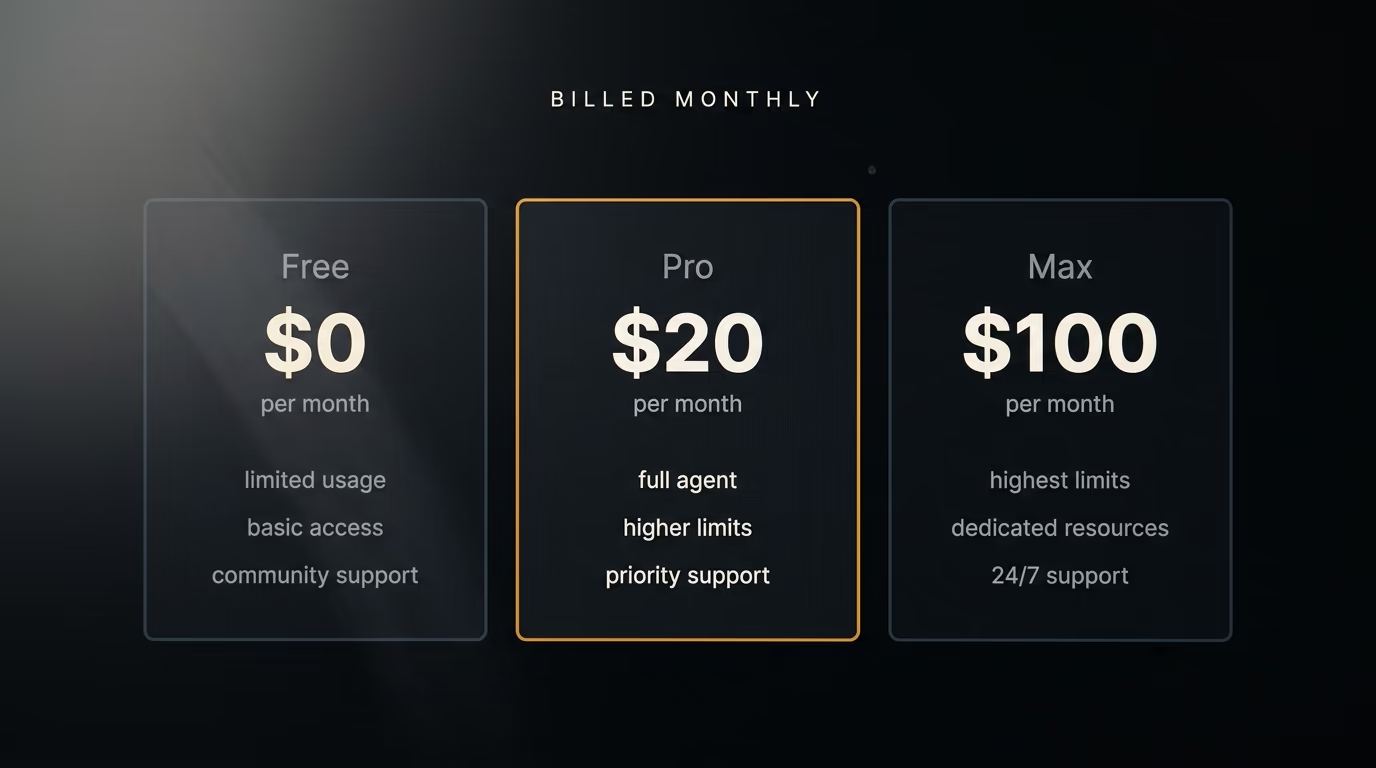
Those $100 tiers exist because the $20 tiers run out, and that happens sooner than most people expect. OpenAI publishes the clearest numbers of anyone here, estimating 10 to 100 local messages per 5 hour window on Plus with its heaviest model, and 200 to 2,000 on the $200 tier. Anthropic describes Max as 5x or 20x the usage of Pro without printing an absolute figure anywhere, so the honest thing to say is that nobody outside the company knows exactly where the Pro ceiling sits.
Paying per token is the other model, and it is the one that catches people out. Cline and Aider sell you nothing at all, they simply call whatever API credentials you hand them, so one long afternoon of an agent reading a large repository can cost more than a month of Claude Pro. In exchange there is no ceiling and no throttle, and you can point them at a cheap model for boring work and an expensive one for the problems that actually need thinking.
GitHub prices the same idea in a third way, with a flex allowance sitting on top of the subscription. Its plans page shows Pro at $10 a month with $5 of flex for a $15 total, Pro+ at $39 with $31 of flex, and Max at $100 with $100 of flex, which is the most direct statement in this list of what happens once you go past your quota.
For a rough budget, one developer using an agent every working day lands somewhere between $20 and $100 a month, and 2 subscriptions is a common shape because people keep ChatGPT for conversation and Claude for code. If you want to see what the underlying tokens cost before committing to any of it, our comparison of 18 model prices across 3 real jobs has the arithmetic laid out.
How do you install your first coding agent tonight?
Installing your first AI coding agent takes about 10 minutes, and the safest starting point is the Gemini CLI because it costs nothing and asks for no card. Open a terminal, install it with npm, sign in with your Google account, then point it at a folder that git is already tracking.
That last detail matters more than which tool you pick. Every agent in this list edits your files directly, and the only thing standing between a bad suggestion and a lost evening is your ability to run git diff and throw the changes away. Starting from a repository where everything is already committed turns every mistake into a 2 second undo.
The system requirements are modest across the board. Anthropic's setup page lists macOS 13.0 or later, Windows 10 build 1809 or later, Ubuntu 20.04 or later, 4 GB of RAM and an internet connection, which is roughly the floor for all of them. Node.js is the other thing to have ready, since 3 of these agents install through npm and will fail without it.
Once one of them runs, the next thing to do is teach it your project. Every agent here will read a plain text file at the root of your repository describing how the code is laid out and what it must never touch, and that one file changes the output more than switching models does. When a single agent is no longer enough, Claude Code subagents shows how to split a job across several agents that each own one narrow task.
The choice for most readers is narrow. Anyone already paying OpenAI should run the Codex CLI tonight and spend nothing extra, since the subscription is already sitting there doing less than it could. For somebody paying nobody yet who wants work finished while they make dinner, Claude Pro at $20 a month is the strongest single purchase in this list, and the free plan being excluded is the reason it has to be a purchase. On a budget of exactly zero, the Gemini CLI and its 1,000 requests a day will keep you busy for weeks before the ceiling means anything at all.
Questions people ask
What is the best AI agent for coding for a complete beginner?
The Gemini CLI is the best AI coding agent for a complete beginner, because it costs nothing, needs no card and gives 1,000 requests a day on a personal Google account. Install it with npm, sign in through the browser tab it opens, then run it inside a folder that git is already tracking so you can undo anything it writes.
Are there free AI agents for coding that need no credit card?
Yes, the Gemini CLI and Cline both work without a card. Google's repository documents 60 requests a minute and 1,000 a day on a personal account, and Cline's own pricing page says the extension is free for individual developers who pay only for inference. Cursor's Hobby plan and GitHub Copilot Free also exist, with limited agent usage on each.
Do AI agents for coding work without an internet connection?
None of the 7 agents in this article works offline, because every one of them calls a model hosted by Anthropic, OpenAI, Google or whoever holds the API credentials you gave it. Running an agent with no internet connection means running the model on your own machine instead, which is a different setup with much heavier hardware requirements.
How much does Claude Code cost per month?
Claude Code comes with any paid Claude plan, and Anthropic's pricing page lists Pro at $20 a month billed monthly or $17 a month on an annual subscription. Max starts at $100 a month and is sold as 5x or 20x the usage of Pro. The free Claude plan does not include Claude Code at all, which Anthropic's setup documentation states directly.
Can an AI coding agent run commands on my computer?
Yes, and that is the main reason to be careful with one. A terminal agent such as Claude Code or the Codex CLI can run your tests, install packages and rewrite files, which is exactly what makes it useful and exactly what makes an unreviewed run risky. Work inside a git repository with everything committed, and read the diff before accepting it.
Is Aider still worth installing in 2026?
Aider still installs and still works, but its newest release on PyPI is version 0.86.2 from 12 February 2026, so the project has been quiet for months. If you want an open source terminal agent that is being actively maintained, Cline has more than 67,000 stars and ships updates constantly, and the Gemini CLI is maintained by Google.