TutorialsSeptember 5, 202611 min read
How to use OpenRouter to run GPT-6 Astra tonight
OpenAI is still handing GPT-6 Astra out in stages. OpenRouter listed it on September 4, so you can ask it a question in about 10 minutes and pay cents instead of a monthly plan.
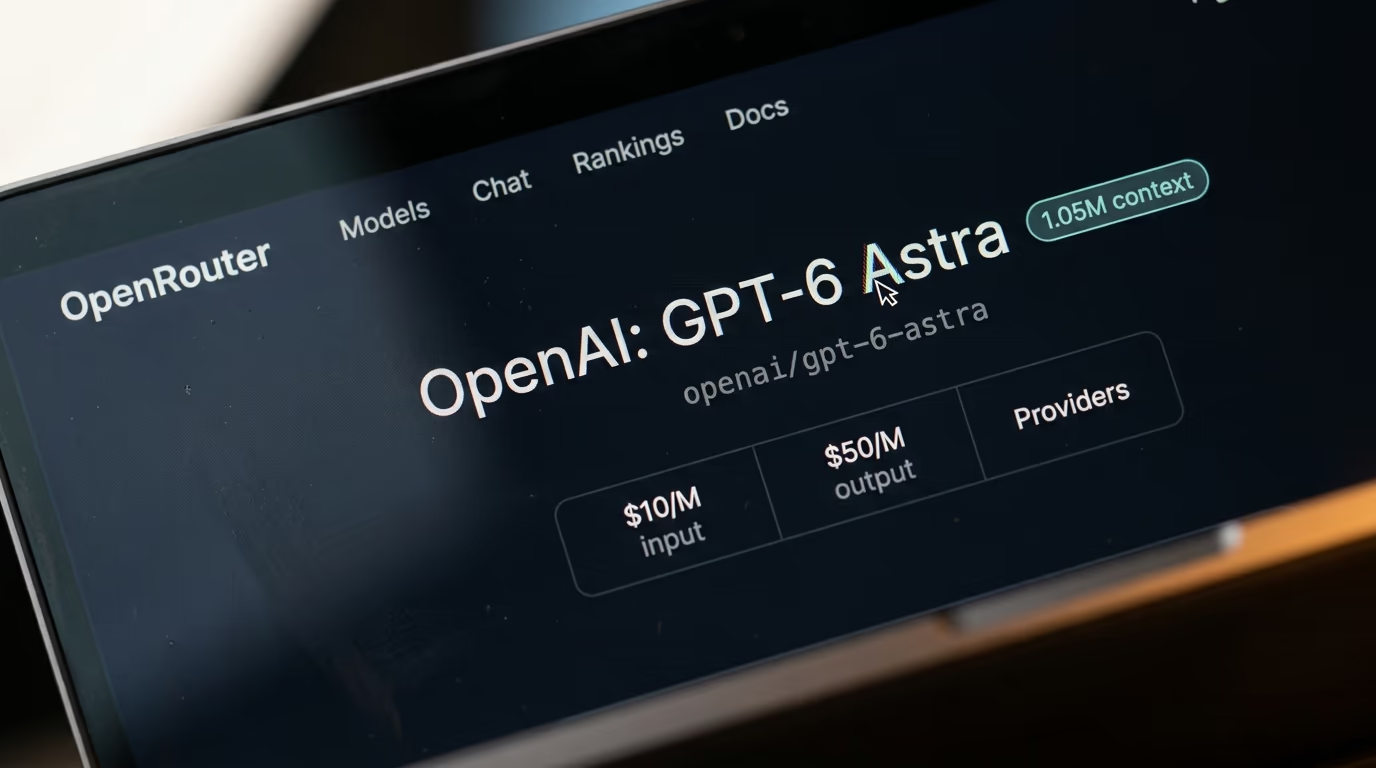
To use OpenRouter you create an account, add a little credit to it, then pick a model and send it a question, either from the chat page on openrouter.ai or from your own computer with the credentials the site gives you. It's also the route to OpenAI's GPT-6 Astra that works today, because OpenRouter listed the model on September 4 while paying ChatGPT accounts were still queued behind a staged rollout.
OpenAI announced Astra on September 3 and then released it slowly, giving it first to a limited set of organizations while Plus, Pro, Business and Enterprise subscribers waited their turn. Sam Altman apologized the next day and said the company would make it right. OpenRouter didn't wait, and what follows is the whole distance from an empty browser tab to an answer from Astra about documents sitting on your own laptop, with the real price of every step.
What is OpenRouter, and how does it reach GPT-6 Astra?
OpenRouter is one account that reaches models from many different labs through a single login and a single set of credentials, and it added Astra a day after OpenAI announced it. You pay for each question out of a credit balance instead of holding a separate monthly subscription with every lab whose model you want to try.
The mechanism fits in a paragraph. You send your question to OpenRouter, OpenRouter forwards it to a company that actually runs the model, the answer comes back the same way, and their cut is already inside the price you saw before you sent anything. For Astra the model page lists 2 companies serving it, OpenAI itself and Microsoft Azure in the United States, and OpenRouter moves between them on its own when one is busy.
That plumbing matters this weekend because access inside ChatGPT has been uneven. On launch day the model went to a limited set of organizations, and subscribers who pay every month watched enterprise customers go first. Asked what the near future meant, Altman replied that he was "hopeful that you can use it this weekend", stopping short of a promise, in the exchange reported by Unite.AI. OpenRouter had the model listed the same day.
None of this is a back door. OpenRouter is a paid reseller with its own billing, so you are buying the same model through a different till, and the same credentials also reach hundreds of other models, which makes it an easy way to try something before deciding whether you want a subscription to it. If you want the model itself explained rather than the plumbing, we covered what Astra actually is when it launched.
What do you need to start, and what does it cost?
You need an email address, a payment card and a little credit on OpenRouter, and that is the entire shopping list for the browser route. The second half of this tutorial, where the same question becomes a command on your own machine, also asks for Node and a coding agent, and one of those agents is free.
- An OpenRouter account, free to create at openrouter.ai
- Enough credit to work with, priced in the table below
- A payment card, since credit is bought rather than earned
- For the second half only, Node and a coding agent such as Gemini CLI, which is free with a Google login
The prices below were read from OpenRouter's public model listing this morning rather than taken from an announcement, and they are the real thing you will be billed. A token is a chunk of text a bit shorter than an average English term, which is the only piece of jargon in this tutorial, and every price on the platform is quoted per million of them.
| What you are paying for | Price on OpenRouter |
|---|---|
| Text you send to GPT-6 Astra | $10 per 1M tokens |
| Text Astra writes back | $50 per 1M tokens |
| Asking again about the same documents | $1 per 1M cached tokens |
| A single request above 272,000 tokens | $20 per 1M sent, $75 per 1M back |
| Buying credit with a card | 5.5%, minimum $0.80 |
| A PDF the model cannot read itself | $2 per 1,000 pages extracted |
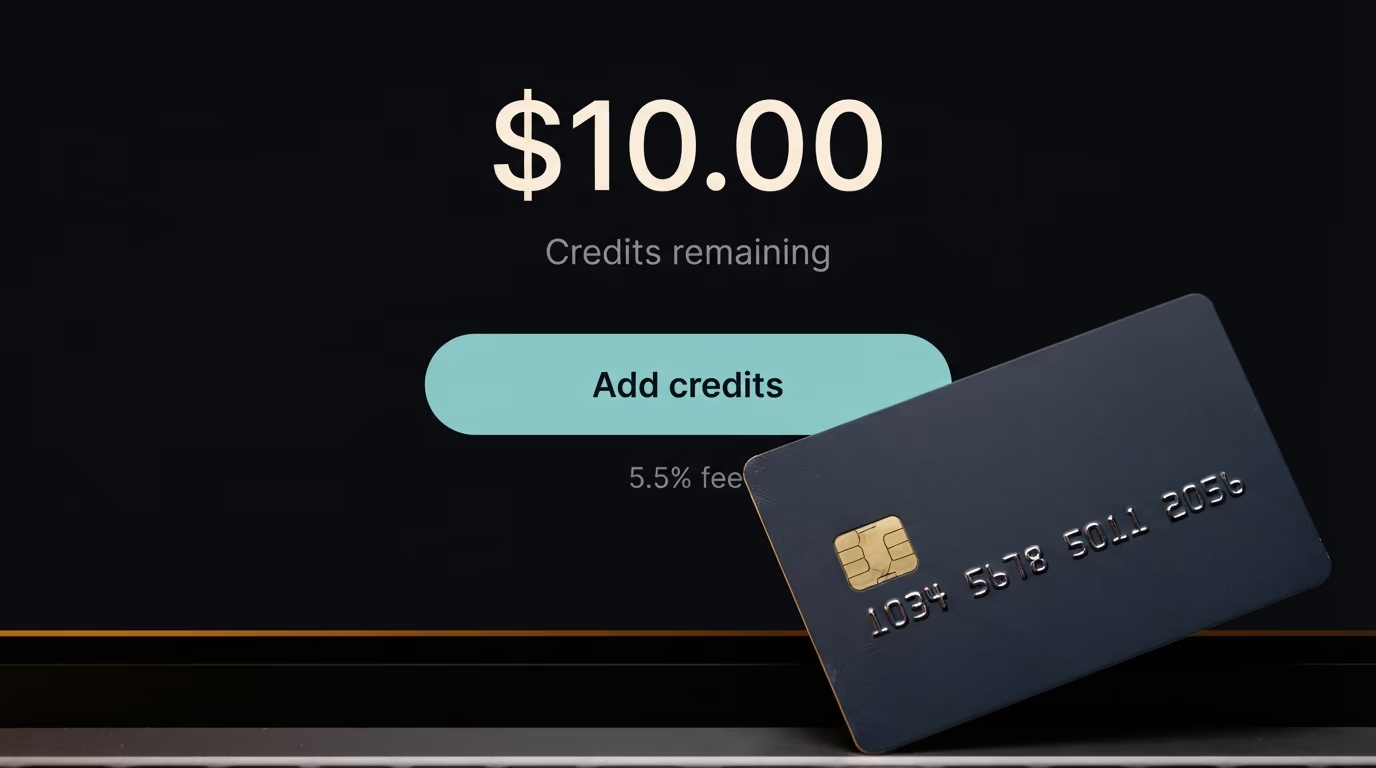
There's a fee on top when you add money. OpenRouter charges a percentage on a card payment, shown in the last rows of the table above, so a tiny top up carries a proportionally heavier fee than a sensible one. Their terms also reserve the right to expire credit left unused for a year, which is another argument for buying what you'll actually spend. If you want the wider picture of what the big models cost per job, our comparison of LLM API pricing sets these numbers against the rest of the market.
How do you use OpenRouter in your browser in 10 minutes?
Create the account, add credit, open the chat page at openrouter.ai/chat, choose the Astra model in the selector, attach a file and ask your question. Nothing is installed on your computer for this route, and a first answer with a small document attached usually costs a few cents.
Step 1, create the account, 3 minutes
Go to openrouter.ai and create an account with your email address. You land on a dashboard whose top menu reads Models, Chat, Rankings and Docs, and there's no wizard to finish and no team to invite. The account is yours a minute after the confirmation mail arrives.
Step 2, put money in, 3 minutes
Open openrouter.ai/credits and add $10 with a card, then wait for the balance to appear at the top of the page. Skip this and every request to Astra comes back refused, because it's a paid model and the small trial allowance on a new account is not meant for it. The balance is the only thing you ever have to watch here.
Step 3, open the chat page, 1 minute
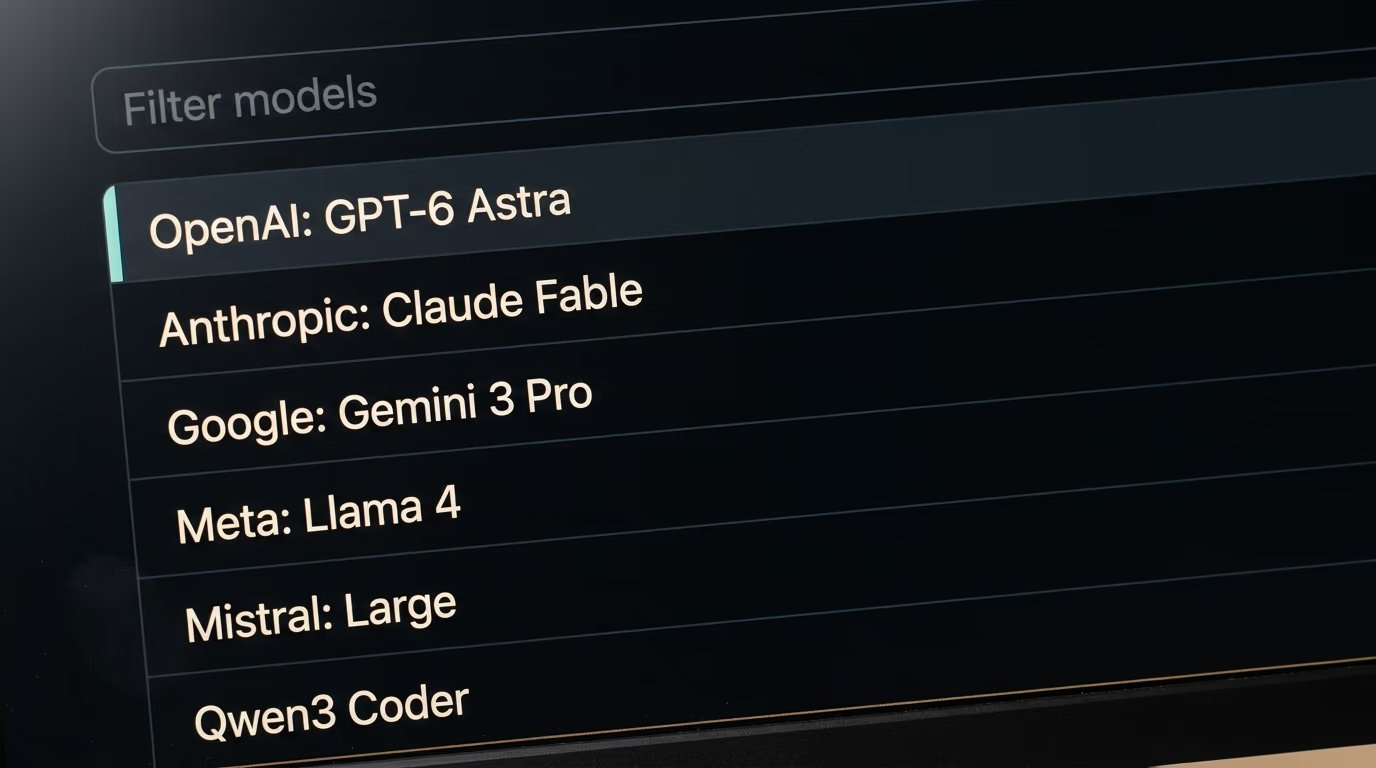
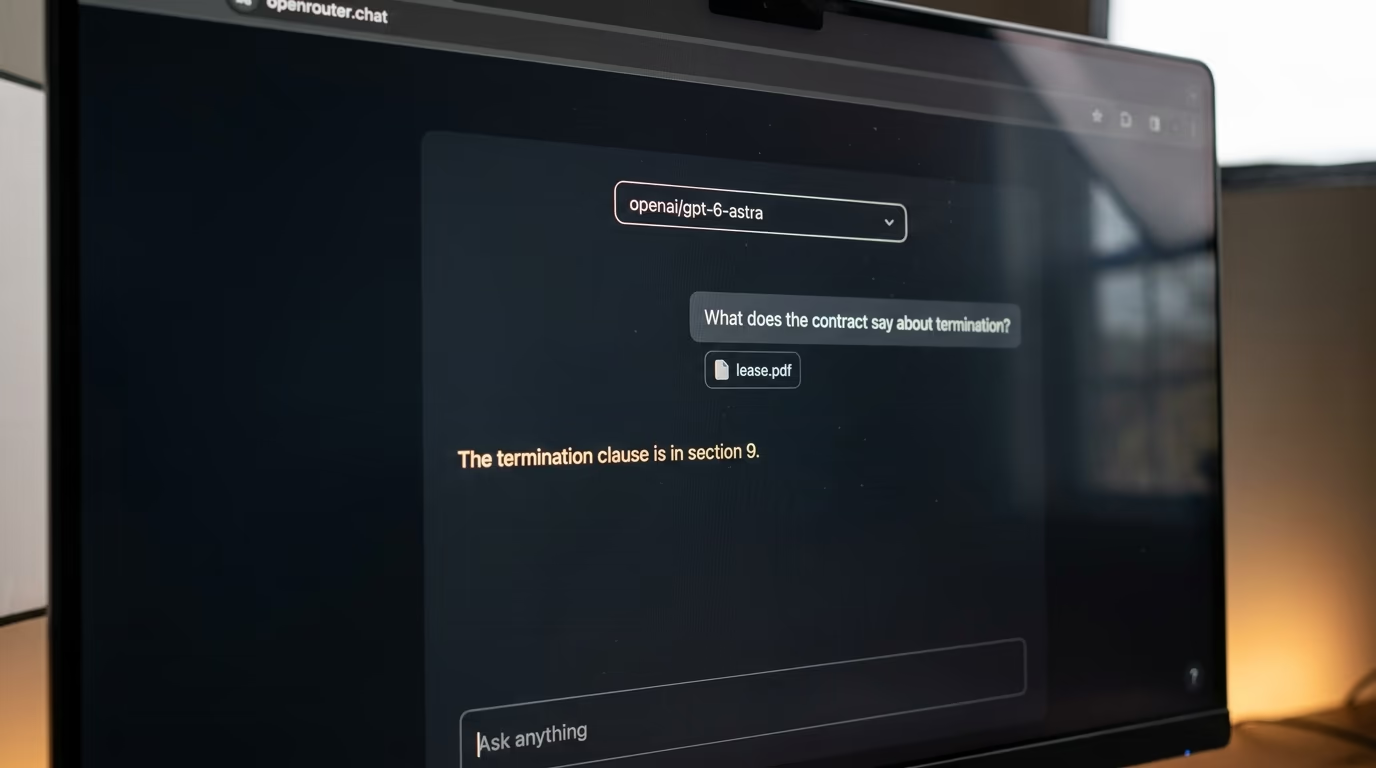
Open openrouter.ai/chat, which the site calls its AI Chat Playground. It looks like every other chat window you've used, with one addition that matters, a model selector above the conversation where you choose the exact name openai/gpt-6-astra. The name has to match character for character, company in front of the slash, because the platform carries hundreds of models with names that look alike.
Step 4, attach something and ask, 3 minutes
Attach a file to your message and ask one specific question about it. OpenRouter supports file attachments on every model it carries, and Astra takes text, images and files directly, so a PDF from your desktop works without any conversion. Ask for the termination clause of a lease rather than a summary of it, because a narrow question gives you an answer you can check against the document in front of you.
Within a few seconds you should see an answer quoting your own document back at you. If the reply is vague and general, the question was too broad rather than the model being weak. If it says it can't see a file at all, the upload failed, and a smaller file usually goes through on the second try.
How do you make it a command on your own machine?
You create credentials on the OpenRouter keys page, test them with one line in a terminal, then hand a coding agent a plain English prompt that builds a small tool for you. The tool reads a folder of your own files, sends them to Astra with your question, and prints what the request will cost before it spends anything.
Step 5, create your credentials, 2 minutes
Open the keys page at openrouter.ai/settings/keys, create a new set of credentials, name it something you will recognise in a month, and copy the long secret string it shows you. The site shows that string once and never again, so paste it somewhere safe immediately. Treat it the way you treat the number on your card, because anybody holding it can spend your balance.
Step 6, check the credentials work, 2 minutes
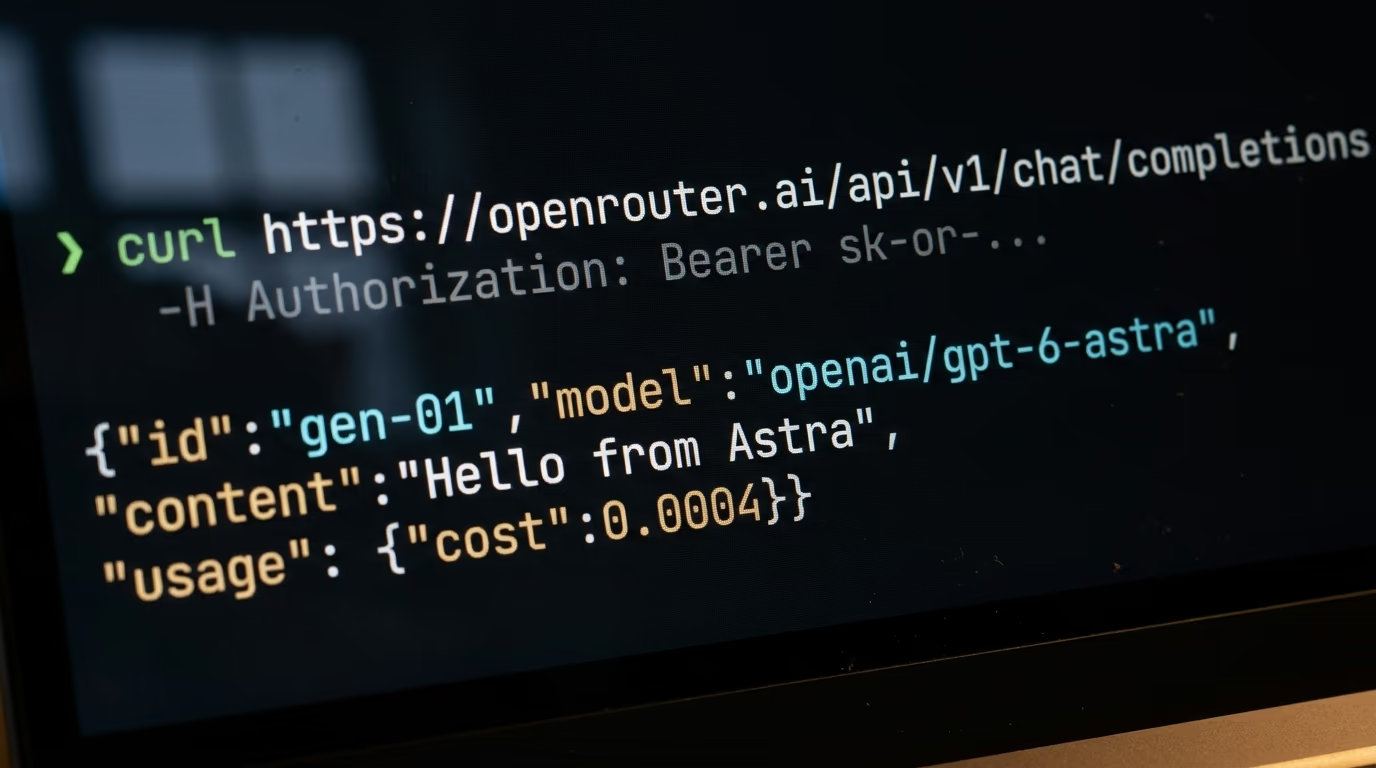
Paste the lines below into a terminal, with your own secret string in place of the capitals, and press enter. It asks Astra for a hello and nothing else, so it costs a fraction of a cent and tells you whether the credentials are good before you build anything on top of them.
curl https://openrouter.ai/api/v1/chat/completions \
  -H "Content-Type: application/json" \
  -H "Authorization: Bearer YOUR_SECRET_STRING" \
  -d '{"model":"openai/gpt-6-astra","messages":[{"role":"user","content":"Say hello in 5 words"}]}'
Back comes a block of JSON with a short sentence inside it and, near the end, a small cost figure telling you exactly what that request took from your balance. If instead you get a message about authentication, the secret string was pasted wrong, and a stray space at one end is the usual culprit. If the answer mentions payment, there is no credit on the account yet.
Step 7, let a coding agent build the tool, 20 minutes
The rest of this build is written by a coding agent rather than by you, which is exactly why a beginner can finish it tonight. If you already pay for one, use it. If you don't, Gemini CLI is free with a Google login and writes files on your machine like the paid ones do. It needs Node, which you install once from the Node.js download page, and then a single line installs the agent itself.
npm install -g @google/gemini-cliRun gemini inside the folder where you want the tool to live, sign in with your Google account when it asks, and paste the prompt below exactly as it is written. It is long because it is doing the remembering for you, and every numbered line is one decision you would otherwise have had to make on your own.
You are building a small tool on my computer that asks GPT-6 Astra questions about my own files, through OpenRouter. Work through these steps in order, test each one before moving to the next, and explain what you did in plain English.

1. Make a folder called ask-astra in my home folder, and inside it an empty folder called docs where I will drop my files.
2. Ask me to paste my OpenRouter secret string, save it in a file called .env inside ask-astra, and never print it back to me or copy it into any other file.
3. Write a small program I can run with one command called ask, which takes my question as plain text, reads every file inside docs including plain text, markdown and PDF, sends them all together with my question to the model openai/gpt-6-astra at https://openrouter.ai/api/v1/chat/completions, and prints the answer.
4. Before it sends anything, make it measure how much text it is about to send, show me the estimated cost in dollars at 10 dollars per million tokens sent and 50 dollars per million returned, and wait for me to type y.
5. After each answer, print what the request really cost, which OpenRouter returns in the usage section of its response.
6. Make it stop with a plain sentence I can understand if the docs folder is empty, if the secret string is missing, or if OpenRouter answers 402, which means my credit ran out.
7. Make it print which files it read, so I can tell whether it saw everything I meant it to see.
8. Test it yourself with one small text file and one short question, show me the output, then show me the exact command I type to ask my own question.
What the agent leaves behind is one folder holding the tool, a docs folder waiting for your files, a hidden file holding your secret string, and a single command. Run it and you see the list of files it read, one line saying what the question will cost, and a prompt asking whether to continue. This is the same shape as the SEO agent built entirely from one prompt, where the reader types English and the agent writes the code.
What does one real question cost?
A question carrying 50,000 words of your own documents costs roughly 70 cents on Astra, because OpenRouter bills $10 for every million tokens you send and a million tokens is around 700,000 words. Most evenings you'll spend cents rather than dollars, and the tool tells you which before it sends.
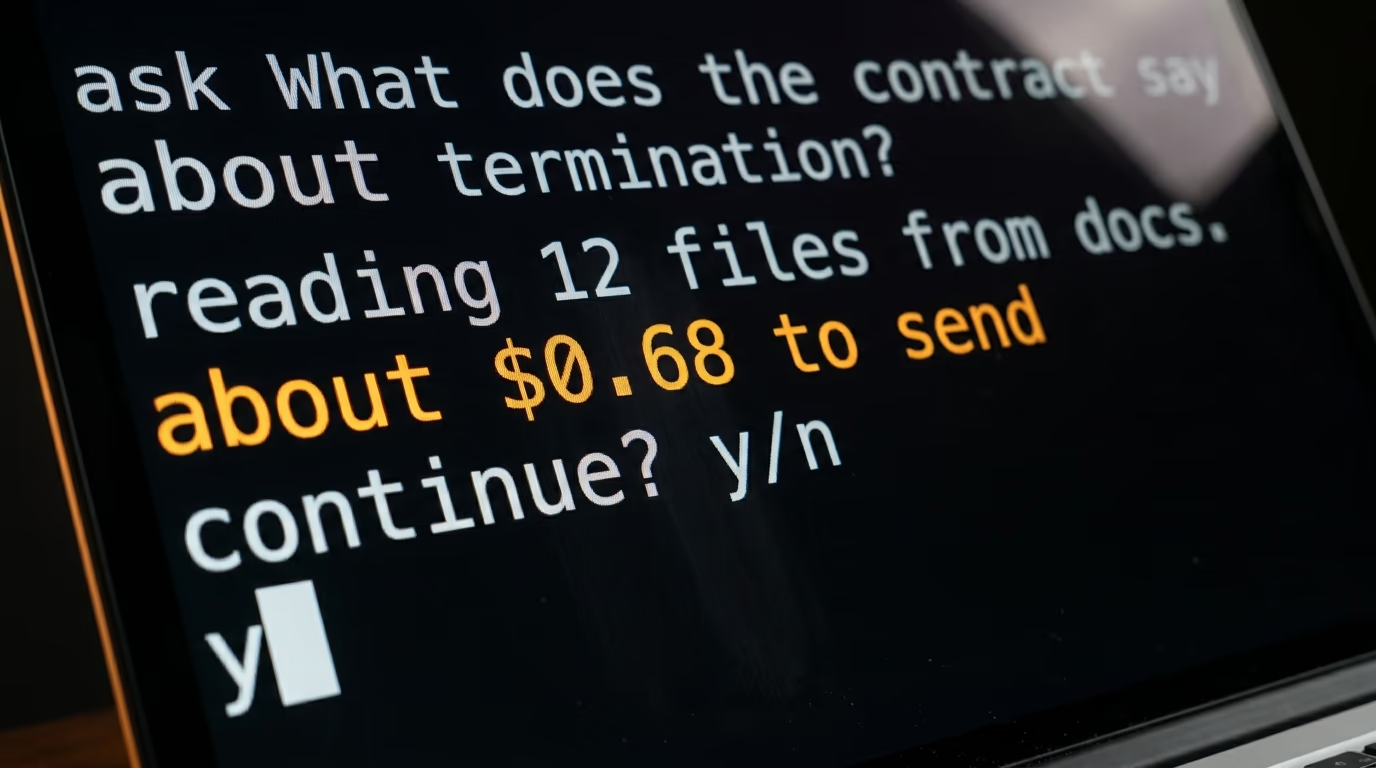
The rate isn't flat all the way up. Past a certain size in a single request the rate on Astra doubles, so filling that enormous window right to the top isn't a cheap experiment, and the estimate printed before sending is the only warning you get. The model page names the exact size where the doubling starts, and it is the whole reason the confirmation line is in the prompt above.
Asking a second question about the same documents costs far less than the first. When the same text arrives again quickly, OpenRouter bills it as cached, at a tenth of the sending price, so follow up questions land near a tenth of the opening one. It rewards staying with one folder and interrogating it properly rather than starting fresh every time.
PDFs carry one charge worth knowing about. OpenRouter tries the model's own file handling first, and when it falls back to its own text extraction the bill is charged by the page at the rate in the table above, which is real money on a long scan of a contract archive. Plain text and markdown files skip that step entirely, so if your documents already exist as text, keep them that way and feed those in instead.
What goes wrong, and how do you recognise it?
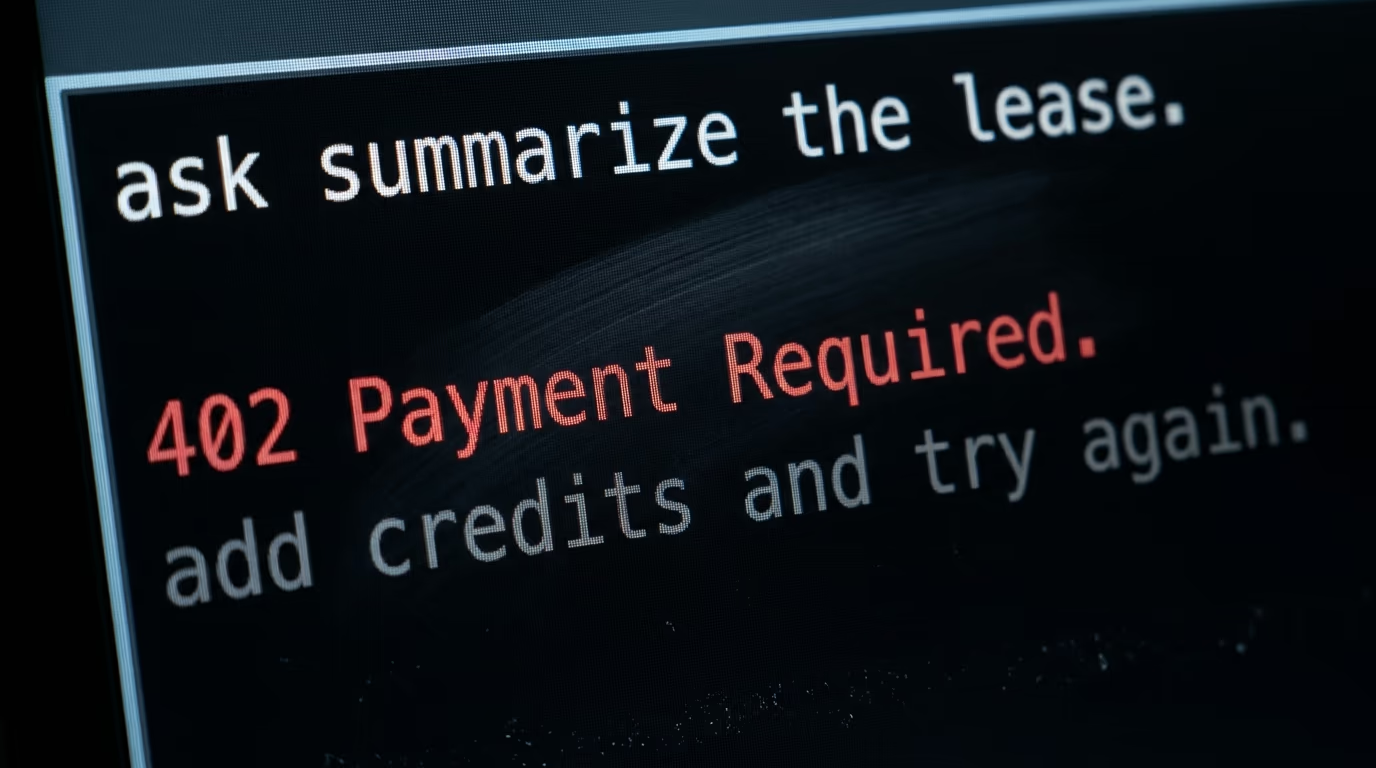
The 3 failures you are most likely to hit are an empty balance, a mistyped model name and a file the model never actually read. An empty balance answers 402 Payment Required, which is the clearest error in the whole system, and on a negative balance that same refusal reaches even the free models on the platform.
A mistyped model name is the second wall and it looks worse than it is. The name has to match exactly, the company in front of the slash, and anything else comes back as an unknown model rather than as a helpful suggestion of what you probably meant. Copy it from the model page instead of typing it from memory, and the problem disappears for good.
The third failure is quiet and it costs money. A scanned PDF has no text inside it, only pictures of text, so it has to be extracted before Astra sees a thing, and that extraction is charged by the page. Ask your tool to print which files it read and how big each one was, then convert the monsters to plain text before you send them again.
Rate limits belong to the company serving the model rather than to OpenRouter, so on a busy evening a request can come back asking you to slow down. Wait a minute and send it again, because there is nothing to fix. And if you are experimenting with the free models on the platform while you learn, those carry a small daily allowance of their own until credit has been bought.
What do we still not know about running GPT-6 Astra this way?
Nobody outside OpenAI has independently measured how Astra behaves at the top of its enormous context window, and every figure published so far about its long document reading comes from the company itself. We haven't run our own benchmark and this tutorial doesn't pretend to be one.
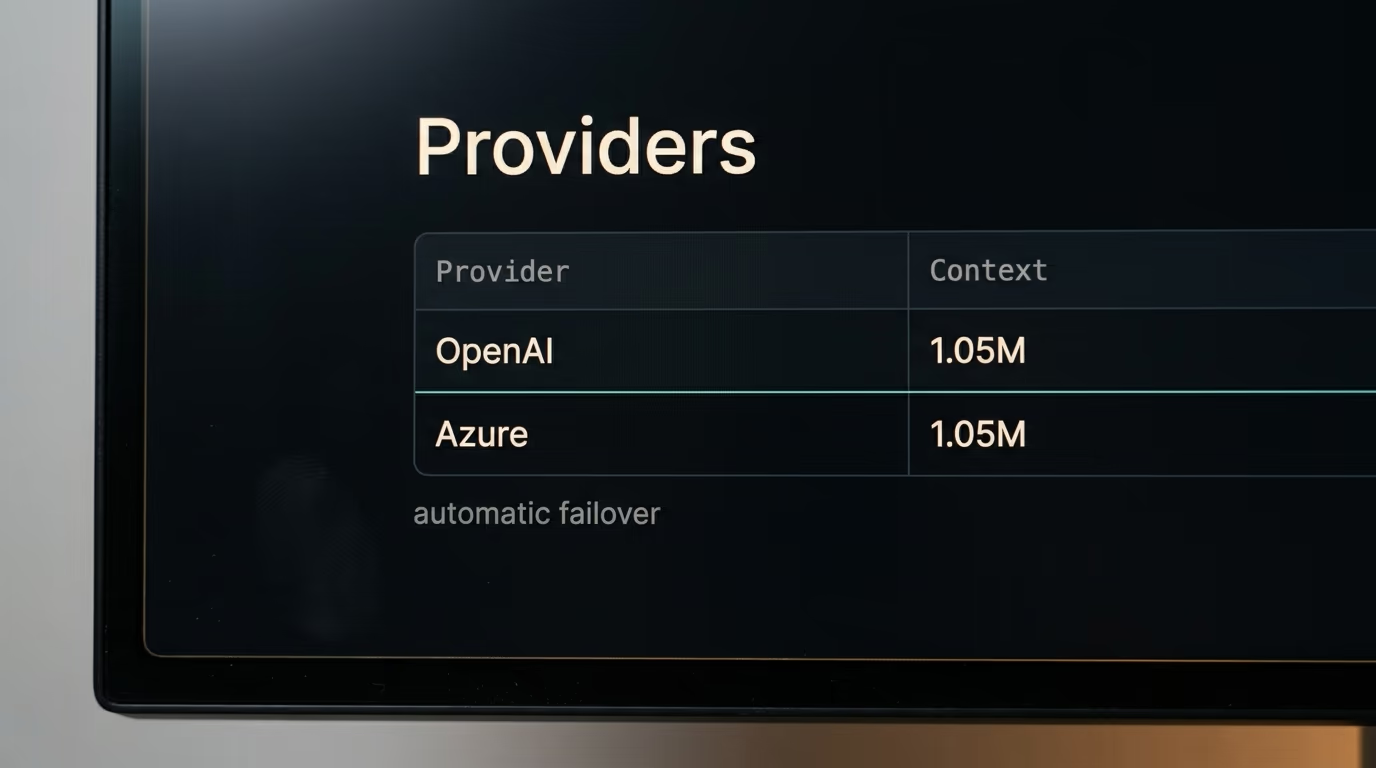
What we did check at the source this morning is the plumbing. The model name, the size of the window, the prices in the table above and the companies serving the model were all read straight from OpenRouter's public model listing rather than lifted from a press release, which is a lower bar than a benchmark and a much harder one to get wrong.
The timing inside ChatGPT is still open. Altman was hopeful about the weekend without promising it, so your own account may or may not show Astra by the time you read this, and that uncertainty is the reason a route you control is worth an evening. The OpenRouter listing has been up since Friday evening. If you are weighing the subscriptions instead, we put Claude Pro against ChatGPT Plus earlier this year.
Where your documents travel is worth a minute of thought too. A request can be served by OpenAI or by Azure in the United States, and OpenRouter switches between them automatically, so a file you send tonight might be handled by either. There is a privacy screen at openrouter.ai/settings/privacy where you choose whether your requests may go to providers that could train on your data, and it deserves a look before anything sensitive leaves your laptop.
Prices aren't frozen either, and OpenRouter lists slower and cheaper routes to the same model, sold as batch and flex, which we haven't tested and which behave differently when the servers are busy. Everything in this tutorial uses the standard route, and if that changes, the numbers here change with it.
Where to point this tonight
Start with one folder and one question you genuinely need answered, not a demonstration you will forget by Monday. A lease, a stack of invoices, a long chat exported to text, the documentation of a tool you are learning, anything where the answer is buried in more pages than you want to read on a Saturday evening.
Keep the first week deliberately small. Plain text and markdown files, narrow questions, and a glance at the balance after each answer so the cost stops being abstract and turns into a number you recognise. Once the same folder has answered you 3 times for less than the price of a coffee, you'll know whether the bigger runs are worth it.
After that, the interesting question is what else the same credentials can drive, since anything that speaks to OpenAI can usually be pointed at OpenRouter instead, including the Telegram bot that answers with AI we built here in an evening. The comparison people will want next is Astra against the newest Claude Fable on the same documents, run rather than quoted, and that one needs both models and a fair test rather than 2 press releases.
Questions people ask
How do you use OpenRouter if you have never used an API before?
You use the chat page at openrouter.ai/chat, which needs no code at all. Create an account, add credit, choose the model in the selector above the conversation, attach a file if you have one and type your question. The credentials and the terminal only matter later, when you want the same question to run from your own machine.
How do you use OpenRouter with GPT-6 Astra rather than another model?
You select the model named openai/gpt-6-astra, either in the selector on the chat page or in the model field of an API request. OpenRouter listed it on September 4 and serves it through OpenAI and Microsoft Azure, switching between them automatically. Nothing else about your account or your credit changes.
Is OpenRouter free to use?
The account is free and a new one comes with a small allowance for trying the platform out, but Astra is a paid model and needs credit sitting on the account. Adding credit also carries a card fee that OpenRouter publishes in its own documentation, so the money you put in is slightly less than the money you can spend.
Do you need a ChatGPT subscription to use GPT-6 Astra?
No, and that's the reason this route exists at all. OpenRouter sells access to the same model per question out of a credit balance, so you can ask Astra something tonight without holding a monthly plan with OpenAI. You pay for what you send and what comes back, and nothing at all in the weeks you don't use it.
Can OpenRouter read my PDFs?
Yes. OpenRouter supports file attachments across the models it carries, and Astra accepts files directly. When a model cannot read a PDF itself, OpenRouter extracts the text first and charges for that extraction by the page, so plain text files are cheaper whenever you have a choice between them.
What happens if my OpenRouter credit runs out?
Requests stop with an error reading 402 Payment Required, and on a negative balance that error can reach the free models as well. Adding credit restores everything immediately with nothing to reconfigure. The balance sits at the top of openrouter.ai/credits, and the tool in this tutorial prints the cost of every question so the balance never falls without warning.
Who sees the documents I send through OpenRouter?
Your request is served by whichever company runs the model, which for Astra means OpenAI or Microsoft Azure in the United States. OpenRouter routes between them and fails over automatically when one is slow. On the privacy screen at openrouter.ai/settings/privacy you choose whether your requests may go to providers that could train on your data.