TutorialsAugust 28, 202612 min read
How to build an AI voice agent that costs nothing to run
It listens through your microphone, thinks on your own machine and answers out loud. No account, no card, no meter. Here is the full build, in about an hour, without writing code.
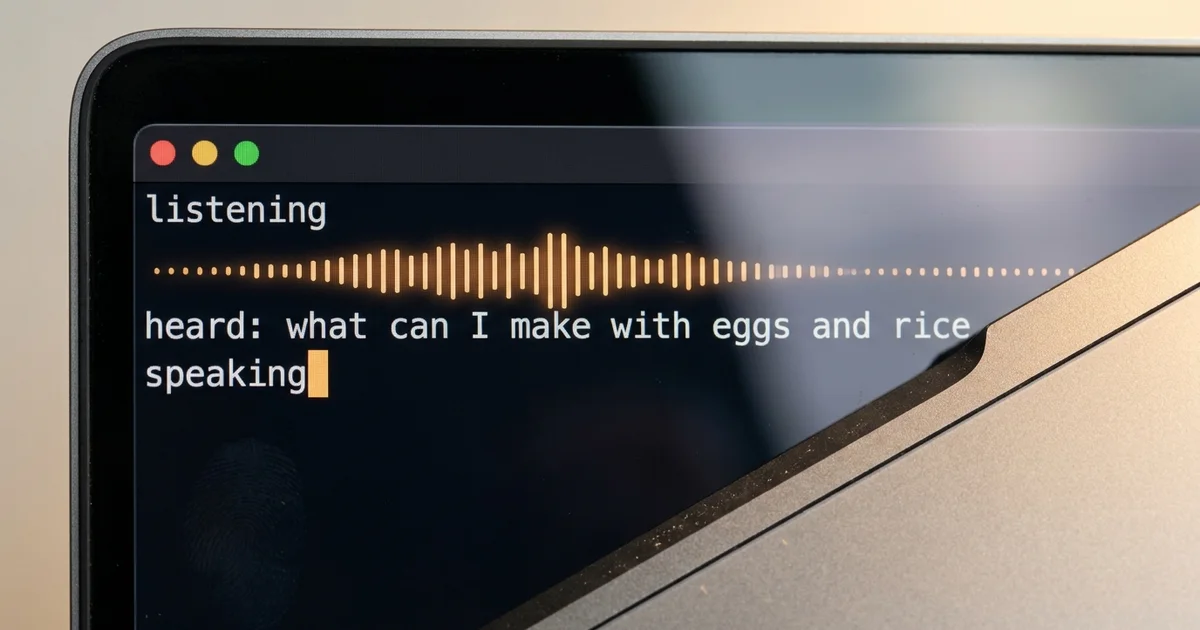
You can build an AI voice agent on your own computer tonight, and once it is installed it costs nothing every time you talk to it. It hears you through the microphone using Whisper, it thinks with a small model running under Ollama, and it answers out loud with the voice your Mac already ships with, so no account, no card and no per minute meter sits between your question and the answer.
The whole build takes about an hour and you never open a code editor. The only long thing you copy is a prompt written in plain English, which you paste into a coding agent, and that agent writes the program, tests each piece and tells you what to do when something refuses to work. Below is the shopping list with real prices, the 5 lines you type yourself, the prompt in full, and the 4 walls you are most likely to hit.
What does an AI voice agent actually do?
An AI voice agent is 3 small programs running one after the other, and every voice product you have ever used is built from the same 3 steps. One turns your voice into text, one reads that text and writes an answer, and one turns the answer back into sound. Everything else in a commercial voice product is packaging around that loop.
The ears are a speech model. Whisper is the one in this build, OpenAI released it under an MIT license so anyone can download and run it for free, and Whisper.cpp is a rewrite of it in C and C++ from the ggml project whose own description promises support for machines with no graphics card at all. You hand it a sound file and it hands back the sentence you said. The small English version of the model weighs about 150 MB, which is roughly one album of music, so disk space is never the problem here.
The brain is a language model, the same kind of thing that answers you inside ChatGPT, except this one sits on your own disk and answers with the wifi off. Ollama is the program that downloads it and keeps it running in the background. The model in this build is Granite 4.2 in its smallest size, published by IBM's Granite team, and it is a 2.2 GB download, so about the size of a film. If you want to see how the sizes line up with the memory in your machine, our ranking of the best local models by RAM covers that in detail at best local LLM for coding.
The mouth is already installed on your Mac and you have probably never used it. The say command has been in macOS for years, it reads any sentence out loud through the speakers, and it ships with dozens of voices in many languages that you can list and swap in one line. Nothing to download, nothing to sign up for, and it works while the machine is offline.
The honest weakness of this design is the pause. Each step waits for the one before it to finish, so you speak, the machine transcribes, then it thinks, then it talks, and you feel that sequence as a gap of a few seconds before the voice starts. The commercial platforms hide the gap by streaming the 3 steps into each other, and the free 1 hour course DeepLearning.AI published with LiveKit gives a whole lesson to that problem, taught by LiveKit's chief executive Russ d'Sa with 2 colleagues. On your own machine you keep that gap, and in exchange nobody bills you for the conversation and nobody else ever hears it.
What do you need to build an AI voice agent, and what does it cost?
To build the voice agent this way you need a Mac made in the last few years with 8 GB of memory or more, an internet connection for the downloads, and about an hour. Everything the voice agent runs on afterwards is free software, and the running cost of a conversation is zero, because your own processor does the work that a cloud platform would charge for by the minute.
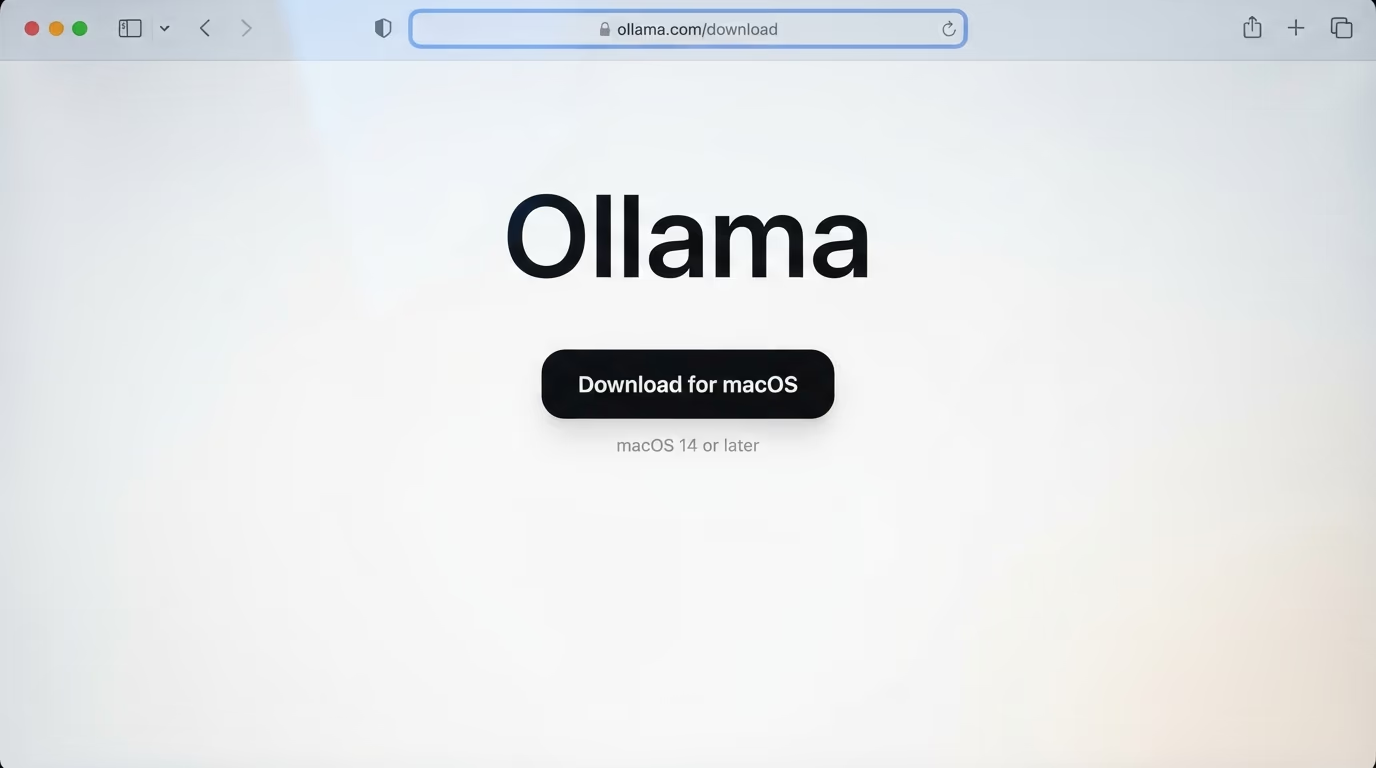
- Ollama, free, which runs the model that thinks. Download it from ollama.com.
- Whisper.cpp, free, which turns your voice into text. It arrives through Homebrew.
- SoX, free, which records from the microphone. Same install line as Whisper.cpp.
- The say command, already on your Mac since the day you bought it.
- A coding agent to assemble the pieces, and one of them is free.
The last line is the one people get stuck on, so here is the plain version. A coding agent is a program that reads your instructions in normal English and then writes and runs files on your machine. Gemini CLI is free with an ordinary Google account, and Google's own repository states the free allowance as 1,000 requests a day, which is far more than this build needs. If you already pay for Claude, Claude Code is included in the Pro plan at $20 a month on monthly billing, and it does the same job here.
The reason this matters is the alternative. Most of the guides ranking for this question put the same 3 steps in somebody's cloud, and the meter starts once the free allowance runs out. LiveKit, which is the platform behind the DeepLearning.AI course, gives away a Build plan with no card, then charges per minute of conversation on top of the model costs. Both paths are honest, they just bill differently, and the table sets them side by side with the numbers each company publishes today.
| This build, on your Mac | LiveKit Build plan, in the cloud | |
|---|---|---|
| Cost to start | $0 | $0, no credit card required |
| Free allowance | unlimited | 1,000 agent session minutes, plus $2.50 of inference credits, worth about 50 minutes |
| After that | $0 forever | $0.01 per agent session minute, plus $0.0025 to $0.0117 a minute for speech to text and up to $0.18 a minute for the voice |
| Works offline | yes, once the models are downloaded | no, it is a cloud service |
| Account needed | none for the voice agent itself | LiveKit account and credentials |
| Answer speed | a pause of a few seconds | built for real time streaming |
| Voice quality | the macOS system voices | ElevenLabs and other premium voices |
Read the table as a choice between 2 different products rather than a winner and a loser. If you are putting a voice agent on a phone line for customers, the cloud stack is the correct answer and the pricing above is the price of not building infrastructure yourself. If you want something that answers you in your kitchen, keeps your questions on your own disk and never bills you, the machine on your desk is already enough.
How do you install the 4 pieces on a Mac?
Installing the pieces of the voice agent takes 4 short steps and 5 typed lines, and each step ends with a test so you never move forward on something broken. Open the Terminal application first, which lives in your Applications folder inside Utilities, and keep it open until the end of the build.
Step 1, the brain (10 minutes, mostly downloading)
Go to the Ollama download page, take the Mac version, and drag it into your Applications folder the way you would install any other program. It needs macOS 14 Sonoma or newer. Once it is open, a small Ollama icon appears in the menu bar at the top of the screen, which is how you know the model server is running.
Then bring the model itself down to your disk with this line, which prints a progress bar for a few minutes.
ollama pull granite4.2:3bWhen it finishes, the download bar fills and your prompt comes back. Test the brain straight away with a single question, which answers in your terminal without any interface around it.
ollama run granite4.2:3b "Say hello in one short sentence."A sentence comes back in a second or 2 on a recent machine, longer on an older one. If nothing comes back at all, the Ollama application is not running, so open it from the Applications folder and try the same line again. Our comparison of the 2 easiest ways to run models locally, LM Studio vs Ollama, explains what that background server actually does.
Step 2, the ears and the microphone (10 minutes)
Whisper.cpp and the recorder both come from Homebrew, which is the standard installer for command line software on a Mac. If you have never installed it, open brew.sh and copy the single line at the top of that page into your terminal. It asks for your Mac password once and then works for several minutes without needing you.
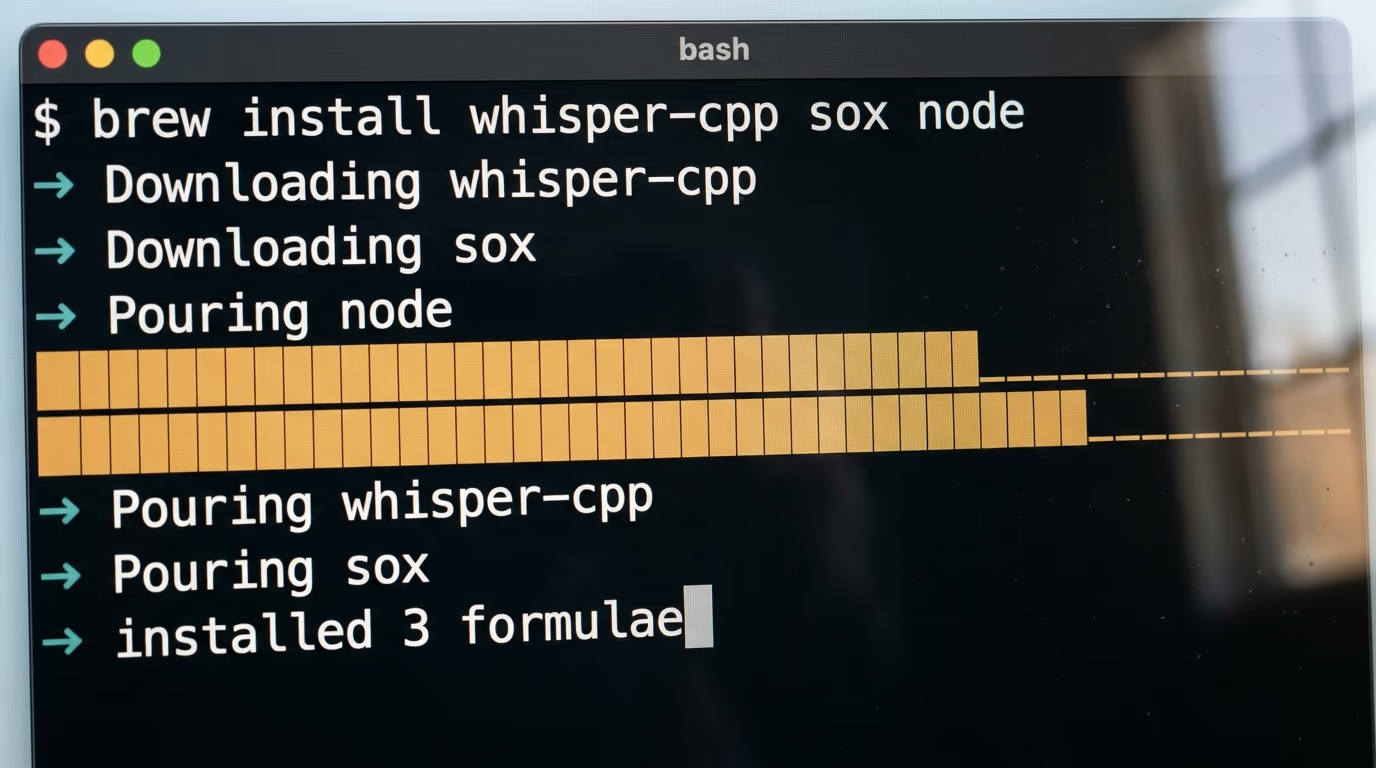
With Homebrew in place, one line brings the remaining pieces, and the same line installs Node, which the free coding agent needs in the last step.
brew install whisper-cpp sox nodeHomebrew prints a wall of download lines and finishes with a summary of what it poured. It also warns you that Whisper needs a model file that it does not ship, which is correct and expected, because the coding agent downloads that file for you later in the build.
Step 3, the mouth (1 minute, and it is already there)
Nothing to install here, so this step is really a test. Turn your volume up and type the line below.
say "your computer can talk"Your Mac reads the sentence out loud in its default voice. That command is the entire mouth of your voice agent, and every answer it speaks later goes through the same line. If you hear nothing, the volume is down or the output is going to a headset that is not connected.
Step 4, the builder (5 minutes)
The coding agent is the piece that writes the program, so it is the last thing you install and the one you talk to for the rest of the build. This line starts Google's Gemini CLI without installing anything permanently.
npx @google/gemini-cliIt asks you to choose a login method, you pick Sign in with Google, and a browser tab opens where you approve it with your normal Google account. After that you are looking at a prompt inside your terminal, waiting for instructions in plain English, which is exactly what the next section gives it.
What prompt builds the voice agent for you?
The prompt below is the only long thing you copy in this build, and it is written in plain English on purpose, so you can read every line of it and change any of them. Paste it into the coding agent you just opened, press return once, and then answer its questions as they come.
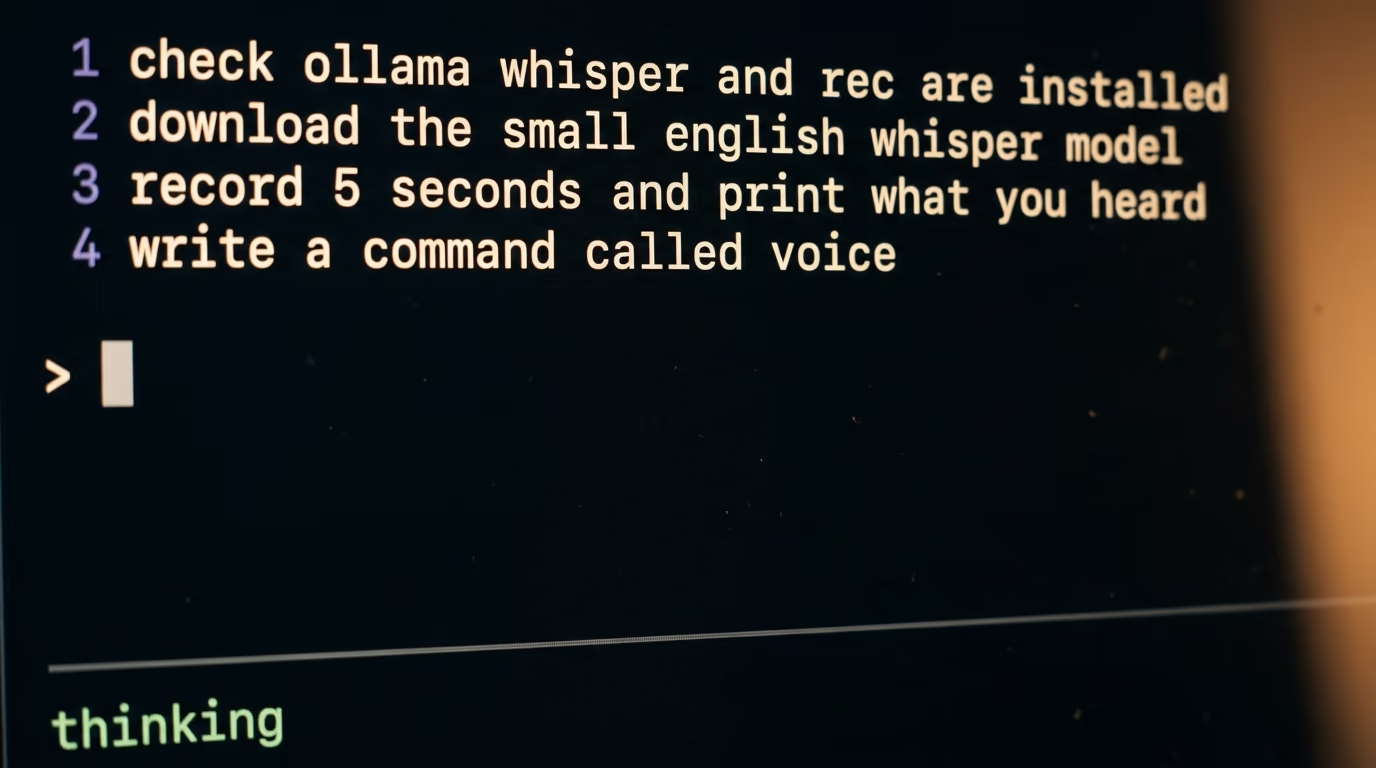
You are setting up a voice assistant on my Mac. I am not a developer, so explain each step in plain words, ask me before installing anything, and never delete a file.

1. Check that ollama, whisper-cli, rec and say all answer on this machine, and tell me the exact line to run for anything that is missing.
2. Make a folder called voice in my home folder, download the small English Whisper model file ggml-base.en.bin from Hugging Face into it, and tell me the file name and its size when it lands.
3. Test the 3 pieces one at a time and show me the output of each test. Record 5 seconds from my microphone into a 16 kHz mono file, transcribe that file and print the text, send the word hello to the model granite4.2:3b and print the answer, then read one sentence out loud.
4. Now write a single command called voice that runs the whole loop. It records from my microphone until I press Control C, transcribes what I said, sends that text to granite4.2:3b with the instruction to answer in at most 3 short sentences and in spoken language, prints the answer and reads it out loud.
5. Keep the last 6 exchanges in a plain text file inside the voice folder so it remembers the conversation, and start a fresh file when I type voice reset.
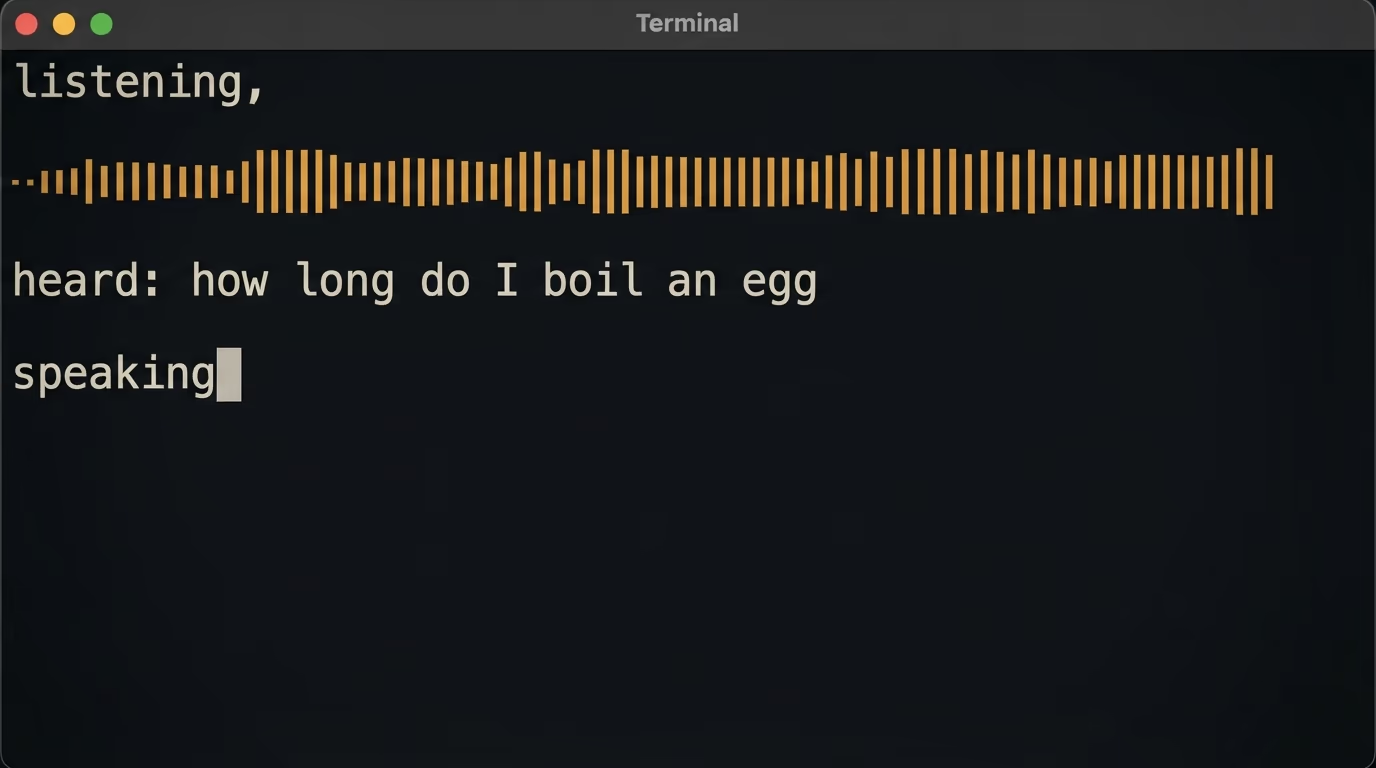
6. While it runs, print 3 lines on screen so I can see where it fails, the words you heard, the answer you wrote, and a line saying it is speaking.
7. Make voice work by typing voice in any terminal window, and tell me in one sentence what you changed to make that possible.
8. Handle the errors in plain English. If Ollama is not running, say so and give me the line that starts it. If the model file is missing, say so. If the recording is silent, say that the microphone heard nothing.
9. Run voice once yourself with a short recording, show me everything it printed, and confirm the answer was spoken out loud.
10. Finish with the list of files you created, the line I edit to change the voice, and the line I edit to change the model.
The agent will work for several minutes, and it will stop to ask you things. It asks permission before installing anything, it asks you to speak into the microphone for its own test, and it may ask which voice you want. Answer those questions in normal English, the way you would answer a colleague. When it says a step failed, read the sentence it prints and paste it back to the agent, because the second attempt usually fixes the first.
Notice what the prompt never does. It never tells the agent which programming language to use, how to structure files, or how to record audio, because those decisions are the agent's job and any of them can change next month without breaking your instructions. The same posture drives every build on this site, including our walkthrough of how to make a Telegram bot that answers with AI, where the reader also types a paragraph rather than a program.
What does it look like when the voice agent works?
When the voice agent works you type one command, you talk, and the machine answers you out loud. The finished command is called voice, it works from any terminal window, and the run leaves 3 lines on screen so you can see which step is slow or broken on any given day.
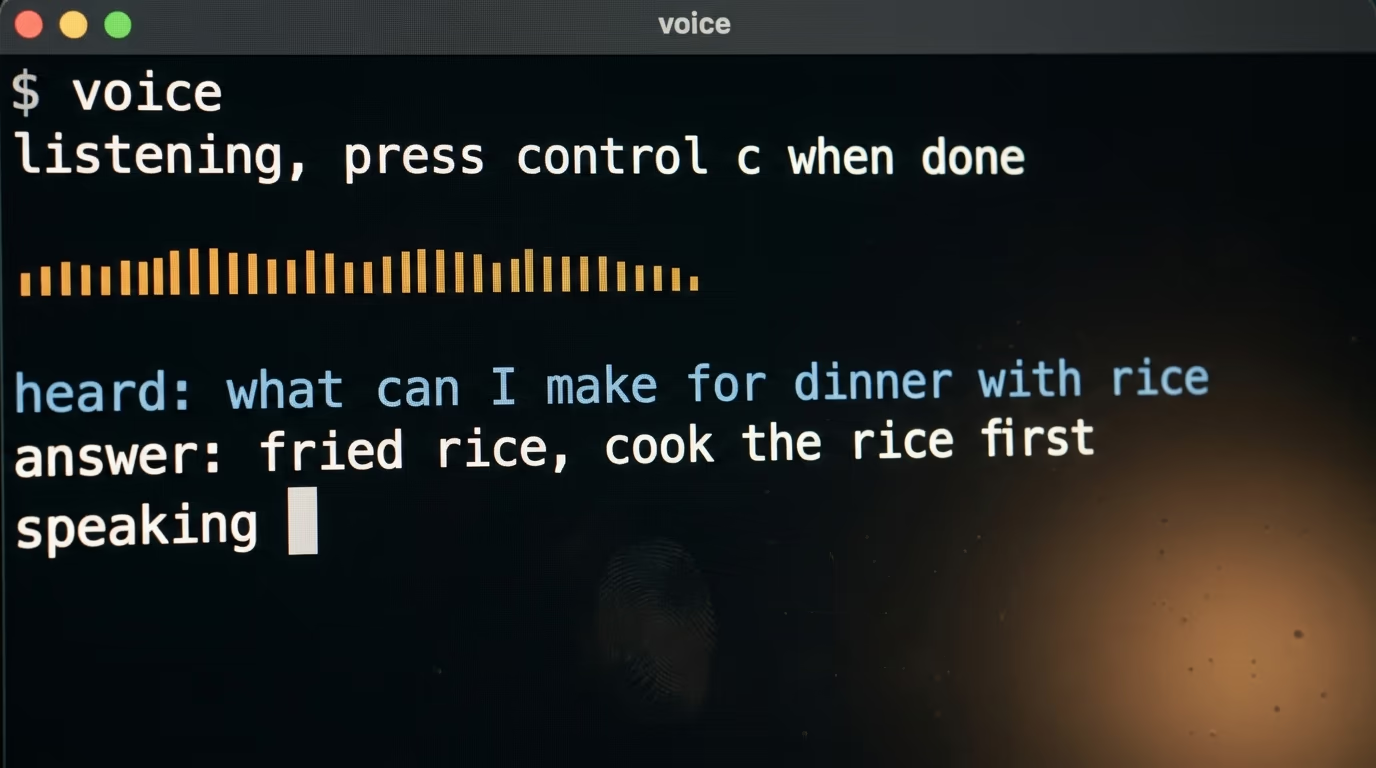
$ voice
listening, press Control C when you are done talking
heard: what can I make for dinner with eggs rice and spinach
answer: Fried rice works well here. Cook the rice, push it aside,
        scramble the eggs in the same pan, then fold the spinach in
        at the end so it keeps some bite.
speaking
The line reading speaking is your signal that the say command has the answer, and the voice starts a moment later. Ask a second question and the answer takes account of the first one, because the last few exchanges live in a plain text file inside the voice folder in your home directory. You can open that file in TextEdit, read everything the machine remembers about your conversation, and delete the whole thing whenever you feel like it.
What you have at this point is small and real. It answers questions, it does it with the wifi off, and the whole conversation stays on a disk you own. It is also the foundation for the next thing you build, because the same loop with a different instruction becomes a kitchen timer, a language partner that corrects your accent, or a hands free note taker for the workshop where your fingers are covered in oil.
What breaks first, and how do you recognize it?
4 failures account for nearly every voice agent build that gets stuck, and all 4 announce themselves clearly once you know the sentence to look for. None of them means your build is broken, and you can clear each one yourself in a minute or 2.
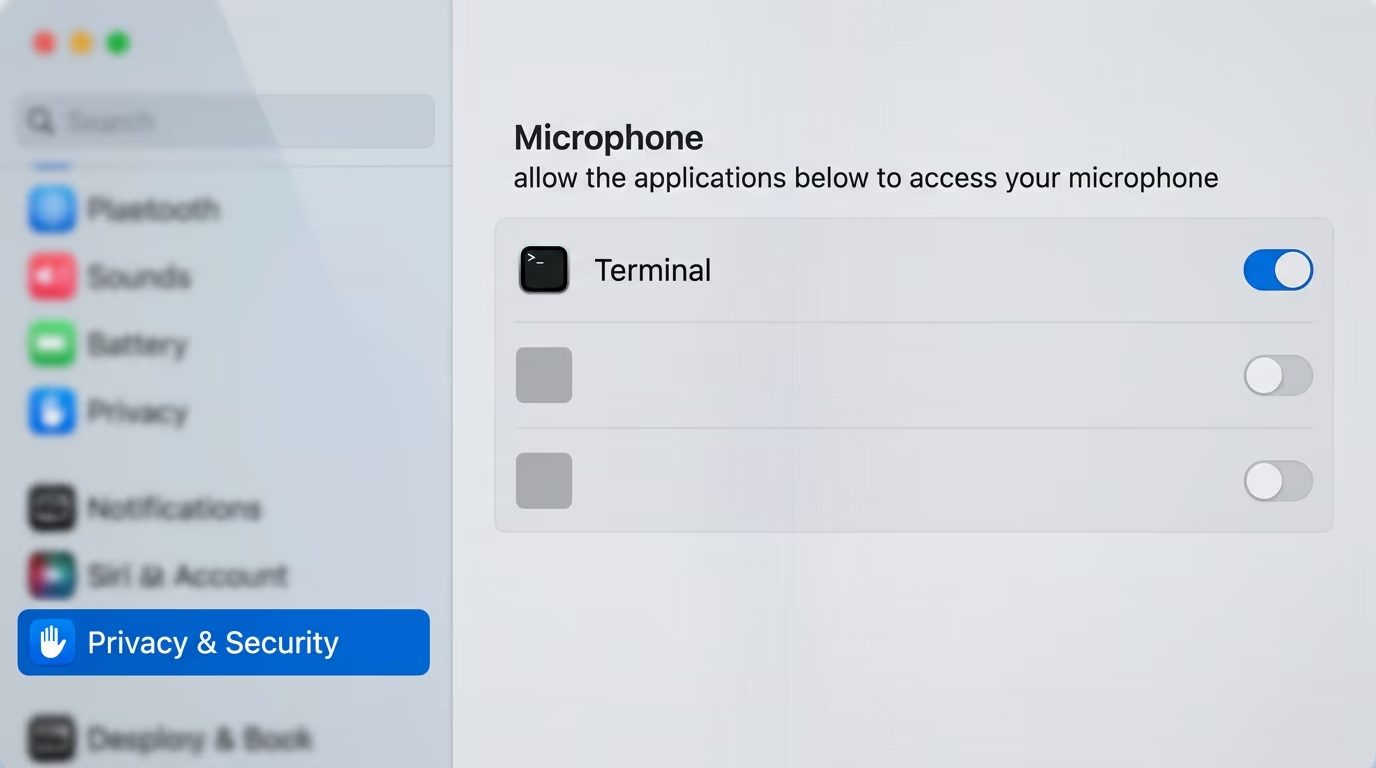
The first is the microphone permission, and it hits almost everybody. The very first recording makes macOS show a dialog asking whether Terminal may use the microphone, and if you miss it or click no, every recording afterwards is silent and Whisper politely transcribes nothing at all. The fix is 4 clicks, so open System Settings, go to Privacy and Security, choose Microphone, and turn the switch on next to Terminal.
The second is Ollama not running. The icon in the menu bar is the tell, and when it is missing every question comes back as a connection error instead of an answer. Opening the Ollama application from your Applications folder starts the server again, and the same voice command then works with no further changes.
The third is the missing model file. Homebrew installs Whisper without any model, which its own install message says out loud, so if the agent's download of the file was interrupted you get an error naming a file that is not there. Tell the coding agent that the file is missing and it downloads it again, this time into the folder it expects.
The fourth is not a failure at all, it just feels like one. On an older machine the answer takes noticeably longer, and the temptation is to install a bigger model, which makes it slower still. Go the other way and ask the agent to switch to a smaller one, because a quick plain answer is worth more to you than a better one that lands after you have stopped waiting. Our explanation of why model files come in so many sizes covers how much you actually lose by going smaller.
Is a voice agent on your own machine good enough for real work?
A voice agent running on your own machine is good enough for anything that involves your own life, and not good enough for anything that involves your customers. That line is the honest verdict after a build like this one, and knowing which side of it you sit on saves you either a wasted evening or a wasted subscription.
The machine on your desk is enough when the conversation is yours. Asking questions with your hands full, dictating notes in a workshop, practising a language, having a private conversation about your money or your health that you would rather not upload anywhere, keeping a running log while you cook. In all of those the pause of a few seconds does not matter, the system voice is good enough, and the reason you built it is that nothing leaves the room.
It is the wrong answer when a stranger is on the other end. A voice agent that answers your business line has to pick up in a fraction of a second, handle 2 people talking at once, run day and night on a machine that never sleeps, and sound like a person rather than a system voice. That is precisely what the cloud platforms sell, at the per minute prices in the table above, and paying them is cheaper than trying to rebuild it at home.
The interesting move is to keep both and let the local one grow. Give your voice agent one job this week, something small enough to finish, like reading your calendar out loud in the morning or taking notes while your hands are busy. Ask the coding agent to add that job to the same loop, in the same plain English, and watch how little you had to learn to get there. If you want to see how far the free tools go before anything needs a card, our ranking of the free AI agents worth using picks up where this build stops.
One warning for the first evening, because it catches everybody. The first answers will be shorter and blander than you hoped, since the small model is genuinely small, and the instinct is to conclude the whole idea does not work. Change the instruction in the prompt before you change anything else, ask for a specific tone or a specific length, and rerun. Most of the distance between a disappointing voice agent and a useful one comes from that instruction rather than from a bigger machine.
Questions people ask
How do you build an AI voice agent without writing code?
You install the 4 free pieces yourself, Ollama for thinking, Whisper.cpp for listening, SoX for recording and the built in say command for speaking, then you paste a plain English prompt into a coding agent such as Gemini CLI or Claude Code. The agent writes the program, tests each step and reports what it did, so the only thing you ever type is an install line and the prompt itself.
Can an AI voice agent work offline?
Yes, once the models are on your disk. Whisper and the Granite model both run on your own processor, and the macOS say command needs no connection at all, so the finished voice agent answers with the wifi switched off. You only need the internet during the build, to download the models and to talk to the coding agent.
How much does an AI voice agent cost to run?
Nothing per conversation when it runs on your own machine, because your processor does the work instead of a rented server. A cloud voice platform bills by the minute after its free allowance, and LiveKit's published rates start at about a cent for each agent session minute, with the speech and voice costs on top, which is why a busy phone line costs real money and a kitchen assistant costs nothing.
What computer do you need to build an AI voice agent?
A Mac with 8 GB of memory or more, running a recent version of macOS, covers everything in this build, and no graphics card is required. The 2 downloads together weigh under 3 GB, so any disk with a few free gigabytes is fine, and an older machine still works, it simply takes longer between your question and the spoken answer.
Does this build work on Windows or Linux?
The 3 core pieces do, since Ollama, Whisper.cpp and SoX all run on Windows and Linux, but the speaking step is different. On Linux the speaking step goes through something like espeak or piper rather than the macOS say command, and Windows has its own installed voices, so tell the coding agent which system you are on in the first line of the prompt and let it pick the right one.
Why does my voice agent take a few seconds to answer?
Because the 3 steps run one after another rather than at the same time, so the machine finishes listening before it starts thinking, and finishes thinking before it starts talking. Commercial platforms overlap those steps to sound instant. On your own machine the cure is a smaller model, a shorter answer instruction, or simply accepting the pause.
Is Whisper free to use?
Yes, OpenAI released Whisper as a free download, and Whisper.cpp is a free rewrite of it that runs on ordinary laptops without special hardware. The English model file used here comes from the Hugging Face page linked in the sources, and the Homebrew install prints a note reminding you that the model files are downloaded separately.