ToolsAugust 14, 202612 min read
LM Studio vs Ollama, 5 checks that decide which one you install
LM Studio 0.4.22 and Ollama v0.33.1 both run open models on your own machine for $0. Install, models, memory, API and license, checked against the vendor docs, with a winner in each.
LM Studio vs Ollama is a choice between an app that puts every setting in front of you and a command that keeps them out of the way until you ask. LM Studio 0.4.22 is a desktop app for Apple Silicon Macs, Windows and Linux, with a chat window, a Hugging Face model browser and a local server on port 1234. Ollama v0.33.1 is an MIT licensed program written in Go, with a desktop app on top, answering on port 11434, and it can point Claude Code or VS Code at a local model with a single command. Both run open models on your own machine for $0, and neither one sends your conversation anywhere unless you ask it to.
The 2 comparison guides ranking highest for this question both describe the split as a graphical app against a command line, and that stopped being accurate this year. Ollama now ships a desktop app and an interactive menu, while LM Studio ships a headless daemon called llmster and a command line tool called lms, so each one covers both habits. What separates them today is the default context window, the license you agree to, the hardware each one refuses to run on, and what happens when a model is too big for your machine.
Install Ollama when you want a model behind an API in the next 10 minutes and you're comfortable typing. Install LM Studio when you want quantization, GPU offload and context length as visible controls rather than as environment variables. On an Intel Mac the decision is made for you, because LM Studio doesn't support Intel Macs at all, and Ollama does.
What is the difference between LM Studio and Ollama?
LM Studio is a desktop application built around a chat window and a model browser, and Ollama is a background server you reach with a command or through another program. Both download open models onto your own disk and run them with your own processor and graphics card, so the answers keep coming with the wifi switched off. The grid below is the whole comparison in one place, and every line in it comes from the 2 vendors' own documentation.
| Check | LM Studio 0.4.22 | Ollama v0.33.1 |
|---|---|---|
| What it is | Desktop app with chat, model browser and a local server | Local server with a command line, a desktop app and a model library |
| License | Proprietary, licensed for personal and internal business use | MIT, source published on GitHub |
| Local API port | 1234 | 11434 |
| API formats | OpenAI and Anthropic compatible | OpenAI and Anthropic compatible |
| Engines the vendor names | llama.cpp and MLX | MLX never named as an engine, GGUF and Safetensors imports |
| Where models come from | Hugging Face search inside the app | The ollama.com library, plus your own imports |
| Headless mode | llmster daemon, started with lms daemon up | Built in, ollama serve |
| macOS support | Apple Silicon only, macOS 14 or newer | Apple Silicon and Intel on CPU, macOS 14 or newer |
| Default context window | Set per model in the app | 4k under 24 GiB VRAM, 32k to 48 GiB, 256k above |
| Paid tier | Cloud credits per million tokens | Pro $20 a month, Max $100 a month, Team $25 a seat |
Read that grid and the usual framing falls apart. Ollama's macOS and Windows builds include a desktop app, and typing ollama on its own opens an interactive menu where you pick a model or launch an integration, which its quickstart documents as step 2. Going the other way, LM Studio now ships llmster, which its own docs describe as the core of the desktop app packaged to run on servers without needing the graphical interface. The graphical tool grew a terminal, and the terminal tool grew a window.
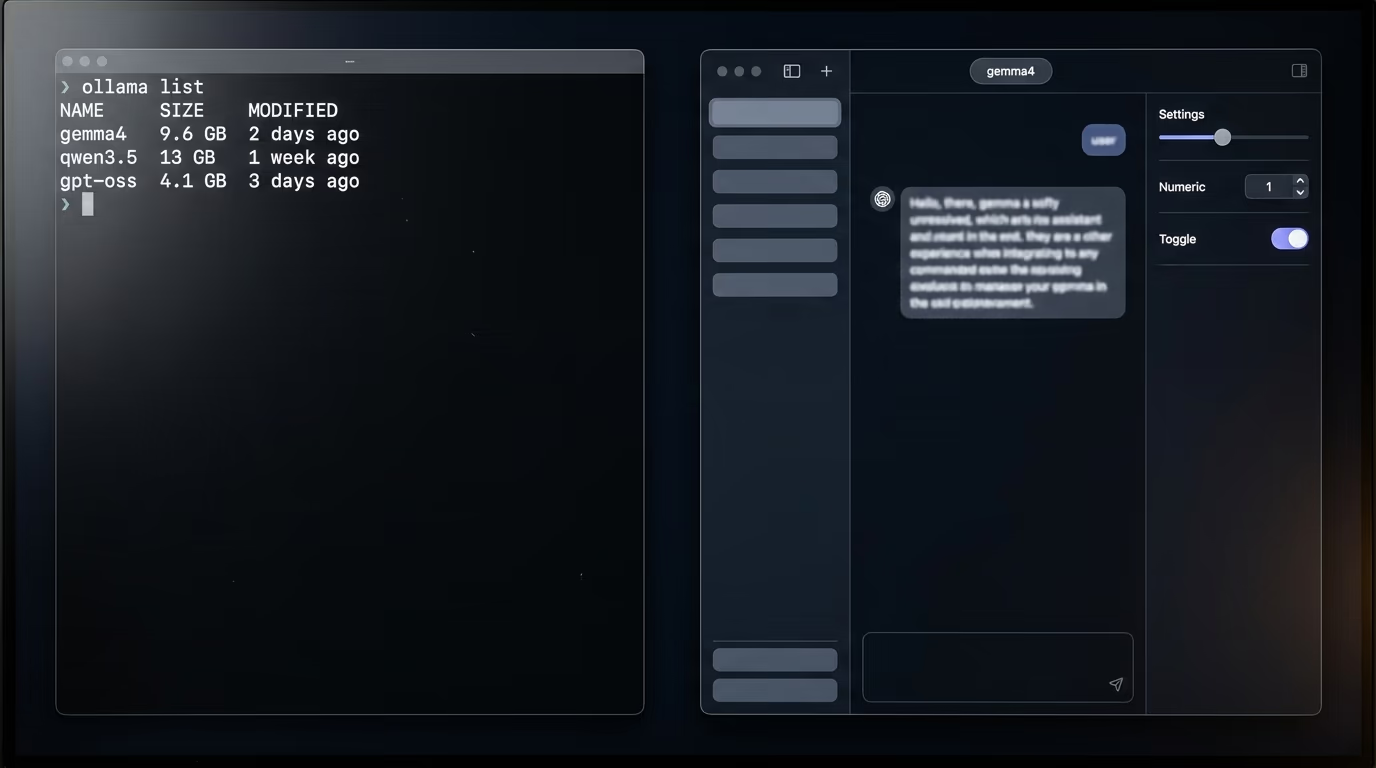
Each one optimizes for something quite different. LM Studio wants you to see the model, its quantization, its context size and its GPU offload before you send a message, which is why the app has a Discover tab for finding models and a My Models tab with a gear icon on every entry. Ollama wants the model to be a name you type once, so that gemma4 or qwen3.5 behaves the same way on a MacBook and on a Linux box, and the settings stay quiet until you go looking for them. Neither approach is wrong, and which one suits you says more about how you work than about the software.
Which one gets a model answering faster on a new machine?
Ollama gets a model answering in fewer steps, because one command handles the download and the conversation at once. After installing Ollama from its download page, a single line pulls the weights and drops you into a prompt.
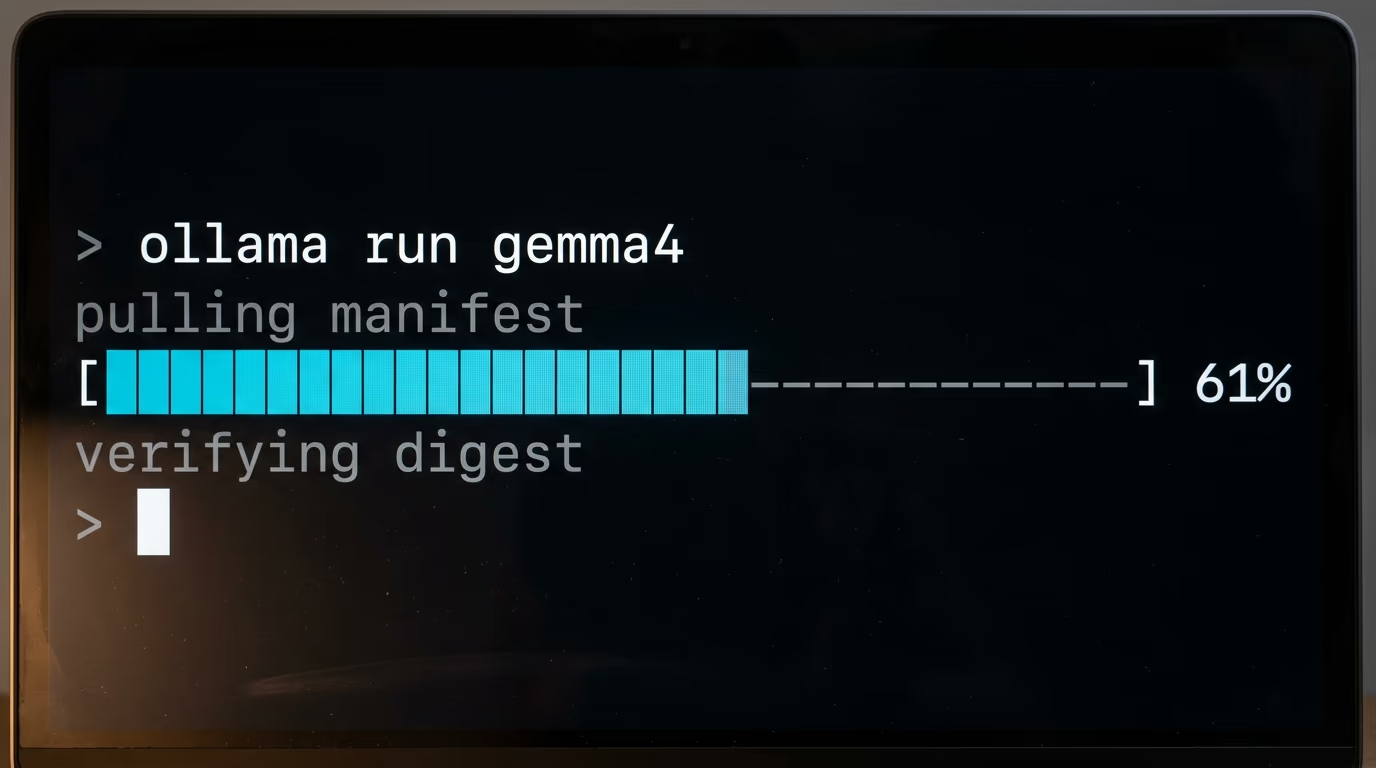
ollama run gemma4The first run downloads several gigabytes, so the wait depends on your connection rather than on the software, and every later run starts in seconds. You type a question, and you type /bye to leave the chat. Run ollama with nothing after it and the interactive menu opens instead, where you choose from the models already on disk or start a tool such as Claude Code against one of them.
LM Studio asks for more steps and gives you more to look at. You download the app, open the Discover tab with Cmd and 2 on a Mac or Ctrl and 2 on Windows and Linux, search a model by name or paste a full Hugging Face URL, then choose which file to download. That last choice is what confuses newcomers, because the same model appears several times under names such as Q3_K_S. Those are quantizations, meaning copies of the same weights compressed to different degrees, and LM Studio's documentation tells you to pick a 4 bit option or higher if your machine can manage it.
Neither install is hard, and both finish inside an evening on a normal connection. The difference is what you are asked to decide before the first answer arrives. Ollama decides quantization for you by publishing one default file behind each model name. LM Studio shows you the whole shelf and asks you to choose, which is either useful or paralyzing depending on the day you're having. If you want a shortlist of which weights to pull first, our ranking of the best local LLM for coding sorts them by how much RAM you actually have.
Which models can LM Studio and Ollama actually run?
LM Studio runs any supported model on Hugging Face, and Ollama runs what sits in its own library plus anything you import yourself. LM Studio's downloader searches Hugging Face from inside the app, by keyword, by a user and model string, or from a URL pasted into the search bar. Ollama publishes a curated library on its website under short names such as gemma4, qwen3.5 and gpt-oss, and each name resolves to a file its team picked for you.
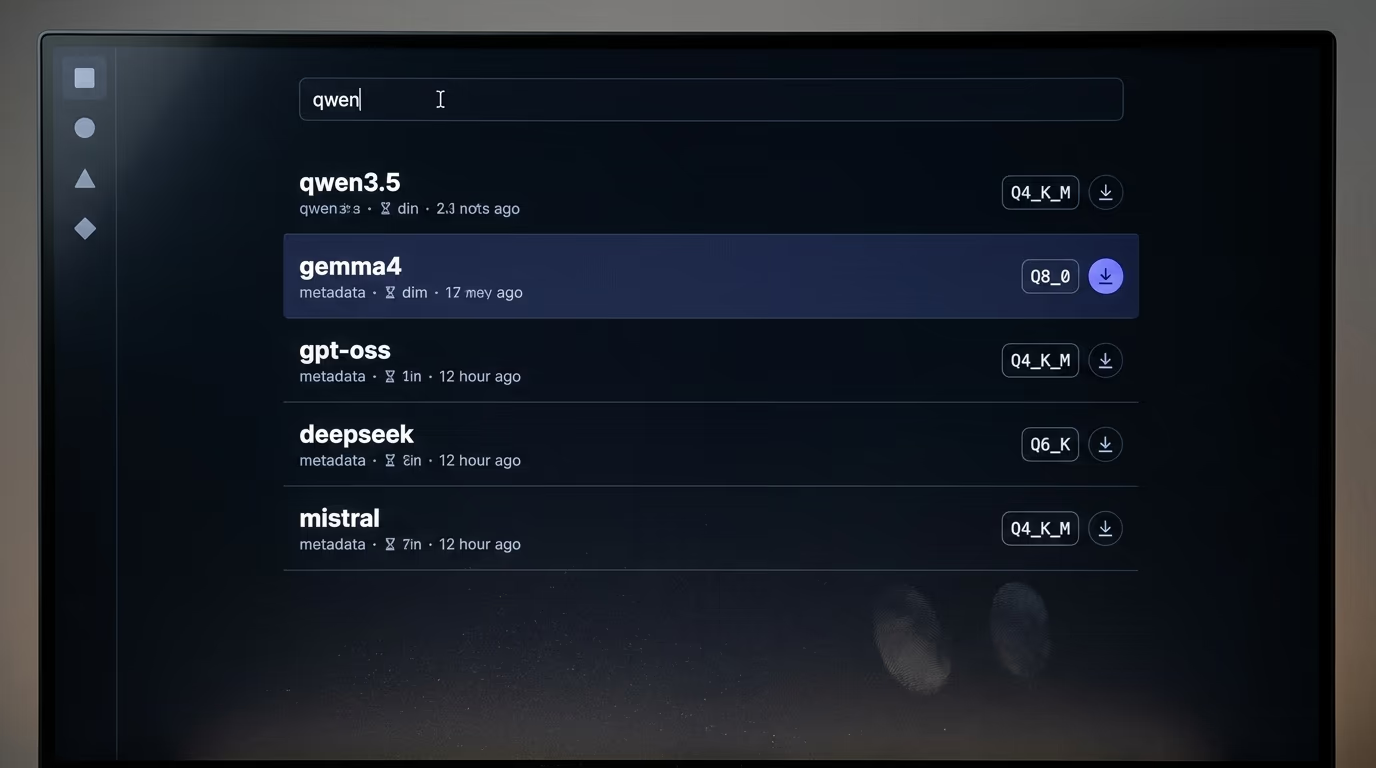
The engines underneath are where a widely repeated claim gets it backwards. LM Studio's pricing page says the free tier runs local models using llama.cpp and MLX, MLX being Apple's own machine learning framework for Apple Silicon. Ollama's documentation names MLX only as a tool you might have trained an adapter with, never as an engine it runs models on, and its import page covers GGUF files and Safetensors weights through a Modelfile. A comparison published on 2am.tech says the opposite, that Ollama is faster on Apple Silicon because it uses MLX, so if tokens per second on a Mac is what you care about, read the vendor pages rather than the summaries.
Bringing your own model works on both, with different amounts of ceremony. In LM Studio the command is lms import followed by the path to a GGUF file, which the docs still mark experimental. In Ollama you write a short Modelfile with a FROM line naming the base model, then run ollama create, which is also how you attach a fine tuned adapter produced by Unsloth or MLX. Ollama accepts Safetensors adapters for the Llama, Mistral and Gemma architectures, which its import page lists by name.
One limit is worth knowing before you get excited about the newest open weights. GLM-5.3 appears in Ollama's library, but the listing carries a cloud tag rather than a local download, because a flagship model of that size does not fit on a laptop. The same model sits on LM Studio's cloud menu at $0.70 per million input tokens and $2.20 per million output tokens. Local really means small enough to fit inside the memory you already own, which is what our piece on open weight AI models is about.
Which one gives you more control over speed and memory?
Ollama picks your context window for you from the video memory it finds, and the default is smaller than most people expect. Its documentation lists 3 tiers, under 24 GiB of VRAM gets 4k of context, 24 to 48 GiB gets 32k, and 48 GiB and above gets 256k. A 16 GB laptop therefore starts every conversation on that 4k tier, roughly the length of a long email, and that single number explains most complaints that a local model forgets what it was just told.
The same page says tasks such as web search, agents and coding tools should be set to at least 64000 tokens. You raise it with the slider in the Ollama app settings, or by starting the server with the value in front of it.
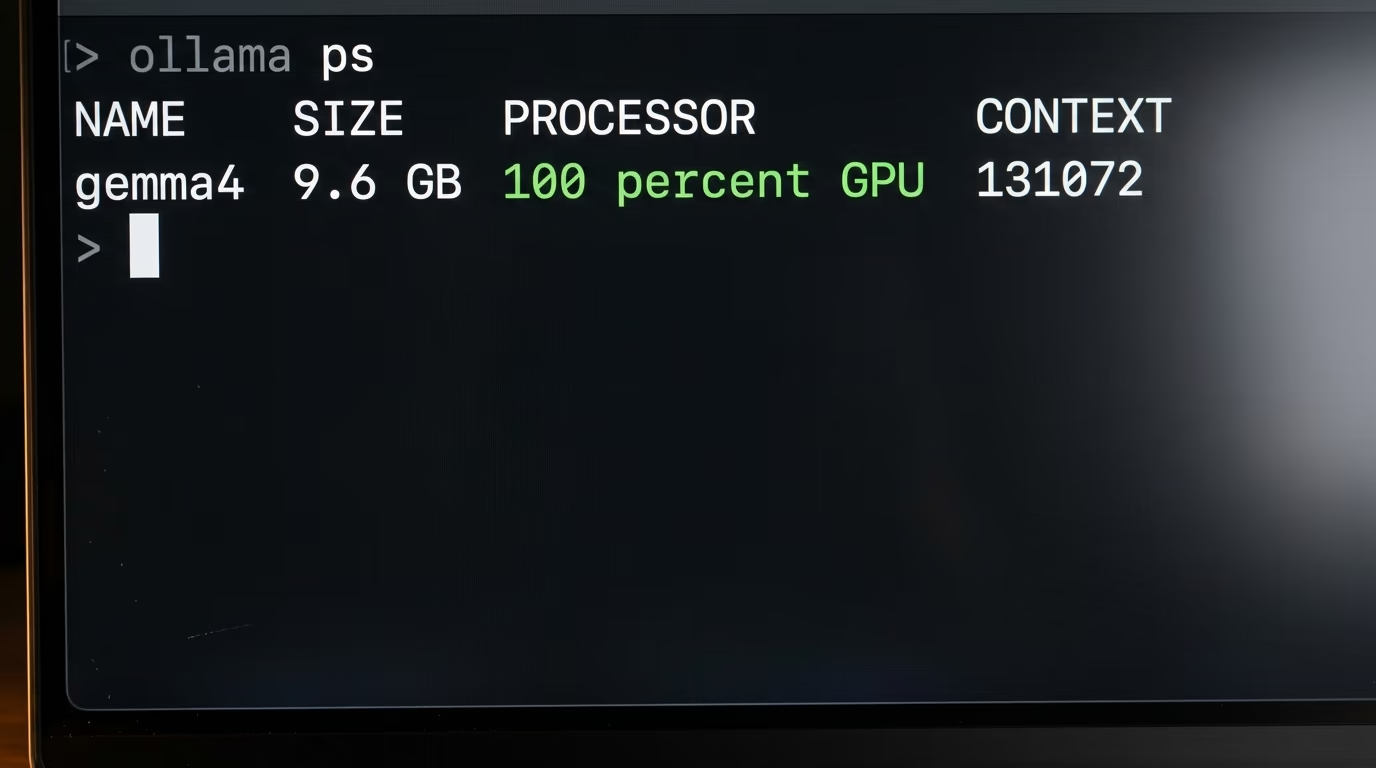
OLLAMA_CONTEXT_LENGTH=64000 ollama serveThen check what you actually got, because asking for more context than your graphics card can hold pushes the model onto the processor and slows everything down. A single command prints the split for you.
ollama psThe PROCESSOR column shows how much of the model sits on the GPU and the CONTEXT column shows the window you really have. The example in Ollama's own documentation reads 100% GPU with a context of 131072, which is what a healthy setup looks like. Anything below 100% in that column means some of the model is running on the processor, and you'll feel it in every answer.
LM Studio puts those same decisions in front of you as controls. Every entry in the My Models tab carries a gear icon that opens the default load settings for that model, where you set GPU offload, context size and whether Flash Attention is on, and you can change them again at load time and save the result as the new default. Power User mode adds speculative decoding in the chat sidebar, where a small draft model proposes tokens that the main model verifies, and the docs pair examples such as a 14B main model with a 0.5B draft from the same family. There is also continuous batching for parallel requests, which starts to matter the moment 2 programs talk to the same local server.
This check goes to LM Studio, and not because Ollama lacks the settings. Ollama has all of them, in environment variables and in a Modelfile, which is fine when you know they exist and invisible when you don't. LM Studio's dials are in front of you, labelled, with the memory cost changing as you drag them.
Which one is easier to connect to your own app?
Both speak the OpenAI API, so pointing an existing script at either one is a base URL change and nothing more. Ollama listens on http://localhost:11434/v1/ and LM Studio on http://localhost:1234/v1, and both accept /v1/chat/completions, /v1/responses, /v1/embeddings and /v1/models.
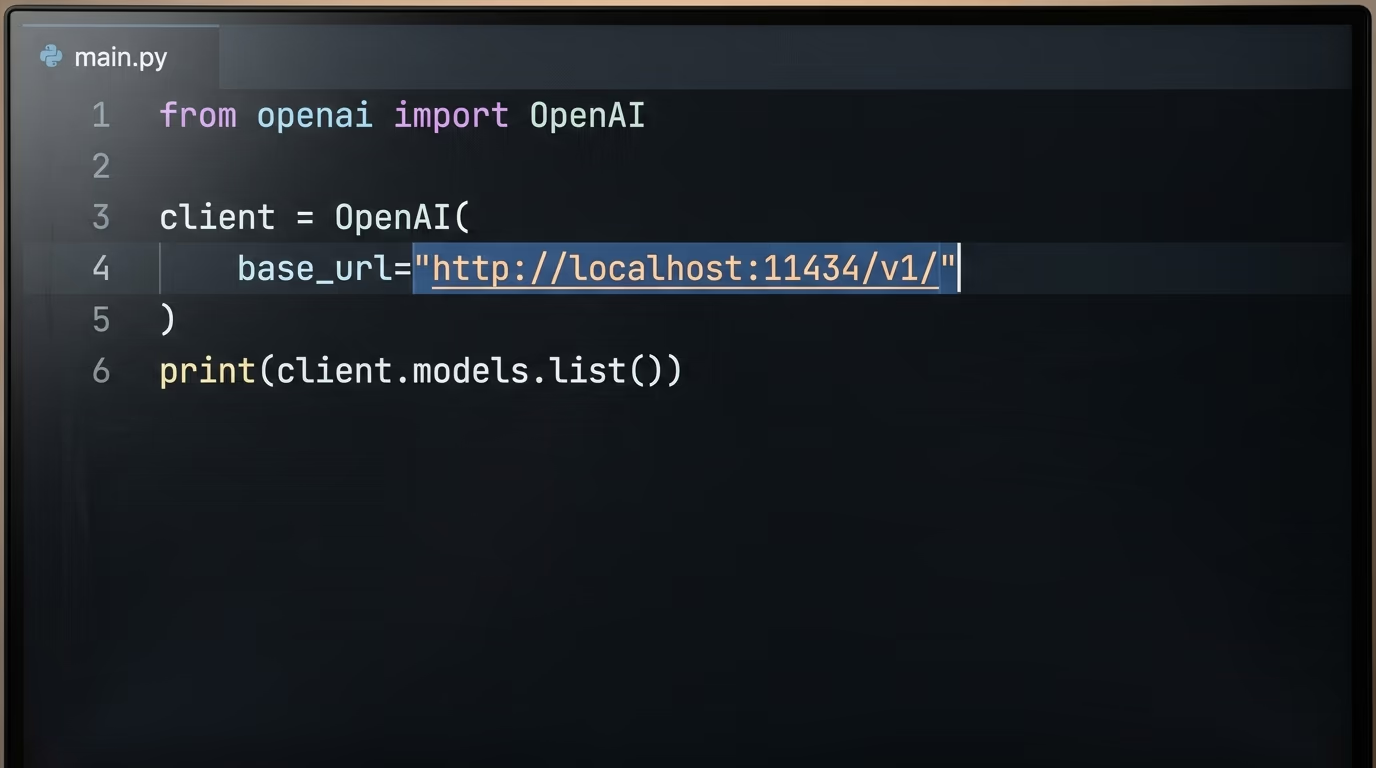
Here is the Ollama version in Python, copied from its documentation and shortened.
from openai import OpenAI

client = OpenAI(base_url='http://localhost:11434/v1/', api_key='ollama')

reply = client.chat.completions.create(
    model='gpt-oss:20b',
    messages=[{'role': 'user', 'content': 'Say this is a test'}],
)

print(reply.choices[0].message.content)
Change the port to 1234 and the same script talks to LM Studio instead, which is the entire point of a shared API. Both also ship Anthropic compatible endpoints now, so a tool written for Claude's message format can run against a local model too, and that detail is newer than most comparison pieces on this question.
Where they separate is the ready made integrations. Ollama documents a launcher that configures another program for you, and the supported list in its own command reference names OpenCode, Claude Code, Codex, VS Code and Droid.
ollama launch claude --model qwen3.5Its integrations index goes further, with pages for Zed, JetBrains, Xcode, Cline, Goose and n8n among others. If you are still choosing between the agents themselves rather than the runner underneath, we put Claude Code and Codex through 5 checks of their own.
LM Studio answers with libraries and a service. It publishes software development kits for JavaScript and Python, and llmster runs the whole thing as a daemon on a machine with no screen attached.
lms daemon upAdd lms server start when you want the server on its own, and turn on just in time loading so that a call to a model which is not in memory loads it on demand instead of failing. LM Studio also connects to MCP servers from inside the app and over its API, so if you have already built an MCP server, it can call yours, while Ollama's documentation carries no MCP page at all.
What do LM Studio and Ollama cost, and can you use them at work?
Running models locally costs nothing on either one, and both companies sell cloud inference on top for models too big for your hardware. LM Studio's free tier covers local models and offline voice transcription, with a web search tool when you are logged in and LM Link across up to 5 devices. Ollama's free tier covers local models, access to cloud models, the command line tool, the API and unlimited public models.
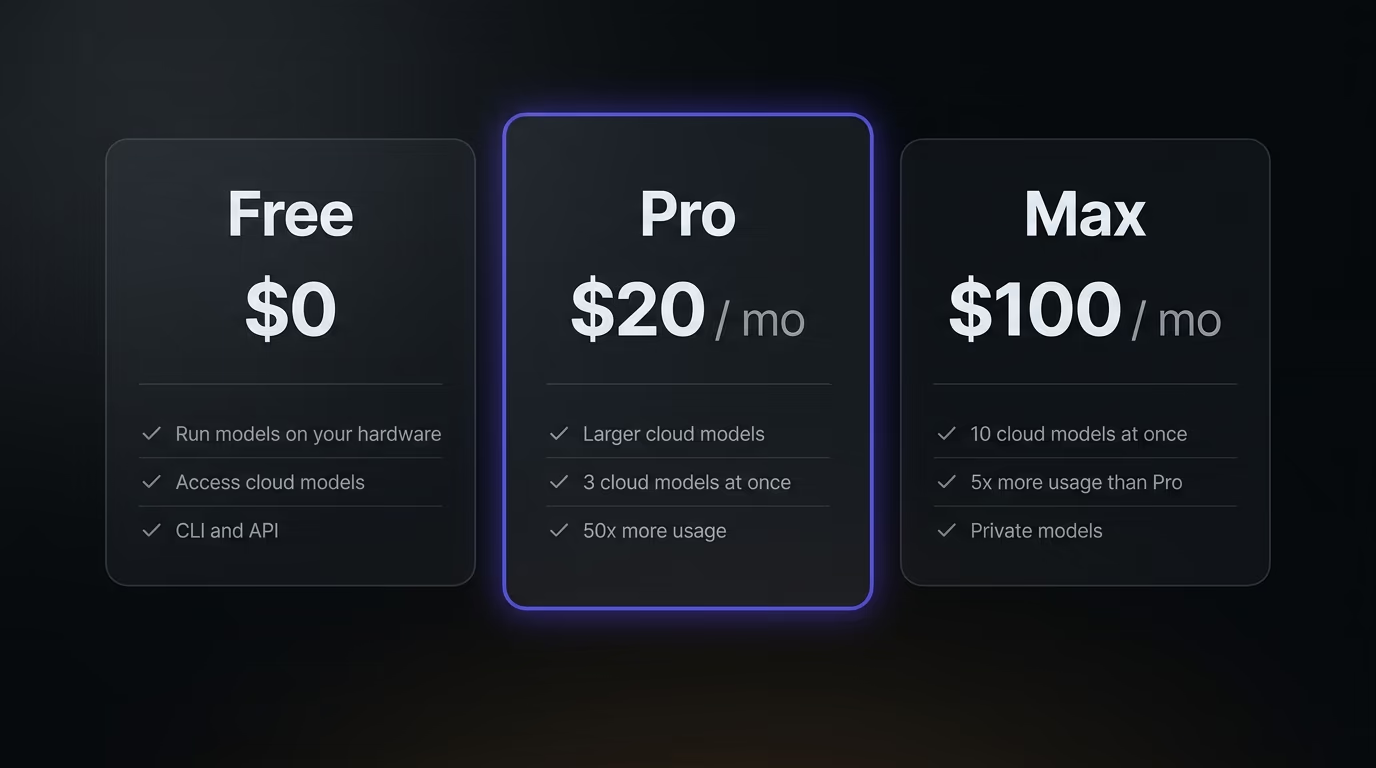
The paid tiers buy cloud capacity, never anything about the hardware you own. Ollama Pro is $20 a month, or $200 a year billed annually, and it adds larger cloud models, 3 cloud models running at once and 50x the cloud usage of the free tier. Ollama Max is $100 a month for 10 concurrent cloud models and 5x the usage of Pro, with a caveat printed on the pricing page itself, new Max signups are paused while the company adds capacity, and existing subscribers keep their plan and their price. Team pricing starts at $25 per seat per month with a 5 seat minimum, so $125 a month before any usage at all.
LM Studio sells credits rather than a subscription, priced per million tokens. GLM-5.3 Flash is $0.15 in and $0.50 out, DeepSeek V4 Flash is $0.13 and $0.26, GLM-5.3 is $0.70 and $2.20, and Kimi K3 is $3.00 and $15.00. A subscription called Bionic Pass is listed as coming soon, with no price attached to it yet.
The licenses are where they genuinely differ, and this is the line that matters at work. Ollama is MIT licensed with its source on GitHub, where the repository has passed 179,000 stars, so you can read it, fork it, ship it inside your own product and nobody asks you for anything. LM Studio is a proprietary application from Element Labs, and its desktop app terms grant a license to use the software for your personal or internal business purposes while describing the source code as a trade secret. That clause is the one an employee actually needs, because it covers using the app inside a company at no charge, though free and open are different words, and a company lawyer will notice which one is written down.
So which one should you install tonight?
Install Ollama if you want a local model behind an API within 10 minutes, if you already live in a terminal, or if it has to run on a server, on an Intel Mac or inside Docker. Install LM Studio if you want quantization, context length and GPU offload as controls you can see, if you want a real chat interface with your own documents in it, or if you are on Apple Silicon and want the MLX engine that Ollama does not document. Those 2 sentences settle it for most readers.
A skeptic would say both apps are front ends over the same open weights and much of the same inference code, so the model quality is identical and the choice is cosmetic. That's true of the answer you get and false of everything around it. A 4k default context changes what a model can do with your file, a missing MLX engine changes tokens per second on a Mac, and a proprietary license changes whether you can ship it inside a product. Cosmetic choices do not carry consequences like those.
The honest recommendation, after all 5 checks, is to install both and stop treating this as a rivalry. They sit on one machine without fighting, because they listen on different ports, 11434 and 1234, and they keep their models in separate folders. Use LM Studio as the workbench where you audition models and tune settings by hand, then move the winner into Ollama, where it lives behind a stable name your scripts and coding agents can call. Each tool then does the job it was built for.
Questions people ask
Is LM Studio vs Ollama really a choice, or can I run both?
You can run both, and plenty of people do. LM Studio listens on port 1234 and Ollama on port 11434, and they keep their models in separate folders, so installing one doesn't disturb the other. The usual pattern is to audition models in LM Studio's interface, then serve the winner from Ollama for scripts and coding agents.
Which is better for someone who has never used a terminal, LM Studio vs Ollama?
LM Studio, because everything happens inside a window. You search for a model, click download, pick a file and start typing, with no commands involved at any step. Ollama does ship a desktop app too, but its documentation, its integrations and most of the answers you'll find online assume you're willing to type a command.
Is Ollama open source, and is LM Studio?
Ollama is MIT licensed with its source published on GitHub, where the repository has passed 179,000 stars. LM Studio is proprietary software from Element Labs, and its terms license the app for personal and internal business use while calling the source code a trade secret. Both run models on your own machine, and LM Studio's docs state that the app can operate entirely offline once you have the model files.
Do LM Studio and Ollama work on an Intel Mac?
Ollama does, on macOS 14 or newer, with x86 processors supported on the CPU only. LM Studio doesn't, because its system requirements list Apple Silicon M1 through M4 and state that Intel Macs are currently not supported. On an Intel Mac the comparison ends right there.
Why does my local model forget what I told it a few messages ago?
Because the context window is probably sitting at its default of 4k. Ollama sizes that default from your video memory, giving 4k under 24 GiB of VRAM, 32k between 24 and 48 GiB, and 256k above that. Raise it with the slider in the app settings, or start the server with OLLAMA_CONTEXT_LENGTH set to 64000, which is the floor its own documentation recommends for agents and coding tools.
Which is faster, LM Studio vs Ollama?
On the same weights at the same quantization the gap is small, because both run the same class of inference engine underneath. What actually changes your speed is whether the whole model fits in video memory, how large a context you asked for, and on an Apple Silicon Mac whether the MLX engine is in play, which LM Studio names as an engine and Ollama's documentation never does. Run ollama ps to see the split before blaming either app.
Does either one cost money for a small business?
Not for running models on hardware you already own, where both are $0. Ollama charges for cloud usage, at $20 a month for Pro and $100 a month for Max, and its Team plan starts at $25 per seat with a 5 seat minimum. LM Studio sells cloud credits per million tokens instead, and its desktop app terms grant a license covering personal and internal business use.