ToolsJuly 31, 202613 min read
n8n vs Make, 5 tests and the 4 step rule
The same automation on both platforms, where n8n counts whole runs and Make counts every module, and 4 steps per run is where both meters cross.
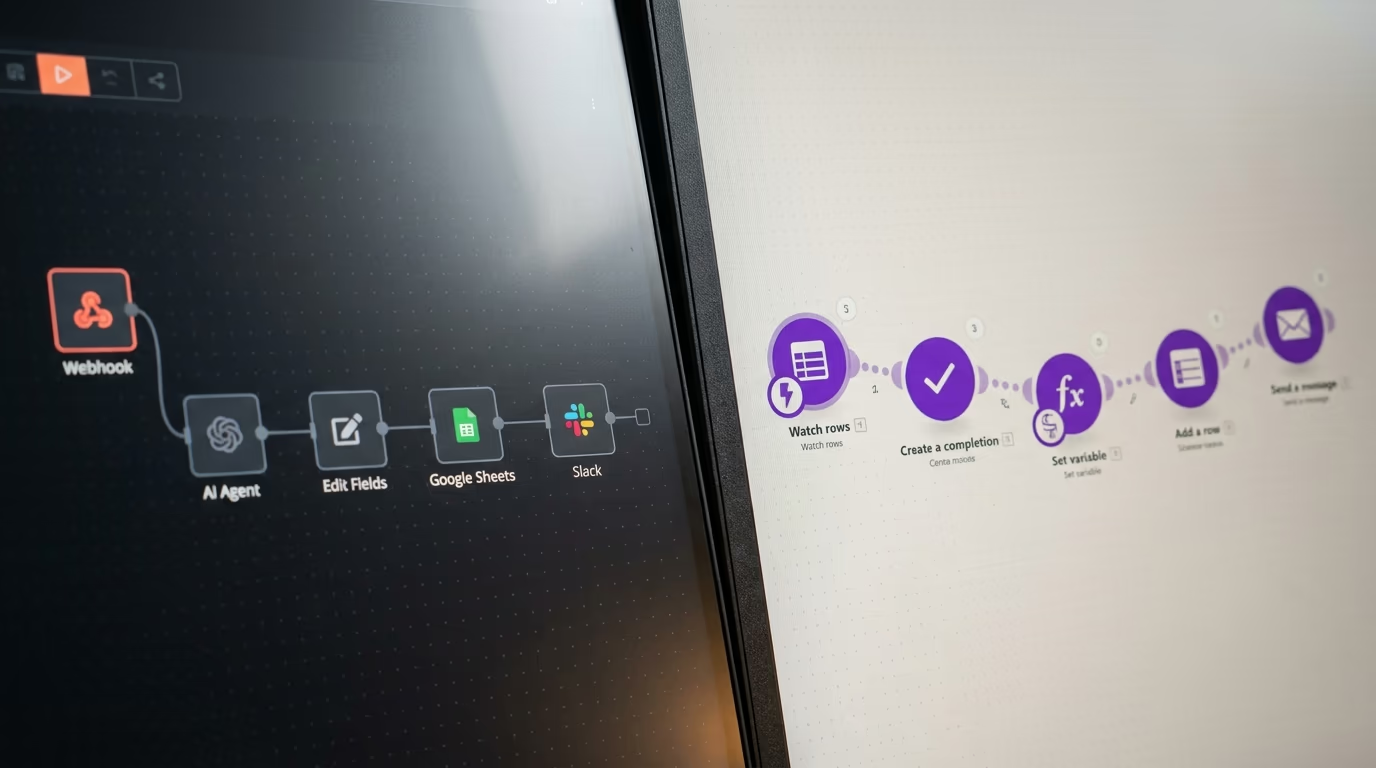
n8n vs Make is decided by how each platform counts your work, and not by the number printed on the plan card. n8n charges one execution for an entire workflow run whatever happens inside it, while Make charges one credit for every module action in a scenario, so a 5 step automation spends one unit of n8n quota per run and 5 units of Make quota per run. Entry pricing today is 20€ a month for n8n Starter and $9 a month for Make Core, which is why comparing those headline numbers tells you almost nothing useful on its own.
I ran the same 5 checks on both platforms against their own documentation and pricing pages, all read live for this piece. The checks are how each one meters your work, what a single identical automation costs on each, what you get without paying anything, what happens when a run fails or the quota empties, and how fast each one produces a working AI agent. After those comes a question the checks miss, which is whether you actually own the software you are building your business on.
What is the difference between n8n and Make?
The difference between n8n and Make is the billing unit, and almost everything else follows from it. The n8n pricing page defines its unit in one sentence, that an execution is a single run of your entire workflow, that it doesn't matter how many steps are in the workflow or how much data it processes, and that it's still a single execution. Make's academy is just as direct about its own unit, stating that one operation equals one credit, so every module that does something costs you one.
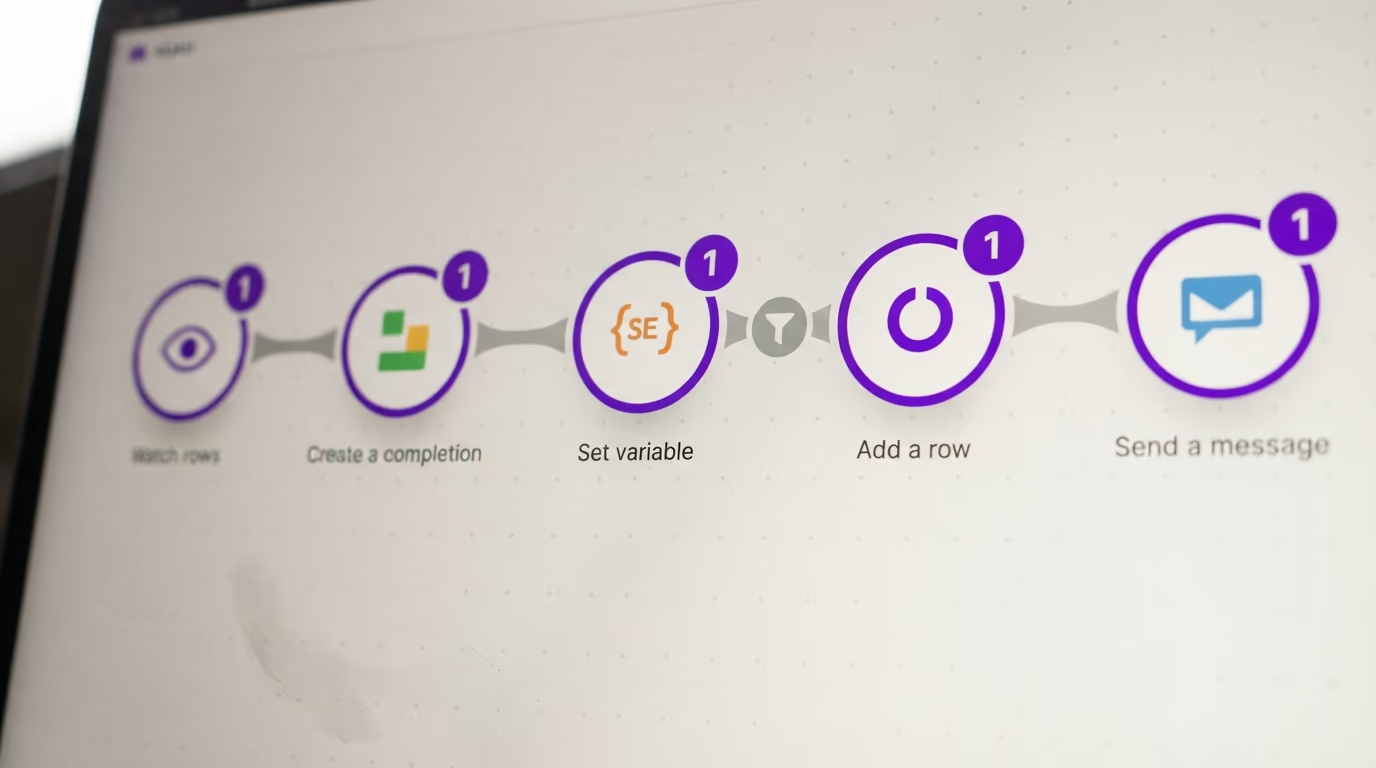
That single difference changes the arithmetic of every automation you will ever build on either platform. On Make, a scenario that watches a spreadsheet, calls a model, formats the answer, writes a row and posts a message spends 5 credits every time it runs, because each module action is metered separately. On n8n those same 5 nodes spend one execution, because the meter only ticks when the run starts.
Make does give some steps away for nothing, which softens the difference a little. Its academy states that a router consumes no credits, and that a bundle passing through a filter consumes none either, so the branching logic on your canvas is not what empties the meter. A trigger module counts once per run whatever it collects, so a mail trigger that picks up a whole morning of new messages still costs one credit at the top of the scenario. The actions that then process those messages are the expensive piece, because each action charges a credit for every item it handles.
Where the software lives is the second real difference, and it is the one people underestimate when they start. Make is cloud only, and its own comparison page describes the product as cloud first at all subscription levels, which means there is no version you can put on a machine you control at any price. n8n runs either on n8n Cloud or on your own hardware, and that second option is why a lot of builders end up choosing it over both Make and the code first frameworks such as CrewAI and LangGraph.
App catalogue size is the one claim in this comparison worth treating with real suspicion. Each company publishes its own count, each count appears on a page written to sell against the other, and nobody independent has audited either of them. Choose on the specific connectors your automation actually needs rather than on a headline total that neither vendor will let you verify.
What does the same automation cost on n8n vs Make?
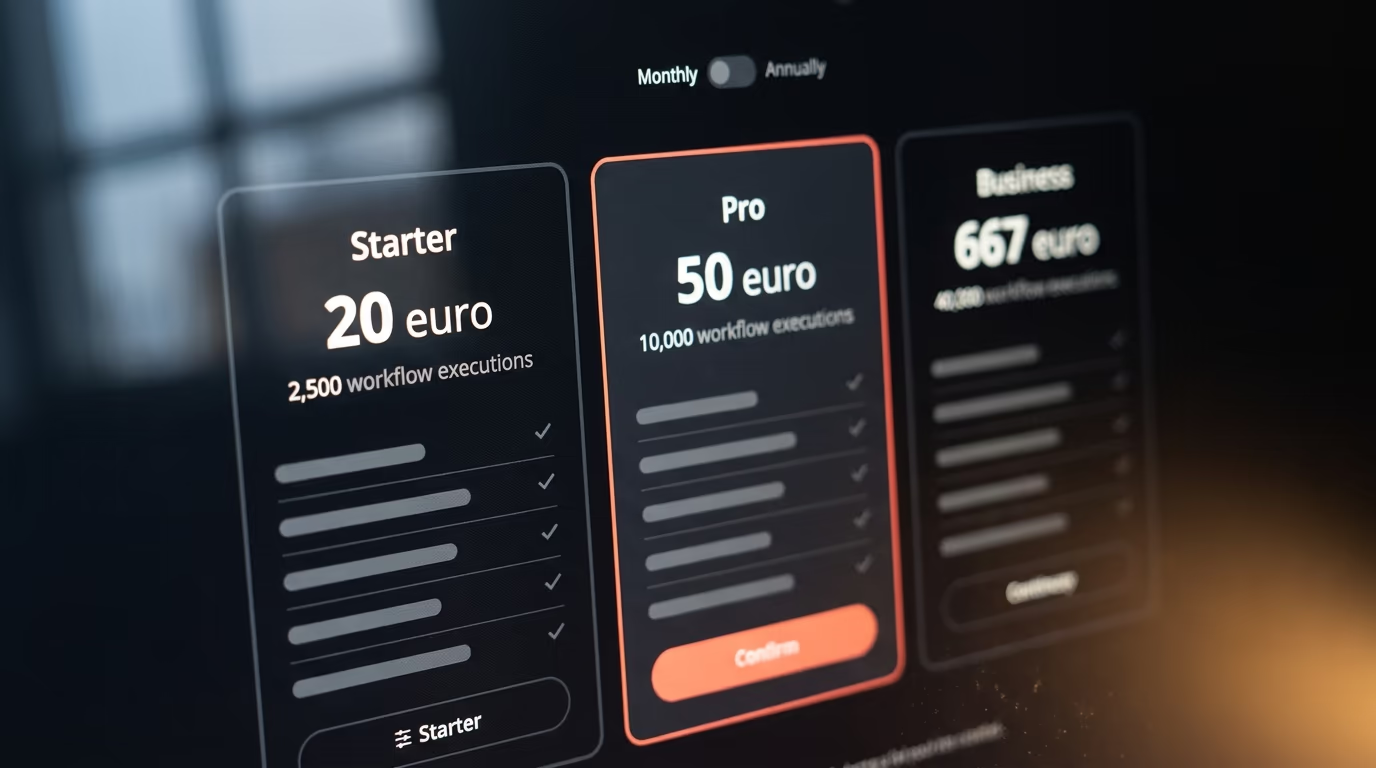
The same automation is cheaper on Make when it has few steps and cheaper on n8n when it has many, and the crossover sits at 4 steps per run. n8n Starter includes 2,500 workflow executions a month and Make Core includes 10,000 credits, and dividing those credits across 4 modules buys you exactly the same number of runs. That is the 4 step rule, and you can check it against your own canvas in about a minute.
Every step you add beyond the fourth costs you runs on Make while costing you nothing at all on n8n, and every step you remove below the fourth does the reverse. The table below is the same arithmetic applied to 4 different automation shapes, and it is the single most useful thing to know before you pick.
| Steps per run | Runs on n8n Starter | Runs on Make Core |
|---|---|---|
| 2 | 2,500 | 5,000 |
| 4 | 2,500 | 2,500 |
| 8 | 2,500 | 1,250 |
| 20 | 2,500 | 500 |
That table assumes every module in the scenario is a paid action. A canvas with heavy branching meters lower than it looks, because the routers and the filters cost nothing, so a screen full of modules can bill for noticeably fewer. Count the modules that actually touch your data and ignore the plumbing between them.
Currency is the warning to register before you take any of this to a spreadsheet. n8n prices in euros and Make prices in dollars, so the columns are not directly comparable without a conversion you should do on the day you buy rather than trusting a figure from an article. The plans also climb very differently once you outgrow the entry tier, which the table below lays out in full.
| Plan | Price a month | Included per month | Worth knowing |
|---|---|---|---|
| n8n Starter | 20€ billed annually, 24€ monthly | 2,500 workflow executions | 5 concurrent executions |
| n8n Pro | 50€ billed annually, 60€ monthly | 10,000 workflow executions | A 50,000 execution tier sits at 145€ monthly |
| n8n Business | 667€ billed annually | 40,000 workflow executions | Bought for SSO and governance, not for volume |
| Make Free | $0 | 1,000 operations | 15 minute minimum gap between runs |
| Make Core | $9, near $7.65 billed annually | 10,000 credits | 1 minute gap, 40 minute cap on a single run |
| Make Pro | $16 | 10,000 credits | Priority execution, full text log search, 250 MB files |
| Make Teams | $29 | 10,000 credits | Team roles, shared templates, 500 MB files |
A pair of rows in that table deserve a second look before you commit. n8n's tiers climb in large jumps, so the moment you outgrow Starter the next stop is Pro and the increase is steep rather than gradual. The Business row is stranger still, because Pro already sells a larger execution allowance for considerably less money, which means you buy Business for the governance features and not for the volume it carries.
Make's paid plans sell the same credit tiers as each other and differ on features instead, which makes them much easier to reason about. Core is the cheapest and does the automating perfectly well, Pro adds priority execution and full text search of the execution log, and Teams adds roles and shared scenario templates. All of them give you unlimited active scenarios and the same minimum gap between runs.
Can you run n8n or Make for free?
Make has a free plan that never expires, with 1,000 operations a month and a 15 minute minimum gap between scenario runs, while the free route on n8n is to host the software yourself. n8n Cloud's free offer is a trial rather than a plan, and that difference matters more than it sounds. The documentation says the trial lasts 14 days, unlocks the Pro features, caps your executions and gives you Starter level computing power, and that n8n deletes your workspace when it expires if you have not upgraded.
Self hosting is where the genuinely free version of n8n lives, and it is not a stripped demo. n8n's own comparison of editions says the Community edition includes almost the complete feature set. What it holds back is the team and governance layer, so no projects, no SSO, no version control through Git, no environments and no log streaming. Registering the instance with an email address costs nothing and unlocks folders, debugging inside the editor and custom execution data.
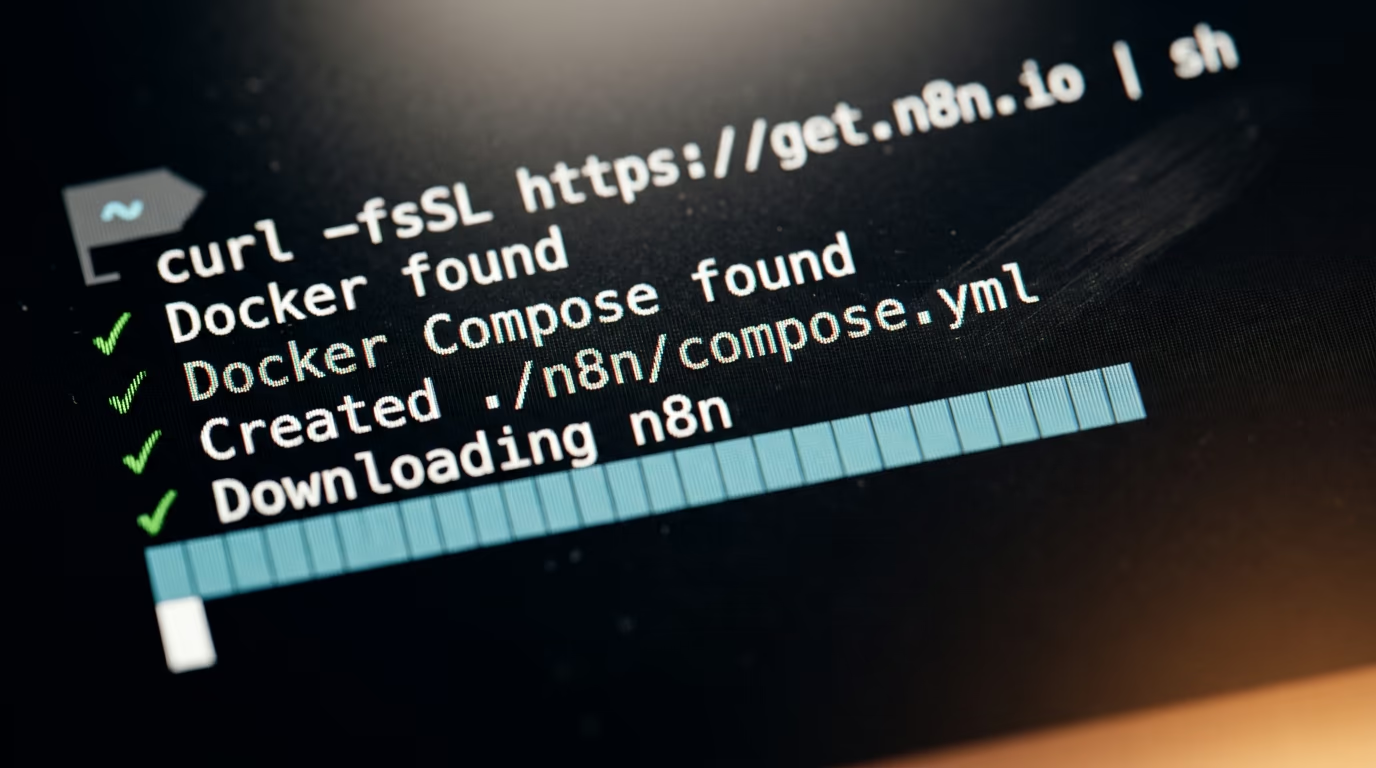
The install is a single command, and it is the one n8n's documentation now puts ahead of every other method.
curl -fsSL https://get.n8n.io | shIt checks that Docker is installed and running, creates an n8n folder in whatever directory you are standing in, writes the configuration files and starts the container. When it finishes, n8n is waiting in your browser at http://localhost:5678 and you can start building your first workflow straight away.
Docker is the requirement to know about before you begin, and specifically the docker compose plugin rather than the older standalone binary. The same documentation warns that installing through npm is being retired and that Docker will be the only supported route from the next major version onward. If you are already thinking about running open weight models yourself, one machine can comfortably hold both.
What self hosting costs you is the server and your own time, and n8n is unusually clear about the upside. Its pricing page states that a self hosted instance has unlimited executions, so the meter this entire article is about simply switches off. The ceiling becomes the machine, which is a far easier thing to reason about than a monthly quota.
What happens when a run fails or you hit the limit?
When a Make account runs out of credits you have to add more before the scenarios carry on, and when an n8n account exceeds its quota the workflows keep running and the overage may be charged. Both descriptions come from each company's own pages, and they point in opposite directions, one protecting your wallet and one protecting your automation. Which behaviour you want depends entirely on what the automation is doing for you.
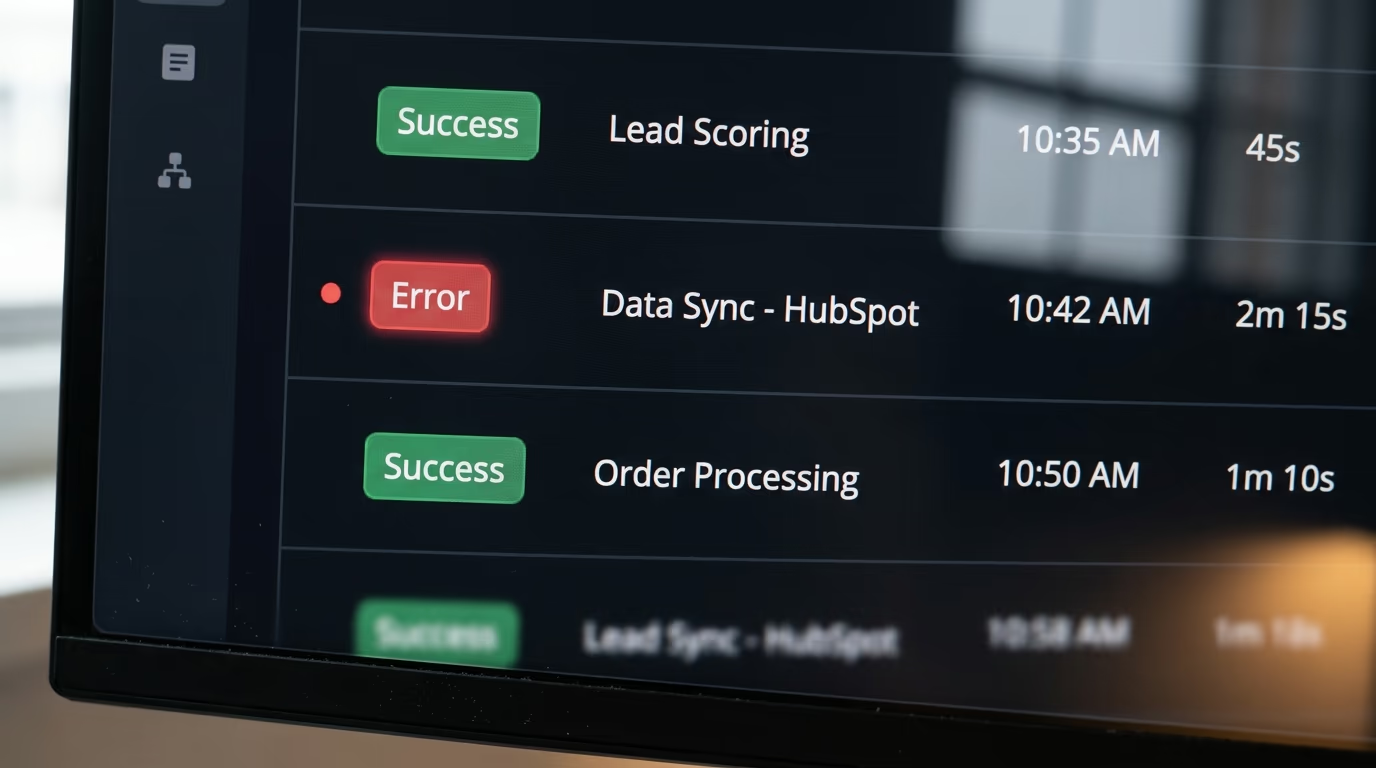
Make's help centre gives you 3 ways out when the balance empties before the billing cycle does. You can upgrade the subscription, buy extra credits, or switch on automatic purchasing, and the same page says that automatic purchasing is what keeps your scenarios running when you reach the credit limit. Extra credits carry a surcharge over the ones bundled in your plan, so the emergency route is the expensive one by design.
n8n takes the opposite position, and its pricing FAQ states that if you exceed your quota the workflows will continue running without interruption, though overage charges may apply if you do not move up to the next usage tier. The same page publishes the Business overage rate per additional bucket of executions, which is the kind of number you want to read before it lands on an invoice rather than after.
Which runs actually count is the detail that quietly decides your budget. n8n meters production executions only, so building and testing in the editor costs you nothing at all, and the documentation lists exactly what stays off the meter.
- Manual runs from the editor while you build
- Sub workflow runs called by a parent workflow
- Runs of a workflow set as an error workflow
- Polling triggers that find no new data
- Malformed webhook requests that fail before the workflow starts
A schedule trigger, by contrast, counts one execution every time it fires regardless of the outcome, so a workflow that crashes on its second node still spends the execution. A webhook trigger counts every inbound request that activates it, and the documentation is explicit that this includes requests arriving with an empty body, which becomes a real cost if something upstream is misconfigured and hammering your endpoint.
Make's exemptions sit in different places, and one gap between the meters is wider than all the others. A module that processes a batch performs one operation for every item in that batch, because Make counts per item and not per run. The same loop on n8n stays inside a single execution. If your automation handles batches rather than one event at a time, that difference alone can decide the platform for you.
Which one builds an AI agent faster?
Make gets you to a working AI agent faster and n8n gives you more control over what that agent is allowed to do. Make's AI Agents page says the feature is available on all plans, which includes the free one, and describes agents that take real actions across its app catalogue rather than only answering questions. Maia, Make's conversational builder, creates automations and agents from a description you type in plain language.
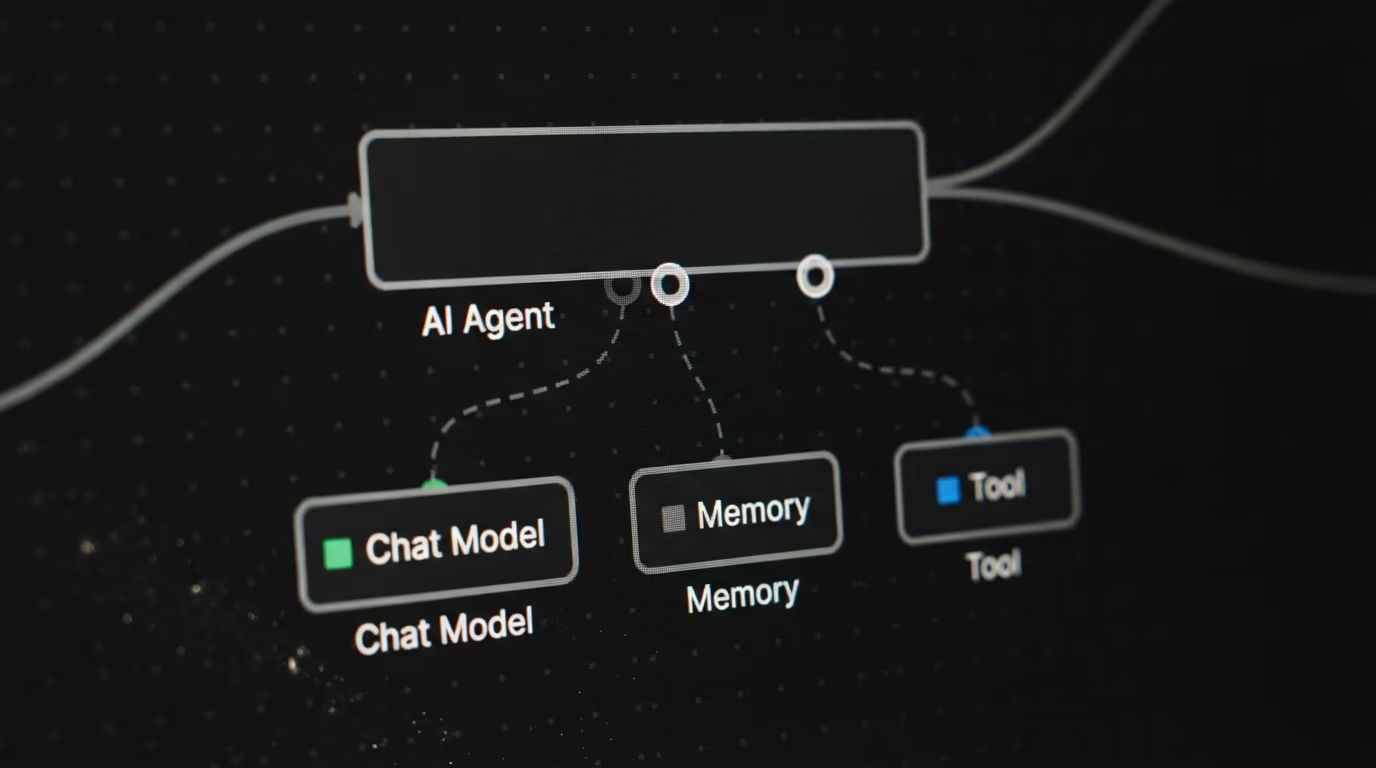
n8n asks you to wire the same idea together by hand. You connect a chat model, optionally a memory, and at least one tool, because the documentation states that an AI Agent node needs a minimum of one tool sub node connected before it will run at all. The agent then reads the task and decides which of the tools you gave it to call, which is a design that rewards you for thinking about permissions before anything goes live.
One detail is worth checking before you copy an older tutorial from somewhere. n8n has collapsed the agent type setting, every AI Agent node now behaves as a Tools Agent, and the older version of the node is scheduled for removal. Any guide telling you to pick an agent type from a dropdown is describing software that no longer works that way.
n8n also connects registry MCP servers as agent tools in a single click, which is the shortest route from an idea to an agent that can actually do something, and it sits neatly alongside our walkthrough on building an MCP server without writing code. Make's route to the same outcome is its own app catalogue rather than an open protocol anyone can publish to.
The credit trap on the AI side belongs to Make. Its academy warns that some modules consume a varying number of credits based on actual usage rather than a fixed rate, so an AI heavy scenario can burn quota faster than a count of the modules on screen suggests. On n8n the model calls are steps inside one execution and the platform meter does not move at all, though your model provider still bills you, which is a separate line to price against what the models charge per million tokens. If neither of these fits your build, the wider field of agent builders covers the options that expect you to write code.
Is n8n open source, and does the license matter?
n8n is not open source in the sense that term normally carries, and its own license file says so without much ambiguity. The LICENSE.md in the n8n repository puts the code under the Sustainable Use License, and GitHub records the repository license as Other rather than as MIT or Apache. I read the file in August 2026 and the clause quoted below is copied straight out of it.
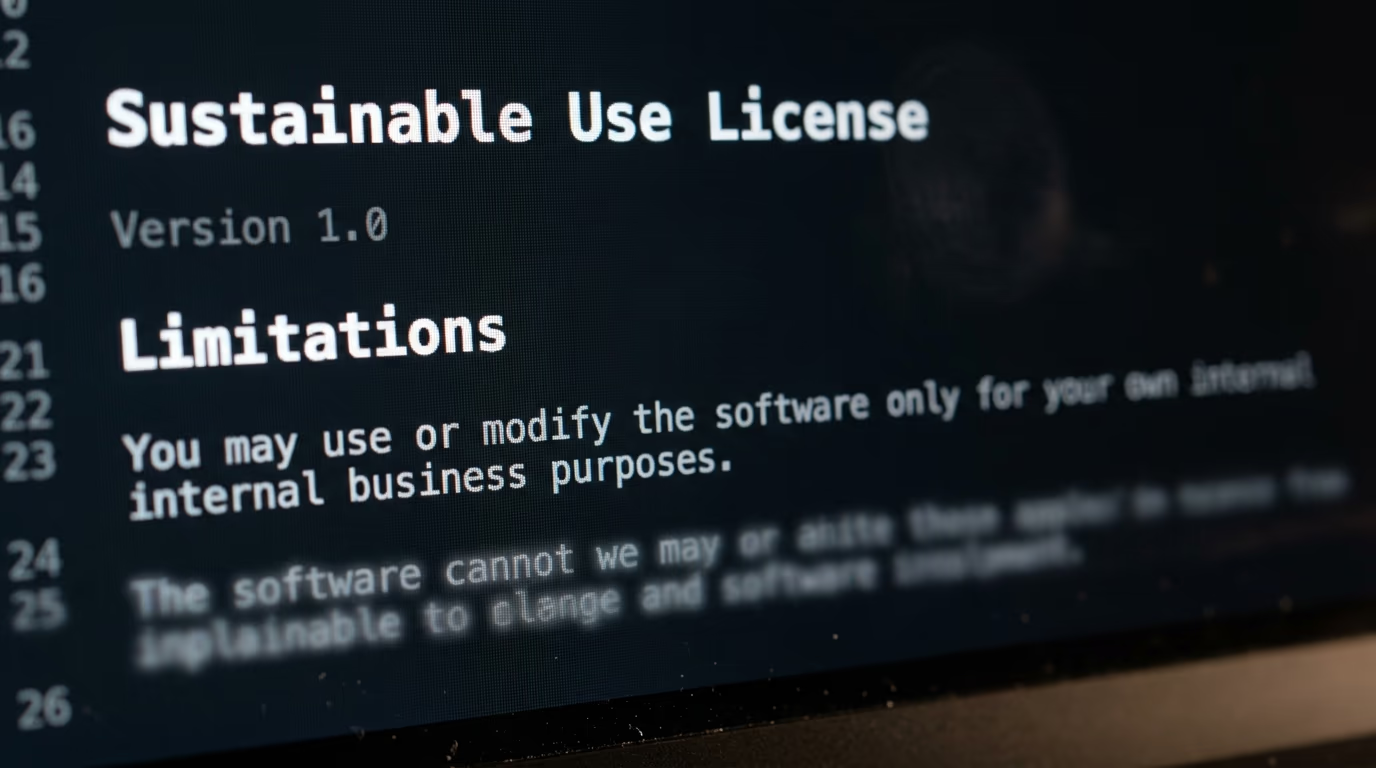
The clause that decides everything is short. It says you may use or modify the software only for your own internal business purposes or for non commercial or personal use, and that you may distribute the software or provide it to others only if you do so free of charge for non commercial purposes. The repository also carves out its enterprise source files, which carry a marker in the filename, and those need a separate n8n Enterprise license.
For most people reading this, none of that changes anything at all. Running your own automations, running your clients' automations inside your own agency, or standing up an internal tool for your team all count as internal business use and are covered by the license exactly as written. What is not covered is taking n8n, hosting it, and selling access to it as your own automation product, which is precisely the business the clause exists to prevent.
Make makes no claim in this direction at all, and there is a kind of honesty in that. It is proprietary software you rent, it is cloud only, and there is no repository to read or license to interpret. The practical question for both is what happens to your work when you leave, and the answer is equally unglamorous on either side, since a Make scenario and an n8n workflow are not interchangeable files and moving between them means rebuilding by hand.
Which one should you install this week?
Install Make if your automations are short and you want one running tonight without touching a server, and install n8n if your automations are long, if your data has to stay on hardware you control, or if you expect to keep adding steps for years. That is the whole verdict, and the 4 step rule is how you test it against your own work before you pay anybody anything.
| Check | n8n | Make |
|---|---|---|
| Billing unit | One execution per whole workflow run | One credit per module action, counted per item |
| Entry paid plan | Starter, 20€ a month billed annually, 2,500 executions | Core, $9 a month, 10,000 credits |
| Free option | Self hosted Community edition, unlimited executions | Free plan, 1,000 operations a month, 15 minute gap |
| Runs on your own machine | Yes, through Docker | No, cloud only at every tier |
| Past the limit | Workflows keep running, overage may be charged | Add credits or upgrade before scenarios carry on |
| Paying past the limit | 4,000 EUR per extra bucket of 300,000 executions | Extra credits, sold at a surcharge over plan credits |
| AI agents | AI Agent node, you wire model, memory and tools | Make AI Agents, available on all plans |
| License | Sustainable Use License, internal business use | Proprietary software you rent |
Count the steps in the automation you actually want to build, multiply by how many times a month it will run, and that number is your Make credit requirement. The run count on its own is your n8n execution requirement. A 5 step automation running 2,000 times a month fits comfortably inside both entry plans, and on money alone it goes to Make.
Now grow that same automation past a dozen steps without changing how often it runs. The Make requirement multiplies while the n8n requirement does not move at all, so n8n Starter still has quota to spare while Make has climbed several tiers up its slider. Nothing about the automation changed except its shape, which is the entire argument compressed into one example.
A pair of other things push the decision, and neither of them is about money. If you have never opened a terminal, Make's free plan gets you a working automation in an afternoon while n8n's cloud trial hands you a fixed window before the workspace is deleted, so start on Make and move later if the bill starts growing. If you are already comfortable with Docker, the self hosted Community edition has no execution ceiling at all, which makes every calculation above irrelevant and turns the cost question into a server question you already know how to answer.
The one approach I would avoid is choosing on the headline price alone. The cheaper sticker looks like a settled contest, and it stays settled right up to the moment your scenario grows a sixth module and the meter starts running 4 times faster than you planned for.
Questions people ask
Is n8n actually cheaper than Make?
It depends on how many steps your automation has, and 4 is the crossover point. At 4 modules per run, an n8n Starter plan and a Make Core plan buy you the same number of runs a month. Below 4 steps Make gives you more runs for less money, and above 4 steps the flat rate per run on n8n pulls ahead quickly.
What is the difference between an execution and an operation?
An execution on n8n is one complete run of a workflow, no matter how many nodes it contains or how much data passes through it. An operation on Make is one action performed by one module, and Make bills a credit for each, counted per item processed. A workflow that handles a batch of rows is a single execution on n8n and many credits on Make.
Can I self host Make the way I self host n8n?
No, and Make is direct about it. Make's own comparison page describes the product as cloud first at all subscription levels, so there is no version of Make you can install on your own server at any price. n8n publishes a Community edition you can run on your own machine through Docker, and its pricing page states that self hosted instances have unlimited executions.
Does n8n vs Make change if I only want to build AI agents?
It shifts toward whichever one matches your appetite for wiring things together. Make's AI Agents feature is available on all plans including the free one and builds from a description you type, while the n8n AI Agent node makes you connect a chat model and at least one tool by hand before it will run. Make also charges a variable number of credits for some AI modules, so an AI heavy scenario costs more than its module count suggests.
How many operations does the Make free plan give you?
The Make free plan gives 1,000 operations a month at no cost, and it holds a longer minimum gap between scenario runs than any paid plan does. Paid plans shorten that gap to a minute and lift the operation allowance considerably. The free plan does not expire, which is the main advantage it holds over the n8n Cloud trial.
Is n8n vs Make a question of knowing how to code?
Not really, because both are visual canvases where you drag nodes onto a screen and connect them. n8n leans more technical because it expects you to think about hosting, Docker and how the pieces of an agent connect together, while Make hides all of that behind its own cloud. Neither one requires you to write code for a normal automation, though both let you drop in a snippet when you need one.
What happens to my automations if I stop paying?
On Make you have to add credits or upgrade before your scenarios carry on, and the help centre offers upgrading, buying extra credits, or automatic purchasing as the routes back. On n8n Cloud an expired trial workspace is deleted, though you keep 90 days to download your workflows first. A self hosted n8n instance keeps running as long as your server does, since there is no quota attached to it at all.