ToolsSeptember 8, 202612 min read
Best sign language translation app in 2026, ranked by the job
Google just put sign reading inside a phone keyboard. Here is where it sits against Hand Talk, Live Transcribe and a human interpreter, with prices and what each one refuses to do.

The best sign language translation app depends on which direction you need, because no app here does both directions well. If you sign and want English on screen, Google's sign to text reads American Sign Language straight into the Gboard keyboard and into the Live Transcribe app, at no extra cost, and only on a Pixel 11. If you type or speak and want to see the sentence signed back, Hand Talk animates it in American Sign Language on any iPhone or Android, free with ads, with a paid upgrade at $4.99 a month.
This shortlist ranks the options by the job each one does, with what each translates, where it runs and what it costs today, and it names the point where each one stops. The question people type into a search box, which app translates sign language, hides several different jobs, and picking from the wrong lane wastes an evening and sometimes a doctor's appointment.
What is the best sign language translation app in 2026?
The best sign language translation app for reading signs is Google's sign to text on a Pixel 11, and the best one for producing signs is Hand Talk on any phone, and those are 2 different apps because they are 2 different jobs. Reading signs means a camera watching your hands and writing English. Producing signs means an animated character performing a sentence somebody typed.
Neither of those covers a live conversation with a hearing person who doesn't sign, so the rest of this shortlist is human. In the United States a video relay call through Sorenson's ntouch app costs the Deaf caller nothing, because a federal fund pays the interpreter, and a clinic that needs somebody for a walk in appointment pays a service like Jeenie by the minute instead.
Sign languages are not English performed with the hands, and Google DeepMind makes the point directly in its own post, calling them independent languages with their own grammars and lexicons. That's why the sign language gloves that made headlines for years never worked, and why this is machine translation rather than transcription. Mapping hand shapes onto English words produces nonsense, so a usable app has to translate a whole sentence.
That also explains why this shortlist splits by job rather than by brand. An app that watches your hands has to solve a seeing problem and a translating problem at once, an app that produces signs has to animate a body convincingly enough to be read, and a relay service has to put a qualified human on the line within seconds of you tapping call. Those are 3 different businesses with 3 different cost structures, and no company on this list is trying to win all of them at once.
| App | What it translates | Where it runs | What it costs |
|---|---|---|---|
| Google sign to text (Gboard, Live Transcribe) | American Sign Language into English text | Pixel 11 only | Nothing beyond the phone, which starts at $899 |
| Hand Talk | Typed or spoken English into American, British or Brazilian signs | iPhone, Android | Free with ads, $4.99 a month or $44.99 a year |
| Live Transcribe | Speech into text, and signs into text on a Pixel 11 | Android | Free |
| Sorenson ntouch (video relay) | Both directions, through a human interpreter | iPhone, Android, Mac, PC, Lumina videophone | No cost to registered eligible users in the United States |
| Rylo | Speech into captions during a call | iPhone, Android | Free to eligible users in the United States |
| Jeenie | Both directions, through a human interpreter on demand | iPhone, Android, web | From $2.99 a minute for sign language, lower on paid plans |
| Signapse | English video and announcements into signed video | Web, sold to organisations | No price on its homepage |
Which app reads your signs and turns them into text?
Google's sign to text is the app that reads American Sign Language and writes English, and Google DeepMind calls it the first time sign language AI has come out of the lab and into consumer products. It arrived in August with a Google DeepMind model called SL2T, and it lives in 2 places, the Gboard keyboard and the Live Transcribe app, so a Deaf user can sign into any field where they would otherwise type, including a search box, a message or a prompt to Gemini.
The requirements are published and they're narrow. Google's Pixel help page for the feature asks for a Pixel 11, the latest version of Gboard, and the keyboard language set to United States or Canadian English, and you have to grant Gboard permission to use the camera before anything happens. Once it's on, the control sits in the Gboard toolbar and works in any app that accepts Gboard input, and Live Transcribe carries the same thing as a sign to text button at the bottom right of its screen.
The camera feed doesn't leave the phone. A model running on the device turns the video into a set of points on the signer's body, and only those coordinates travel to Google's servers, which is how the help page can say your inputs are never saved, shared, or used to train models. That design has a practical consequence, because the front camera still needs a clear view of your hands, your upper body and your face, so a phone lying flat on a table is useless and a phone propped against a mug is the real setup.
Anywhere the keyboard appears you can sign instead of type, so a search box, a reply in a chat, a note to yourself, a form at a reception desk and a question to Gemini all take signing as input. Live Transcribe handles the return leg of the same conversation by showing you what the hearing person just said, so one phone can carry both sides of a short exchange at a counter or a reception desk.
DeepMind published the mistakes its own examples make, which is more than most launch posts do. Rare signs, fast fingerspelling, passive sentences and tense without context all come out wrong in the samples on its page, and one of them reads the sign for prey as grey. Treat it the way you treat voice dictation, useful most of the time and wrong often enough that you read it back before sending, rather than as an interpreter you can lean on.
It goes one way only, and everything else on this list follows from that. There's no signing character in it, so a hearing person's reply still arrives as text rather than as signs, and Google hasn't shipped sign generation, though its team says it's working on that. Google also hasn't announced a download of SL2T, so unlike the open weight models we've compared, there's no version of this you can run yourself or test independently, and everything anyone knows about its quality comes from Google.
Which app turns your English into sign language?
Hand Talk turns typed or spoken English into American Sign Language performed by an animated character called Hugo, and it's free on both the App Store and Google Play. It also covers British Sign Language and Brazilian Sign Language, which makes it the broadest of the consumer translators here, and it runs the same on an iPhone as on an Android.
Its Google Play listing shows ads and in app purchases, and its App Store listing prices the upgrade at $44.99 a year, which removes the ads and adds features rather than unlocking the translation itself. Nothing about the core dictionary is paywalled, and you can browse signs offline, which helps when you're standing in a shop with no signal.
What it doesn't do is read you. Hand Talk answers how do I sign this, and it cannot answer what did that person just sign, and that difference decides which app you need. It's a teaching tool as much as a translator, which is why the University of Houston's library guide to sign language apps, refreshed on 1 September, lists learning apps and no translators at all. It's a fair habit to copy, because a tool that helps you learn the signs you need is worth more than one that mistranslates for you.
For an organisation the equivalent is Signapse, which turns announcements, videos and web pages into signed video in British or American Sign Language, with Deaf translators approving the output before it goes live. It names train operators, an airport and a university among its customers, and it puts no price on its homepage, which is how business software is sold rather than how an app is downloaded. Think of it as a signed version of a public address system rather than something you install.
What if you need a human interpreter and not an app?
When the conversation matters, a human interpreter is still the answer, and in the United States a video relay call costs the Deaf caller nothing. Sorenson's video relay service connects you to a sign language interpreter who speaks to the hearing person and signs their reply back to you, through the ntouch apps on iPhone, Android, Mac and PC, or through a Lumina videophone on a desk.
Sorenson's own site puts the price in one sentence, "there is never any cost to you to use Sorenson Video Relay Services or products", and it explains that the money comes from the Telecommunications Relay Services Fund the FCC set up under the Americans with Disabilities Act. The condition is registration, because the service is only available if you're eligible and registered in the FCC's User Registration Database, so it isn't something you install on a whim at midnight.
Rylo covers the neighbouring lane, captioning what the other person says on a call so you can read it as they speak, and it's free to eligible users who are Deaf, hard of hearing or have a speech disability under the same federal arrangement. It signs nothing at all, it's an app rather than a device, and it's the easiest thing on this list to try tonight if you're in the United States and eligible.
A clinic, a school or a shop that needs an interpreter for somebody walking through the door pays by the minute instead. Jeenie's published rates start at $2.99 a minute for sign language on its pay as you go tier and drop on its monthly plans, with a Certified Deaf Interpreter charged separately at a higher rate. That's the market price of the thing no model does yet, which is holding a live conversation in both directions with a person who understands the room and the joke.
The 2 kinds of interpreting are sold as different products, and it helps to know which one you need. A relay service covers a phone call, where the interpreter is remote and the hearing person is at the other end of the line. Remote interpreting covers a room, where both people are together and the interpreter joins on a screen, and that's what a clinic books when somebody walks through the door. Sorenson and Jeenie both sell the second kind to organisations, and the price changes completely once a business is paying rather than a public fund.
What does a sign language translation app cost in 2026?
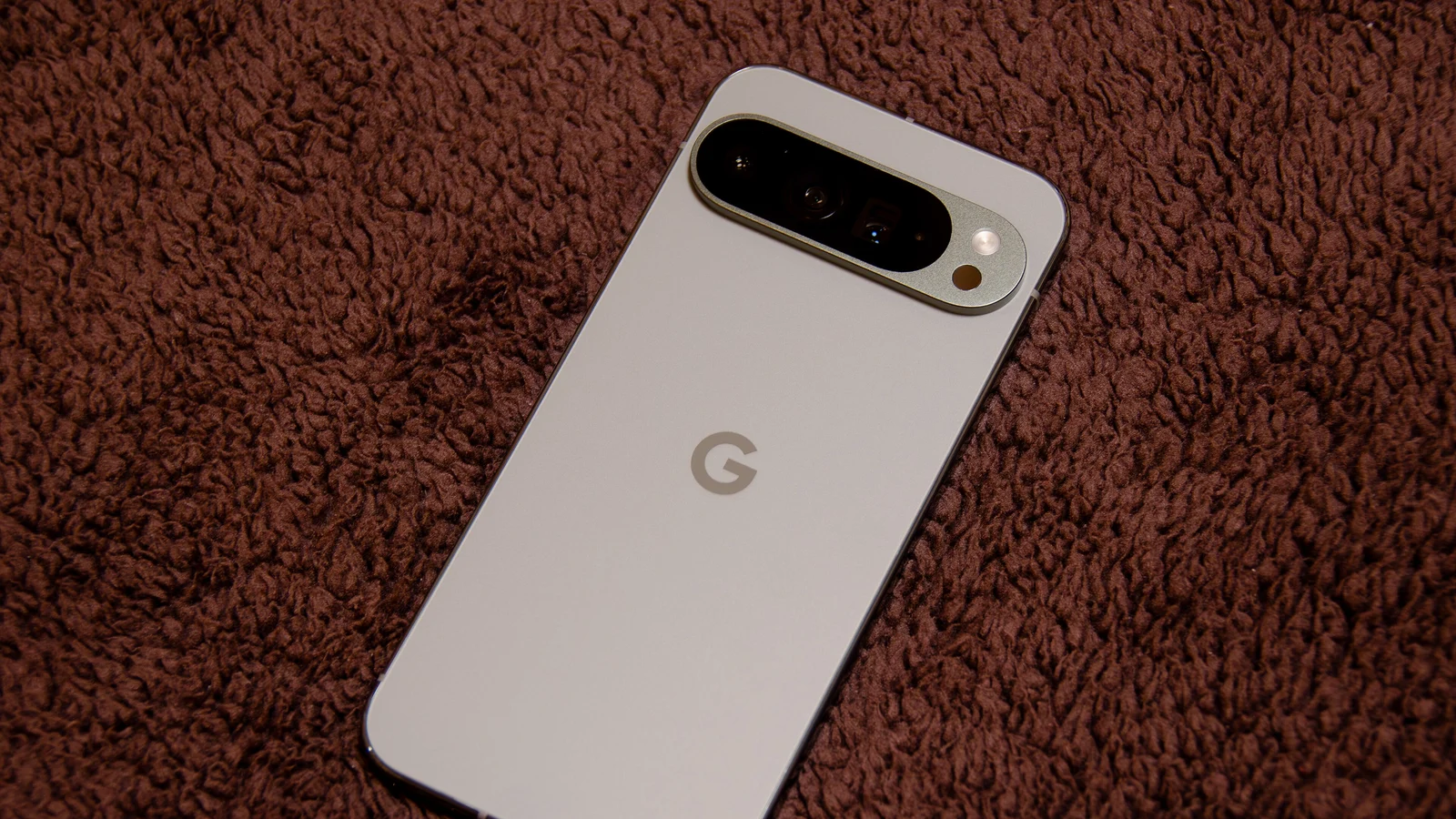
Every sign language translation app here is free to install, so the cost sits in the hardware and in the human. Google's sign to text adds nothing to your bill, and it needs the Pixel 11, which starts at $899 on the Google Store, so the newest option here is also the one with the highest entry price.
Hand Talk's free tier carries ads and is enough for looking up how a sentence is signed, and the subscription buys convenience rather than access. Live Transcribe is free on Android and already installed on Pixel phones, so it costs a download at most, and it's the one to reach for when you want a running text of a conversation in a room, though the meeting transcription apps we ranked separately do a better job of summarising afterwards.
The federally funded lane is the cheapest and the most restricted at the same time. Sorenson and Rylo cost eligible users nothing because a federal fund pays the interpreter and the captioner, and that arrangement is tied to the FCC, so the same apps are not the same offer once you leave the United States. Everywhere else the bill lands on the user, the employer or the hospital, and the per minute rates above are what it looks like.
None of this looks like the rest of AI pricing. There's no monthly assistant tier here, no credits and no token meter, and the money moves through a phone purchase or a public fund instead. If you're used to weighing chat subscriptions against each other, the way we lined up Claude Pro against ChatGPT Plus belongs to a different market from this one, where the customer is often a government fund rather than a person with a card.
What do we not know yet about Google's sign to text?
Google has said what sign to text does today and very little about what comes next, so 4 things are open, which phones get it next, which sign languages follow American Sign Language, how it performs in a test Google didn't design, and when the other direction ships. None of those has a date attached to it.
On devices, DeepMind's post says more devices are coming soon and names no model and no date. Google's Pixel help page still lists the Pixel 11 as a requirement, while the Live Transcribe help page describes the sign to text button without naming any device at all, so the 2 pages don't agree on where the feature stops. If you own a recent Android that isn't that model, the honest advice is to open Live Transcribe and look for the button rather than trust either page.
On languages, DeepMind says the model was trained on video across more than 50 sign languages, and it shipped with a single pair, American Sign Language into English. Google says more languages will follow and doesn't say which or when, so a signer in London or Paris has an app that reads nothing today, and DeepMind's own post counts more than 200 sign languages in the world.
On quality, the only public number comes from Google, and it was measured on a public test of sign language translation introduced in a paper by Garrett Tanzer, who is listed first on the SL2T core team in Google's own acknowledgements. That isn't a scandal, because the same handful of people build the test and the model in a field this small, and it does mean nobody outside Google has published a competing measurement yet. Until somebody does, the quality claim stands as Google's claim.
On the other direction, Google says its team is still working on sign generation, and Apple shows where the rest of the industry sits. Apple's accessibility page says FaceTime detects when you're using sign language in a group call and makes your tile prominent, which helps signers see each other and translates nothing at all. Google keeps SL2T inside its own products, the way it kept its newest forecasting weights closed, so there's nothing here for a researcher or a rival to test.
Which one should you install tonight?
If you sign and you own the Pixel that supports it, turn on sign to text in Gboard first, because it converts every text field on the phone into something you can sign into and it costs nothing you haven't already paid. Give it a real message rather than a test phrase, read what it writes, and let that decide whether you trust it with a work email or only with a shopping list.
If you sign and you own anything else, no phone keyboard reads your signs today, so your shortlist is a relay call through ntouch, captions through Rylo during a call, or Live Transcribe in the room. That's a duller answer than the launch coverage suggests, and it stays true until Google names the next devices, which is the single thing to watch here.
If you're hearing and you want to meet a Deaf colleague halfway, install Hand Talk and use it as a dictionary rather than as a translator, then book a qualified interpreter for anything that carries consequences, a medical appointment or a job interview. And if you're building something, watch for the second language pair, because the day sign to text speaks British Sign Language is the day this stops being one phone's feature.
There's a second signal worth watching, and it won't come from a press release. Google DeepMind calls this the first move of sign language AI out of the lab and into consumer products, so the question that matters is whether Apple, Samsung or a smaller developer answers it within the year. The fastest way to find out is to follow what Deaf users report about accuracy in ordinary conversations, because a launch post describes the best case and a signer at a pharmacy counter describes the real one.
Questions people ask
What is the best sign language translation app?
It depends on the direction you need. Google's sign to text on a Pixel 11 is the best at reading American Sign Language and writing English, and Hand Talk is the best at turning typed or spoken English into signs on any phone. No single app does both jobs well today.
Is there a free sign language translation app?
Yes, several are free. Hand Talk is free with ads on iPhone and Android, Live Transcribe is free on Android, and Google's sign to text costs nothing beyond the phone it requires. In the United States, Sorenson's relay service and Rylo are also free to eligible Deaf and hard of hearing users, because a federal fund pays for them.
Can a sign language translation app work in real time?
Google's sign to text translates while you sign and shows the English on screen as your hands move, according to Google's own help page for the feature. A video relay call is live too, because a human interpreter is on the line with you. Apps that animate signs from text, like Hand Talk, answer instantly but only travel in the other direction.
Does the iPhone have a sign language translation app?
Hand Talk runs on iPhone and turns English into American Sign Language with an animated character, and interpreter apps like ntouch and Jeenie run there too. No iPhone keyboard reads your signs into text today, and Apple's accessibility page lists no feature that does. Apple's accessibility page says FaceTime detects when you're using sign language in a group call and makes your tile prominent, which helps the conversation without translating it.
Which sign languages do these apps cover?
Google's sign to text covers American Sign Language into English only, even though DeepMind says its model was trained across dozens of sign languages. Hand Talk covers American, British and Brazilian sign languages in the other direction, and Signapse sells American and British signed video to organisations.
Do I need a Pixel 11 for Google's sign to text?
Yes, for now. Google's Pixel help page lists that handset, the latest version of Gboard and a United States or Canadian English keyboard as the requirements, and Google DeepMind says more devices are coming soon without naming any of them or giving a date.
Can an app replace a sign language interpreter?
Not for anything that carries consequences. A model reads one signer into text in one direction, and Google's own examples show it missing rare signs and fast fingerspelling. For a medical appointment, a legal matter or a job interview, book a qualified interpreter, through a video relay service for a call or an on demand service like Jeenie in person.