ToolsSeptember 3, 202613 min read
OpenAI Codex vs Cursor, 5 checks before the November cutoff
On November 12 Cursor stops serving OpenAI's models. We ran the same 5 checks on both tools against their own documentation, and each kind of developer gets a different answer.
OpenAI Codex vs Cursor stopped being a question of taste on August 29, 2026. That day OpenAI said it would end the deal that supplies its models to Cursor, with a shutoff set for November 12, which means Cursor keeps Grok, Claude and Gemini while Codex keeps GPT. If you want GPT models and a full editor wrapped around them, those 2 things now live in different products, and the checks below measure how far apart they really are.
Every check reads an official page instead of running a stopwatch. We didn't race the 2 tools on a laptop, because a speed test on somebody else's machine tells you almost nothing about how yours will behave, and the numbers would be stale by the time you read them. What we did instead was read Cursor's own models and pricing documentation, OpenAI's Codex pricing page, the Codex repository on GitHub and the help pages both companies publish, all of them on September 3, then write down what they actually say. Where a claim comes from a company about itself, it's attributed to that company rather than repeated as fact.
What changes for Cursor users on November 12?
On November 12, Cursor loses the supply of OpenAI models that it currently resells to its users. OpenAI announced the decision in its note on Cursor following the SpaceX acquisition, and its stated reason is that it can't be confident SpaceX will use its technology within the terms of service attached to it. Cursor is now owned by SpaceX, and Cursor's own documentation already lists SpaceXAI among the model providers it supports, next to OpenAI, Anthropic and Google.

Cursor's side of it came from its co founder and chief executive Michael Truell, who said that OpenAI models account for about 5 percent of the tool's customers and that his team is talking with OpenAI in the hope of reaching a resolution, as Engadget reported. Anthropic went the other way in public, with its co founder Tom Brown saying his company will keep increasing compute to support Claude models inside Cursor. Both of those are statements by interested companies rather than measurements anyone outside them can check, which is exactly why the rest of this comparison sticks to what the documentation says.
Nothing has moved inside the product yet, and that is worth verifying with your own eyes rather than taking anyone's account of it. On September 3, Cursor's models and pricing documentation still listed the 3 GPT-5.6 models beside Claude and Gemini, with no notice anywhere on that page about them going away. Everything you can do in Cursor today, you can still do tomorrow, which is why so many comparison articles written last month read as though nothing had happened at all.
That gap between the announcement and the product is the reason this piece exists. A reader who installs Cursor this afternoon, picks a GPT model and gets a perfectly good result will reasonably conclude that the story was overblown, and in November they'll be surprised. We covered the announcement itself in what the OpenAI cutoff changes for Cursor, so this one starts where that stopped, at the narrower question of which of these 2 tools you should be holding in December.
Which models does each one give you right now?
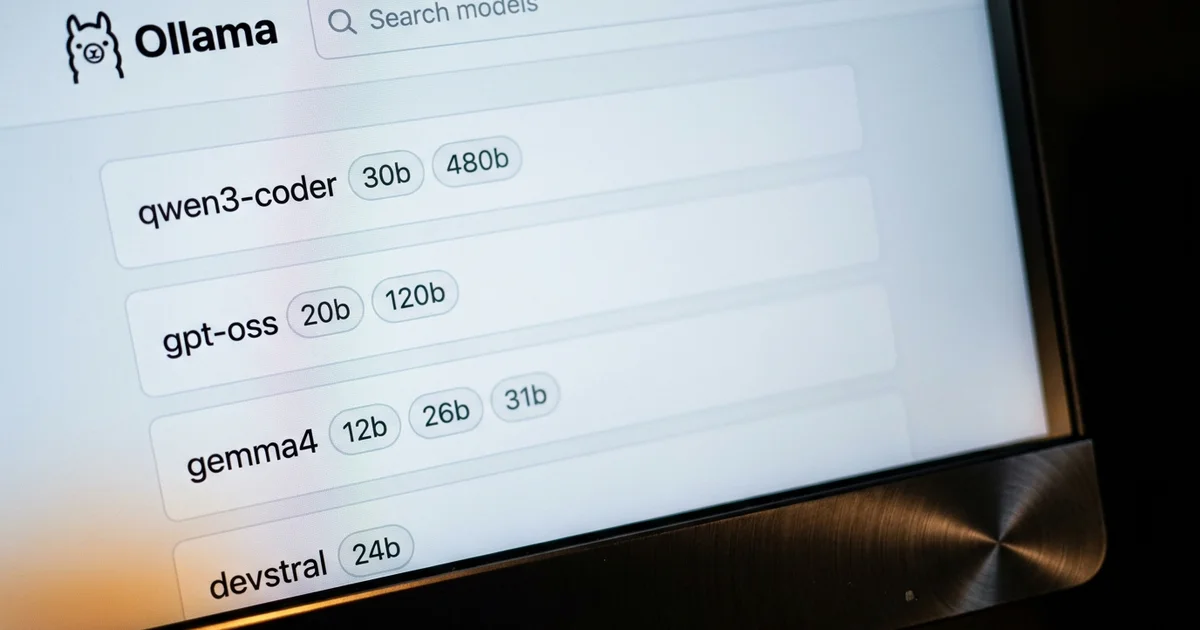
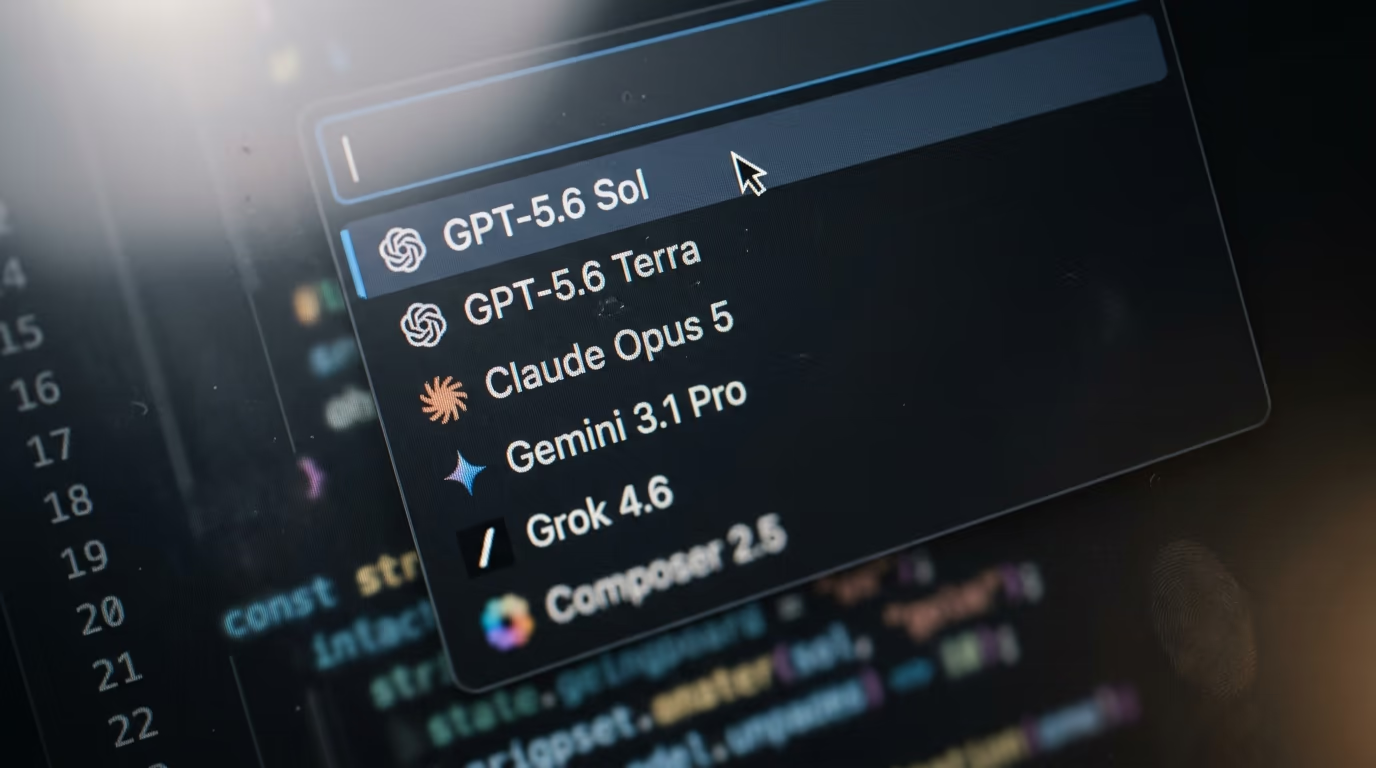
Cursor gives you 4 families of models today and OpenAI Codex gives you one. Cursor's documentation says it supports frontier models from OpenAI, Anthropic, Google, SpaceXAI and more, and its own price table names Claude, Gemini, GPT, Grok and Composer, the model Cursor builds itself. Codex runs OpenAI models and nothing else, which is the whole design of it, since it's OpenAI's own agent rather than a shop reselling everybody's.
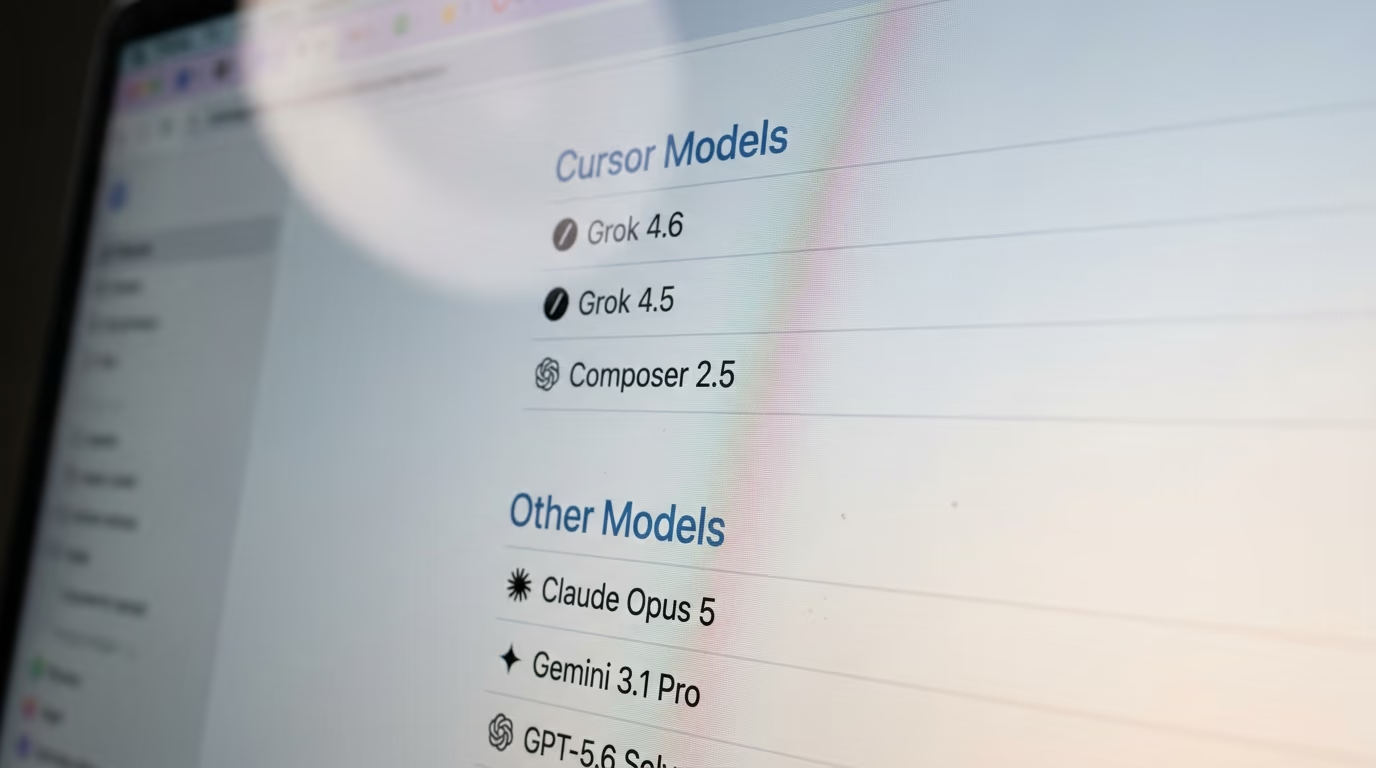
The way Cursor sorts those models says more about where the company is heading than any announcement does. Its documentation splits your usage into 2 pools. One of them, named Cursor Models, holds the Grok models and Composer, and the documentation says that pool comes with significantly more included usage. Everything else, Claude and Gemini and GPT alike, sits in a second pool billed at each model's own API rate. So even before the cutoff, GPT inside Cursor is the option you pay full price for, while Grok is the one your subscription encourages you to use.
That structure existed before SpaceX bought the company, but it reads differently now. A pricing page is a statement of intent, and Cursor's says that the models it owns are the cheap ones and everybody else's are the expensive ones. Removing OpenAI from the menu doesn't change that logic, it just shortens the expensive column by one name and leaves Claude and Gemini carrying it.
For somebody choosing today, the shape of the decision fits in a sentence. If your work is tied to GPT specifically, because you've tuned prompts around it or because your team standardised on it, Cursor is a countdown and Codex is not. If what you actually want is Claude or Gemini sitting next to your code, November changes very little for you, and we compared those subscriptions in what $20 a month buys from Claude and ChatGPT.
There's a third answer that gets forgotten in most comparisons, which is running models on your own machine and depending on nobody's contract at all. It costs you speed and it costs you the strongest models, and in exchange no announcement can take your tools away in November. We ranked the options by how much memory each one needs in our list of the best local models for coding, and for side projects the gap matters a good deal less than people expect.
What does $20 a month buy in Cursor and in Codex?
$20 a month buys either a Cursor Pro subscription or a ChatGPT Plus subscription, and only one of those 2 is a coding tool and nothing else. Cursor Pro includes unlimited tab completions, extended agent limits, the Bugbot code reviewer and cloud agents, and it draws on both usage pools. ChatGPT Plus at the same price includes Codex in your terminal, in your editor and on the web, plus everything else a ChatGPT account does, because OpenAI doesn't sell Codex on its own at all.

| Cursor | OpenAI Codex | |
|---|---|---|
| Free tier | Hobby, free, limited agent requests | Included in the free ChatGPT plan |
| Cheapest paid tier | Pro, $20 a month | ChatGPT Go, $8 a month |
| The $20 tier | Pro, $20 a month | ChatGPT Plus, $20 a month |
| Middle tier | Pro Plus, $60 a month | ChatGPT Pro, $100 a month, 5x Plus limits |
| Top individual tier | Ultra, $200 a month | ChatGPT Pro, $200 a month, 20x Plus limits |
| Team pricing | $40 per user a month | Business, $20 per user a month billed annually, $25 monthly |
| Models after November 12 | Grok, Claude, Gemini, Composer | OpenAI models only |
| Your own API account | Chat models only, tab completion stays on Cursor's models | Supported, billed per token |
| Where it runs | The Cursor editor, a command line tool, cloud agents, mobile | Terminal, VS Code, Cursor, Windsurf, Xcode, JetBrains, web, desktop app |
2 rows in that table matter more than the headline prices do. Codex starts at nothing, since OpenAI's Codex pricing page lists it inside the free ChatGPT plan for quick coding tasks, and Cursor's Hobby plan is free as well, though it caps agent requests rather than handing you a small allowance of everything. Codex also accepts an API account instead of a subscription, which OpenAI describes as suited to automation in shared environments like continuous integration, so a build server can run it without anyone buying a seat for the machine.
Read the 2 ladders side by side and the difference is in what you are buying. Cursor asks you to pay for an editor that rents you models, and OpenAI asks you to pay for a ChatGPT account and hands you the coding agent inside it. Neither is cheaper in every case. Somebody who already pays for ChatGPT is getting Codex at no extra cost, while a team that lives inside one editor all day may find a single Cursor invoice simpler to explain than a per seat ChatGPT bill on top of whatever editor they were already using.
One warning applies to both ladders, and it is about how the included usage gets consumed. Cursor's included usage is consumed faster or slower depending on which model you pick, since the expensive pool is billed at each model's API rate, so 2 developers on identical plans can burn through very different amounts. Codex meters its own usage against your ChatGPT plan in rolling windows rather than a monthly bucket. Neither is a flat rate, whatever the price on the card suggests.
Where does each one run, and can Codex work inside Cursor?
Codex runs in 4 places and one of them is Cursor itself. The opening lines of OpenAI's Codex repository tell you that if you want Codex in your code editor, meaning VS Code, Cursor or Windsurf, you should install it in your IDE, and the Codex IDE documentation gives a direct install link for Cursor along with the command that opens the Codex sidebar. There's also a terminal version, a desktop app and a web version you reach from a browser.
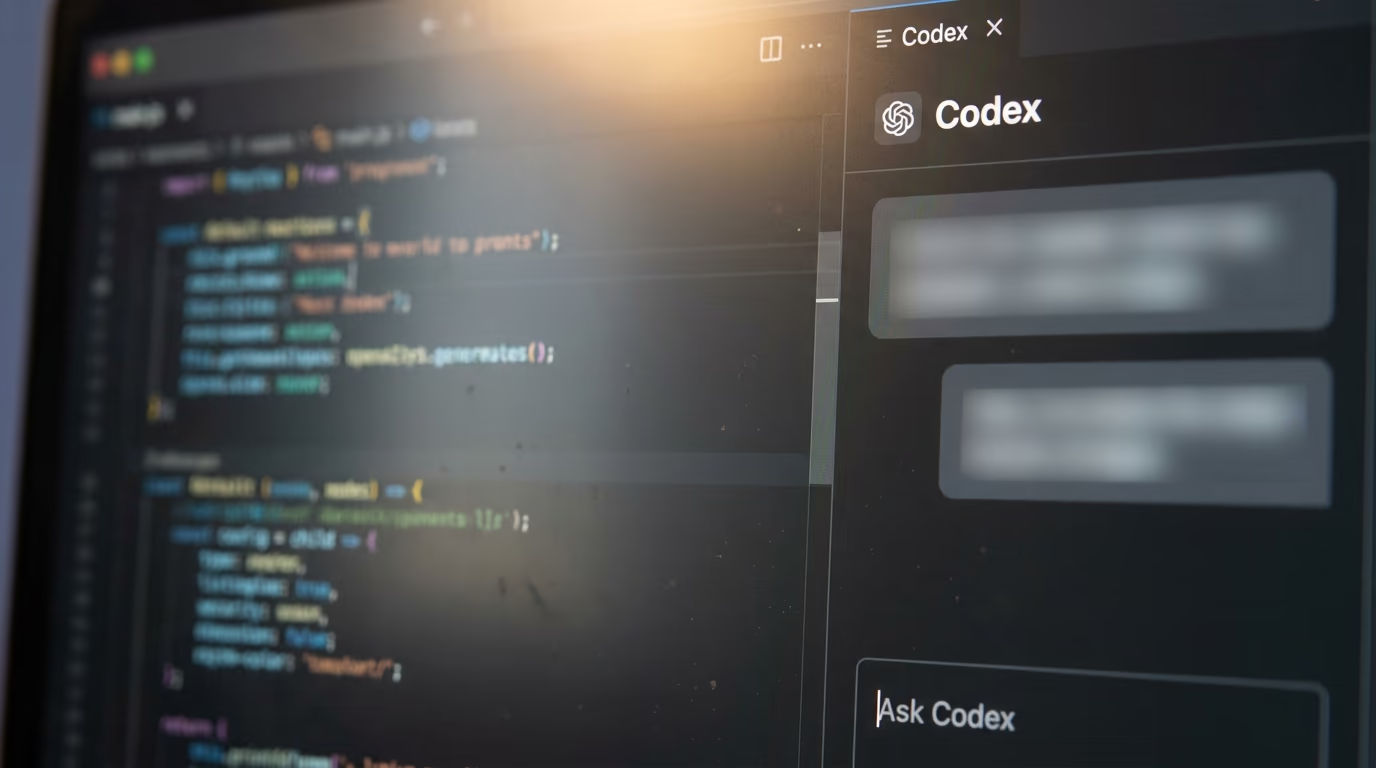
So the answer to that question is yes, with a caveat nobody can settle today. After November 12 you should still be able to run GPT models inside the Cursor window, but through OpenAI's own extension signed into your ChatGPT account, not through Cursor's model menu. Your GPT usage would be billed against your ChatGPT plan, while Cursor's own agent, its tab completion and its cloud agents keep running on Grok, Claude, Gemini and Composer. Running 2 agents in one window is clumsy, and on paper it's the closest thing to keeping both.
If you want to try Codex before November without touching your editor at all, the terminal version installs with one line, and OpenAI publishes it under the Apache licence in that same repository. Run this in a terminal, once, on macOS or Linux.
npm install -g @openai/codexYou should see npm print a line saying the package was added, and nothing else. After that, typing codex inside a project folder starts it in your terminal and asks you to sign in with your ChatGPT account, and the plan you already pay for covers the usage from there. If the install fails with a permissions error, OpenAI also publishes a Homebrew cask and a standalone installer, both of them named on the same repository page.
Cursor's own footprint is wider than an editor at this point. Its documentation covers a command line tool, cloud agents that run tasks on Cursor's machines, a mobile app, the Bugbot reviewer and integrations with Slack, Linear, Jira, GitHub and GitLab. If you want to see how these agents compare once the editor is taken out of the picture entirely, we put Codex next to Anthropic's terminal agent in Claude Code vs Codex.
Can you keep GPT inside Cursor with your own OpenAI credentials?
Cursor accepts your own OpenAI credentials, but only for chat, which makes it a much smaller escape hatch than it sounds. Cursor's help page on custom API keys accepts credentials from OpenAI, Anthropic, Google, Azure OpenAI and AWS Bedrock, and it states that custom API keys only work with chat models. Tab completion keeps running on Cursor's own models whatever you paste in, and the page doesn't extend the promise to the agent, to Composer or to cloud agents.
There's a privacy line on the same page worth reading before you paste anything into that field. Cursor's zero data retention promise does not apply when you use your own credentials, because the request still travels through Cursor's servers on its way to your provider. The credential itself isn't stored on those servers and isn't kept after the request finishes, according to that page, but the traffic passes through them either way, which is a trade some employers will care about a great deal more than the developer does.
What that leaves you is a way to keep asking GPT questions about your code inside Cursor, and not a way to keep GPT driving the agent that edits your files. Anyone treating November as a non event because they'll simply paste their own credentials should read that limit twice. The chat window is the smaller half of what Cursor does, and the half that survives is the one that already has Claude and Gemini sitting in it.
The Azure and Bedrock options are worth a sentence for anyone in a company rather than at home. If your employer already runs OpenAI models through Azure, that route into Cursor is a contract between your company and Microsoft, not between Cursor and OpenAI, so the November decision doesn't obviously touch it. Neither company has published anything about that case, so treat it as an open question and not as a promise, and ask before you build a workflow on top of it.
What does switching actually cost you in a working project?
Switching from Cursor to Codex costs you the editor, not your code, and that's the honest summary of the fifth check. Codex is a chat panel and a terminal agent, so it drops into VS Code, Cursor, Windsurf, Xcode or a JetBrains IDE and leaves whatever editor you already like exactly as it was. Cursor is the editor, so leaving it means leaving its shortcuts, its index of your codebase, its tab model and everything you configured inside it over the months.
The configuration is where the friction really lives. Cursor's documentation lists rules, skills, subagents, hooks, plugins and MCP servers as things you set up inside Cursor, and none of that travels to another tool. If you've spent a month teaching Cursor about your codebase through rules files, that month was spent in Cursor's format. Codex has its own configuration and its own conventions, so moving means writing them again rather than exporting anything, and an afternoon is a fair estimate for a project of any size.
There's a middle route that costs almost nothing, which is why the extension keeps coming back into this comparison. Installing Codex inside Cursor leaves every Cursor setting exactly where it is and adds a second agent in the sidebar, so you can keep GPT for the tasks you trust it with and let Cursor's own agent handle everything else. It isn't elegant and it doubles the number of chat boxes on your screen, and for a lot of people it will still be the cheapest answer to a date they didn't choose.
One cost never appears on a comparison table, and it is the habit you have built. A coding agent is only as useful as your sense of what to ask it, and that sense is built over months of watching one specific tool succeed and fail on your own code. Changing tools resets some of that, and the reset is worth more than either subscription costs. If GPT isn't load bearing in your work, the cheapest move in November is to change nothing at all and let the news pass over you.
There's one group for whom the switch is not optional, and it's worth naming them. If your company has a contract that specifies OpenAI models, or a compliance review that named GPT and nothing else, then Cursor stops being an approved tool on the cutoff date whatever your developers think of it. That conversation takes longer than an afternoon, and starting it in October is a good deal calmer than starting it in November.
So which one should you pick, and what nobody knows yet
Pick Codex if GPT models are the reason you're here, and pick Cursor if the editor is. Somebody who already pays for a ChatGPT account gets Codex at no extra cost in the terminal, in a browser and inside whichever editor they already use, which is a hard offer to beat when GPT is the thing they want. Somebody who wants one window with an agent that knows their whole codebase, plus Claude, Gemini and Grok in the same menu, should stay on Cursor and accept that GPT is leaving that menu in November.
Between those 2 answers sits the group this comparison can actually help. If you're on Cursor, you use GPT for some tasks and Claude for others, and you'd rather not move house over a contract dispute, install the Codex extension inside Cursor now and find out whether 2 agents in one window annoy you. Running that test while both routes still work is worth more than any verdict written by somebody who has never seen your codebase.
4 things here are genuinely unknown, and any article that pretends otherwise is guessing. Nobody outside the 2 companies knows whether OpenAI will keep letting its Codex extension run inside an editor owned by SpaceX, and the documentation that lists Cursor as an install target was written before the split. Nobody knows whether the talks Michael Truell described will produce a resolution before the deadline. Nobody knows how Cursor will price Claude and Gemini once GPT leaves its menu, since the current pricing was built around a longer list of providers.
And at the time of writing, Cursor had published nothing about the change on its own models page, so the first official message to its users may still be coming. A company expecting to reverse the decision within days would say so, and a company that had accepted it would already be telling its users what to move to, and Cursor is doing neither in public while the talks continue.
What to watch is narrow enough to check in a minute over coffee. Load Cursor's models and pricing page and see whether the GPT entries are still listed, then load OpenAI's Codex IDE page and see whether Cursor is still one of the editors it offers to install into. Those 2 pages will tell you how this ends before either company issues a press release about it. If you want the wider field while you wait, our ranking of the best AI agents for coding covers most of the tools sitting on either side of this argument.
Questions people ask
In OpenAI Codex vs Cursor, which one still gives you GPT models after the cutoff?
OpenAI Codex is the one that keeps them. OpenAI is ending the contract that supplies its models to Cursor in November, so after that date Cursor's menu holds Grok, Claude, Gemini and its own Composer model, while Codex carries on running GPT because it's OpenAI's own agent.
Is OpenAI Codex free to use?
There is a free tier, with limits. OpenAI's Codex pricing page lists Codex inside the free ChatGPT plan for quick coding tasks, and the command line version is published under the Apache licence, so installing it costs nothing. Heavier use needs a paid ChatGPT plan or an API account billed per token.
Can I use OpenAI Codex inside Cursor?
Yes. OpenAI's own repository and its IDE documentation list Cursor among the editors the Codex extension installs into, next to VS Code and Windsurf, and they give a direct install link for it. Whether OpenAI keeps that door open after the cutoff is not something either company has stated.
Does Cursor still work without OpenAI models?
Cursor keeps working exactly as it does now. Its documentation already lists Anthropic, Google and SpaceXAI as model providers, and its own Composer model plus the Grok models sit in the usage pool that comes with the most included usage. Losing the OpenAI models removes options from a menu rather than breaking the editor.
Can I put my own OpenAI API keys into Cursor?
You can, for chat models only. Cursor's help page on custom API keys accepts credentials from OpenAI, Anthropic, Google, Azure OpenAI and AWS Bedrock, and it says they only work with chat models. Tab completion keeps using Cursor's own models, and Cursor's zero data retention promise does not apply to requests made with your own credentials.
Why is OpenAI ending Cursor's access to its models?
OpenAI said it can't be confident that SpaceX, which now owns Cursor, will use its technology within the terms of service attached to it. That reasoning came from OpenAI itself. Cursor's chief executive Michael Truell has said his team is talking with OpenAI in the hope of reaching a resolution.
In OpenAI Codex vs Cursor, which is cheaper for a solo developer?
Both charge the same at the tier most solo developers land on, so the honest answer depends on what else you already pay for. If you have a ChatGPT subscription, Codex arrives at no extra cost. If you want an editor with several model families in one menu, the Cursor bill covers the editor as well as the models.