TutorialsAugust 11, 202612 min read
How to use Claude Skills, and build your first one tonight
Skills are folders that teach Claude one procedure and load it on demand. Here is the whole build, on a free account, with the file printed in full and no terminal needed.
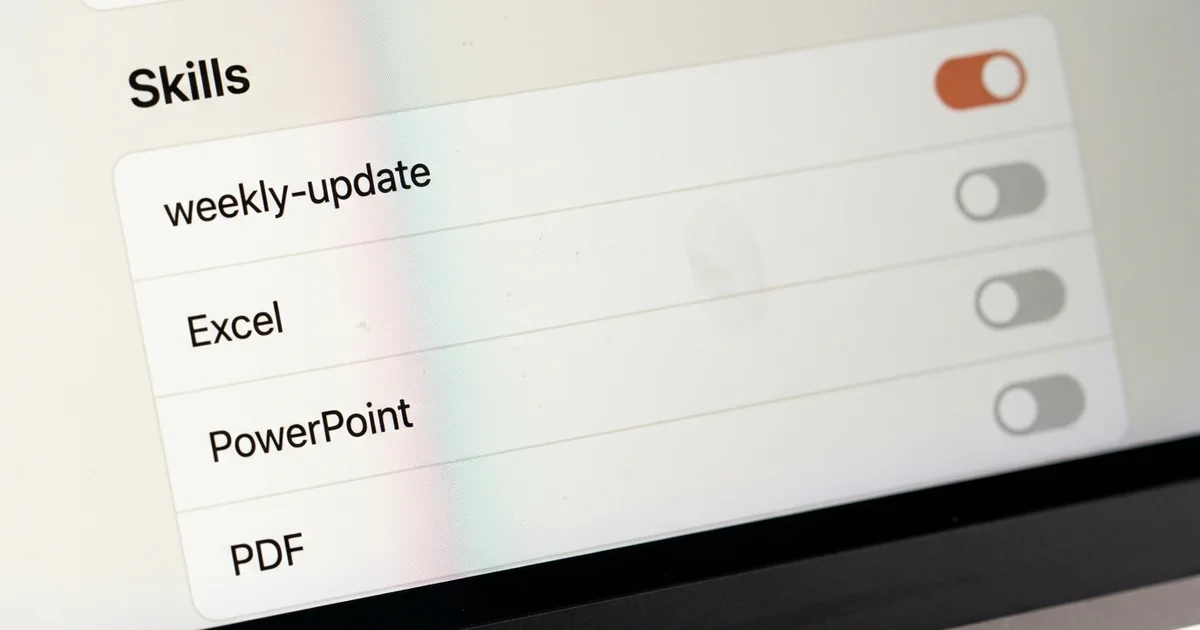
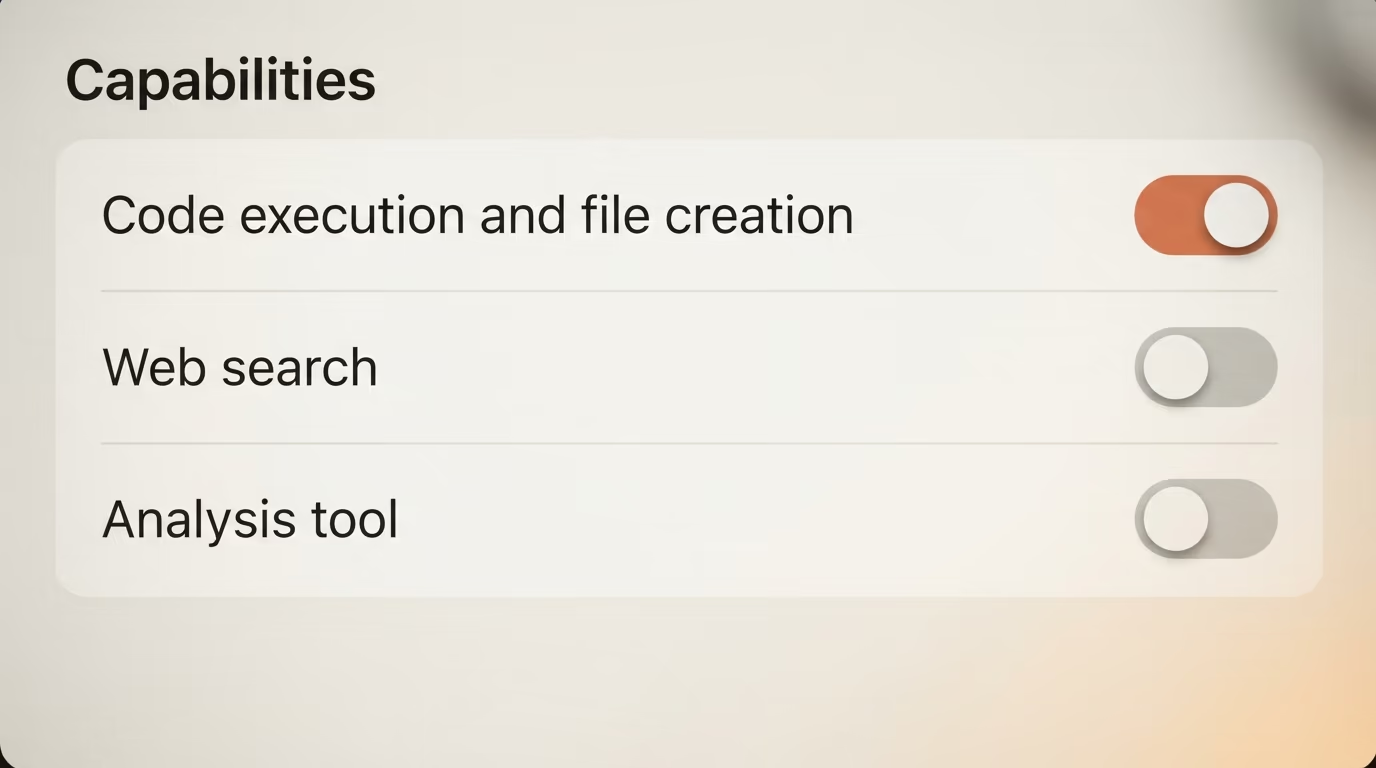
How to use Claude Skills comes down to 2 switches and one folder. You turn on code execution in Settings > Capabilities, you open Customize > Skills and toggle a skill on, and from then on Claude follows that skill whenever your request matches what the skill says it is for.
Adding one of your own takes about 25 minutes and no terminal at all. You write a folder holding a single SKILL.md file, compress that folder into a zip, and upload it in the same panel through the plus button and the Upload a skill option.
By the end of this you will have a working skill that turns 6 lines of rough notes into the same client update every time, in your format, without you retyping the instructions. The whole file is printed below and you can copy it as it stands. Anthropic lists Skills on the Free, Pro, Max, Team and Enterprise plans, so a paid account is not required to finish this tonight.
What are Claude Skills, and what changes when Claude uses one?
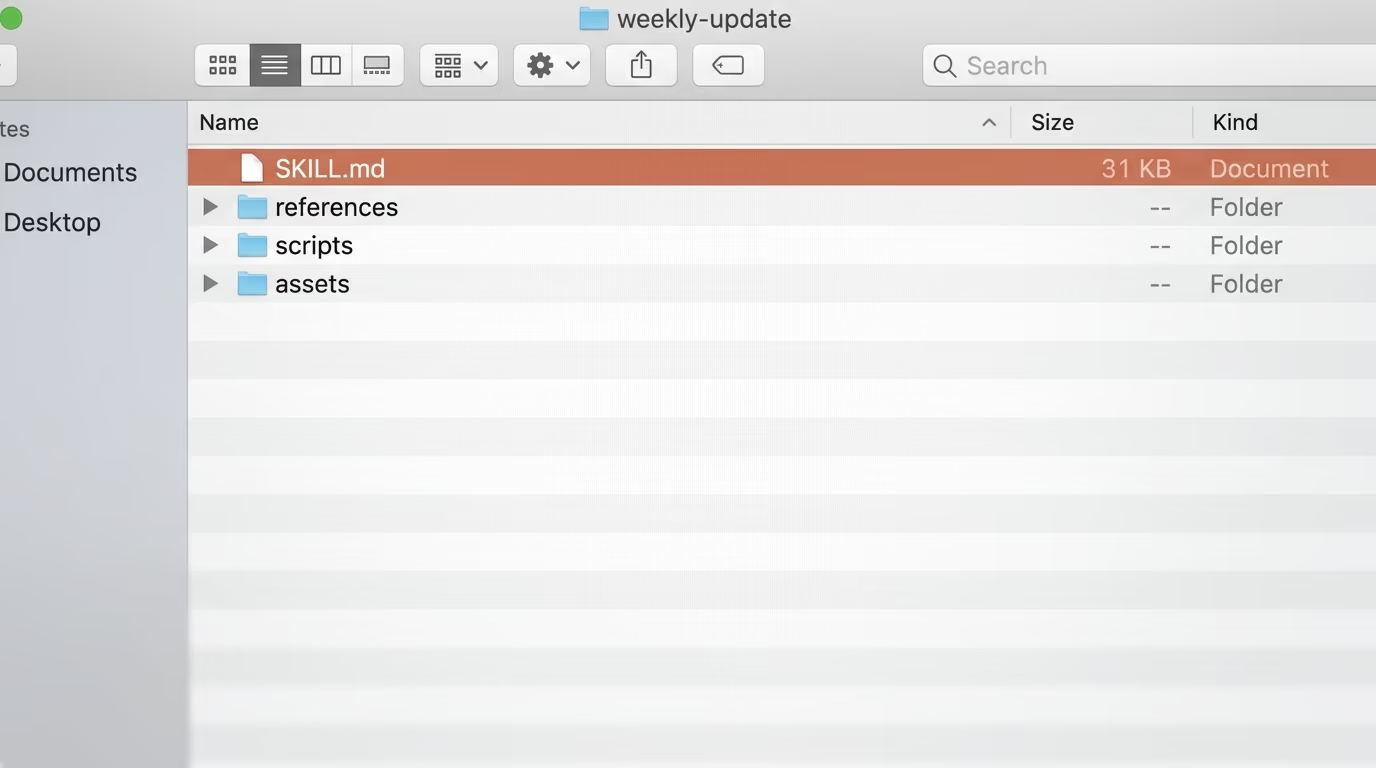
Claude Skills are folders of written instructions that Claude loads only when your request matches them. Each folder holds a file called SKILL.md, which opens with 2 required fields, a name and a description, and continues with whatever procedure you want followed underneath.
The loading order is what makes the format cheap to live with. The Agent Skills specification describes 3 stages, and the first one decides everything. At startup an agent reads only the name and description of every skill you own, about 100 tokens each according to the spec, which is light enough to keep dozens installed. When a request looks like a match, the agent reads the full SKILL.md body. Only then does it open any extra files you bundled beside it.
That is the practical difference between a skill and a long instruction you paste into every chat. Anthropic's Claude Code documentation says a skill's body "loads only when it's used, so long reference material costs almost nothing until you need it", which is why a skill can hold your entire report format without slowing down the conversations that have nothing to do with reports.
You have probably been using skills already without noticing. The support documentation lists built in skills for Excel spreadsheets, PowerPoint presentations, PDF creation and Microsoft's document format, and says Claude reaches for them on its own when a request calls for one. Anything you upload sits in the same list and behaves the same way.
One detail changes how much this is worth learning. Agent Skills is an open format published at agentskills.io, developed at Anthropic and released as a standard that other companies adopted. The clients page lists Cursor, VS Code, GitHub Copilot, Gemini CLI, Codex, OpenCode and Goose among the tools that read the same folder. If you want Claude to reach an outside service instead of following a written procedure, that job belongs to an MCP server, and the 2 formats sit happily side by side.
What do you need to use Claude Skills tonight?
A free Claude account covers everything in this tutorial. Anthropic's support documentation says Skills are available for users on Free, Pro, Max, Team and Enterprise plans, and that the feature requires code execution to be enabled. On the pricing page today Pro is $17 a month billed annually or $20 billed monthly, and Max starts at $100 a month, but none of that is needed for what follows.
- A Claude account, the free tier included
- A plain text editor, TextEdit or Notepad
- 25 minutes and a chore you keep explaining
- No terminal, no card, no API bill
Step 1 takes about 2 minutes. Open Settings > Capabilities and switch on Code execution and file creation, because skills do nothing at all until that setting is on. Then open Customize > Skills, which is where every skill on your account is listed with a toggle beside it.
What you should see is a list of Anthropic's built in skills, each with its own switch, and room underneath for the ones you add. On a Team or Enterprise account an owner has to enable both settings first in Organization settings > Skills, so if the panel is missing entirely, that is the person to ask.
Now pick your task, and pick a boring one. The best first skill is the thing you explain to Claude over and over, a report format, a tone you keep correcting, the structure of a client email, the rules of your changelog. This tutorial builds a weekly update skill, because everybody has some version of that chore and the output is easy to judge in 10 seconds.
What goes inside a SKILL.md file?
A SKILL.md file is 2 blocks stacked on top of each other. At the top sits a YAML header between 2 lines of 3 hyphens, holding the name and the description. Underneath sits ordinary markdown, the instructions Claude follows once the skill fires.
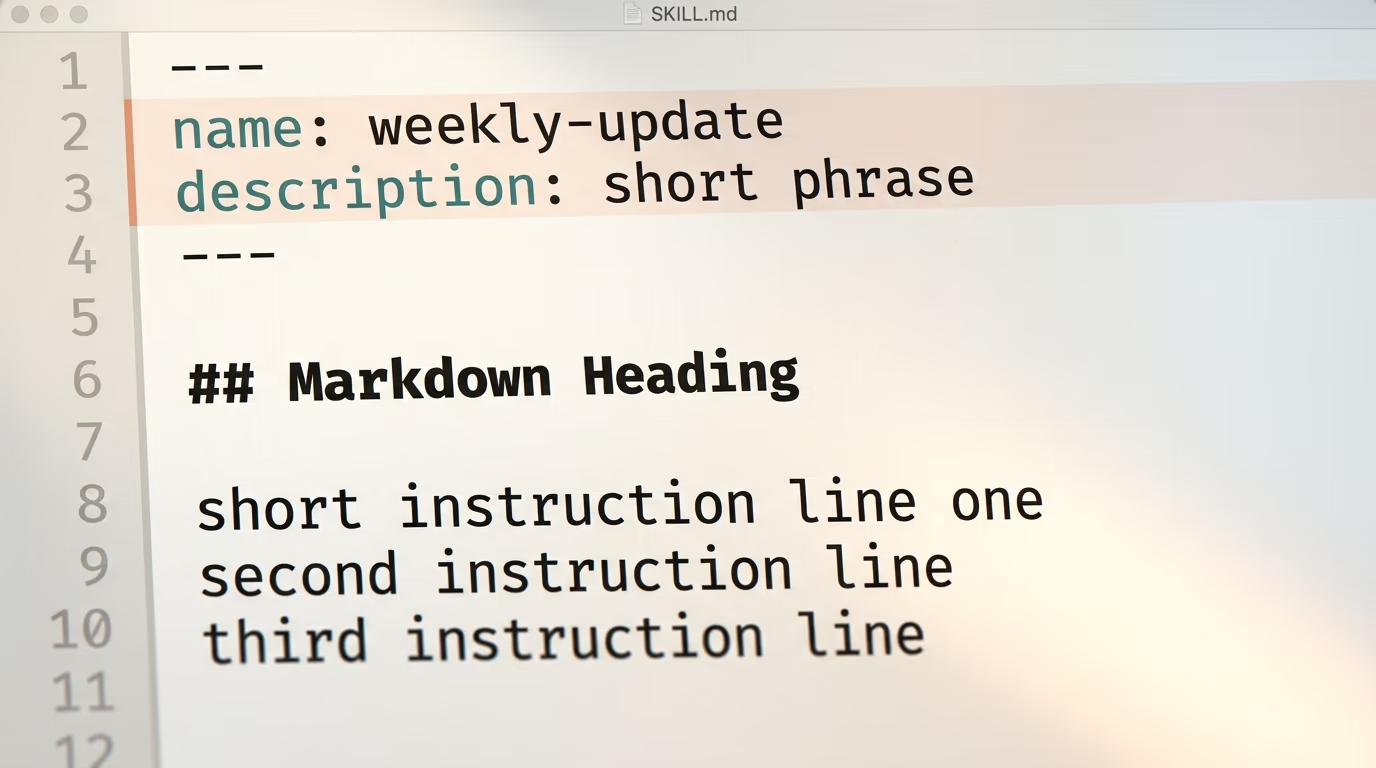
Step 2 takes about 10 minutes and it is the whole job. Make a new folder on your desktop, give it the same name as the name line below, and save this file inside it as SKILL.md. Copy it as it stands and change the sections to match how you actually report. On a Mac, new TextEdit documents are in rich text format by default, so choose Format > Make Plain Text before saving, and keep the name ending in .md when the save dialog asks about the extension.
---
name: weekly-update
description: Turns rough notes into a client weekly update. Use when I paste notes and ask for my weekly update or my client report.
---

# Weekly update

Turn my rough notes into a client update using these 4 sections, in this order.

## Sections
1. Shipped this week
2. In progress
3. Waiting on you
4. Next week

## Rules
- Keep each section to 3 bullets at most.
- Write plain sentences a busy client reads in 30 seconds.
- If a section has nothing in it, write "Nothing this week" and move on.
- Never invent a status I did not give you.

## Example
Input: fixed the checkout bug, waiting on logo files, started the pricing page

Output:
Shipped this week
- Fixed the checkout bug that was blocking card payments.
In progress
- Started the pricing page.
Waiting on you
- The logo files, so I can finish the header.
Next week
- Finish the pricing page and ship the header.
The 2 fields at the top are not decoration. The Agent Skills specification requires both, caps the name at 64 characters in lowercase letters, numbers and hyphens, and says the name has to match the folder it sits in. Get that pairing wrong and nothing loads, with no error to tell you why.
The description is where most first skills die. It is the only thing Claude reads before deciding whether to open your file at all, so it has to name the trigger the way you would actually type it. The specification prints a poor example, "Helps with PDFs", beside a good one that names the file types, the actions and the moment to use them.
| Field | Required | The limit, and where it is written |
|---|---|---|
| name | yes | 64 characters, lowercase letters, numbers and hyphens, matching the folder name (Agent Skills spec) |
| description | yes | 1024 characters in the spec, 200 characters in Anthropic's help center for app uploads |
| license | no | a license name or a bundled file, accepted but not acted on by Claude Code |
| compatibility | no | 500 characters, for environment requirements such as required packages |
| metadata | no | your own labels, read by your own tooling and not acted on by Claude Code |
Those 2 description limits disagree, and it is worth knowing which one binds you. The open specification allows 1024 characters. Anthropic's help center article on creating custom skills says 200 characters maximum for the description. Claude Code goes a third way and truncates the description, combined with any when_to_use text, at 1,536 characters in its skill listing. Staying under 200 keeps one file valid in all 3 places, which is the entire point of a portable format.
If writing the file by hand is not your idea of an evening, hand the job to Claude. Anthropic documents this flow in its own tutorial, where you describe the task in a normal chat, upload any templates you already use, answer a few questions and Claude writes the SKILL.md for you. This prompt gives it the shape it needs, and it runs in the order it is numbered.
You are writing an Agent Skill for me and I have never made one before.
1. Ask me which repeated task I want Claude to handle, then ask 3 questions about how I do it today.
2. Ask me to paste one example of the output I want, and treat that example as the target format.
3. Write a SKILL.md file with a YAML header holding a name in lowercase letters and hyphens under 64 characters, and a description under 200 characters saying what the skill does and when to use it.
4. Under the header, write the instructions in plain markdown, with the steps in order, one example input with its matching output, and 2 cases where the skill should refuse or ask me first.
5. Keep the whole file under 500 lines, and tell me how long it is when you finish.
6. Tell me the exact folder name the file must sit in, and what the zip has to contain.
7. After I test it, rewrite only the description if Claude does not pick the skill up.
What you should get back is a file you can read out loud, roughly 30 to 60 lines, carrying your own examples. If it hands you 400 lines of theory instead, tell it to cut everything except the steps and the example, because a short skill fires more reliably than a long one.
How do you package the skill and upload it to Claude?
The upload wants a whole folder, and this is where most attempts fail. Put SKILL.md inside a folder whose name matches the name field exactly, then compress that folder and leave the loose file alone.
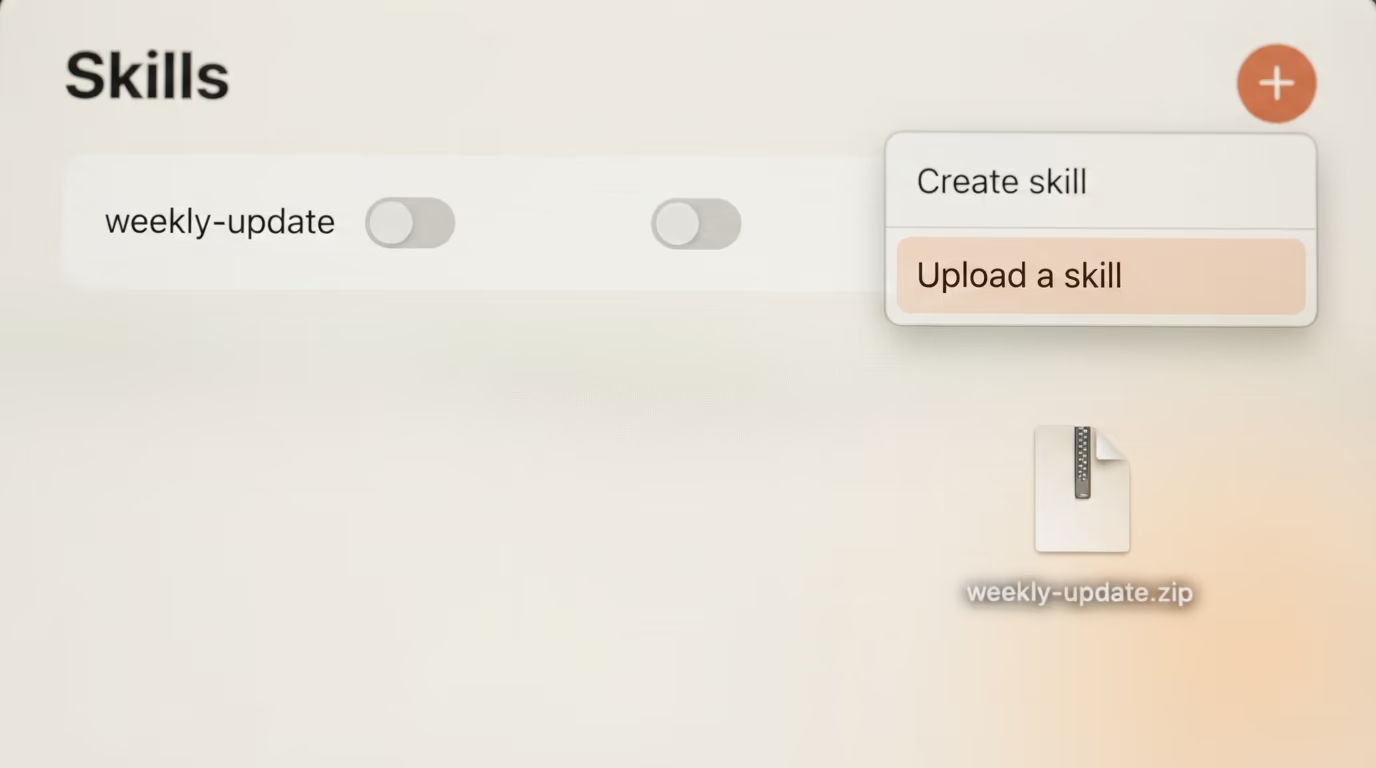
Anthropic is exact about the shape of that archive. The zip should contain the skill folder as its root, not a subfolder, and the help center prints the correct structure next to the wrong one so the difference is obvious. On a Mac you right click the folder itself and choose Compress. On Windows, Microsoft's own instructions are to right click the folder and select Show more options > Send to > Compressed (zipped) folder. Selecting SKILL.md instead of its folder is what produces the rejected shape.
Step 3 takes about 3 minutes. Open Customize > Skills, click the plus button, choose Create skill, then choose Upload a skill and pick your zip. The skill lands in your list with its own toggle, and Anthropic notes that anything you upload this way stays private to your individual account.
Step 4 is the one people skip, and it takes 5 minutes. Start a new chat, paste 6 lines of rough notes, and ask for your weekly update using roughly the phrasing you put in the description. What you should see is an answer carrying your 4 headings in your order, rather than Claude's generic idea of a status report. Open the thinking to confirm the skill was loaded, which is the check Anthropic recommends when a skill seems ignored.
Then break it once, on purpose. Ask for something adjacent, a summary of a meeting for instance, and watch it stay quiet. A skill that answers everything has a description that is too broad, and a skill that answers nothing has one that is too narrow. You are tuning that single line, and the rest of the file barely moves after the first draft.
How do you use Claude Skills in Claude Code instead?
In Claude Code a skill is the same folder on disk and there is no zip anywhere. A personal skill lives at ~/.claude/skills/<name>/SKILL.md and follows you into every project, while a project skill lives at .claude/skills/<name>/SKILL.md inside a repository and travels with the code, which is how a team shares one procedure.
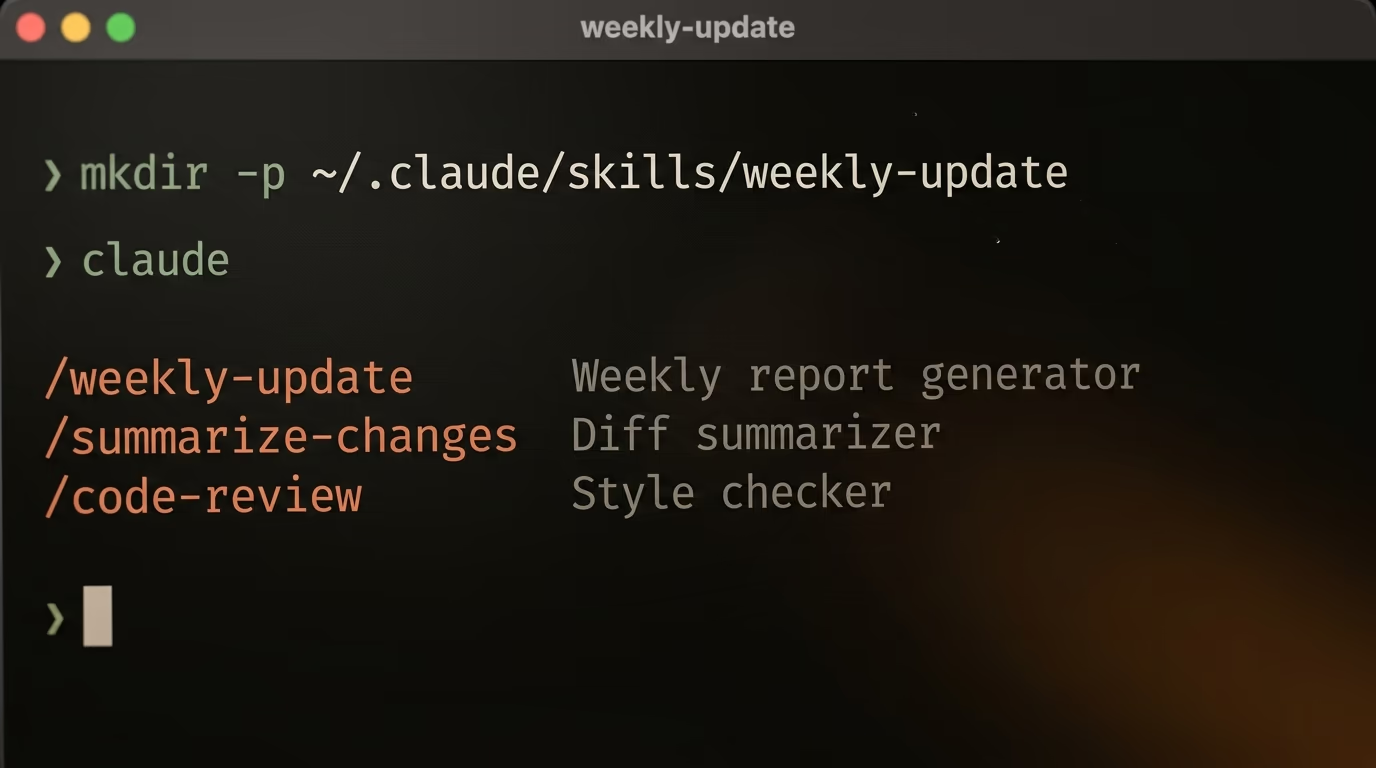
This route assumes Claude Code is already installed, and its setup page covers that in a few minutes if it is not. Terminal sits in Applications > Utilities on a Mac, and one line there creates the folder, using the same name you put in the file.
mkdir -p ~/.claude/skills/weekly-updateNothing prints when that works, which is normal for this command. Put the same SKILL.md inside the folder, start Claude Code, and the directory name becomes the slash command, so this runs your skill on demand.
/weekly-updateAsking for your weekly update in plain English works too, because Claude matches the description on its own exactly as it does in the app. Claude Code watches those folders while it runs, so editing SKILL.md is picked up inside the session without a restart, and typing /skills lists everything currently loaded along with where it came from.
There is a ready made shelf to raid as well. Anthropic publishes its own skills in a public repository on GitHub, most of them under Apache 2.0, with the document skills marked source available rather than open source. The README gives the install line for Claude Code, and a second line installs a set.
/plugin marketplace add anthropics/skills
/plugin install example-skills@anthropic-agent-skills
2 traps live in here, and both of them bite quietly. When the same name exists in more than one place, the personal skill takes precedence over the project one, so a folder in your home directory quietly wins over the version committed to the repository. And a skill that exists only on your machine is invisible to cloud sessions and scheduled runs, which load the skills enabled on your claude.ai account instead, so anything a routine needs has to be uploaded there too.
This is where skills pay for themselves, since a coding session runs into the same procedures every single day. If you are still choosing a terminal agent, we put both obvious candidates through the same checks in Claude Code against Codex, and a longer example of written rules driving a nightly job runs through the agent that writes SEO articles on a schedule.
Why does Claude ignore the skill you just added?
Almost every dead skill dies on its description, and that fix takes 30 seconds. Claude reads that one line to decide whether to open the file, so a description reading "Helps with reports" never matches anything a human being actually types. Name the trigger phrases instead, the way Anthropic's good example does, and test again.
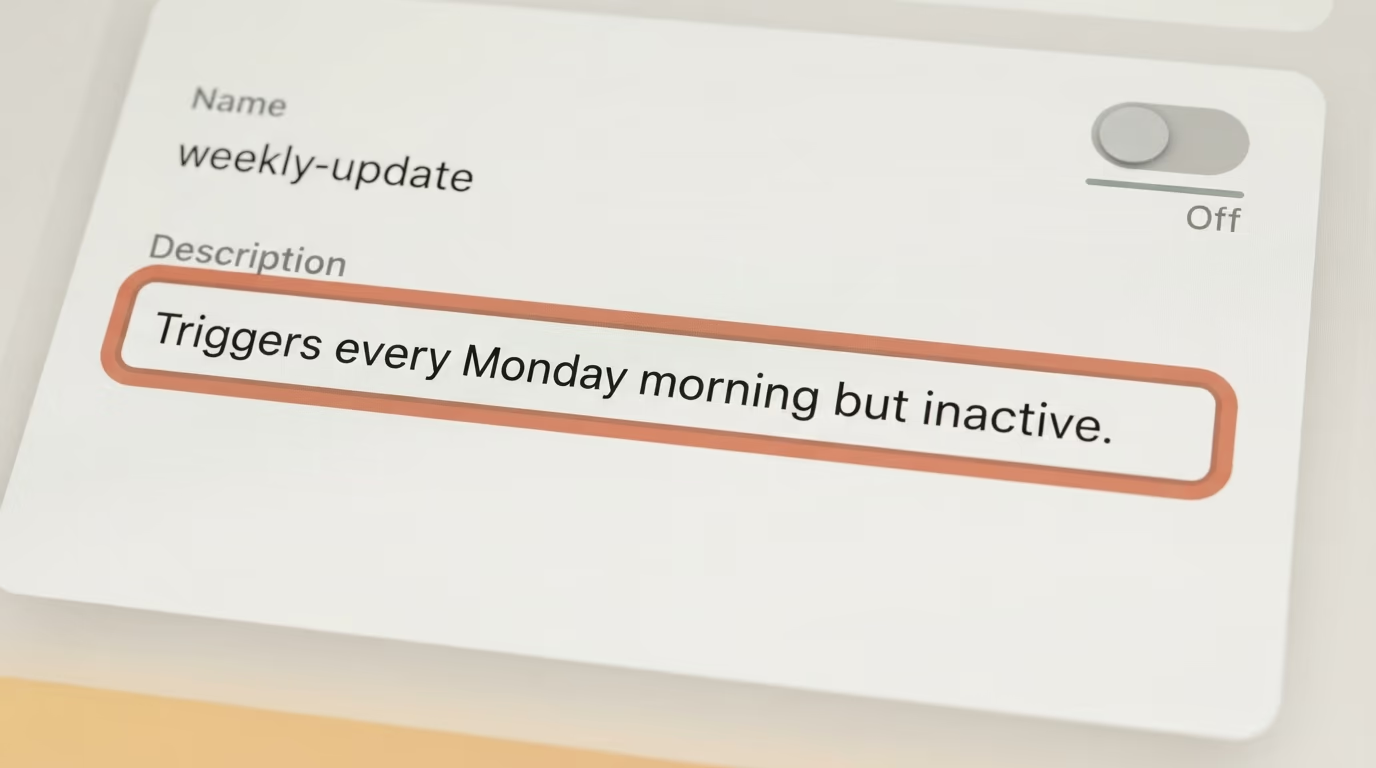
The second suspect is that switch. Skills need Code execution and file creation turned on in Settings > Capabilities, and nothing warns you when it is off, so the skill sits in your list looking installed while doing nothing at all.
Third is the shape of the zip. Anthropic's help center lists 4 common reasons an upload fails, a zip over the size limit, a folder name that does not match the skill name, a missing SKILL.md, and invalid characters in the name or the description. Compressing the loose files instead of the folder trips the first 2 of those at once.
Fourth on the list is the name. The specification wants lowercase letters, numbers and hyphens, no hyphen at the start or the end, no double hyphen, and the name matching the folder. Capital letters are the quietest way to fail this, since a name written as Weekly Update looks perfectly reasonable to a human being and is not valid here.
Fifth is length, which catches people who wrote a genuinely good file. The specification recommends keeping SKILL.md under 500 lines with the instructions under 5000 tokens, and pushing detail into separate files the agent opens only when it needs them. A skill holding your entire handbook ends up competing with itself for attention.
And if none of those is the answer, check that you are testing where the skill actually lives. A skill uploaded to claude.ai is not on your laptop, a skill in your home folder is not in a cloud session, and a project skill only loads for the project it sits in.
What should you build in your first week?
Build the thing you paste most often, then stop for the evening. Anthropic's own list of best practices opens by telling you to keep a skill focused and to create separate skills for different workflows, and that advice survives contact with reality far better than one giant skill trying to cover your whole job.
A reasonable first week is 2 or 3 skills, and they should be boring on purpose. The report you write every Friday is one. The tone rules you keep repeating to get a draft you can send is another. Each one is 40 lines of text, and each one deletes a paragraph you would otherwise retype for the rest of your life.
The genuinely tedious step is the description, and nobody warns you about it beforehand. Expect to rewrite it 3 or 4 times before the skill fires when you want it and stays silent when you do not, and in the Claude app every attempt means zipping and uploading again, roughly a minute a round. Claude Code gives you the faster loop here, since saving the file is enough and the running session picks it up.
Your first output will be close without being right, and the correction belongs in the file and not in the chat. Every time you catch yourself adding an instruction halfway through a conversation, that instruction is a line missing from your SKILL.md, and moving it there is what makes the next 50 runs better than the first one.
The reason to bother is portability. The same folder is read by Cursor, VS Code, Codex, Gemini CLI and the rest of the tools on the Agent Skills clients page, so the procedure you write tonight outlives whichever assistant you happen to pay for this year. If you would rather run the model on your own machine while you are at it, our ranking of local models by how much RAM you have pairs well with this, and the plain explanation of what open weight models actually are covers the licensing side of the same question.
Questions people ask
How to use Claude Skills on a free account?
Skills work on the Free plan. Anthropic's support documentation lists Skills for users on Free, Pro, Max, Team and Enterprise plans, and the requirement is that Code execution and file creation is enabled in Settings > Capabilities. Uploading your own skill as a zip is available on Free as well, and it stays private to your account.
How to use Claude Skills in Claude Code rather than in the app?
In Claude Code you skip the zip entirely. Save the same SKILL.md at ~/.claude/skills/name/SKILL.md for a personal skill, or at .claude/skills/name/SKILL.md inside a repository for a project skill. The folder name becomes the slash command you type, and typing /skills lists everything currently loaded.
What is the difference between a skill and an instruction in a project?
A project instruction sits in context all the time, while a skill is loaded on demand. Anthropic's Claude Code documentation says a skill's body loads only when it is used, so long reference material costs almost nothing until you need it. That makes a skill the better home for a procedure you use occasionally.
Do Claude Skills work in Cursor, VS Code or Codex?
Yes, because Agent Skills is an open standard rather than a feature of one product. The clients page at agentskills.io lists Cursor, VS Code, GitHub Copilot, Gemini CLI, Codex, OpenCode and Goose among the tools that read a SKILL.md folder. The same folder moves between them without any edits.
Why does Claude ignore the skill I uploaded?
The description is the usual culprit, since Claude reads only the name and description before deciding whether to open your file. Rewrite it so it names the exact phrases you type when you want the skill. Then check that code execution is on and that the zip contains the folder rather than the loose files.
How long should a SKILL.md file be?
Short enough to read in one sitting. The Agent Skills specification recommends keeping SKILL.md under 500 lines with the instructions under 5000 tokens, and moving longer reference material into separate files that the agent opens only when it needs them.
Can I share a skill with my team?
Yes on Team and Enterprise plans. Anthropic's documentation says you can share a skill with specific people, with a group, or with the whole organization, and that owners can provision skills for everyone. On personal plans an uploaded skill stays private to your own account.