TutorialsAugust 10, 202612 min read
Claude Code hooks, your first 3 without writing any code
A hook makes Claude Code run your command every time it edits a file, finishes a turn, or waits for you. Here are 3 to build tonight, written for you by the agent itself.
Claude Code hooks are small commands that Claude Code runs by itself at fixed moments in a session, for example every time it edits a file, every time it finishes answering, and every time it stops to ask you for permission. They live in a settings file, they fire whether the model remembers them or not, and the official reference documents 31 events you can attach one to.
Tonight you are going to install 3 of them without editing that file by hand, a desktop notification when Claude is waiting for you, a guard that refuses every edit to your .env file, and a running diary of each file the agent touched. The only thing you type yourself is one instruction, printed in full further down, and Claude Code writes the configuration, the small script and the tests from it. Budget about 30 minutes and a paid Claude plan, because the free plan does not include Claude Code at all.
What is a Claude Code hook, in plain English?
A Claude Code hook is a command registered in a settings file that Claude Code runs automatically when a chosen event fires, with no decision from the model involved. The hooks reference documents 31 such events, from SessionStart when a session opens to SessionEnd when it closes, and every one of them can carry as many hooks as you want.
The difference between a hook and a line in your instructions file is who decides. An instruction is advice the model may follow, may misread, or may quietly drop 40 messages later once the conversation has moved somewhere else. A hook is a command your own computer executes at that event every single time, which is why Anthropic's guide describes hooks as deterministic control over the session rather than another prompt.
There are 5 kinds of handler, and knowing them stops you copying the wrong example. A command handler runs a shell command on your machine, which is what this build uses 3 times. An http handler posts the event to a url you own. An mcp_tool handler calls a tool on an MCP server you already connected. A prompt handler sends the event to a Claude model, Haiku by default, and asks it to judge, and an agent handler spawns a small subagent that can read files before answering, which the guide still labels experimental.
Only a handful of those 31 events matter on a first evening, and they are the ones tied to something you can watch happen on your screen.
| Event | When it fires | What people use it for |
|---|---|---|
| Notification | Claude is waiting for your input or your permission | a desktop banner so you can leave the terminal |
| PreToolUse | just before a tool runs | blocking an edit to a protected file |
| PostToolUse | just after a tool succeeded | formatting or logging the file that changed |
| SessionStart | a session opens or resumes | putting context back after a compaction |
| Stop | Claude has finished responding | checking the job is really done |
Where you put the configuration decides how far it reaches. A hook in the settings file inside your home folder applies to every project on that machine and stays private to you. A hook in the .claude folder of a project applies to that project only and can be committed, so everyone who clones the repository gets it. The reference lists 7 possible locations in total, including plugins, skills and subagent files, but those first 2 are all you need tonight.
What do you need before you start, and what does it cost?
You need a computer running macOS 13 or later, Windows 10 1809 or later, or Ubuntu 20.04 or later, at least 4 GB of RAM, and a paid Claude account. Claude Code is included in the Pro plan at $20 a month billed monthly, or $17 a month on the annual plan billed $200 up front, and Anthropic's setup page states that the free Claude.ai plan does not include Claude Code access. The Max plan starts at $100 a month and changes nothing about hooks.
Hooks themselves add nothing to that bill as long as they are command handlers, because the command runs on your own computer and never touches a model. The 2 handler types that do spend something are the prompt handler and the agent handler, since the guide says both send the event to a Claude model to make the decision. All 3 hooks in this build are command handlers, so tonight costs you the plan you already pay for and nothing more. If you have not chosen a coding agent yet, we put the 2 obvious candidates through the same 5 checks in Claude Code against Codex.
Step 1 takes 10 minutes and installs Claude Code from the official line on the setup page, which covers macOS, Linux and WSL in one command.
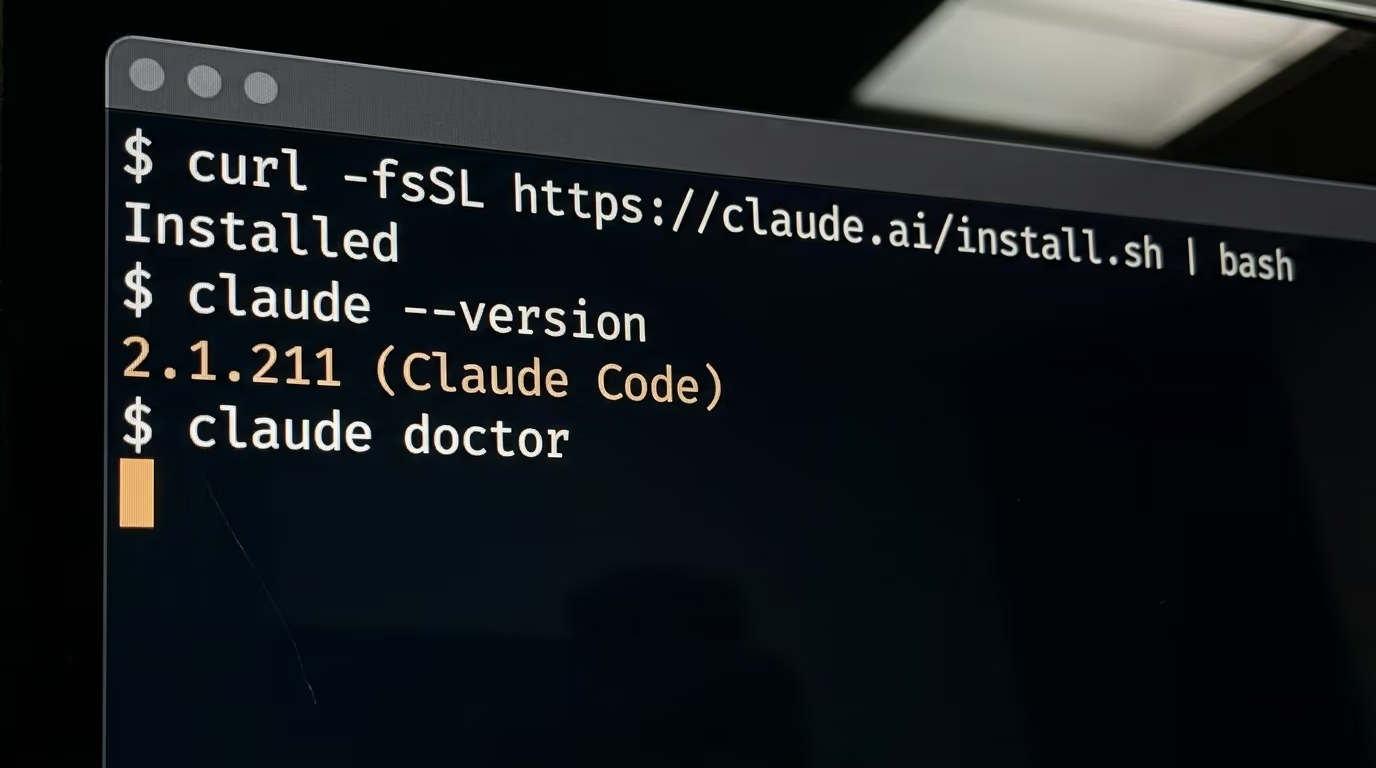
curl -fsSL https://claude.ai/install.sh | bashYou should see the installer finish and print where it put the program. If you have never opened a terminal in your life, Anthropic publishes a terminal guide for beginners that shows where the terminal lives on each system, and it is worth the 5 minutes before you start. On native Windows the same setup page gives a PowerShell line instead, and you run it in PowerShell rather than in the Command Prompt.
irm https://claude.ai/install.ps1 | iexNow check that it answers you. The first line prints a version number, and the setup page shows 2.1.211 (Claude Code) as its example of what that looks like. The second line runs a read only check that validates your settings files and tells you what is wrong with them, which is worth knowing before you add anything to those files.
claude --version
claude doctor
The first time you type claude in a folder, a browser window opens and asks you to log in to the Claude account you pay for, and after that the terminal is where you work. Nothing you do tonight needs a second account or an API credential of any kind.
One optional tool appears in almost every hook example you will find online, jq, which pulls a single value out of the JSON that Claude Code sends to a hook. The guide treats it as something you install rather than something you have, and its troubleshooting section lists jq not found as a known error, which is exactly the sort of gap that makes a tutorial break on step 3. Run the first line below on macOS or the second on Debian and Ubuntu, or skip both and tell the agent to read the JSON with python3 instead.
brew install jq
sudo apt-get install jq
Which 3 hooks should you build first?
Start with the notification, the guard and the diary, in that order, because each one proves something the next one depends on. The notification proves your hooks run at all, which is the question you will have after the first attempt. The guard then shows that a hook can stop the agent mid action, and the diary leaves a trace you can still read hours later.
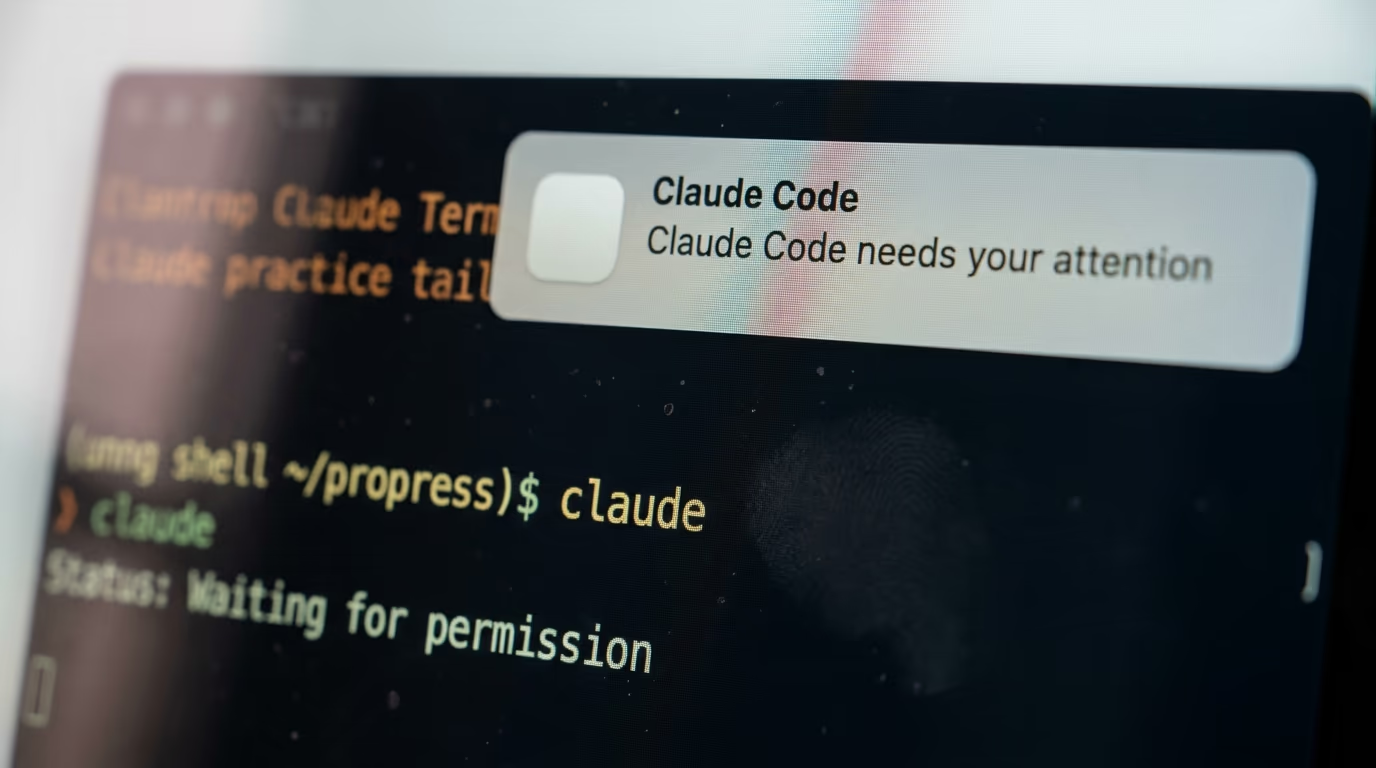
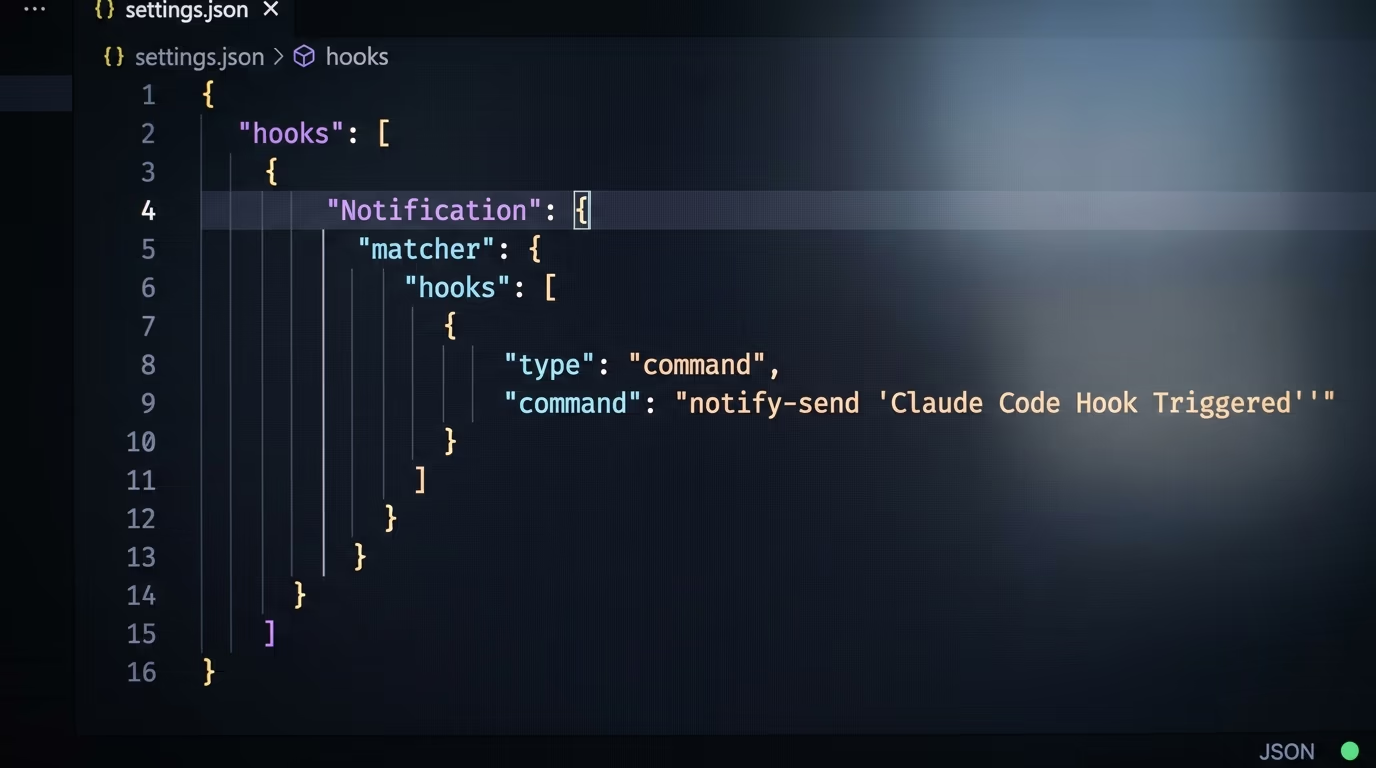
The notification hook fires on the Notification event, which Claude Code sends when it is waiting for your input or your permission. With an empty matcher it fires on every notification type, and the guide lists narrower ones, among them permission_prompt when a permission dialog has been waiting about 6 seconds and idle_prompt when Claude finished about 60 seconds ago and you still have not typed. Here is what the agent writes into your settings file on a Mac, printed so you recognize it when you see it, not so you type it.
{
  "hooks": {
    "Notification": [
      {
        "matcher": "",
        "hooks": [
          {
            "type": "command",
            "command": "osascript -e 'display notification \"Claude Code needs your attention\" with title \"Claude Code\"'"
          }
        ]
      }
    ]
  }
}
Nothing appears in your terminal when this one works, the banner appears on your desktop instead. On a Mac the notification travels through the built in Script Editor app, and if that app has no notification permission the command fails silently and macOS never asks you for it. That is the first wall most people hit, and the reason a lot of them decide hooks are broken.
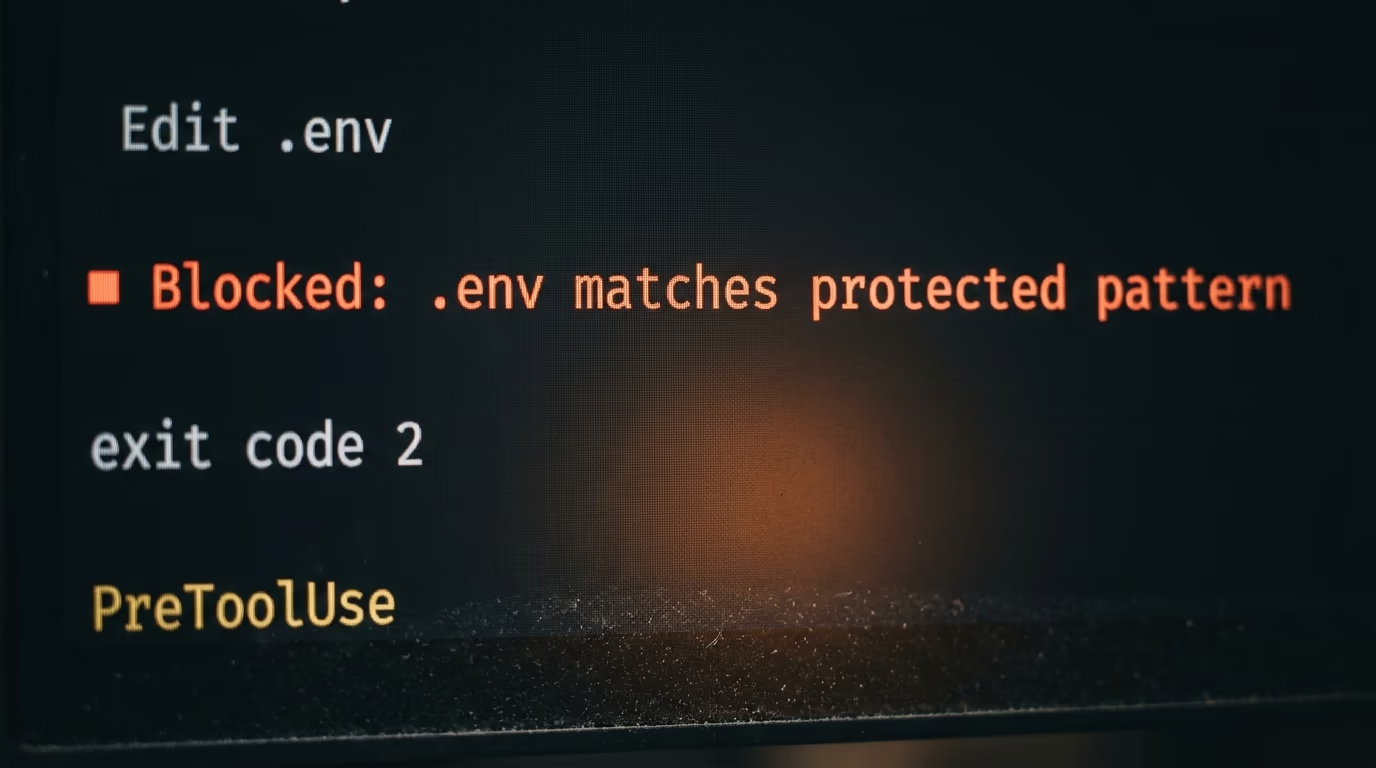
The guard hook fires on PreToolUse with the matcher Edit|Write, so it runs immediately before the agent writes to a file, and it calls a tiny script that exits with code 2 when the path looks protected. Exit code 2 is the single number worth memorizing in this whole system, because it means blocked, and whatever your script prints on the error stream goes back to Claude as feedback so it can try another approach. The honest limit is that Claude can also change a file by running a shell command, so a guard matching only Edit and Write never sees that path, and the guide suggests matching Bash as well or scanning the working tree once per turn with a Stop hook.
The diary hook fires on PostToolUse, after an edit has succeeded, and appends one line per file to a text file in your home folder. It cannot undo anything, because the tool has already run by the time it fires, and that limit applies to every PostToolUse hook. What it gives you is a plain answer to the question you will ask on day 3, which files did this thing actually touch while I was making coffee.
What do you paste into Claude Code to build all 3?
You paste the instruction below into a Claude Code session once and let it work. It is numbered in the order it runs, it tells the agent to read the current documentation before writing anything, and it ends by asking for the undo instructions, so nothing here is a one way door.
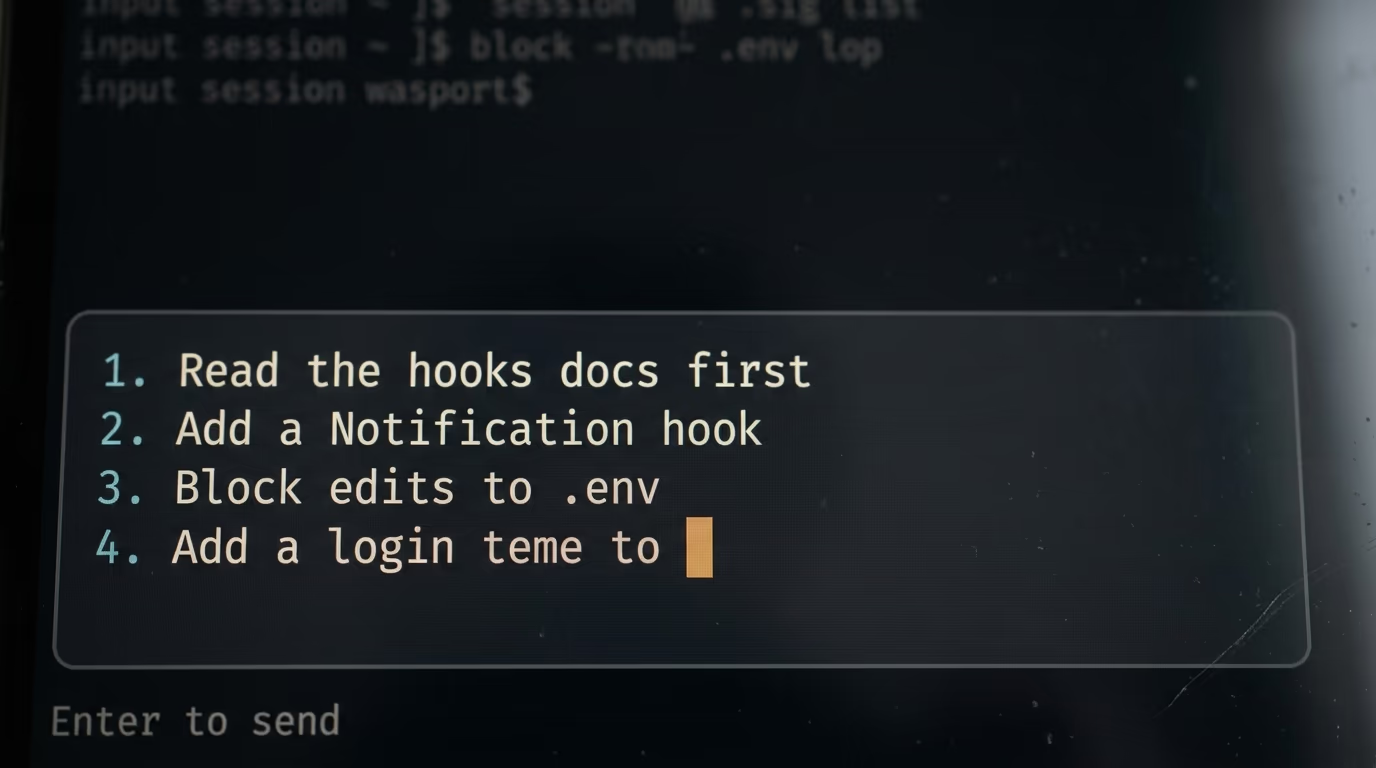
Step 2 takes about 15 minutes, most of it spent watching. Open a terminal in any folder you do not mind touching, type claude, wait for the prompt box, then paste this.
Set up 3 hooks for me in Claude Code. I have never edited a settings file, so do every step yourself, explain each change in one sentence, and test each hook in front of me before moving on to the next one.

1. Before you write anything, read the current hooks documentation at code.claude.com/docs/en/hooks-guide and code.claude.com/docs/en/hooks, because event names and fields change between versions.
2. Tell me which operating system I am on, then put these hooks in my user settings file so they work in every project, and tell me the full path of the file you are editing.
3. Hook 1, the notification. Add a Notification hook that shows a desktop notification saying "Claude Code needs your attention" whenever you are waiting for me, using the command my operating system supports. Then tell me how to trigger it on purpose so I can see it once.
4. Hook 2, the guard. Add a PreToolUse hook matching Edit and Write that runs a small script you write at .claude/hooks/protect-files.sh. The script blocks any file path containing .env, .git/ or package-lock.json by printing the reason to stderr and exiting with code 2, and does nothing otherwise. Make the script executable. If jq is not installed on my machine, read the JSON with python3 instead and tell me which one you used.
5. Hook 3, the diary. Add a PostToolUse hook matching Edit and Write that appends one line per edited file to a file called claude-edits.log in my home folder, with the date and the file path.
6. Keep all 3 under one hooks object, each event as its own name, and never replace a hooks block that already exists.
7. Check that the JSON is valid, then ask me to type /hooks and confirm I can see Notification, PreToolUse and PostToolUse in the list with a count next to each.
8. Test all 3 in front of me. Trigger the notification, try to edit a file named .env in a scratch folder and show me the block message, then edit an ordinary test file and show me the new line in the diary.
9. Print every file you created or changed, in full, so I can read it myself.
10. Finish by telling me, in one short paragraph, how to undo everything you just did.
Expect 2 or 3 questions along the way, usually which operating system you are on and whether you want the hooks everywhere or only in this project. Answer those in plain English, there is no syntax to get right and no menu to find.
When it finishes you should have 3 things on disk, a hooks block inside the settings file in your home folder, a small guard script inside the project's .claude folder, and a diary file waiting for its first line. The last 2 numbered steps matter more than they look, because a beginner who can read the files back and undo them in one move is a beginner who will keep experimenting. This is the same posture behind the nightly SEO agent, where the agent writes and tests its own scripts from one long instruction.
How do you check a hook really fired, and what breaks first?
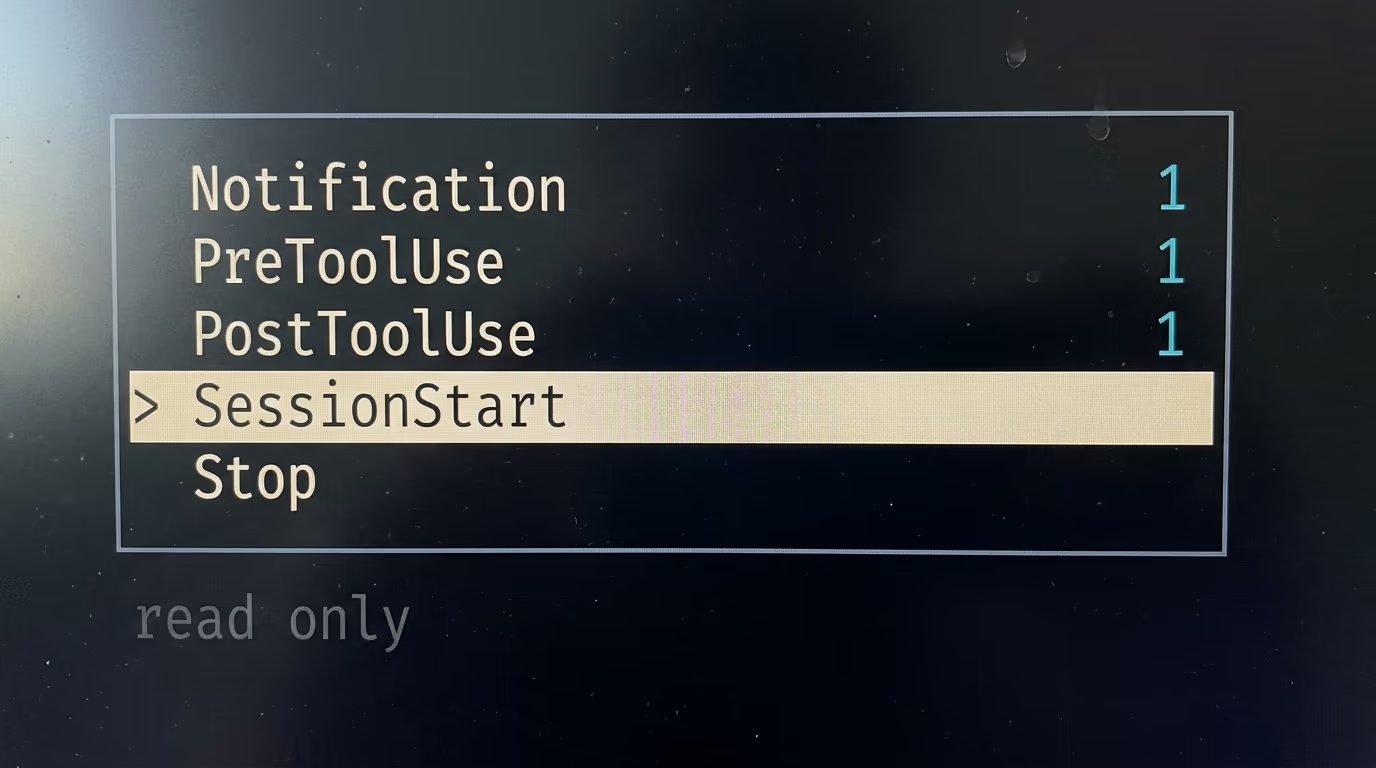
Step 3 takes 5 minutes and it is the one nobody skips twice. Type /hooks in Claude Code and it opens a read only browser listing every event with a count of the hooks configured on it. Selecting one shows the event, the matcher, the type, the source file and the command, labeled with where it came from, User Settings, Project Settings, Local Settings, a plugin or the session itself.
The confusing thing about a working hook is that it shows you nothing at all. Press Ctrl and O together to open the transcript view, and a successful run leaves no trace there unless the hook itself printed something. To watch the plumbing instead of guessing, start Claude Code with its debug log going to a file you choose.
claude --debug-file /tmp/claude.logOpen a second terminal window and follow that file with tail, and you will see which hooks matched, what they printed and what they exited with. If your session is already running, type /debug instead and it turns logging on and tells you where the file is.
tail -f /tmp/claude.log5 walls account for most first night failures, and each one has a tell you can recognize.
- The transcript says command not found, which means jq or your script is missing, so install it or point the hook at an absolute path.
- Nothing happens at all, so check the matcher spelling, because matchers are case sensitive and Edit is not the same as edit.
- The menu shows no hooks after you edited the file, which usually means the JSON is invalid, and one trailing comma is enough to do it.
- Your script runs but its JSON is ignored, which happens when your shell profile prints a greeting that lands in front of the output.
- Claude keeps working and refuses to stop, which is a Stop hook blocking in a loop, and Claude Code overrides it after 8 consecutive blocks.
The 4th one is the failure that wastes an evening, because it leaves no trace anywhere. Hooks run in a shell that is not interactive, but some setups still read your profile anyway, so an unconditional greeting in your .zshrc gets glued in front of your hook's JSON, the output no longer starts with an opening brace, and Claude Code quietly treats the whole thing as ordinary text. The documented fix is to wrap that greeting so it only runs in an interactive shell.
One more thing worth knowing before you build anything ambitious, the timeouts are not the same for every type. A command hook gets 10 minutes, a prompt hook gets 30 seconds, an agent hook gets 60 seconds, and hooks on the UserPromptSubmit event get 30 seconds whatever their type, because nobody wants to wait 10 minutes after pressing Enter.
Is it safe to run a hook you copied from the internet?
A hook you copied is exactly as dangerous as a shell script you copied, and the hooks reference says so in its own warning box rather than burying it in a footnote.
Command hooks execute shell commands with your full user permissions. They can modify, delete, or access any files your user account can access. Review and test all hook commands before adding them to your configuration.
There is one detail on that page almost nobody repeats, and it matters the day you point the agent at somebody else's repository. In an interactive session Claude Code holds back hooks from every settings file, including your own, until you accept the workspace trust dialog for that folder. In a headless run started with the -p flag no dialog exists, the folder is treated as trusted, and hooks committed inside a repository's .claude folder run in a folder you have never trusted.
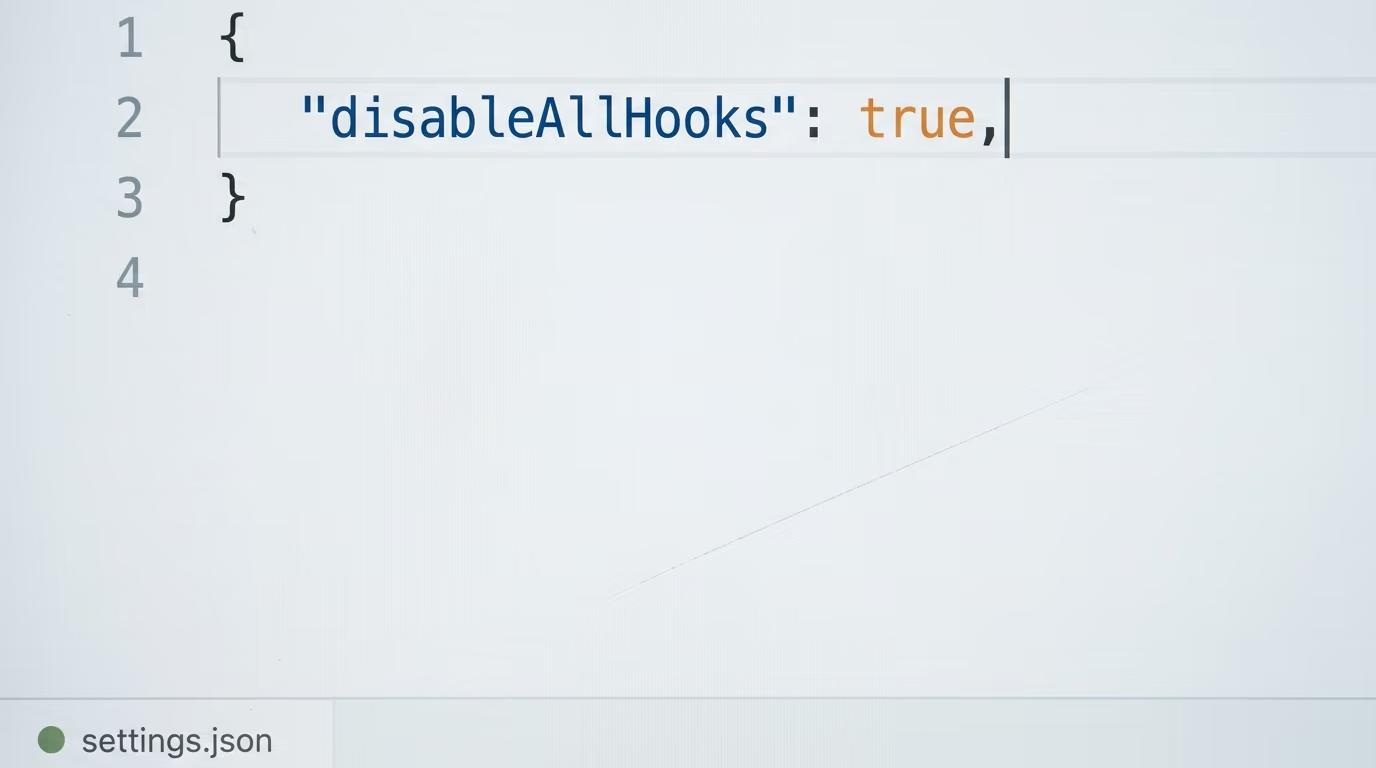
The cure is to look before you run. Read the .claude folder of any repository you did not write, or start that run with hooks turned off, which is one flag carrying a small JSON value.
claude --settings '{"disableAllHooks": true}'That flag wins over the project's own settings for that run only. To switch hooks off on your own machine instead, put disableAllHooks with the value true in your settings file, which doubles as the fastest way to prove that a misbehaving hook is what is breaking your session.
The reference's own practices are short enough to apply to anything you copy. Quote your shell variables, refuse any path containing 2 dots so nobody walks out of the folder, use absolute paths for scripts, and skip sensitive files such as .env and .git. One rule of the system is worth having in your head as well, a hook can tighten what Claude may do but never loosen it, so a hook answering deny blocks the tool even in bypass mode, while a hook answering allow still cannot get past a deny rule in your settings.
Where do hooks stop, and what should you do in week 1?
A hook is the right tool when the same thing must happen every single time, and the wrong tool when the decision needs judgment. For judgment there are 2 neighbors, and confusing them is how people end up building hooks that fight the model instead of helping it.
Claude Skills are instructions and scripts the model loads when a task matches, which suits anything that should happen usually rather than always. Claude Code subagents hand a job to a separate session with its own context, which suits work too big to sit in the middle of your main conversation. A hook is neither of those, it is a rule your computer keeps on your behalf, and it is also the wiring you would use to send an alert or a log into something larger, such as an MCP server you built yourself.
In week 1, run 1 hook and nothing else. Live with the notification for 2 days and notice how often you walk away from the terminal without knowing the agent is waiting for you, then add the guard once you trust that the first one fires. Read the diary file at the end of the 3rd day, because that file is the honest record of what the agent did while you were doing something else, and it is usually the moment somebody decides which second hook they actually want.
The genuinely annoying step, the one that takes longer than a minute, is the desktop notification permission on macOS, because it fails without any message at all. Run the notification command once in Terminal so the Script Editor app appears in the list, open System Settings then Notifications, find Script Editor, turn Allow Notifications on, then run it again to confirm. That detour costs 5 minutes and it is the only tedious step in the whole evening.
Hooks are the smallest useful thing you can bolt onto a coding agent, and 3 of them turn a session you have to watch into a session that reports to you. Once the diary has a few days in it, the next hook tends to write itself, because you can finally see what the machine keeps doing that you would rather it did differently.
Questions people ask
What are Claude Code hooks used for?
Claude Code hooks run a command of your choosing at a fixed moment in a session, so something always happens instead of happening when the model remembers. The common uses are a desktop notification when the agent is waiting for you, a block on edits to protected files such as .env, a formatter after every edit, and a log of everything the agent touched.
Where do Claude Code hooks live on my computer?
The 2 locations that matter are the settings file in your home folder, which applies to every project on that machine, and the settings file inside a project's .claude folder, which applies to that project and can be committed for your team. The reference lists 7 locations in total, including plugins, skills and subagent files.
Do hooks cost anything on top of my plan?
A command hook costs nothing extra, because it runs on your own computer and never calls a model. The prompt handler and the agent handler are the exceptions, since the guide says both send the event to a Claude model to decide, Haiku by default for a prompt hook. Claude Code itself needs a paid plan, from $20 a month on Pro billed monthly.
Why is my hook not firing?
Check the 3 usual causes in order. Type /hooks and confirm the hook is listed under the right event, check the matcher spelling because matchers are case sensitive, and check that your JSON is valid, since a single trailing comma stops the whole file from loading. If it is listed and still silent, start with the debug log and read what the hook printed.
Can a hook stop Claude from editing a file?
Yes, a PreToolUse hook that exits with code 2 blocks the tool call before it runs, and the message your script prints on the error stream goes back to Claude as feedback so it can try something else. A PostToolUse hook cannot do this, because the tool has already run by the time it fires.
How do I turn every hook off at once?
Put disableAllHooks with the value true in your settings file, or pass the same setting as a flag when you start a single session. That flag takes precedence over the project's own settings for that run, which is what you want before running the agent over a repository somebody else wrote.
Do Claude Code hooks work on Windows?
Yes, on Windows 10 1809 or later, and the documentation gives a PowerShell notification example next to the macOS and Linux ones. A command hook can also be told to run in PowerShell with a shell setting, and you can run the whole thing inside WSL instead, where you install and start Claude Code from the WSL terminal rather than PowerShell.