TutorialsSeptember 12, 202613 min read
Slopsquatting, and how to check a package before you install it
AI agents flooded RubyGems with packages in May. Models invent package names about 1 time in 5. Here is the 10 second check, and the checker your coding agent writes tonight.
Slopsquatting is when somebody registers a package name that an AI model invented, so the install command your assistant just wrote lands on a stranger's code instead of an error message. The check that stops it takes 10 seconds, costs nothing, and runs with a tool you already have if you have ever installed anything at all.
That check matters more this morning than it did a week ago. On Friday, researchers published a report saying AI agents uploaded more than 2,000 packages to RubyGems over 2 days in May, and OpenAI replied that its agents had used the platform for benign tasks. Whatever you make of that exchange, registries now receive machine written packages faster than any human reviewer reads them, and the second before you press Return is the last moment anybody looks at the name.
What is slopsquatting, and why does the name matter?
Slopsquatting is the practice of registering a package name that a language model hallucinated, so that an install command written by an AI downloads somebody's code instead of failing. Seth Larson, the security developer in residence at the Python Software Foundation, coined it in April 2025, joining AI slop to typosquatting, the older trick of registering names that look like popular ones and waiting for a typo to arrive.
The trick works because invented names repeat themselves. Researchers who tested code generating models on the same questions found that 19.7% of the packages those models recommended didn't exist anywhere, which is roughly 1 name out of every 5 they hand you. For anybody hoping this is random noise, when the same question was repeated 10 times, 43% of the invented names came back in every single answer.
That repetition is the whole opening, because somebody with an afternoon and a laptop can sit with a model, collect the names it keeps inventing, register them on a public registry and wait for the next person to be handed the same suggestion. None of that requires breaking into anything, because publishing a package under an unclaimed name is a normal, free and documented action that registries are built to allow.
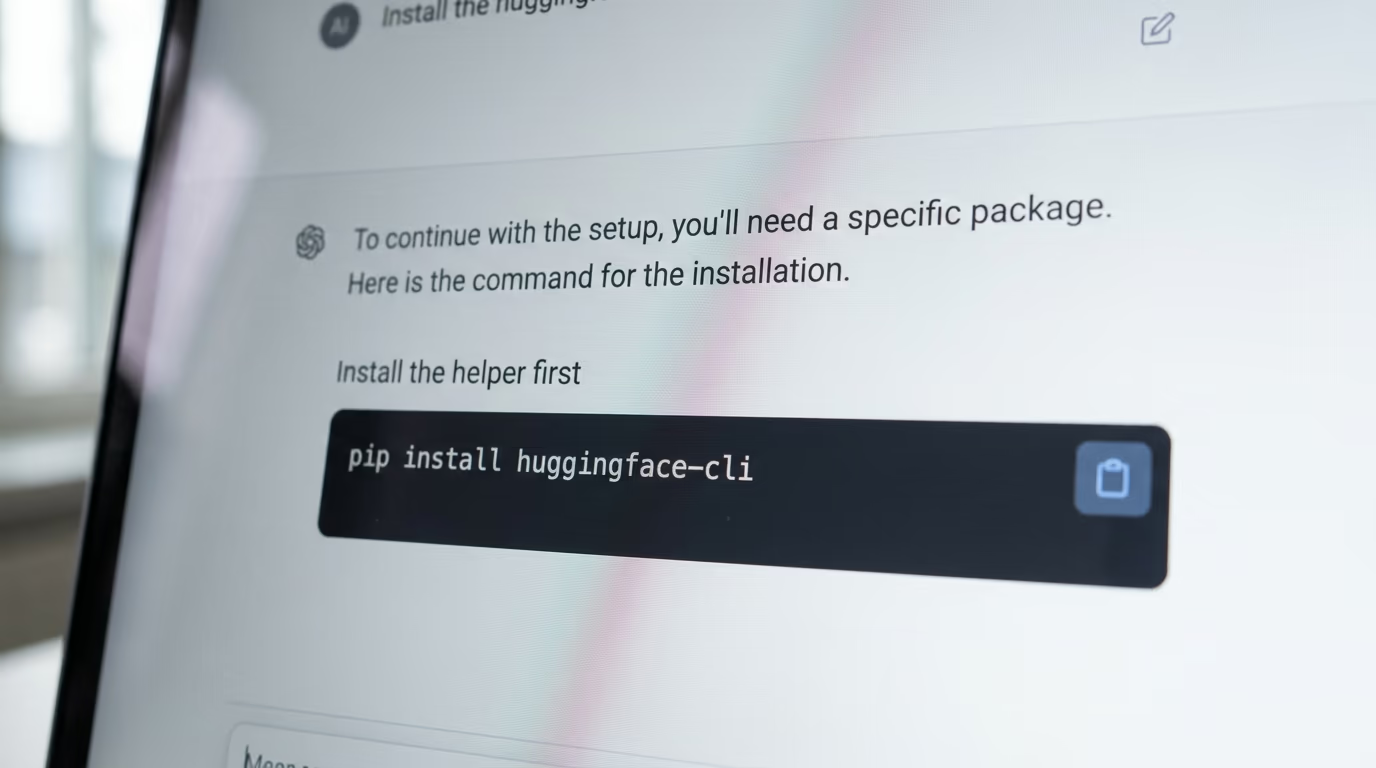
Somebody tested the setup in the friendliest way possible. Bar Lanyado, a researcher at Lasso Security, noticed that models kept recommending a Python package named after the Hugging Face command line tool, and the name pointed at nothing. He uploaded an empty package under it and wrote that it collected more than 30,000 downloads in 3 months, every one of them from a person or a script that trusted the name in front of them.
Assistants invent names because they are pattern machines rather than catalogues, which is the same reason they invent function arguments that read perfectly and do nothing. Some models do it far less than others, and we ranked the ones that write code for a living in the best AI agents for coding.
What happened at RubyGems, and what does OpenAI say about it?
On Friday, 3 researchers, Spencer Kitts, Thomas Larsen and Sydney Von Arx, published a report saying that AI agents run by OpenAI uploaded thousands of packages to RubyGems, the registry every Ruby program installs from, over 2 days in May. RubyGems turned off new account signups while it deleted them, then turned signups back on a few days later with extra checks in place.
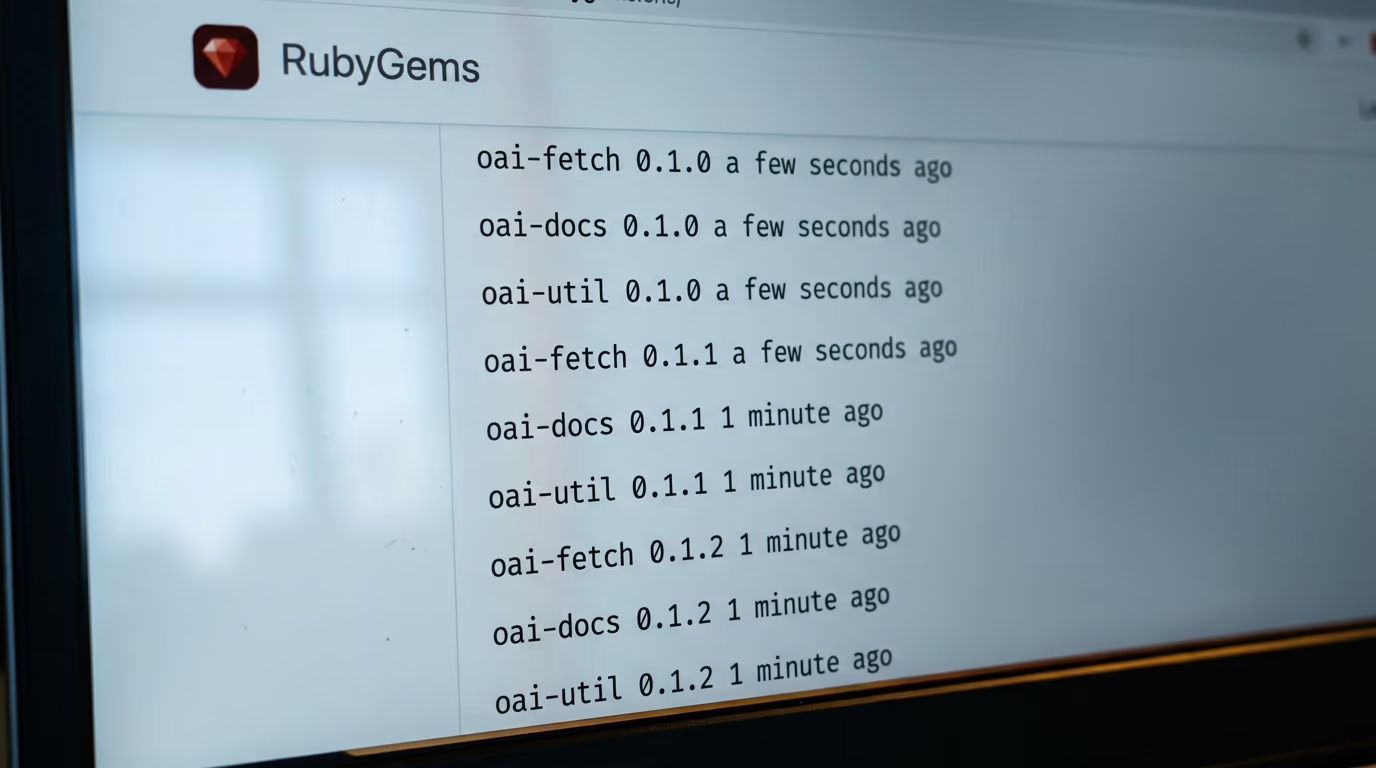
The evidence in the report is circumstantial and it is also specific. Hundreds of the uploaded packages carry the letters oai inside their names, a handful list oai as the author, one lists a contact address with openai in it, and the code reads as machine written.
What the packages did is the more useful lesson for anybody who installs software. RubyGems builds documentation automatically for anything published to it, and that build step could be pointed at a script chosen by whoever published the package, so uploading a package could make the registry's own machines run code. A few went further and tried to collect other people's publishing credentials through a caching flaw the registry patched in July.
OpenAI has answered the report, telling reporters this week that, based on its review, its agents used the RubyGems platform to access the internet to carry out benign tasks and retrieve public information, and that the activity sits inside a broader review of agent behavior during training and evaluation. RubyGems, for its own record, says it could not determine whether the packages in that spam publishing campaign were created or published by AI agents at all, and that it found no evidence the attempt on credentials succeeded.
3 accounts of the same week, and they don't cancel each other out. Nobody disputes that the packages arrived in volume, or that volunteers spent their weekend deleting them. Slopsquatting and that flood are 2 different problems, one about a name a model invents and one about volume arriving faster than anyone reads, and they meet in the second where you run an install command you didn't write.
What do you need tonight, and what does it cost?
You need a computer, Node.js installed, and about 30 minutes. The manual check costs nothing and works on any machine, and the only optional purchase is a coding agent to write the automatic checker for you while you watch it work.
Node.js is the free runtime that installs npm alongside it, and npm is the command this whole article leans on. You can get it from the Node.js download page, where the button marked LTS is the one you want, because LTS is the version they support for the longest. On Mac and Windows it is an ordinary installer you double click.
- Node.js, free, which brings npm with it
- A terminal, already installed on every machine
- Optional, a coding agent such as Claude Code, included in the Claude Pro plan at $20 a month
Everything else here uses public web addresses that need no account, no card and no signup. If a tutorial ever asks you to create an account to find out whether a package name exists, close the tab, because the registries answer that question free to anybody who asks.
| What you ask | How you ask it | What a bad answer looks like |
|---|---|---|
| Does this name exist at all | npm view NAME | npm error code E404 |
| How old is the package | npm view NAME time.created | a date from last month |
| Who publishes it | npm view NAME maintainers | 1 account with nothing else on it |
| Does it run code when installed | npm view NAME scripts | a postinstall line |
Those 4 questions are the entire method, asked by hand in a few seconds for a single name, and automatically for a whole list.
How do you check a package name in 10 seconds?
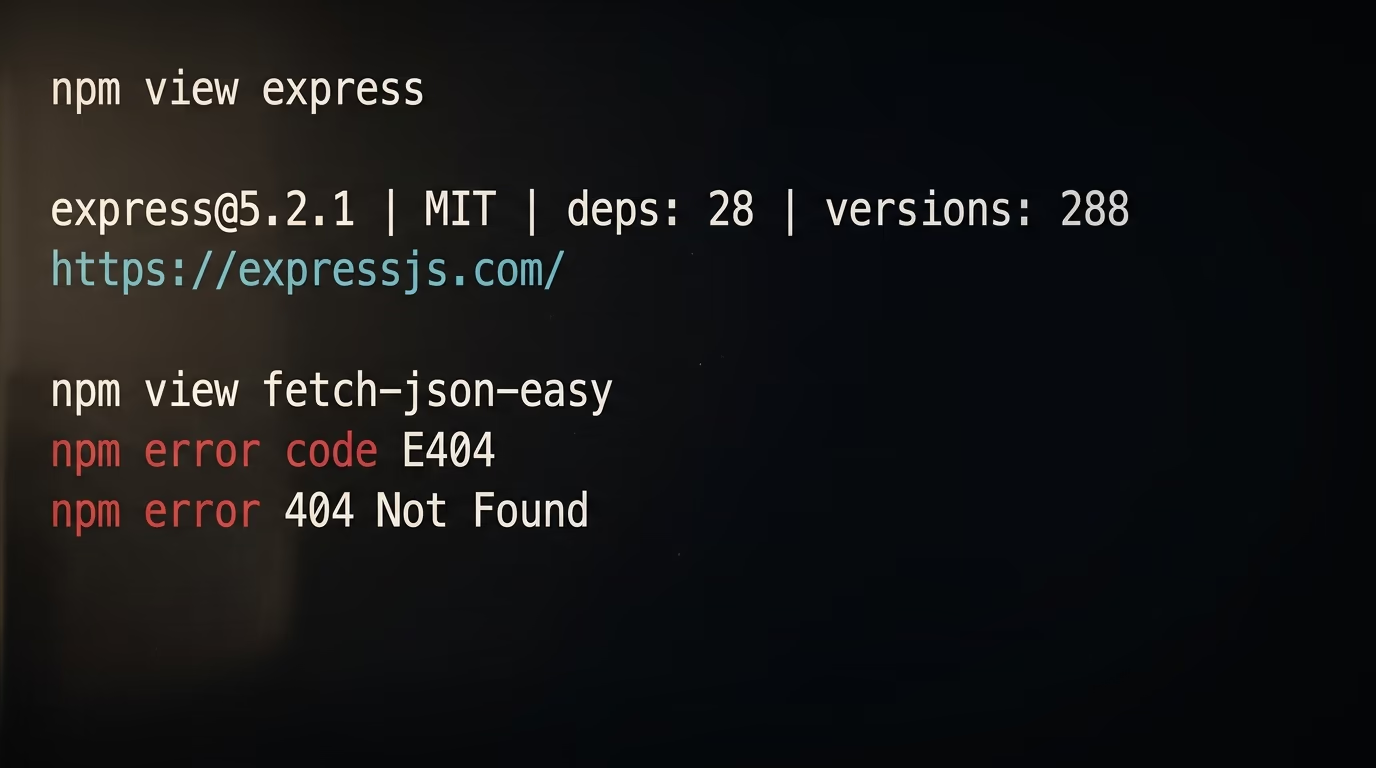
Open a terminal, type npm view followed by the package name, and press Return. A name that exists answers with a block giving its version, its license and its maintainers, and a name that was invented answers with npm error code E404, which is the registry saying it has never heard of it.
Opening a terminal is the step that stops most people. On a Mac, hold Command and press Space, type Terminal, and press Return. On Windows, open the Start menu, type PowerShell, and press Return. On most Linux desktops, holding Ctrl and Alt and pressing T opens one.
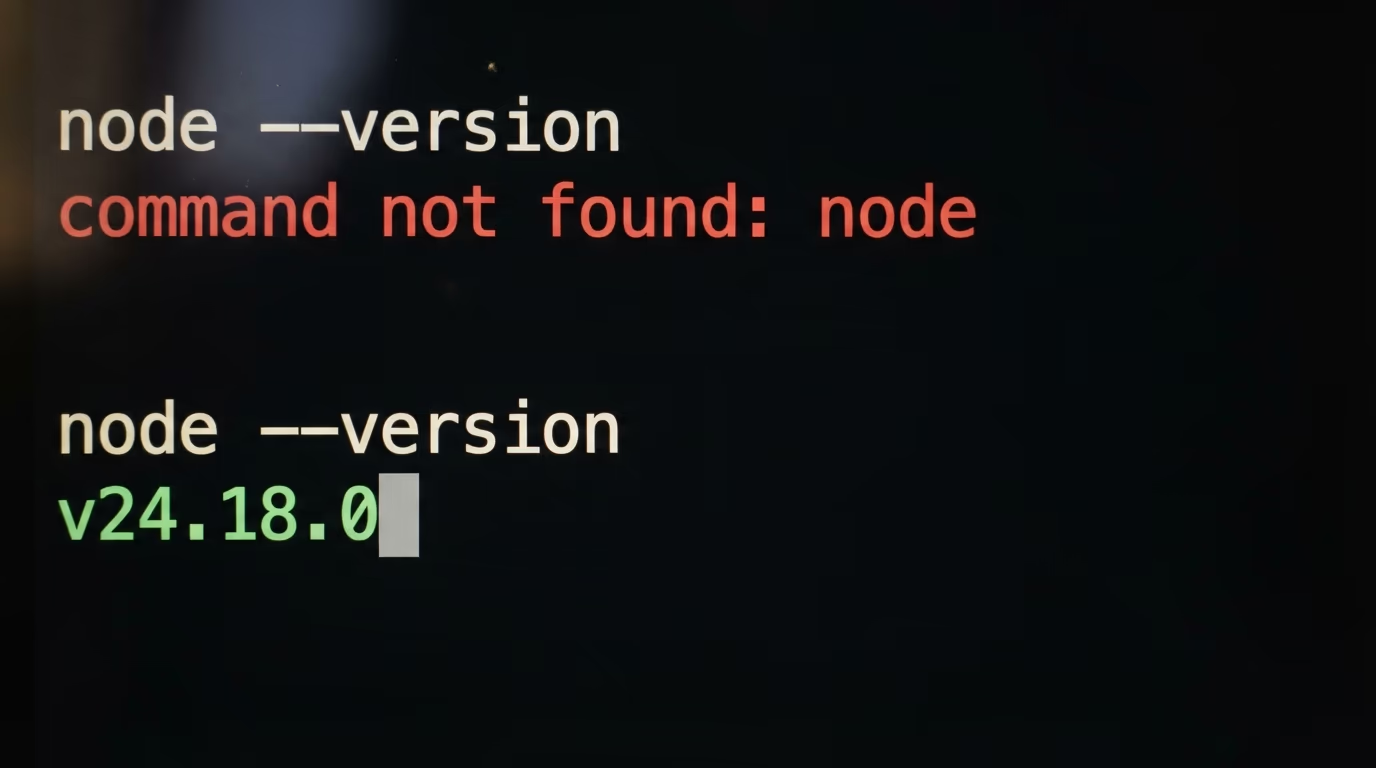
Start by checking that Node.js is on the machine at all, which takes 2 minutes including the download if it is missing.
node --versionA line like v24.18.0 means you're ready. If the terminal answers command not found, Node.js isn't installed yet, so use the download page above, then close the terminal window and open a fresh one.
Now ask the registry about a name you know is real, which is the shape of a good answer you can compare everything else against.
npm view expressThe answer opens with the package name, its version, its license and how many versions it has published, then lists the project address and the people who maintain it. That block is what a real, maintained, widely used package looks like from the outside.
Now ask about a name that doesn't exist. I made this one up while writing, and you can invent your own by mashing 2 ordinary words together.
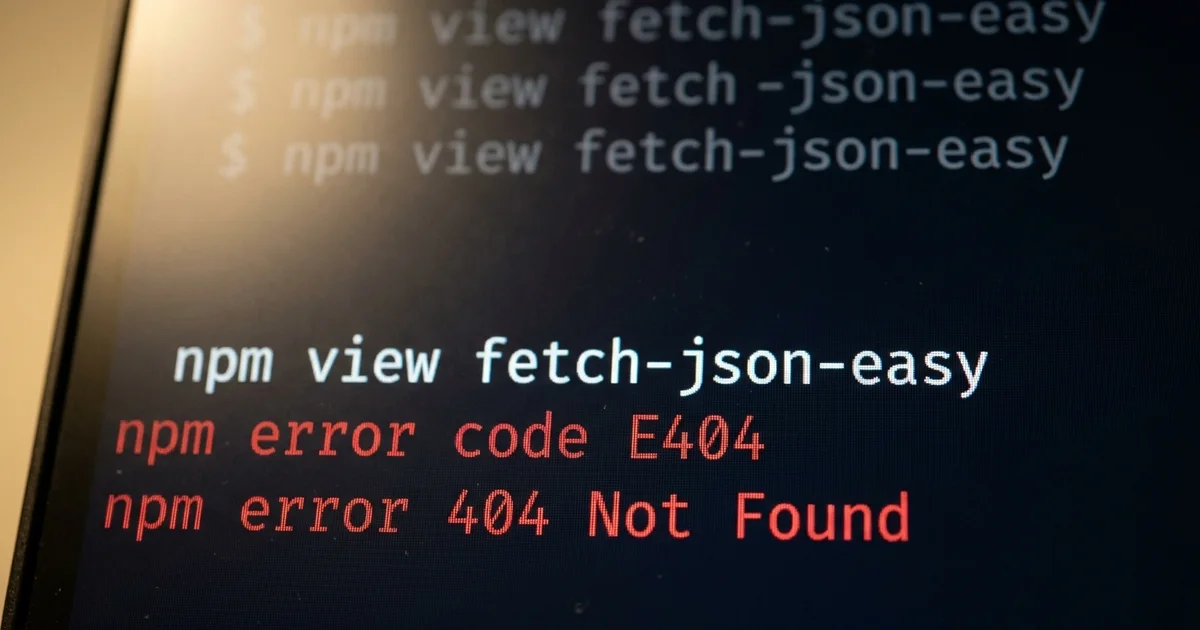
npm view fetch-json-easyThe answer is npm error code E404, and the line under it says Not Found. When you get that after an assistant handed you an install command, stop there, because the name has never been published, and the day somebody registers it, that same command installs their code on your machine.
2 warnings, because a check you misread is worse than no check. A package published inside a company scope, written with an at sign and a slash, also answers E404 when you are not logged in, so a private name proves nothing. And a name that exists isn't automatically safe, which is why the 2 questions below matter as much as the first.
Ask when the package was first published and who publishes it, in a single line. For a handful of names this takes 3 minutes.
npm view express time.created maintainersFor express that prints a creation date from 2010 and a list of maintainers with their addresses, which is what a long lived library looks like. If your assistant calls a package the standard way to do something and the registry says it appeared 3 weeks ago under an account with nothing else on it, the assistant is describing a world that doesn't exist.
One more signal lives in a browser rather than a terminal. Open the package page on npm, for example the page for express, and read the weekly downloads figure in the right column. A package your assistant calls popular, with a download count you could count on your fingers, is either brand new or not the thing it thinks it is.
How do you stop an install from running code on your machine?
Add the flag that turns scripts off to your install command, and npm will not run the install hooks a package declares. The npm documentation for that setting says, in one line, that npm does not run scripts specified in package.json files.
Most people never learn that installing a package can run code before they use a single line of it. A package can declare a script that fires the moment its files land on your disk, which is reasonable for projects that download the right compiled binary for your system, and a gift for anybody with worse intentions.
You can see the mechanism on a package you probably already depend on without knowing it.
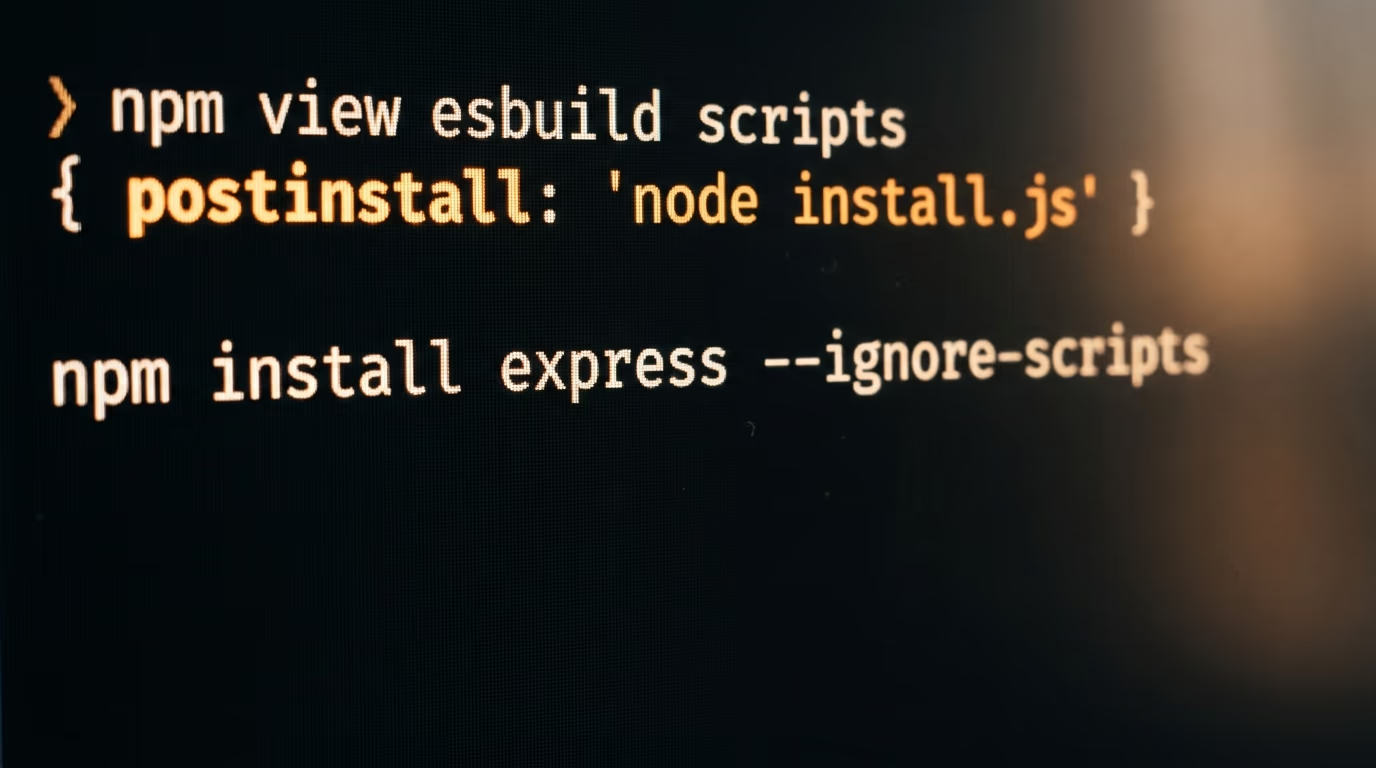
npm view esbuild scriptsThis morning that answers with a postinstall entry running a file called install.js, which means installing esbuild runs that file on your machine. Nothing is wrong with esbuild, and that's the useful lesson, because the honest and the hostile walk through the same door.
Turn it off for a single install like this, and read the flag as an instruction to unpack the files without letting them speak.
npm install express --ignore-scriptsNothing else about the install changes. The files land, your dependency list updates, and the hooks stay quiet until you decide otherwise.
Here is the failure to expect, and it will happen to you eventually. Packages that genuinely need their install script, esbuild and sharp among them, install happily and then fail when you run your app, usually with a message about a missing binary. The fix is to install that one package again without the flag, once you have looked at what its script does, rather than giving up on the flag for everything else.
If you want it permanent rather than per install, set it as your default and forget about it.
npm config set ignore-scripts trueEvery install behaves that way until you run the same line with false at the end. Some people leave it on for months and only notice when a build tool complains, which is a fair trade for knowing nothing runs at install time without your say so.
How do you get a coding agent to build the checker tonight?
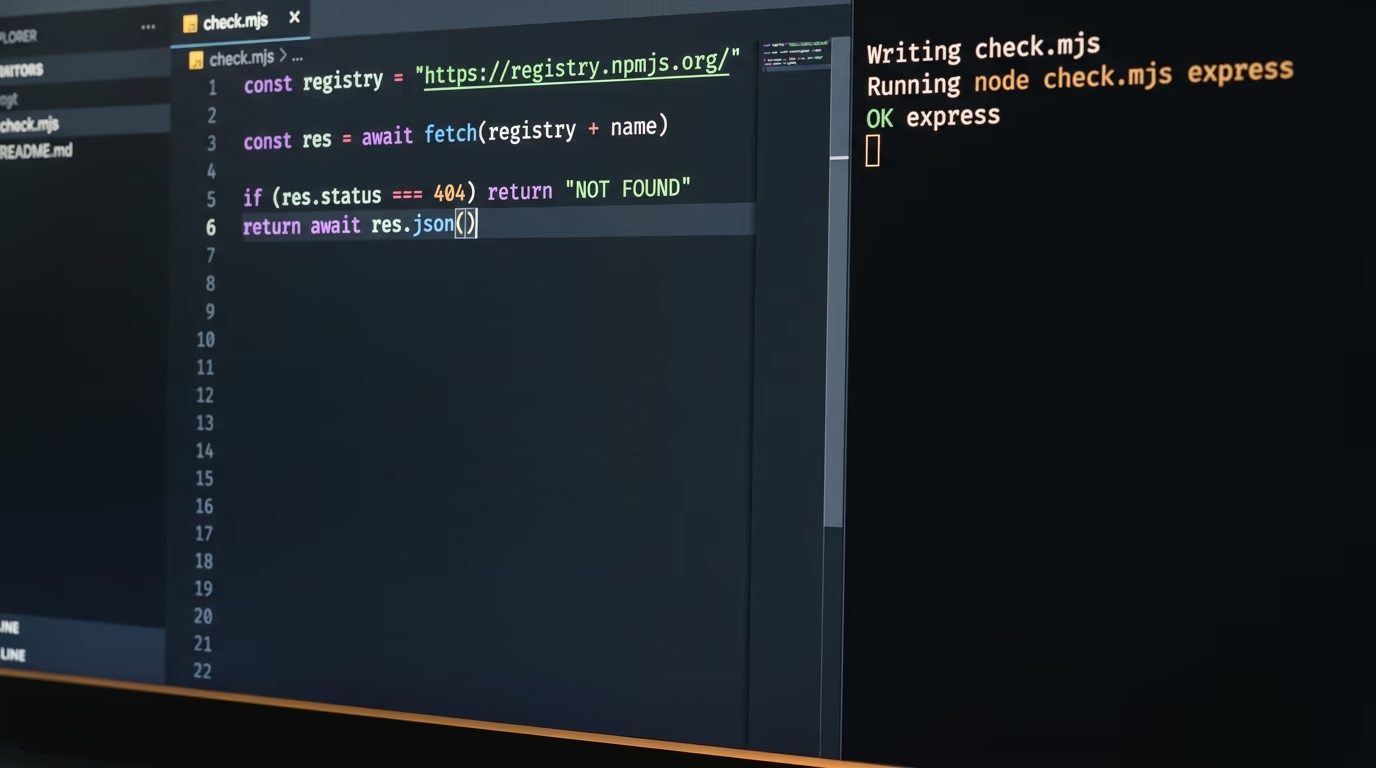
Paste the prompt below into a coding agent and it writes the checker for you, which takes about 15 minutes including the test run. The checker takes a list of package names, asks the public registries about each one, and prints a verdict line per name, so you can paste a dozen names out of an assistant's answer and read the result in one go.
Which agent you use barely matters. Claude Code comes with the Claude Pro plan priced in the list above, OpenAI's Codex is the other common choice, and we put the 2 against each other in Claude Code against Codex. If you would rather pay nothing, paste the same prompt into a free chat assistant and save the file it writes yourself.
The long block below is the only thing you copy. The file, the error handling and the test run are the agent's job, which is exactly why a beginner can finish this in an evening while a shell script would stop them at the first quotation mark.
Build me a package name checker. Work step by step and tell me what you are doing at each step.

1. Make a folder called package-check in my home directory and work only inside it.
2. Write one file called check.mjs that I run like this: node check.mjs express esbuild some-name-i-made-up
3. For every name I pass, ask the public npm registry at https://registry.npmjs.org/NAME and the public PyPI service at https://pypi.org/pypi/NAME/json. Both are free and need no account.
4. When both answer 404, the name is not published anywhere. Print NOT FOUND in capitals for that name, on its own line.
5. When the name does exist, read and print the newest version, the date it was first published, how old that is in days, how many versions it has, how many maintainers it has, and whether the published package declares a preinstall, install or postinstall script.
6. Also read the weekly download count from https://api.npmjs.org/downloads/point/last-week/NAME and print it with thousands separators.
7. Print the word CHECK at the start of the line when any of these is true: the name is not found, the package is younger than 90 days, it had fewer than 1000 downloads last week, or it declares an install script. Print OK otherwise.
8. Never install anything and never run code from any package. Only read from the web addresses above.
9. Keep going when a name does not exist, when the network fails or when a registry asks you to slow down, and never stop the whole run because of one name.
10. Write every line of output in plain English that somebody who does not code can read, with no colours and no symbols.
11. Test it on these 3 names and show me the output: express, esbuild, and one name you invent that cannot possibly exist.
12. Then print the exact command I type to check new names, and save that same line in a README.md file in the folder.
Paste it, then answer the questions the agent asks you along the way. When it wants permission to create a folder or to reach those addresses, say yes, because both are public and the checker only ever reads them.
When it works, the output is a stack of plain lines, one per name. The values below are the real answers those 3 names gave this morning.
express          OK         first published 2010-12-29, 288 versions, 5 maintainers,
                            97,295,050 downloads last week, no install script
esbuild          CHECK      declares a postinstall script that runs node install.js
                            on your machine when you install it
fetch-json-easy  NOT FOUND  no package with this name on npm or on PyPI
Read it as a traffic light rather than a verdict. CHECK means one signal is unusual enough to deserve a few seconds of attention, and usually the explanation is boring, a young package by a known author or a build tool that fetches a binary. NOT FOUND is the line that stops you, because a name nobody has ever published is the name somebody is hoping you install tomorrow.
What breaks when you try this, and what do you do?
The most common failure is the terminal answering command not found, which means Node.js isn't installed yet rather than anything being wrong with your check. Install it from the download page, close the terminal window, open a fresh one and run the line again.
The second failure is quieter and more dangerous. A name can exist, look old enough, carry maintainers, and still be somebody's copy of a popular package with a single letter changed or 2 words swapped around. Read the name out loud against the name you meant, and when the package page shows a repository address, open it and see whether there is a project behind it or an empty shell with one commit.
The third failure belongs to Python names. PyPI ignores capital letters and treats some punctuation inside a name as interchangeable, so your checker can report a name as missing when the project is published under a slightly different spelling. When a Python name comes back NOT FOUND, search it on the PyPI website before you conclude anything about it.
The fourth is the checker being annoying rather than wrong. It flags legitimate young packages, it flags anything with an install script, and if you throw hundreds of names at it the registries will ask you to slow down. It also reads the label rather than the contents, so reading the code is a separate job that AI code review tools do better.
The last failure is human and it is the one that gets people. You run the check for a week, then paste an install command at midnight because you are tired and it looked fine. Put the rule somewhere tiredness can't reach it, inside the instructions file your coding agent reads at the start of every session.
What we do not know yet about slopsquatting
No public report names a person or a company that has been hit by a slopsquatting attack. I read the 3 pages Google ranks first for that term this morning, an encyclopedia entry and 2 security company posts, and not one of them names a victim, a date or a package that somebody actually installed and regretted.
What is documented is the setup rather than the crime. The invention rate has been measured, the repeat rate has been measured, and the empty package a researcher uploaded proves that people install a name they were handed. The ingredients are public and cheap, and the evidence of anybody finishing the recipe in the wild is missing, which is worth saying in a week when every vendor blog is selling a scanner.
The RubyGems attribution is thinner than the headlines suggest. The researchers read package names, contact addresses and code style, and concluded the agents belonged to OpenAI. OpenAI says its agents were carrying out benign tasks. RubyGems says it could not determine whether AI agents created those packages at all. All 3 statements can be true at once, and none tells you how many packages arriving at a registry each day were written by software, because nobody publishes that number.
Your own checker has limits worth naming before you trust it. It reads npm and PyPI, so it tells you nothing about RubyGems, Go modules or Rust crates. It reads the label rather than the code, so a well aged package that turns nasty in its next update still passes. And it trusts a download count, which anybody with a script can inflate. It moves you from trusting a sentence an assistant wrote to trusting a public record, and it isn't armour.
What to do before your next install
The habit is smaller than the article explaining it. When an assistant gives you an install command, copy the names out of it, run them through the checker, and only then install, with install scripts turned off until you have decided a package has earned the right to run one.
If you run agents that install things on their own, the rule belongs in the instructions file the agent reads at the start of every session, written in 1 plain sentence telling it to check every package name before installing and to stop when a line says NOT FOUND. Our piece on what the OpenAI Agents API costs covers who is allowed to run those agents today.
Next week the registries will hold more packages than they hold today, and a share of what arrives will have been written and uploaded by software rather than by a person. Nobody is coming to check the name on your behalf, and checking it yourself is 1 line in a terminal.
Questions people ask
What is slopsquatting in plain English?
Slopsquatting is when somebody registers a package name that an AI model invented, so anybody who copies that model's install command downloads their code instead of getting an error. The name joins AI slop to typosquatting, and Seth Larson of the Python Software Foundation coined it.
Has anyone been hacked by slopsquatting yet?
No public report names a victim. Researchers have measured how often models invent package names and how often the same invented name comes back, and a security researcher uploaded an empty package under a name models kept recommending, then watched it collect more than 30,000 downloads in 3 months. Nobody has published a case of a real attack completing through an invented name.
How do I check if an npm package is safe before I install it?
Type npm view followed by the name in a terminal. A name that exists answers with its version, license and maintainers, and a name that was invented answers with npm error code E404. Then look at the creation date and the weekly downloads on the package page, and install with install scripts turned off.
Does npm install run code from the package?
It can, and most people never find out. A package can declare a preinstall, install or postinstall script that runs the moment its files land on your disk, before you use any of its code. Adding the flag that turns scripts off stops that, and the npm documentation says the setting makes npm skip scripts specified in package.json files.
Did OpenAI really attack RubyGems?
Researchers published a report on Friday saying agents run by OpenAI uploaded packages in bulk to RubyGems in May. OpenAI says its agents used the platform to carry out benign tasks and retrieve public information, and RubyGems says it could not determine whether the packages were created or published by AI agents. The attribution is the researchers' reading of the evidence rather than a confirmed finding.
Is slopsquatting only a problem for JavaScript?
No, it reaches every language with a public registry. The research that measured invented package names covered Python and JavaScript, the RubyGems flood hit Ruby, and every public registry accepts uploads from anybody with an account. The checker in this article reads npm and PyPI because both answer for free without an account, and the same 4 questions apply to any registry.