TutorialsOctober 17, 202612 min read
How to review code with Claude Code, and the file that does nothing
Anthropic's team published its own code review setup on 15 October. The command works on any paid plan, and the REVIEW.md file everybody is copying is ignored on your own machine.
To review code with Claude Code, open your project folder in a terminal, start a session, and type /review at the prompt. Claude reads the changes on your branch, looks for bugs in them, and reports each one in your conversation with the file name and the line number, and the command runs on any paid Claude plan, which starts at $20 a month. Nothing else is needed, and the review never touches GitHub.
Today's subject is a post Anthropic published on 15 October, written by Addy Osmani, Morgan Westlee Lunt and Qing Wang of the Claude Code team, about how they review the code of Claude Code itself. It spent yesterday on the Hacker News front page, and Simon Willison quoted it the same day, which is why a lot of developers read it before you did.
Most of what they describe belongs to a company, with several agents hunting bugs at the same time, a verification step checking what they found, and a classifier deciding how many humans have to sign off. One detail from it travels badly to a personal setup. The file they name, REVIEW.md, has no effect on the review you run on your own laptop, and Anthropic's documentation says so in a single line that almost nobody quotes. What follows is the setup that does work on your own machine, tonight.
The shopping list is short, and nothing in it is paid beyond the plan you may already have. A computer running macOS, Windows or Linux, a Claude plan that includes Claude Code, which means Pro or anything above it, and a folder with some code in it. Half an hour, and most of that is Claude working while you read. If you have no code of your own yet, the end of the next section says what to do instead.
By the end you'll have 3 things, and each one outlives the evening. A file of your own review rules that Claude Code reads from then on, 1 command that checks your work before anybody else sees it, and a saved copy of your project from before you started, so nothing in this tutorial can cost you a line of work.
How do you install Claude Code and open your project?
Installing Claude Code takes about 5 minutes and 1 command, whether or not you have ever opened a terminal before. On a Mac, open the Applications folder, then the Utilities folder inside it, and double click the app called Terminal. On Windows, click the Start menu, type powershell, and open the app called Windows PowerShell. A window appears with a line of text and a blinking cursor, and that window is where everything below gets pasted.
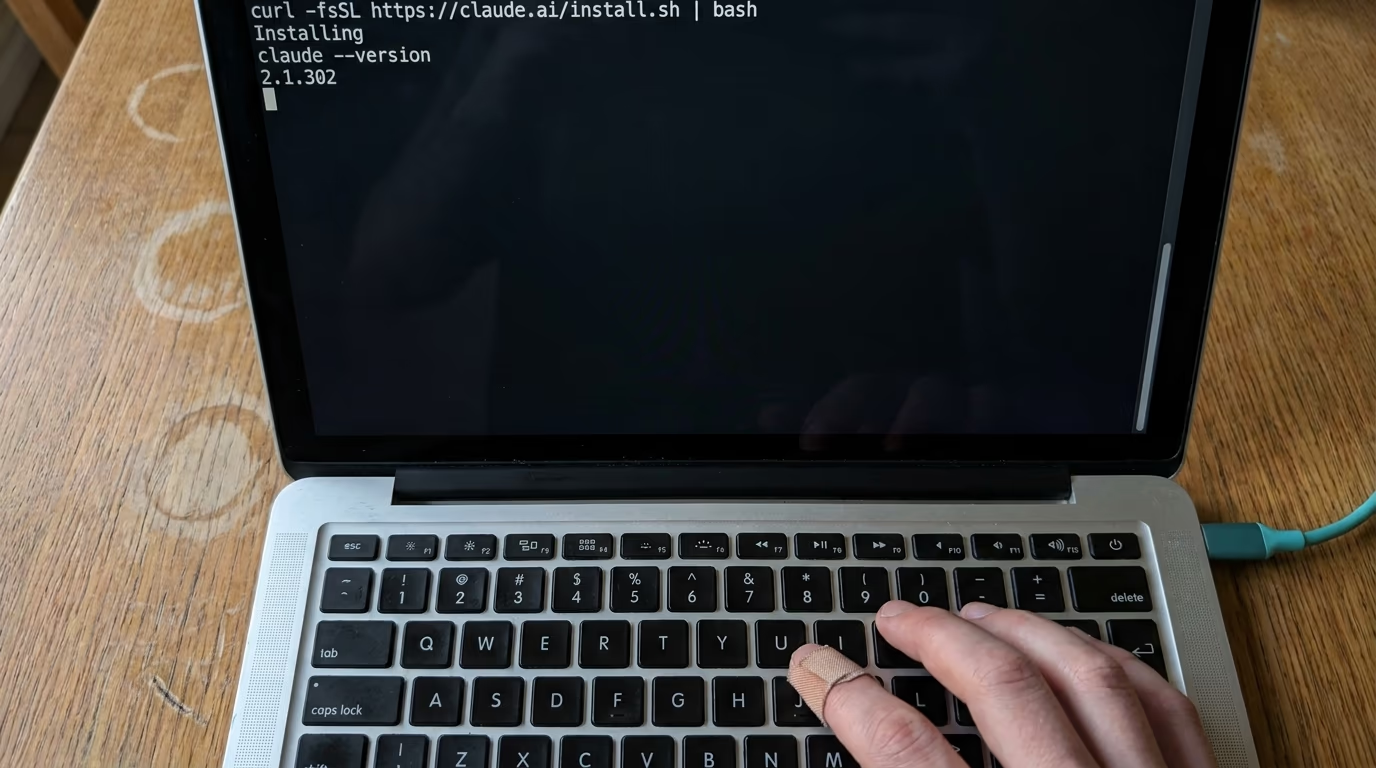
The command below downloads Claude Code onto your machine. Paste it, press Enter, and then wait, because it prints nothing at all while it works.
curl -fsSL https://claude.ai/install.sh | bashOn Windows the command is a different one, and it goes into that PowerShell window instead.
irm https://claude.ai/install.ps1 | iexWhen the installer finishes, close the terminal window and open a fresh one, which is the step people skip before wondering why nothing works. In the new window, ask the program which version it is.
claude --versionA working install answers with a version number. If it answers that the command isn't found, the files are on your machine but your terminal hasn't been told where to look, and Anthropic's page on troubleshooting a Claude Code install matches each error message to its fix. A desktop app for macOS, Windows and Linux exists as well if you would rather click than type, and it runs the same review.
Now point the terminal at the folder your code lives in, using the cd command, which stands for change directory. Type cd and a space, then drag the folder from your file manager onto the terminal window, and the path writes itself.
cd ~/Documents/my-projectThen start a session, which takes a single command and a press of Enter.
claudeThe first run opens your browser so you can sign in, and after that it remembers you. Claude Code needs a Pro, Max, Team, Enterprise or Console account, and Anthropic's setup page states that the free claude.ai plan doesn't include it, so there is no way around paying something. If you have no project of your own to review yet, ask Claude in that session to write you a small script that renames every photo in a folder by its date, let it finish, and review that instead. A review needs changes to look at, and the handful of lines it just wrote is enough to watch the whole loop work.
What do you paste so the review knows what you care about?
A review is only as useful as the rules it was given, so the block below hands Claude Code those rules before any review runs. It is 1 prompt in plain English, you paste it into the session you just opened, and Claude does the work itself, asking you questions along the way. It takes about 5 minutes, and most of that is you answering.
Read it before you paste it, because it also says what Claude must not do. It creates 1 file and changes none of your code.
You are helping me set up a code review loop on this project. Work through these steps in order, and stop after each one to tell me what you did.

1. Check whether this folder is already a git repository. If it is not, set one up and make one commit that saves everything exactly as it is now, so nothing we do next can lose my work. Tell me in one sentence what you did.

2. Read enough of the project to describe it in 3 sentences: what it is, what language it is written in, and how it is run or tested. Show me those 3 sentences.

3. Ask me, one question at a time, what you should always flag when you review my code. If I do not know what to answer, suggest 5 rules that fit a project like this one and let me choose.

4. Write a file called CLAUDE.md at the top of this folder. Put the description from step 2 in it, then my rules from step 3 as a short list under a heading called Review rules. Add one line saying that every review finding must name the file and the line it is about. Show me the whole file before you save it.

5. Do not change any of my code in this session. The only file you create is CLAUDE.md.

6. Tell me to type /code-review myself, and wait for me to do it.

7. When the findings arrive, explain each one to me in plain English before touching anything: what breaks, how somebody would hit it, and what the fix would be. Number them.

8. Fix only the findings I say yes to, one at a time. After each fix, run the project's tests or the command from step 2, and tell me whether it passed.

9. When we are done, add the 2 commands I should run before every push to the bottom of CLAUDE.md, and read them back to me.
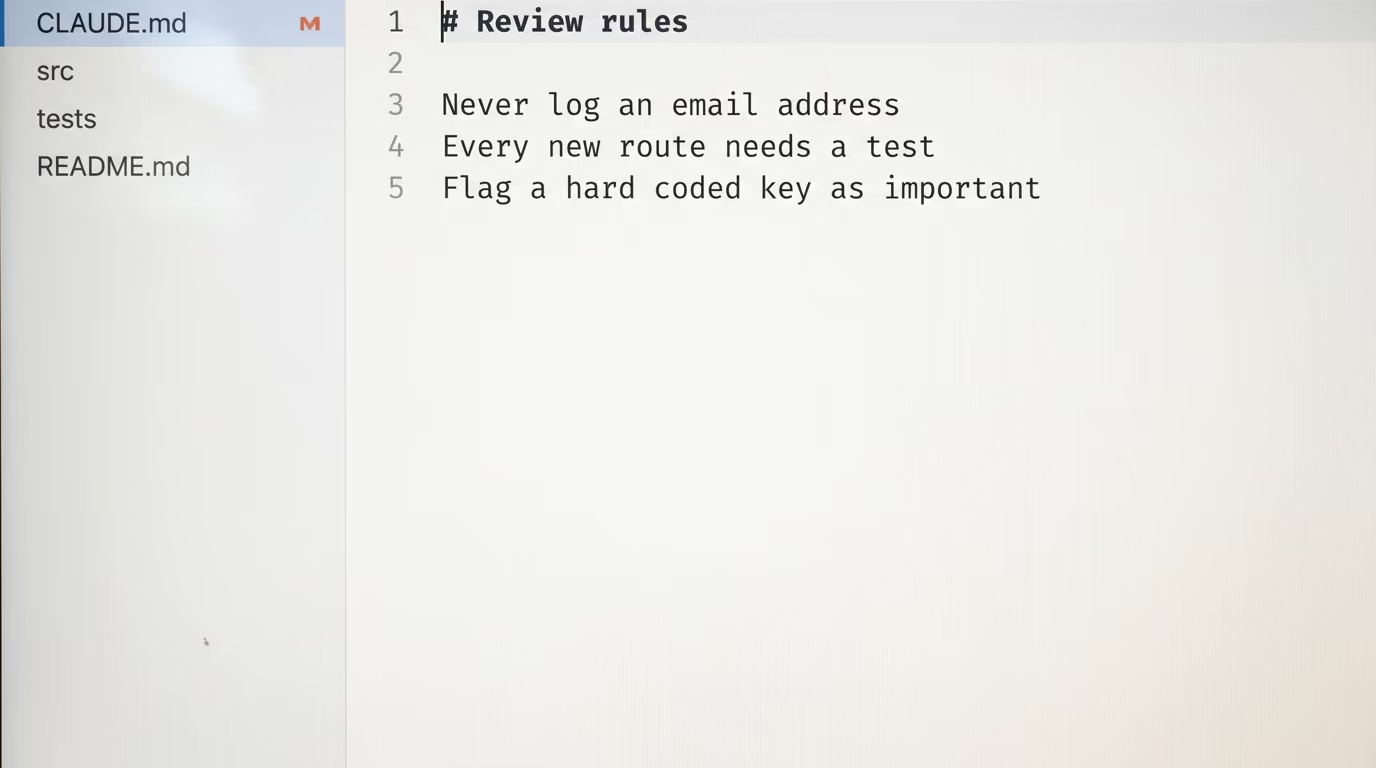
What you should see at the end is a file called CLAUDE.md at the top of your folder, holding a short description of your project and your rules in your own words. Claude Code reads that file at the start of every task in that folder, reviews included, so the rules apply from then on without you repeating them. Anthropic's own version, by their account, tells Claude what the project is built with, which conventions it follows, and what it is deliberately not trying to do.
The rules worth writing are the ones you would say out loud to a new colleague on their first day. Something like never log an email address, or every new route needs a test, is specific enough to catch a real problem. A rule that says write clean code catches nothing at all, so name files and behaviours rather than qualities, and add a line every time a review annoys you.
How do you run the review and read what it found?
You run the review by typing 1 command at the Claude Code prompt, printed below exactly as you type it. With nothing after it, the review covers the commits on your branch that aren't upstream yet plus everything you have changed and not committed, which is what Anthropic's page on the local review says it compares.
/code-reviewThe shorter /review is an alias and runs the same thing, and both follow your CLAUDE.md. The review itself runs as a separate agent with its own memory, so it doesn't crowd your conversation, and the findings arrive in it when they are ready. A small change comes back in under a minute, and a branch holding a week of work can take several.
You can also point the review at something other than your current branch, by typing the target after the command. Anthropic's page lists a pull request number, a branch name, a file path, or a range of commits, and the file path is the useful one on a big project where your branch has touched more than you want read in one go. The block below reads a single folder and ignores everything else.
/code-review src/auth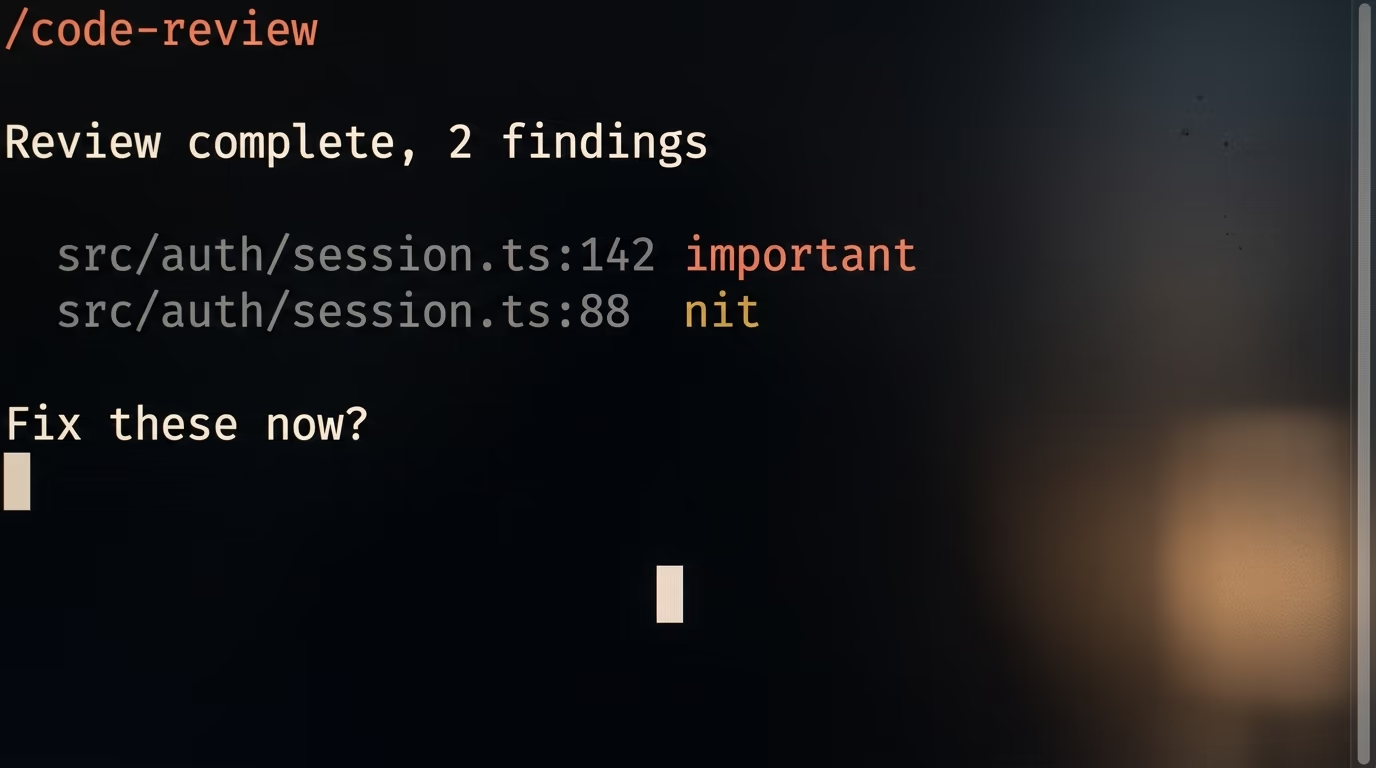
Each finding names the file and the line, says in 1 sentence what is wrong, and often carries a tag such as correctness. Read them all before you fix any of them, because a review is an opinion and some of it will be wrong about your project, so the next step is a conversation with Claude about what it flagged.
2 flags are worth knowing on the first night. Adding --fix asks Claude to apply what it found, edit by edit, through the same approval prompts you already see in a session. An effort level in front, anywhere from low to max, decides how hard the review looks, where low reports only the findings it is most confident about and max broadens the search and takes longer.
/code-review high --fixClaude Code remembers the effort level you typed last, even in a new session days later, and prints a line telling you which one it reused, which catches out anybody who tried max once on a quiet afternoon.
None of this has to be memorised to be used. Claude can start the review itself when you ask in plain words, so telling it to go over your changes before you push runs the same thing, and a scheduled task with that command as its prompt will run it for you on a branch you leave open overnight.
Why does the REVIEW.md file in Anthropic's post do nothing here?
REVIEW.md has no effect on a review you run on your own machine, because the local command reads your CLAUDE.md files and not REVIEW.md. Anthropic's page on the local review states it in 1 line, and its page on customizing reviews repeats it in a note. REVIEW.md belongs to a different product, the managed Code Review service that reads pull requests on GitHub, and that service is sold with the Team and Enterprise plans.
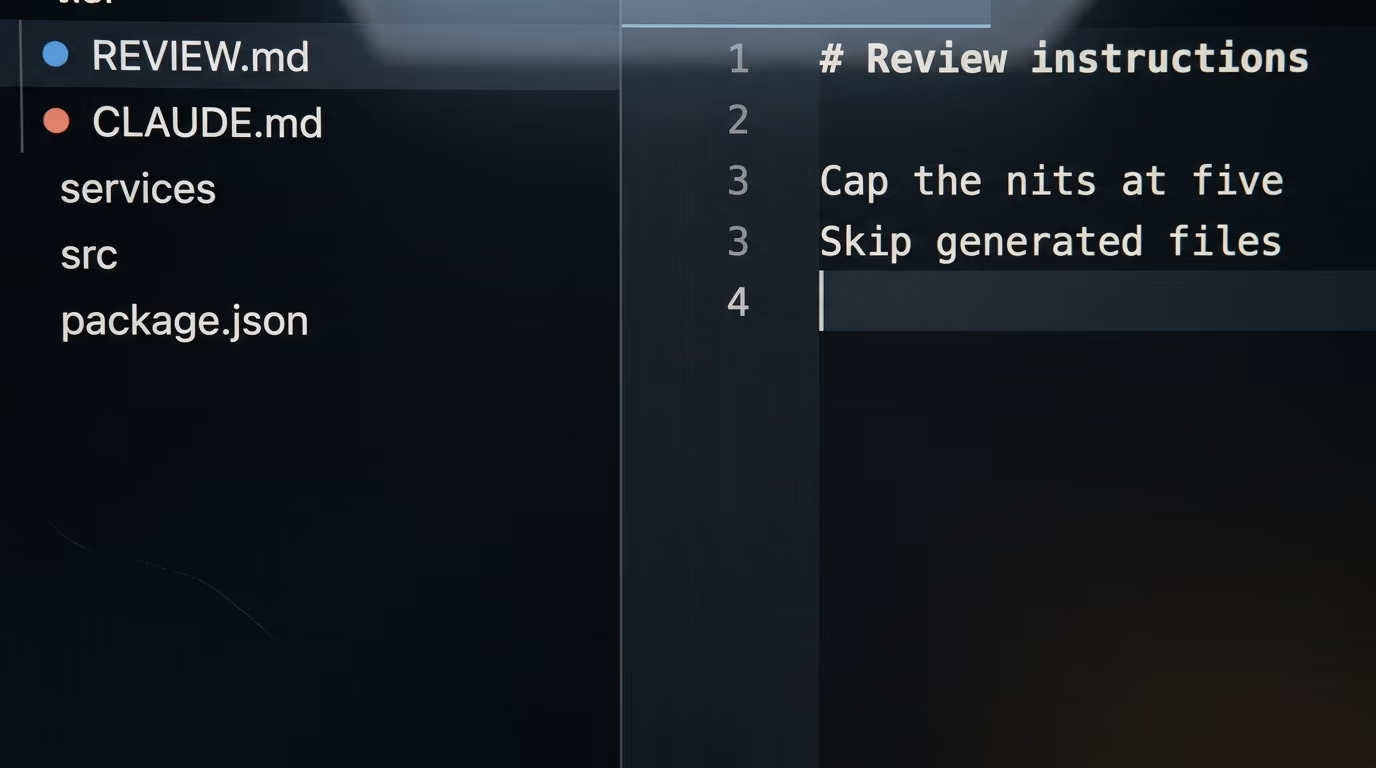
This matters tonight because every summary of yesterday's post mentions that file, and it is the detail a reader copies first. Create REVIEW.md on your laptop, fill it with careful rules, run a review, and not one of those rules is read. Move the same text into CLAUDE.md and the local review follows it from the next run on.
On the GitHub service the file does real work. It sits at the top of the repository, the agents that find issues and the agents that verify them both receive its contents, and a review reads it from the base branch rather than from the pull request in front of it, so a rule only takes effect once it has been merged. Anthropic's own example caps nits at 5 per review, skips generated files, and redefines what counts as important for that repository.
The labels come from the same service. A finding is marked Important when it is a bug to fix before merging, Nit when it is minor and not blocking, and a third label covers a bug that was already in the code before this change. A review never approves and never blocks a pull request, which the documentation states in those terms, so the decision to merge stays with people.
What goes wrong on the first night?
4 things go wrong often enough to be worth recognising, and every one of them is documented. None of them means you installed anything wrong.
The security command refuses to start without a remote. Running the security review compares your branch against the default branch on the server, so a folder that has never been pushed anywhere has nothing to compare against, and the message you get names an ambiguous argument.
/security-review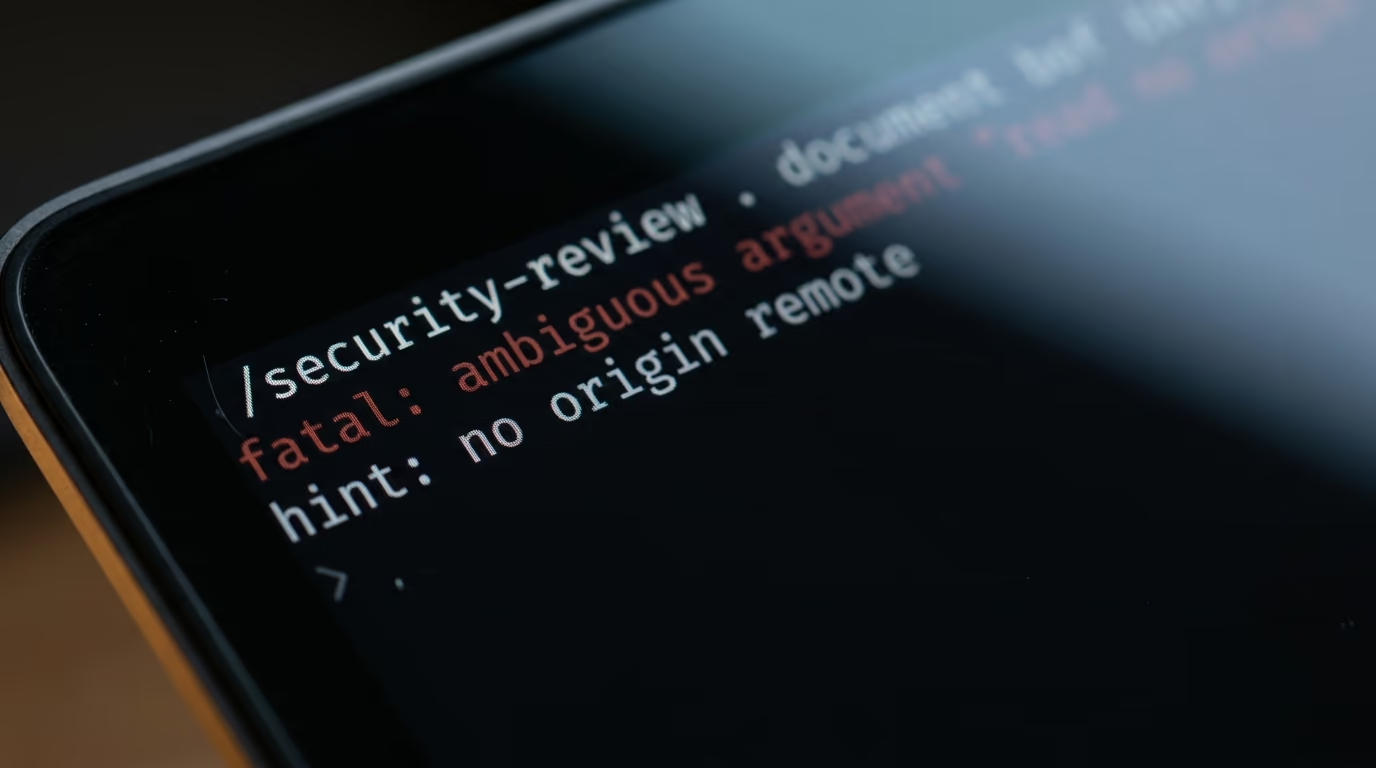
Push the repository to GitHub or anywhere else first, or stay with the ordinary review, which needs no remote at all and is the one this tutorial sets up.
The fix flag edits files outside your safety net. Anthropic's documentation warns that a background review applies its fixes outside the checkpoints the rewind command restores, so rewinding afterwards puts back only what Claude changed inside your conversation. The commit from step 1 of the prompt is what saves you there, because git can put every file back the way it was.
A clean review is not a clean codebase. The documentation says it in 1 sentence, that a review with no findings doesn't mean your code is free of bugs or secure, and Anthropic's own team reports that most of their large pull requests come back with findings while most small ones come back clean. A short change passing tells you very little.
The last surprise is yours rather than the tool's, and it is how many findings you disagree with. Argue with them in the conversation, where Claude can read the code again and either back down or hold its ground, and when the same wrong finding keeps returning, write the counter rule into CLAUDE.md so the next review already knows.
What do we not know yet about AI code review?
The numbers in Anthropic's post are Anthropic's own internal measurements, and nobody outside the company has checked them. They report that the share of their internal pull requests receiving a substantive comment went from 16% to 54% after they turned their review service on, which is roughly 1 in 6 before and more than half after, and they say Claude writes about 90% of Claude Code's own code. Both figures describe a codebase written mostly by the model that reviews it, which is a situation almost nobody else is in.
What nobody publishes is the price of a managed review. Anthropic's own costs page says Code Review has no flat price per review and is billed on usage, so an organization only learns its average after running a pilot on its own repositories. Anybody quoting a dollar figure per review is quoting their own bill rather than a rate card.
The command you run yourself carries its own blank spaces. Anthropic publishes no measurement of how many real bugs it catches on somebody else's codebase, the effort levels are described in words rather than in figures, and nobody independent has run the same branch through it twice to see whether the 2 reviews agree. Treat your first week with it as your own small test, and keep the findings you disagreed with, because that list will teach you more than any benchmark.
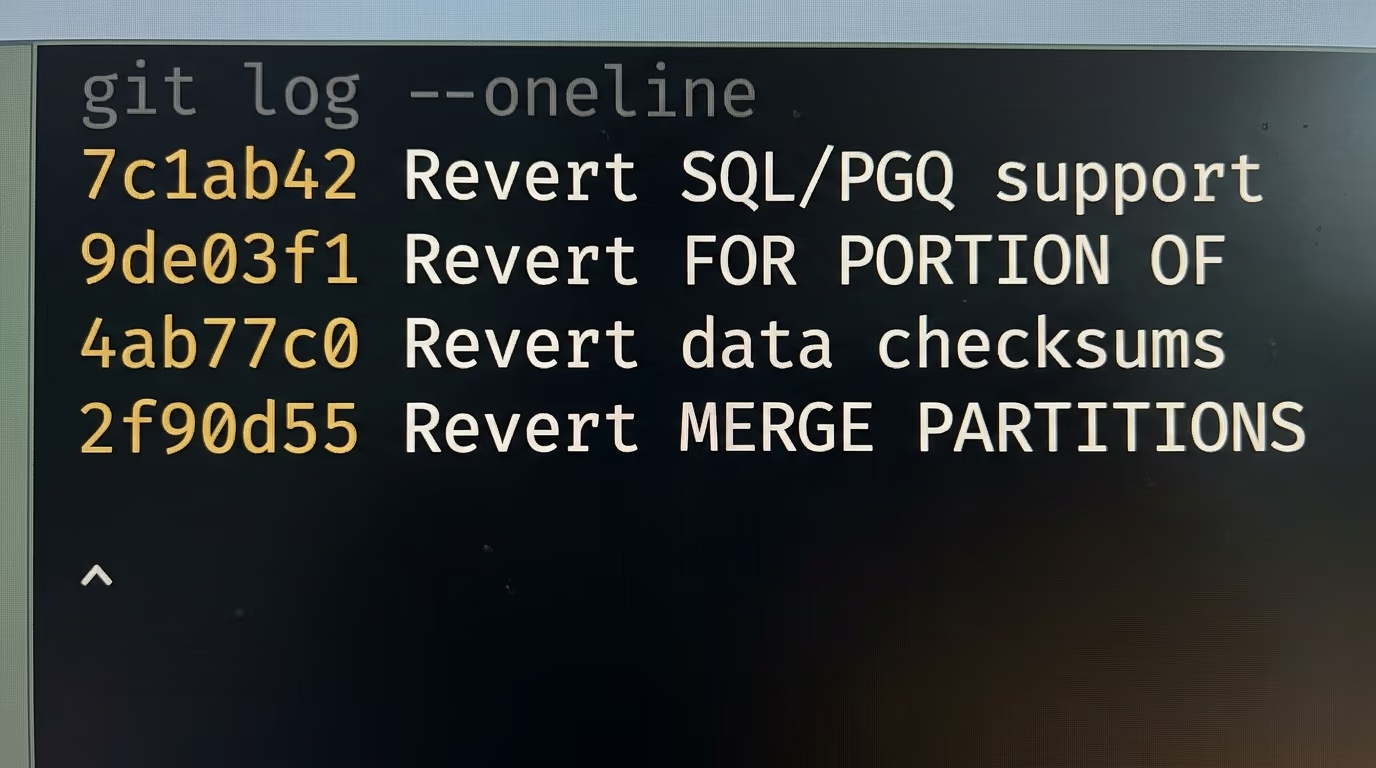
There is 1 public case this week of this kind of review changing a real project, and it cuts both ways. The Register reported on 16 October that the PostgreSQL team pushed version 19 into November and took 8 to 10 finished features back out. It quotes Peter Eisentraut, a PostgreSQL committer and a vice president at the support company EDB, saying that a review of this kind finds such problems much faster, and that you then find yourself staring at a list of 40 defect reports.
What that means for your own evening is modest. A review of this kind finds edge cases you would otherwise have met as bug reports over the following years, and it also creates a pile of work that somebody has to sort through, which is exactly why your own rules and your own judgment matter more here than the model does.
Where to point the review next week
The loop you set up tonight is worth repeating before every push, and 2 habits make it stick. Run the review on your branch before you open anything on GitHub, so the first reader of your change is never a colleague, and keep adding to CLAUDE.md every time a finding annoys you or a real bug slips past it.
If the review keeps finding the same class of problem, a dedicated reviewer agent is the next step, and our walkthrough of Claude Code subagents builds one from nothing. If you work across several tools, the same rules can live in a shared instructions file, which our guide to the AGENTS.md file Claude Code reads covers. If you would rather a service commented on your pull requests for you, our shortlist of AI code review tools priced per pull request compares what each one charges. And when a review flags a dependency you have never heard of, the check in how to spot a package that doesn't exist takes 2 minutes.
None of this needs the company setup Anthropic described yesterday. 1 command, 1 file of your own rules, and a commit before you start give you the same second opinion their team gets, on a plan you may already be paying for.
Questions people ask
Can I review code with Claude Code on the $20 Pro plan?
Yes. The local review command works on any paid plan, which Anthropic's documentation states, and Pro at $20 a month is the cheapest one that includes Claude Code. The free claude.ai plan doesn't include Claude Code at all, so there is no way to run it without paying.
Do I need GitHub to review code with Claude Code?
No. The local command reviews the changes on your branch inside your own session and never contacts GitHub. The managed Code Review service, which comments on pull requests, is the one that needs GitHub and a Team or Enterprise plan.
Does the review I run myself read a REVIEW.md file?
No, it reads your CLAUDE.md files instead. Anthropic's page on the local review says the command doesn't read REVIEW.md, and its page on customizing reviews repeats it. REVIEW.md only configures the managed service that reviews pull requests on GitHub.
What is the difference between the review command and the security one?
The ordinary review looks for correctness bugs in the changes on your branch. The security one analyses the same changes for risks such as injection, broken authentication and data exposure, and it needs a remote named origin, failing with an ambiguous argument message when there isn't one.
Will the review change my code without asking?
Not unless you add the fix flag, and even then every edit goes through your normal approval prompts. Without that flag the review reports and nothing on disk changes. Anthropic's documentation also warns that fixes applied by a background review sit outside the rewind safety net, so a commit before you start is worth the minute it costs.
How long does one review take?
A small change comes back in under a minute, and a branch holding a week of work can take several minutes, because the review reads the code around your changes and not only the changed lines. It runs in the background, so you can keep working while it reads.
Is there a free way to review code with Claude Code?
No free option exists today, because Claude Code is excluded from the free claude.ai plan. The deeper cloud review, ultrareview, includes 3 free runs on Pro and Max before it starts spending usage credits, which Anthropic's command reference states.