TutorialsOctober 24, 202611 min read
How to use Kimi K3.1 Pro tonight, before the weights exist
Moonshot's new flagship is not downloadable yet, so the hosted route is the only one. The whole setup, the $1 minimum, and the prompt that builds something before bed.
Kimi K3.1 Pro is the new flagship model from Moonshot AI, announced on 23 October, and you cannot download it tonight. The lab's own release post dates the full weights to 4 November, and this morning no K3.1 repository exists on Moonshot's Hugging Face account, so the only route open today is the hosted one, at $2 per million tokens of input and $10 per million tokens of output on Moonshot's own platform.
What follows is the whole setup for somebody who has never opened a terminal. It takes about 30 minutes, it needs the $1 minimum Moonshot asks you to put on an account before the first call runs, and it ends with a small working page the model built while you watched.
What is Kimi K3.1 Pro, and can you download it tonight?
Kimi K3.1 Pro is the new top model from Moonshot AI, the Beijing lab behind the Kimi assistant, and no, you cannot download it tonight. Moonshot calls it an open weight model and promises the files, and its release post gives the date in a single sentence.
Full model weights will be released by Nov 4, 2026.
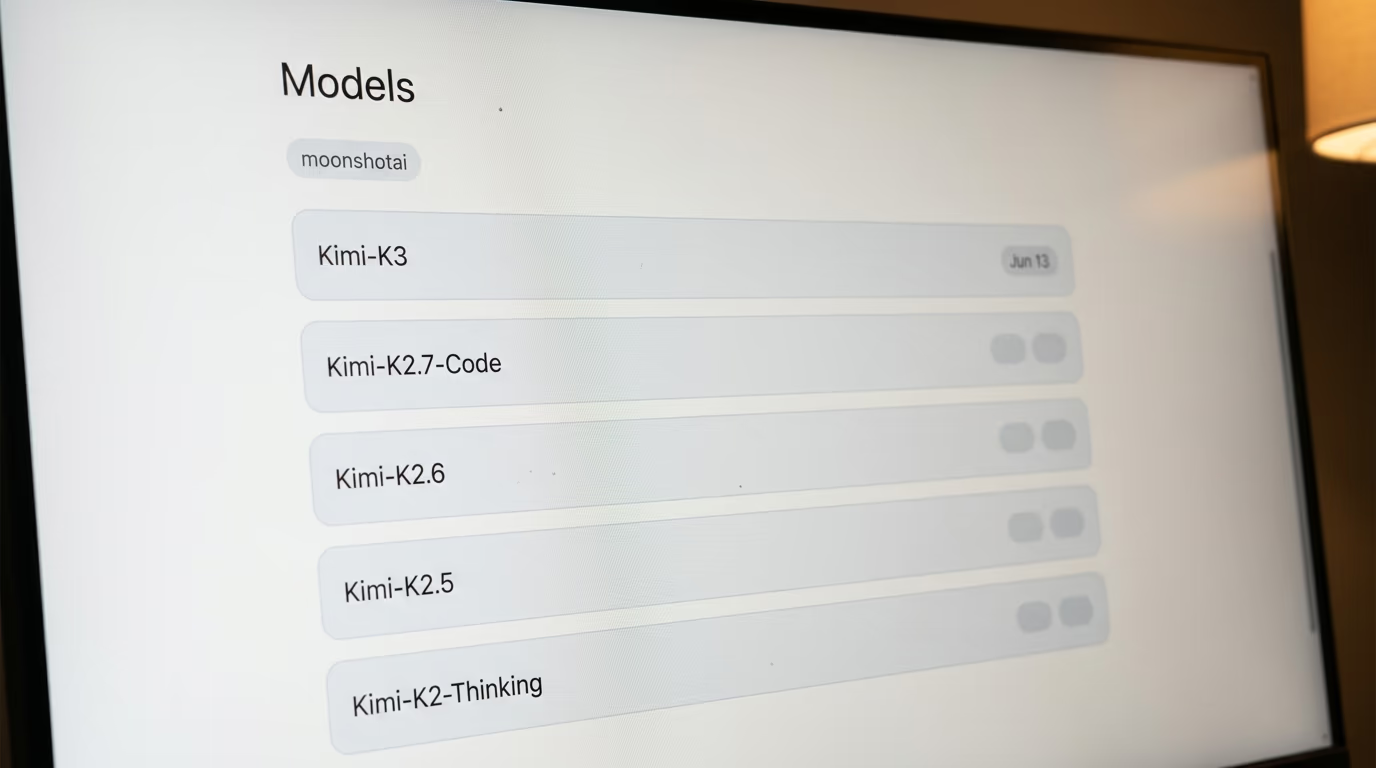
Until that day the weights are a promise rather than a file, and everything you read this week about running this model on your own machine describes a future nobody has tested. Simon Willison, who writes up every model release in public, said the same thing on the day it landed, that it is "not yet open weights". We checked it a second way this morning. Moonshot's account on Hugging Face, where its earlier models all sit in the open, carries no K3.1 repository at all, and the newest entry there is Kimi K3, the model this one replaces. If the difference matters to you, we wrote what open weight models actually give you earlier this year.
What the lab says the model can do is worth reading as a claim rather than a measurement. On a coding test called Terminal Bench, which pushes an agent through real work in a terminal, Moonshot's own run puts Kimi K3.1 Pro about a point behind Claude Opus 5.5 and ahead of OpenAI's GPT-6 Astra. Those scores come from the lab's own test setup, nobody outside has reproduced them yet, and the honest summary is that this model sits in the same class as models that cost more to use.
The figure that changes what you would actually do with it is the context window, a million tokens, which is roughly 700,000 words held in a single conversation. You can hand it an entire book and ask about something near the end without it forgetting the opening, which is what the other long context models sell too.
What does Kimi K3.1 Pro cost, and what do you need to start?
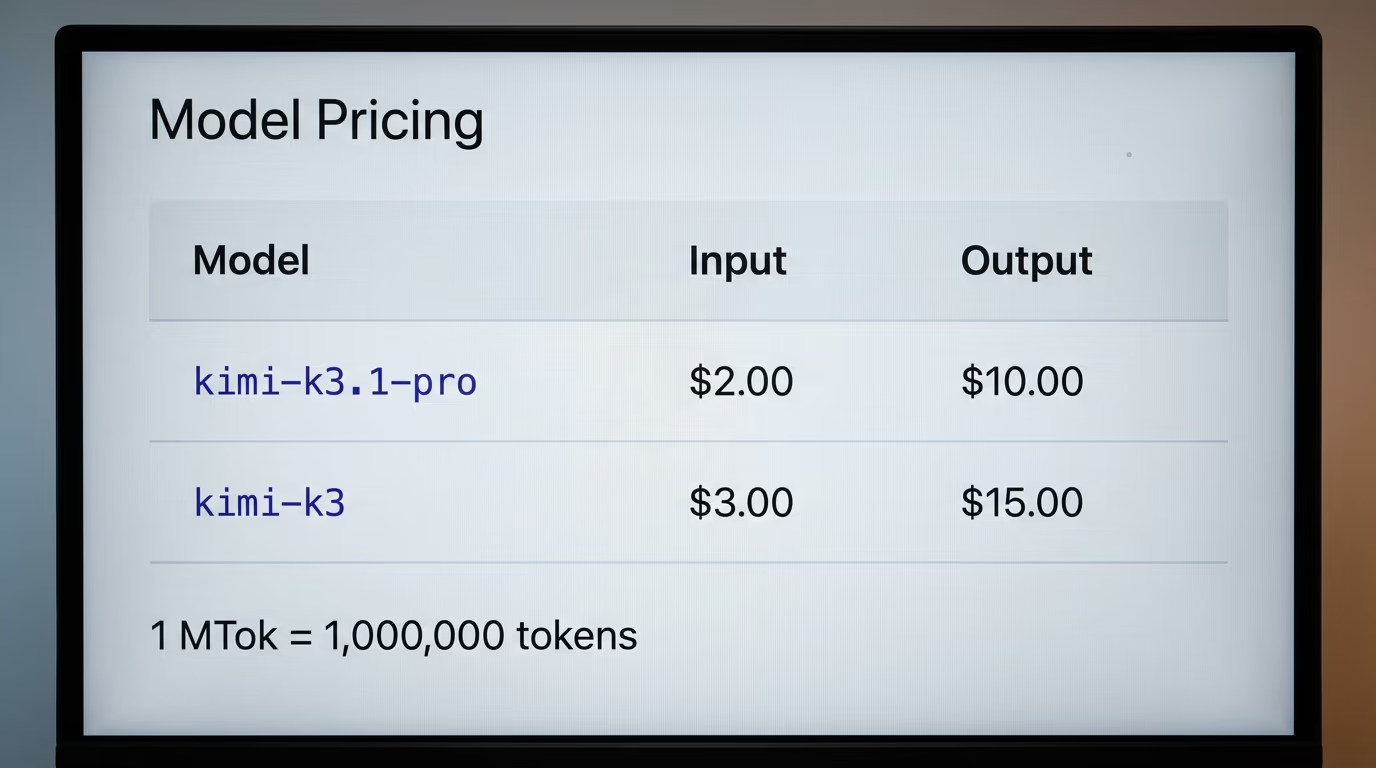
Kimi K3.1 Pro costs $2 per million tokens of input on Moonshot's platform, the output rate sits in the table below, and the account needs a $1 top up before the first call will run. There is no subscription and no monthly plan on that platform, you buy credit and the meter eats it, so an evening of tinkering costs cents rather than a membership.
Here is everything you need before you start, and nothing on this list is optional.
- A computer, any Mac, Linux machine or Windows PC. No graphics card, because the model runs on Moonshot's machines rather than yours.
- An account on the Kimi API platform, created with an email address.
- $1 of credit on that account, the minimum the platform accepts before it will answer a single call.
- Half an hour, most of it spent watching the agent work.
The rate only means something beside the models you already pay for, and this is the comparison nobody published yesterday, every figure read off the vendor's own page this morning.
| Rate per million tokens | Kimi K3.1 Pro | Kimi K3, the older one | Claude Opus 5.5 | GPT-6 Astra |
|---|---|---|---|---|
| Input you send | $2.00 | $3.00 | $4.00 | $10.00 |
| Output it writes | $10.00 | $15.00 | $20.00 | $50.00 |
| Cheaper repeat input | $0.20 | $0.30 | $0.20 | not comparable |
| Published on | platform.kimi.ai | platform.kimi.ai | platform.claude.com | developers.openai.com |
2 rows in that table are worth a second look. The new model is cheaper than the Kimi K3 it replaces, which is unusual, since a new flagship normally arrives dearer than the one it pushes aside. And it lands at half the rate of the Claude model its own benchmark run says it trails by a point, which is the entire argument for trying it tonight.
One more money rule, because it catches people out. Put $5 on the account rather than $1 and Moonshot adds a $5 voucher, but its own change log says usage is now deducted half from cash and half from vouchers, so the gift stretches your money rather than doubling it. Nothing here needs more than the minimum, and the free Kimi app will answer your questions without any of this if a chat is all you want.
How do you create your Kimi API Keys and add credit?
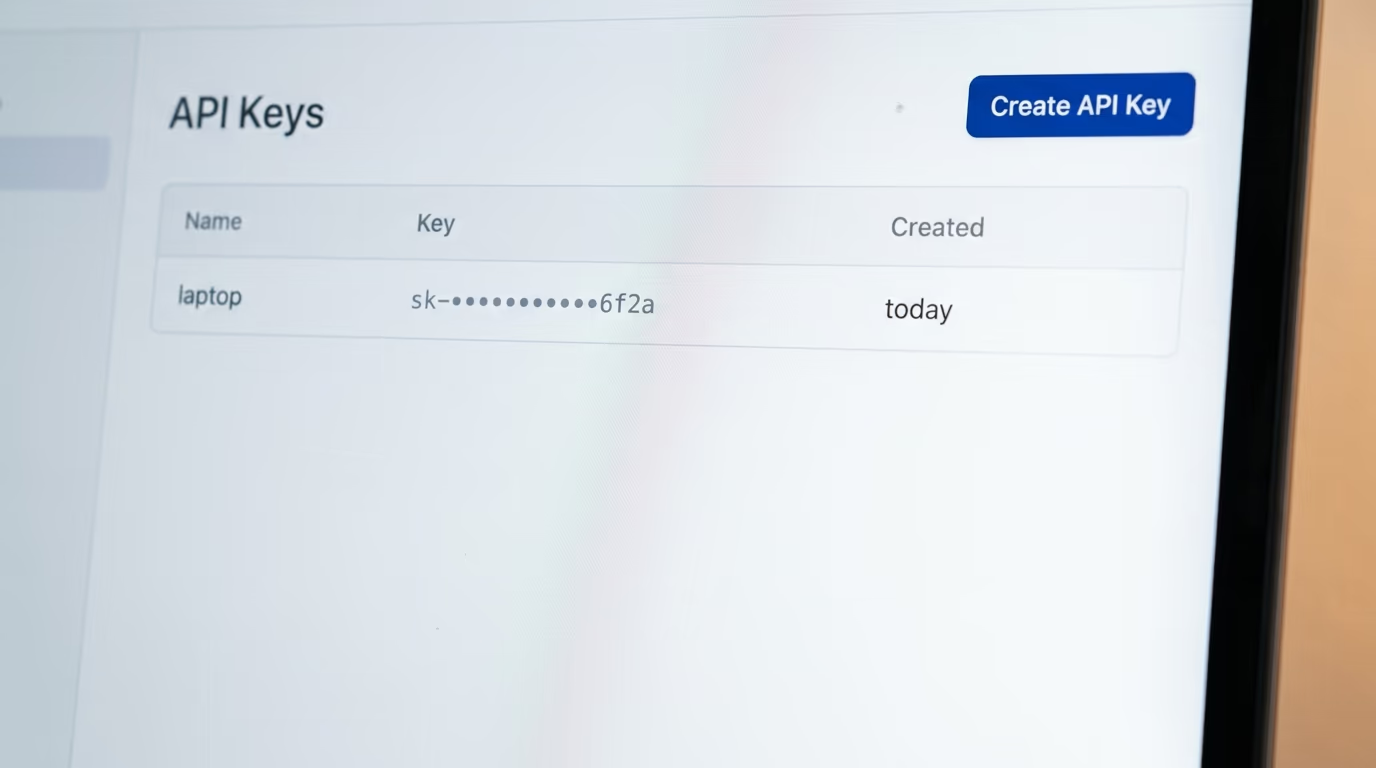
You create your Kimi credentials in the console at platform.kimi.ai, on the page named API Keys, and you add credit on the same site before they will do anything at all. What the console hands you is a long string of characters that proves the calls are yours, and it is the one piece of this build you have to keep private.
Step 1, 10 minutes, create your credentials
Open the Kimi API platform and sign in, with an email address or a Google account. Then open the API Keys page and press the button that creates a new one. Give it a name you will recognise later, something like laptop, and copy the string it shows you into a note on your own machine. The console shows that string once and never again, so one you forgot to copy is one you delete and create again.
Step 2, 5 minutes, put the first dollar on
Go to the top up screen in the same console and add credit. The platform's own rate limit page states the rule in a single line, you need to recharge at least $1 to start using, so the account answers nothing until money lands on it. This is also the genuinely annoying step, and it is honest to say why. Moonshot's billing page names WeChat Pay and Alipay for individual top ups, so what your own card can do here is something the payment screen tells you and the documentation does not, and if that wall stops you, renting the same class of model through OpenRouter is the route that takes a normal card.
How do you install the agent that runs Kimi K3.1 Pro?
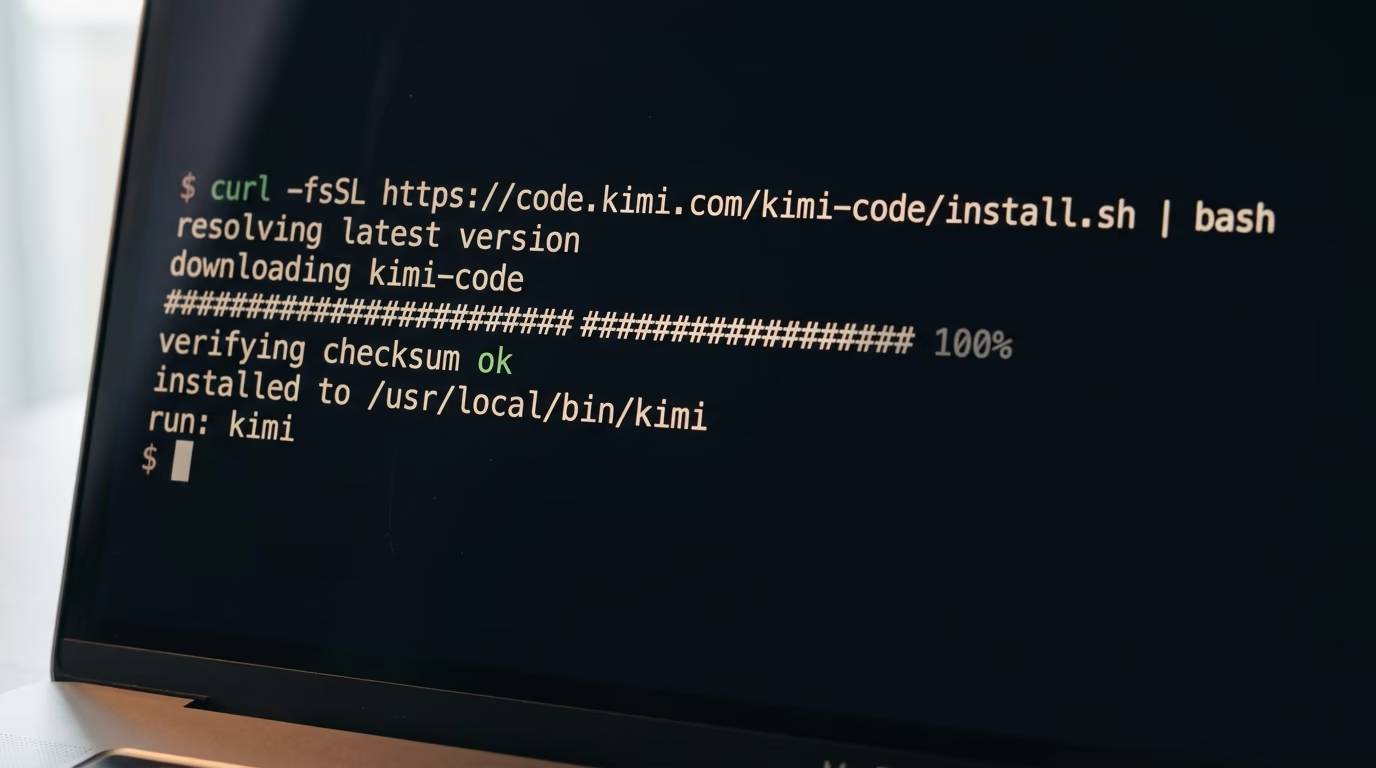
You install Kimi Code, Moonshot's own terminal agent, with one line, then sign in with the string you just copied. An agent is the thing that turns your sentence into files on your disk, and Moonshot's own is the shortest path to this model, because its login menu already knows where to send the calls.
Step 3, 5 minutes, install Kimi Code
Open Terminal on a Mac, by pressing Command and Space and typing Terminal, or open your terminal of choice on Linux. Paste the line below and press Enter. It downloads the agent, checks it against a published fingerprint and puts it where your machine can find it.
curl -fsSL https://code.kimi.com/kimi-code/install.sh | bashYou should see a few lines of progress and then a message telling you the install finished. On Windows the installer is a PowerShell line instead, and Moonshot's documentation adds one requirement there, Git for Windows has to be installed first, because the agent borrows the shell that ships with it.
irm https://code.kimi.com/kimi-code/install.ps1 | iexStep 4, 5 minutes, sign in and choose the model
Make a folder for tonight's experiment, anywhere you like, and start the agent inside it. The lines below create a folder called tonight in your home directory, move into it and launch the agent.
mkdir ~/tonight
cd ~/tonight
kimi
The agent opens with a prompt waiting for you. Type /login and press Enter, and a menu appears asking where your credentials came from. Choose the line reading Kimi Platform, the one naming platform.kimi.ai, because the documentation warns that a mismatch here makes the check fail. Paste your string, press Enter, and the agent lists the models your account can reach.
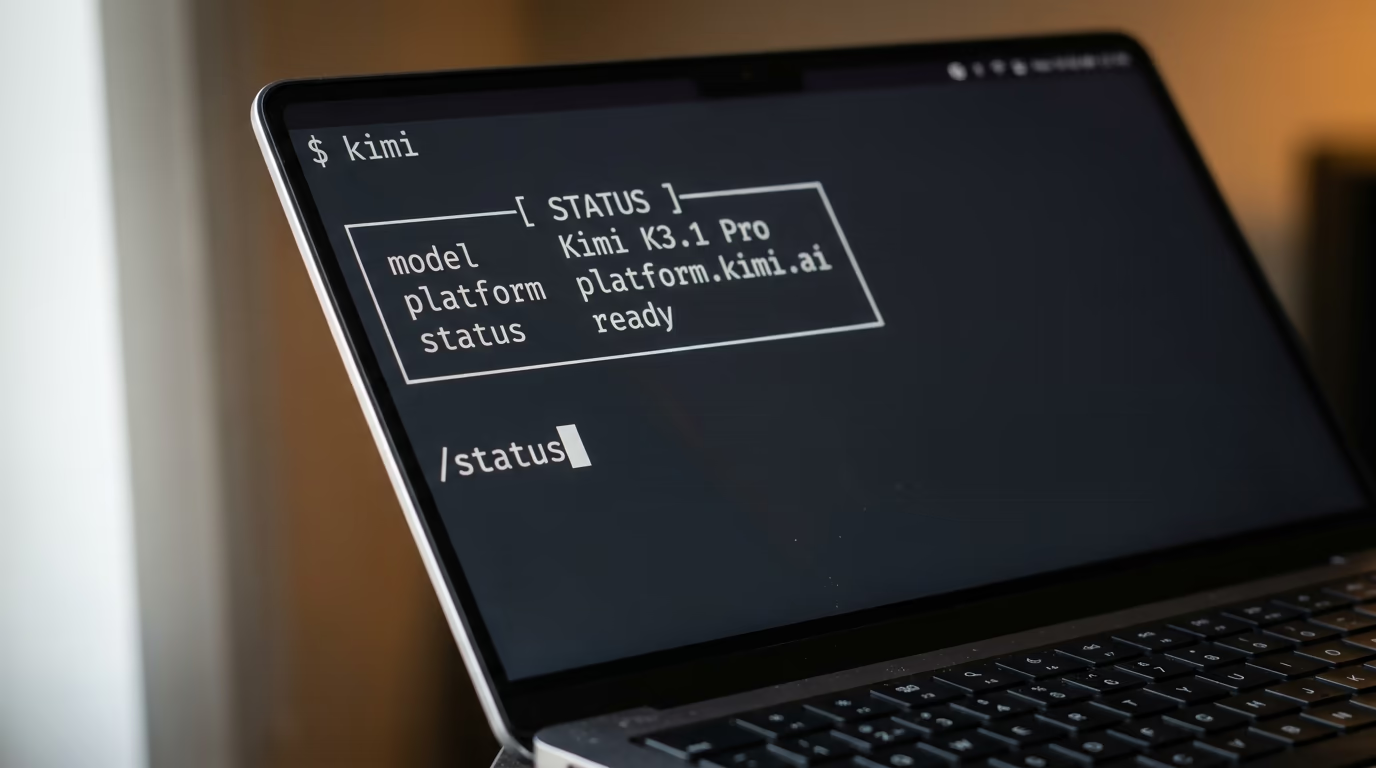
Choose Kimi K3.1 Pro from that list. Then type /status and read what it prints back, because it names the model the session is actually using, and the rest of this evening only works if that line says K3.1 Pro. The agent remembers the choice, so tomorrow night you go straight to the work.
Which prompt gets something built before bed?
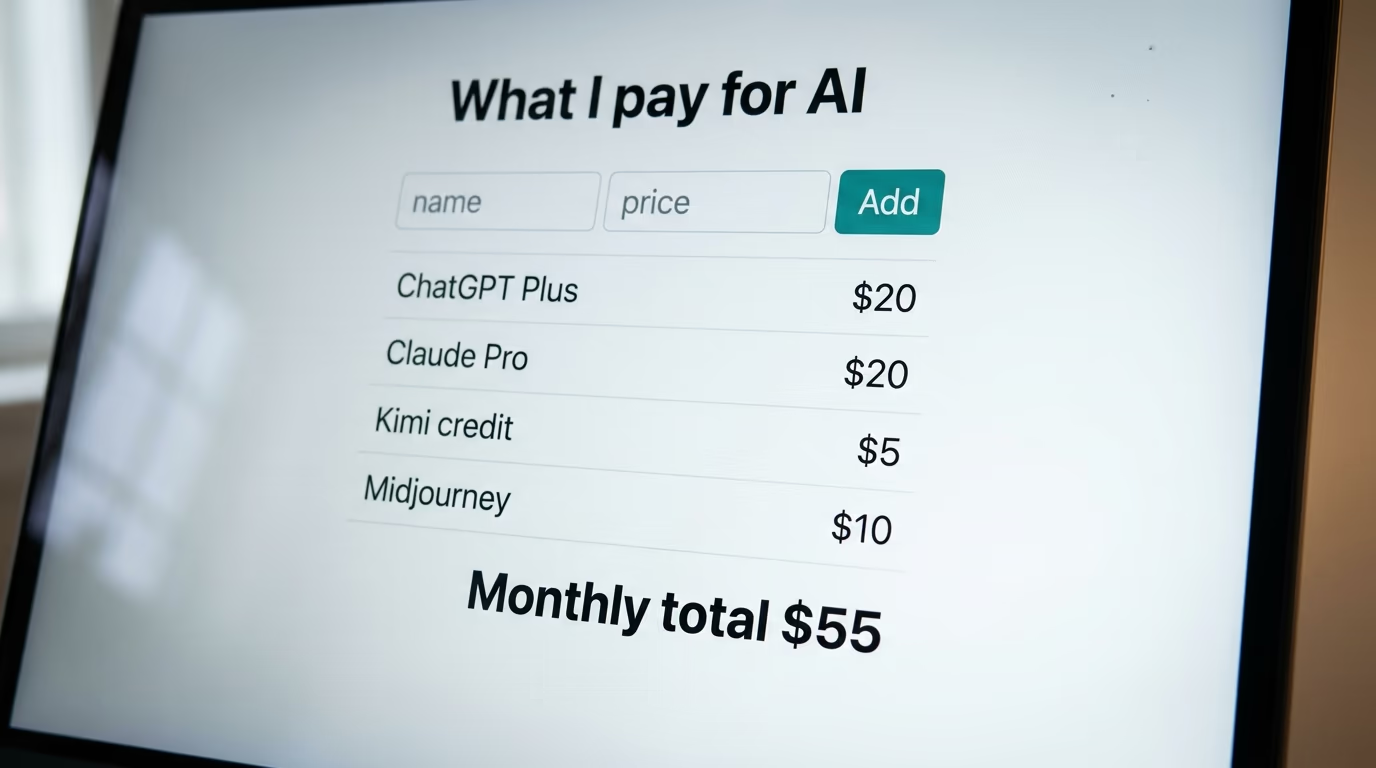
One pasted prompt is enough, and the prompt below is the only long thing you copy all evening. It asks the model to build a single page that tracks what you spend on AI subscriptions, to ask you questions before it guesses, and to test its own work before it tells you it has finished. You are not writing code tonight, you are describing a result and reading what comes back.
Step 5, 20 minutes, paste this prompt
Copy the whole block, paste it into the agent, and press Enter. Then answer its questions as they arrive, in plain words, the way you would answer a colleague who asked you across a desk.
You are building a small project for me in this folder. I have never used a terminal before, so explain every step in plain words and stop whenever you need an answer from me.

1. Tell me which model you are running on and say in one line what a message like this costs me.
2. Ask me 3 questions about what I want the page to track, one at a time, and wait for each answer before asking the next.
3. Build one file called tracker.html in this folder. Everything lives in that single file, with no installation, no server and no account.
4. The page lets me add a line with a name, a price per month and a date, shows all the lines, shows the monthly total and the yearly total, and lets me delete a line.
5. Save everything inside the browser so my list is still there when I open the file again tomorrow.
6. Make it readable on a phone, with large text and buttons big enough for a thumb.
7. Test your own work. Open the file, add 2 lines, reload the page, and tell me whether both lines survived.
8. If anything is broken, fix it yourself and tell me in one sentence what was wrong.
9. Print the full address of the file on my disk and tell me how to open it in my browser.
10. Finish with 3 short lines, what you built, what it cannot do yet, and what I should ask you next.
What you should see next is the agent talking to you rather than spraying code across the screen. It names the model, asks its questions one at a time, then writes the file and reports what it did. On a normal evening the whole run takes a few minutes, and this model thinks before every answer, so a pause with nothing moving on screen is the model working rather than a crash.
At the end the agent prints the address of the file, something like /Users/yourname/tonight/tracker.html. Open your file manager, find tracker.html in that folder, and double click it. Your browser opens a page where you add a subscription, see the monthly total, and close the tab knowing the list will still be there tomorrow. That page is yours, it works with no internet connection, and nothing about it depends on Moonshot once the file exists.
When the result disappoints you, say so in plain words and watch what happens, because correcting an agent is the actual skill on this desk. Tell it the buttons are too small, tell it you want the yearly total in bold, tell it the delete button should ask before it deletes. Each correction is one sentence, and the file is rewritten in front of you.
How do you run Kimi K3.1 Pro inside Claude Code instead?
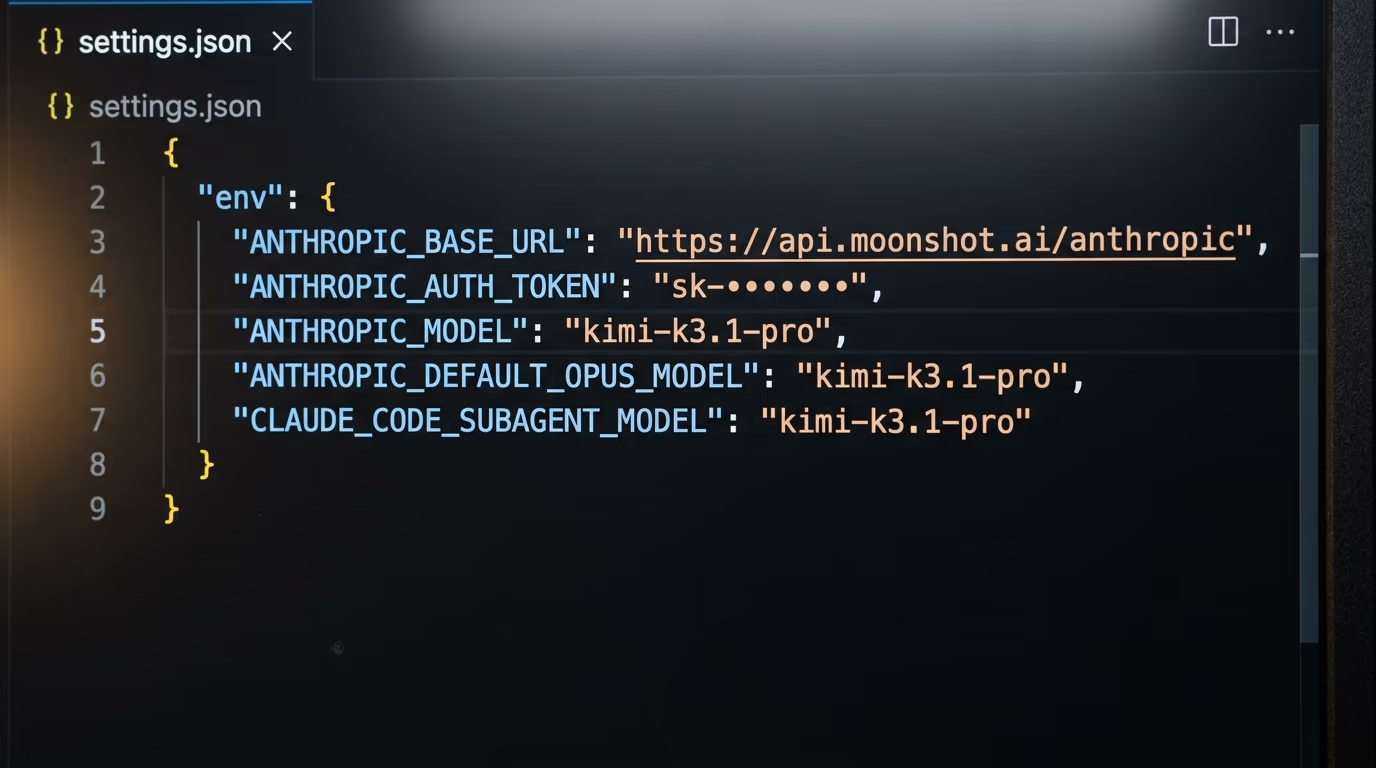
If Claude Code already sits on your machine, you can point it at Moonshot rather than Anthropic by writing a small settings file, because Moonshot publishes an address that speaks the language Claude Code expects. One warning, found by reading the lab's own page this morning, the example in Moonshot's guide still names Kimi K3, the previous model, which is the dearer one in the table above. The name below is the new model, and it is the same name the lab's own test call uses on that same page.
Open the file at .claude/settings.json in your home folder, or create it if it is not there, and put this inside. Swap in your own string, and never commit this file to a public repository, because the string sits in it as plain text.
{
  "env": {
    "ANTHROPIC_BASE_URL": "https://api.moonshot.ai/anthropic",
    "ANTHROPIC_AUTH_TOKEN": "paste-your-kimi-string-here",
    "ANTHROPIC_MODEL": "kimi-k3.1-pro",
    "ANTHROPIC_DEFAULT_OPUS_MODEL": "kimi-k3.1-pro",
    "ANTHROPIC_DEFAULT_SONNET_MODEL": "kimi-k3.1-pro",
    "ANTHROPIC_DEFAULT_HAIKU_MODEL": "kimi-k3.1-pro",
    "CLAUDE_CODE_SUBAGENT_MODEL": "kimi-k3.1-pro"
  }
}
Every one of those lines has a job. The first sends the calls to Moonshot, the second proves they are yours, and the rest cover the smaller work Claude Code quietly hands to cheaper models in the background, which fail in silence when you leave them out. Restart Claude Code after saving, type /status, and check that the address on screen is the Moonshot one.
Before any of that, test your credentials on their own with the line below, which is the check the lab prints in its own guide. It sends the shortest possible message and asks for the shortest possible answer.
curl https://api.moonshot.ai/anthropic/v1/messages \
  --header "Authorization: Bearer YOUR_KIMI_STRING" \
  --header "Content-Type: application/json" \
  --data '{"model": "kimi-k3.1-pro", "max_tokens": 1, "messages": [{"role": "user", "content": "hi"}]}'
Readable text coming back means the string and the address both work. We ran that same address with nothing attached this morning and it answered with an error saying the credentials were incorrect, which is exactly what a wrong or missing string looks like, and the fix is to check you copied the whole thing and created it on the site you selected in the menu. For a wider view of which agents accept an outside account at all, our ranking of the coding agents worth paying for covers the ones that refuse.
What did the evening cost, and how do you cap it?
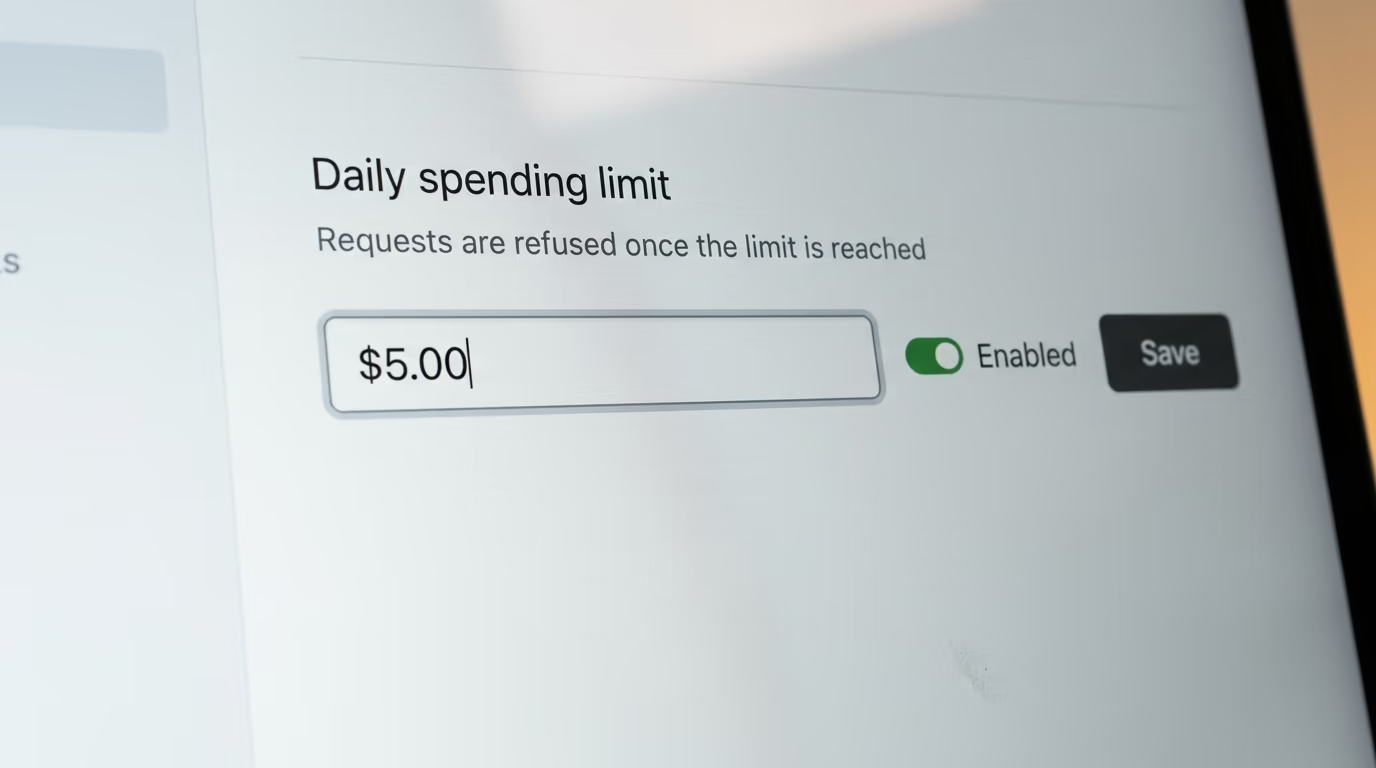
You read what the evening cost in the Kimi console, on the account overview, which shows the day's spending against the credit you put on. Check it once the agent has finished rather than during the run, because a page watched while a model thinks tells you nothing you can act on.
Before the second evening, set a ceiling. The console has a project settings page where you give the project a daily spending budget, and once that budget is reached the platform refuses every further call from it. Moonshot's own documentation adds one warning, the limit can take about 10 minutes to bite because the meter lags behind the spending, so set it lower than the number that would upset you. We compared which providers really stop the bill across the main platforms, and a hard refusal like this one is the behaviour you want.
The money goes on output, and on thinking in particular. Kimi K3.1 Pro always reasons before it answers, and the platform's documentation says that effort sits at its highest setting unless you ask for less, so an agent rewriting the same file over and over spends far more than the same words typed into a chat window. An evening like the one above stays in cents, and a weekend of letting an agent loose on a real project is where a sleeping budget turns into a real bill.
Where does this break, and what do we not know yet?
The failure that stops most people here is the sign in, and Moonshot's own troubleshooting list names the first thing to check, the platform you picked in the menu has to match the site where you created your credentials. Moonshot runs more than one platform, a string only works on its own, and the symptom is a rejection at login or an error saying the credentials are incorrect. Create a new one on the site you selected, run /login again, and it clears.
3 smaller walls are worth knowing before you hit them at midnight. The /login command only works while the agent is idle, so interrupt a running task by pressing Escape first. The model list comes back empty when your credentials and the selected platform disagree, which is the same problem wearing a different coat. And on Windows the agent refuses to start without Git for Windows, because it borrows the shell that ships with it.
Now the honest list of what nobody can tell you today, including us. The weights are a date and nothing more, Moonshot names 4 November 2026 and no hour, no licence text has been published beside that promise, and until the files land there is no way to know what you will be allowed to do with them.
No independent benchmark of this model exists yet either. Every score in circulation today, including the ones quoted here, comes from Moonshot's own test setup or from a scoring service, and none of it has been reproduced by somebody with no stake in the result. The same goes for the faster variant, which costs double on both sides of the meter for speed nobody outside the lab has measured.
The last unknown is the dullest and it will stop more readers than any benchmark. Moonshot's billing page names Chinese payment apps for individual top ups and says nothing about anything else, so whether a card from your country clears is a question the payment screen answers and the documentation does not. If it clears, you have a model at half the rate of the Claude one beside it in that table, running in your own terminal for the price of a coffee. If it does not, the date on the calendar is 4 November, when the weights are supposed to make all of this moot.
Questions people ask
Can I download Kimi K3.1 Pro and run it on my own computer?
Not yet, and that is the single biggest misunderstanding about this launch. Moonshot says the full weights will be released by 4 November 2026, and as of this morning no K3.1 repository exists on its Hugging Face account. Until then the only way to use Kimi K3.1 Pro is Moonshot's hosted API or the Kimi apps.
How much does it cost to use Kimi K3.1 Pro for an evening?
The published rate is $2 per million tokens of input and $10 per million tokens of output, and the platform asks for a $1 minimum top up before it answers any call. An evening spent building one small page with an agent lands in cents rather than dollars, and the console shows the day's spending against your credit.
Is Kimi K3.1 Pro free to try without paying anything?
The Kimi app and the Kimi website let you chat with the model without paying, so you can judge its answers for nothing. The API, which is what a coding agent needs, is not free, and the platform's own rule is that an account must hold at least $1 of credit before any call runs.
Which coding agents work with Kimi K3.1 Pro?
Moonshot documents its own Kimi Code agent, Claude Code, Codex, OpenCode and OpenClaw. The Kimi Code route is the shortest, because its sign in menu already points at the right address, while the others need a settings file naming Moonshot's endpoint and the model.
Is Kimi K3.1 Pro better than Claude Opus 5.5?
Moonshot's own test run puts it about a point behind Claude Opus 5.5 on a terminal coding benchmark, and nobody outside the lab has reproduced that result. What is verifiable today is the price, where Kimi K3.1 Pro charges half of what Anthropic charges on both the input and the output side.
What happens to the older Kimi models?
Moonshot's pricing page says the K2 series stops being offered to newly registered users at the end of October and will be retired by the end of December. Anyone starting something new should begin on Kimi K3.1 Pro rather than an older name found in an old tutorial.
Do I need a graphics card to use Kimi K3.1 Pro?
No, your laptop only sends text and receives text, because the model runs on Moonshot's machines. A graphics card would matter only if the weights were downloadable and you wanted to run the model at home, which nobody can do yet.